
1. Izdelek je končanview
The Acer Kids Bluetooth Headphones (Model OHR668) are designed to provide a safe and enjoyable audio experience for children. These over-ear wireless headphones feature volume limiting technology to protect sensitive hearing, a long-lasting battery, and a built-in microphone for communication. They are foldable for easy portability and constructed with durable, child-friendly materials.
Ključne značilnosti
- Omejitev varne glasnosti: Built-in technology limits volume to 85dB (Study Mode) or 94dB (Travel Mode) to protect children's hearing.
- Podaljšan čas predvajanja: Do 60 ur delovanja baterije z enim polnjenjem.
- Povezljivost Bluetooth 6.0: Ensures stable and reliable wireless audio streaming.
- Vgrajen mikrofon: Facilitates clear voice calls and interactive learning.
- Trpežna in zložljiva zasnova: Reinforced headband and foldable earcups for resilience and portability.
- Udobno prileganje: Soft memory foam ear cushions and an adjustable headband for prolonged comfort.
- Žična možnost: Compatible with 3.5mm audio cables for high-definition, lossless audio.
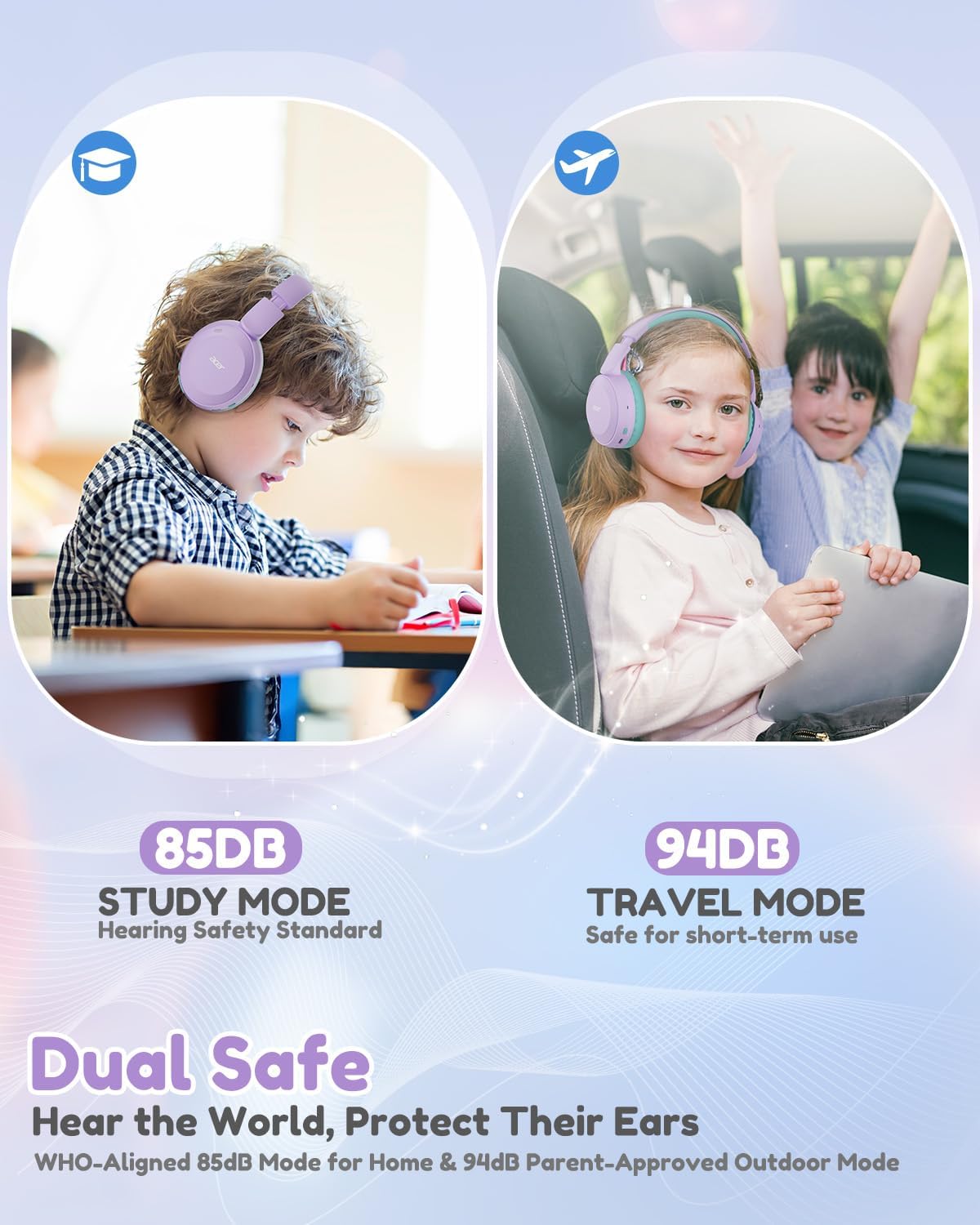
Image: Dual Safe Volume Modes (85dB Study Mode, 94dB Travel Mode).

Image: Kid-Proof Durability with BPA-Free and CPSIA certification icons.

Image: Built for All Day Comfort, highlighting soft ear cushions, soft headband, adjustability, and foldable design.
2. Nastavitev
2.1 Kaj je v škatli
- 1x Acer Kids Bluetooth Headphones (Model OHR668)
- 1x polnilni kabel USB-C
- 1x 3.5 mm avdio kabel
- 1x uporabniški priročnik

Slika: Vsebina embalaže izdelka.
2.2 Polnjenje slušalk
- Locate the USB-C charging port on the headphones.
- Connect the provided USB-C charging cable to the headphones.
- Drugi konec kabla USB-C priključite na združljiv vir napajanja USB (npr. stenski adapter, vrata USB računalnika).
- The LED indicator will show charging status (refer to the LED indicator section for details). A full charge takes approximately 2.5 hours and provides up to 60 hours of playtime. A 5-minute quick charge provides 2 hours of playtime.
2.3 Vklop/izklop
- Za vklop: Pritisnite in držite gumb za vklop približno 3 sekundi, dokler se ne prižge LED indikator.
- Za izklop: Pritisnite in držite gumb za vklop približno 3 sekunde, dokler se LED indikator ne izklopi.
2.4 Bluetooth seznanjanje
- Prepričajte se, da so slušalke izklopljene.
- Press and hold the Power button for approximately 5 seconds until the LED indicator flashes blue and red alternately, indicating pairing mode.
- V napravi (pametnem telefonu, tablici, prenosniku) omogočite Bluetooth in poiščite razpoložljive naprave.
- Na seznamu naprav izberite »Acer OHR668«.
- Once paired, the LED indicator will show a solid blue light or flash blue slowly.

Image: Broad compatibility with various devices via Bluetooth 6.0.
2.5 Žična povezava (3.5 mm avdio kabel)
For a wired connection, use the provided 3.5mm audio cable.
- Plug one end of the 3.5mm audio cable into the 3.5mm audio jack on the headphones.
- Drugi konec priključite v avdio izhod na vaši napravi.
- The headphones will automatically switch to wired mode. Bluetooth functionality will be disabled when the audio cable is connected.
3. Navodila za uporabo
3.1 Krmilniki in priključki

Image: Headphone controls and ports (Volume Up/Down, 3.5mm Jack, Type-C Charging Port, Volume Limiter Switch).
- Gumbi za povečanje / zmanjšanje glasnosti: Pritisnite za nastavitev glasnosti.
- 3.5 mm avdio priključek: Za žično povezavo.
- Vrata za polnjenje Type-C: Za polnjenje slušalk.
- Stikalo za omejevanje glasnosti: Toggle between 85dB (Study Mode) and 94dB (Travel Mode).
- Multi-function Button (Power Button):
- Pritisnite in držite 3 sekundi za vklop/izklop.
- Pritisnite in držite 5 sekundi, da vstopite v način združevanja Bluetooth.
- Kratek pritisk za predvajanje/začasno ustavitev glasbe.
- Kratek pritisk za sprejem/konec klicev.
- Double press for Next Track (if supported by device).
- Triple press for Previous Track (if supported by device).
3.2 Adjusting Volume Limiter
The headphones feature a physical switch to select between two volume limiting modes:
- 85dB (Study Mode): Recommended for extended listening sessions and quiet environments, aligning with WHO hearing safety standards.
- 94dB (Travel Mode): Suitable for short-term use in noisier environments, providing a slightly higher volume while still protecting hearing.
Slide the "Volume Limiter Switch" to select the desired mode.
3.3 Folding for Storage and Travel
The headphones are designed to be foldable for compact storage and easy transport. Gently fold the earcups inwards towards the headband until they are compact. This helps protect the headphones when not in use or during travel.
4. Vzdrževanje
4.1 Čiščenje
- Za brisanje zunanjih površin slušalk uporabite mehko, suho krpo.
- Za ušesne blazinice nežno obrišite z rahlo damp krpo in pustite, da se pred uporabo popolnoma posuši na zraku.
- Ne uporabljajte močnih kemikalij, čistilnih topil ali močnih detergentov.
- Izogibajte se vdoru vlage v odprtine ali vrata.
4.2 Shranjevanje
- Ko slušalk ne uporabljate, jih shranjujte na hladnem in suhem mestu, stran od neposredne sončne svetlobe in ekstremnih temperatur.
- Utilize the foldable design to make them compact for storage, reducing the risk of damage.
- Izogibajte se postavljanju težkih predmetov na slušalke.
5. Odpravljanje težav
5.1 Brez napajanja
- Prepričajte se, da so slušalke popolnoma napolnjene. Priključite jih na vir napajanja s kablom USB-C.
- Preverite, ali polnilni kabel in vir napajanja delujeta pravilno.
5.2 Seznanjanje prek Bluetootha ni mogoče
- Prepričajte se, da so slušalke v načinu seznanjanja (LED utripa modro in rdeče).
- Prepričajte se, da je Bluetooth v vaši napravi omogočen in da je oddaljena največ 10 metrov od slušalk.
- Izklopite in vklopite Bluetooth na napravi, nato pa poskusite znova vzpostaviti povezavo.
- If previously paired, try "forgetting" or "unpairing" the headphones from your device's Bluetooth settings and then re-pair.
- Prepričajte se, da nobena druga naprava Bluetooth ne moti povezave.
5.3 Ni zvoka ali tih zvok
- Preverite glasnost tako na slušalkah kot na priključeni napravi.
- Ensure the volume limiter switch is set to the desired mode (85dB or 94dB).
- If using a wired connection, ensure the 3.5mm audio cable is fully inserted into both the headphones and the device. Try a different 3.5mm cable if available.
- If connected via Bluetooth, try disconnecting and reconnecting the headphones.
- Preizkusite z drugim zvočnim virom ali napravo, da izključite težave, specifične za napravo.
6. Specifikacije
| Funkcija | Podrobnost |
|---|---|
| Znamka | Acer |
| Številka modela | OHR668 |
| Namestitev ušesa | Nad ušesi |
| Omejevanje glasnosti | 85dB / 94dB (Switchable) |
| Tehnologija povezljivosti | Brezžično (Bluetooth), Žično (3.5 mm vtičnica) |
| Različica Bluetooth | 6.0 |
| Bluetooth obseg | 33 čevljev (10 metra) |
| Življenjska doba baterije | Do 60 uri |
| Čas polnjenja baterije | 2.5 Hours (5 min quick charge for 2 hours playtime) |
| Vgrajen mikrofon | ja |
| Velikost zvočnega gonilnika | 40 milimetrov |
| Frekvenčno območje | 20Hz - 20,000Hz |
| Teža | 6.63 unč |
| Material | Memory Foam, Durable Material (BPA-Free, CPSIA Certified) |
| Dodatne funkcije | Adjustable Headband, Foldable Design |
7. Garancija in podpora
7.1 Informacije o garanciji
The Acer Kids Bluetooth Headphones (Model OHR668) come with a 1-letna omejena garancija od datuma nakupa. Ta garancija krije proizvodne napake v materialu in izdelavi. Ne krije škode, ki jo povzroči nepravilna uporaba, nesreče, nepooblaščene spremembe ali običajna obraba. Prosimo, shranite dokazilo o nakupu za uveljavljanje garancije.
7.2 Podpora strankam
For technical assistance, warranty claims, or any questions regarding your Acer Kids Bluetooth Headphones, please visit the official Acer support webspletno mesto ali se obrnite na njihovo službo za stranke.
Spletna podpora: Obisk www.acer.com/support
Telefonska podpora: Refer to your product packaging or the Acer support webstran za regionalne kontaktne številke.