
Uvod
This manual provides essential information for setting up, operating, and maintaining your Roku 32-Inch Select Series 1080p Full HD Smart TV. Designed for a delightful streaming experience, this TV offers excellent picture quality, clear sound, and automatic updates. Please read this manual thoroughly before using your television.
Kaj je v škatli
Preverite, ali so v embalaži prisotne vse komponente:
- Roku 32-Inch Select Series 1080p Full HD Smart TV
- Daljinski upravljalnik
- Stojalo (2 kosa)
- Vijaki za stojalo (4 kosov)
- Napajalni kabel
- Uporabniški priročnik (ta dokument)

Image: Contents of the Roku TV box, showing the television, remote control, two stand pieces, and four screws.
Navodila za namestitev
1. Pritrditev stojala za televizor
- Carefully place your TV face-down on a soft, clean surface to prevent damage to the screen.
- Poravnajte dele stojala z luknjami za vijake na spodnji strani televizorja.
- Secure each stand piece with two screws using a Phillips head screwdriver. Do not overtighten.
2. Priključitev napajanja in naprav
- Napajalni kabel priključite na vhod za napajanje televizorja in nato v stensko vtičnico.
- Connect your external devices (e.g., cable box, gaming console, Blu-ray player) to the available HDMI ports on the back of the TV. This model features 3 HDMI ports.
- For older devices, use the AV input ports (yellow, white, red).
- An optical audio output is available for connecting to soundbars or home theater systems.
- A USB port is provided for media playback.

Slika: Zadaj view of the Roku TV displaying HDMI, AV, Antenna, USB, Optical, and Headphone ports.
3. Začetni vklop in omrežna povezava
- Pritisnite gumb za vklop na daljinskem upravljalniku ali televizorju.
- Follow the on-screen instructions to select your language and connect to your Wi-Fi network.
- Activate your Roku account or create a new one. This is required to access streaming channels and features.
Navodila za uporabo
1. Roku OS Interface
The Roku OS provides a simple and intuitive home screen for accessing all your entertainment. Easily navigate between streaming apps, live TV, and connected devices.

Image: The Roku TV home screen with a menu on the left and app icons on the right, including Netflix, Disney+, Apple TV, and Roku Channel.
2. Voice Remote
Your Roku TV comes with a voice remote for convenient control. Use your voice to search for content, launch apps, and control playback.
- Glasovno iskanje: Press the voice button and speak your command (e.g., "Find comedies," "Open Netflix").
- Bližnjice aplikacij: Namenski gumbi omogočajo hiter dostop do priljubljenih storitev pretakanja.
- Nadzor glasnosti: Adjust volume using the side buttons.
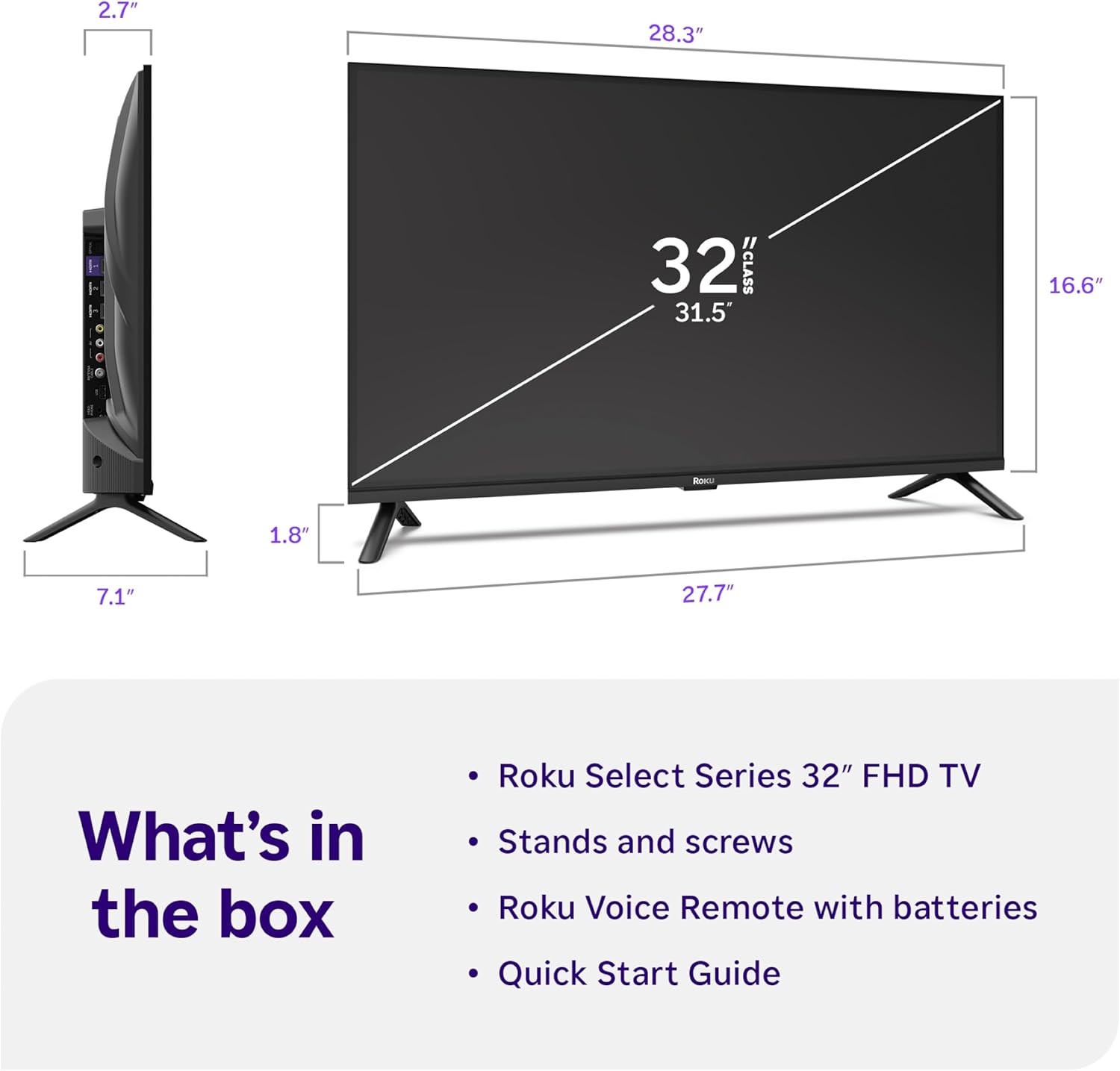
Image: Close-up of the Roku Voice Remote, highlighting buttons for TV power, volume, mute, voice search, instant replay, options, and dedicated app shortcuts.
3. Streaming Apps and Live TV
Access thousands of streaming channels, including Netflix, Disney+, Hulu, Prime Video, and Apple TV+. The Roku Channel also offers free live TV and on-demand content.

Image: A vibrant Roku TV home screen displaying a selection of popular streaming applications and recommended shows.
4. Nastavitve slike
Optimizirajte svoje viewizkušnje z različnimi nastavitvami slike:
- Pametna slika Roku: Automatically adjusts picture mode for optimal viewing.
- Načini slike: Choose from presets like Movie, Sports, Vivid, Standard, or Low Power.
- Prilagajanje: Adjust brightness, contrast, sharpness, color, and tint for a personalized picture.
5. Nastavitve zvoka
Izboljšajte svojo zvočno izkušnjo:
- Dolby Audio: Enjoy clear speech and louder sound.
- Zvočni načini: Select from Standard, Dialogue, Movie, Music, or Night mode.
- Bluetooth Headphone Mode: Connect your wireless headphones to listen without disturbing others.

Image: A child wearing wireless headphones while watching the Roku TV, demonstrating the Bluetooth Headphone Mode.
6. Integracija pametnega doma
Your Roku TV is compatible with various smart home ecosystems:
- Glasovni nadzor: Use Roku Voice, Siri, Alexa, or Google Assistant for hands-free control.
- Apple AirPlay: Effortlessly share videos, photos, and music from your Apple devices.
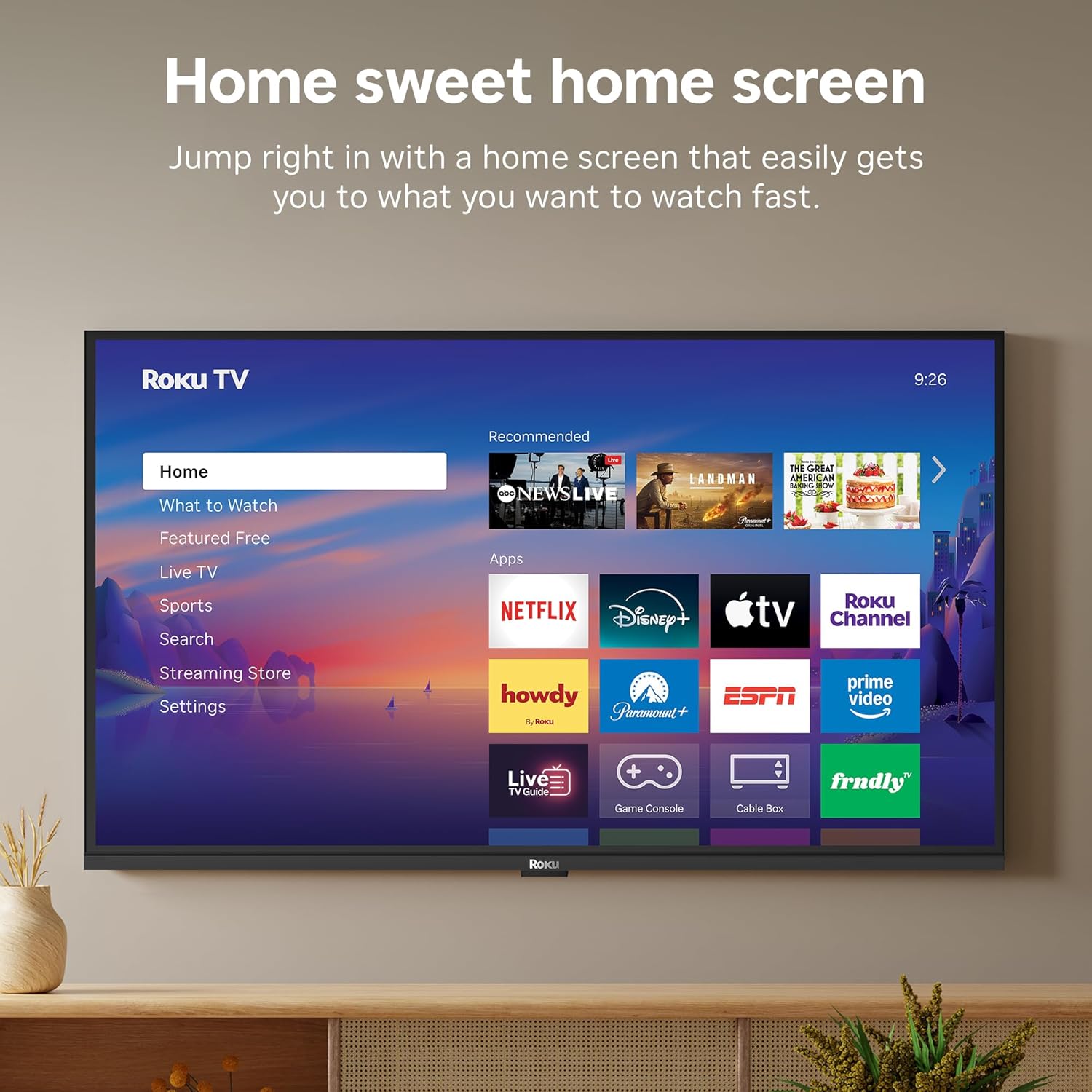
Image: The Roku TV screen displaying smart home compatibility logos for Roku Smart Home, Apple AirPlay, Apple Home, Alexa, and Google Home, with a smart speaker nearby.
7. Starševski nadzor
Manage content access with built-in parental controls, including V-Chip technology, to ensure a safe viewokolje za otroke.
Uradni videoposnetek izdelka
Video: Prekoračitevview of the Roku TV OS, demonstrating its user-friendly interface, app selection, and smart features. This video is provided by Roku, Inc.
Specifikacije
- Velikost zaslona:
- 32 palcev
- Resolucija:
- 1080p Full HD
- Tehnologija zaslona:
- LED
- Hitrost osveževanja:
- 60 Hz
- Posebne lastnosti:
- Bluetooth Headphone Mode, Dolby Audio, Voice Remote, Roku Smart Picture
- Tehnologija povezljivosti:
- Bluetooth, WiFi
- Vmesnik strojne opreme:
- 3 HDMI Ports, 1 USB Port, S/PDIF (Optical Audio Out)
- Operacijski sistem:
- Roku OS
- Dimenzije izdelka (G x Š x V):
- 7.1"D x 28.3"Š x 18.4"V
- Teža artikla:
- 7.7 Pounds (with stand)
- Standard namestitve VESA:
- 200 x 200 mm
- Številka modela:
- 32R3E5
- UPC:
- 829610009469
Odpravljanje težav
If you encounter issues with your Roku TV, please refer to the following common solutions:
- Brez napajanja: Prepričajte se, da je napajalni kabel varno priključen na televizor in delujočo električno vtičnico. Poskusite z drugo vtičnico.
- Brez slike/zvoka: Verify that the correct input source is selected on your TV. Check all cable connections (HDMI, AV, etc.) for looseness.
- Daljinski upravljalnik se ne odziva: Replace the batteries in your remote control. Ensure there are no obstructions between the remote and the TV.
- Težave z omrežno povezavo: Restart your Wi-Fi router and modem. Go to the TV's Settings > Network > Check connection to diagnose and reconnect.
- Aplikacija se ne nalaga: Restart the app. If the issue persists, try removing and reinstalling the app from the Roku Channel Store.
For more detailed troubleshooting, visit the official Roku support webmesto.
Vzdrževanje
To ensure the longevity and optimal performance of your Roku TV, follow these maintenance guidelines:
- Čiščenje zaslona: Zaslon nežno obrišite z mehko, suho krpo iz mikrovlaken. Za trdovratne madeže rahlo obrišiteampKrpo sperite z vodo ali raztopino za čiščenje zaslonov, posebej zasnovano za elektroniko. Tekočine ne pršite neposredno na zaslon.
- Čiščenje ohišja televizorja: Za brisanje zunanjosti televizorja uporabite mehko, suho krpo. Izogibajte se abrazivnim čistilom ali topilom.
- Prezračevanje: Prepričajte se, da prezračevalne odprtine televizorja niso blokirane, da preprečite pregrevanje. Okoli televizorja naj bo dovolj prostora za kroženje zraka.
- Posodobitve programske opreme: Your Roku TV automatically receives software updates. Ensure your TV is connected to the internet to receive the latest features and performance improvements.
- Upravljanje porabe: Med nevihtami ali če bo dalj časa brez nadzora, izključite televizor iz električne vtičnice.
Garancija in podpora
Informacije o garanciji
Roku warrants the hardware of this device against defects in materials and workmanship under normal use for a period of one (1) year from the date of purchase ("Warranty Period"). If Roku determines that the device’s hardware is defective during the Warranty Period, Roku’s sole obligation, and your exclusive remedy, will be to either repair or replace the unit with either a new or rebuilt device, at its option. This warranty applies if the device is used in accordance with the provided documentation.
Important information about warranty returns and replacements is available on the Roku support site. You may also return a device for any reason, subject to the terms of the applicable return policy: 1) Within thirty (30) days from the date of purchase from Roku; or 2) within the applicable return period if purchased from an authorized reseller or distributor. Additional details regarding product returns can be found on the Roku support site.
Podpora uporabnikom
For further assistance, technical support, or to access the full range of support resources, please visit the official Roku support webspletno mesto. Tam lahko najdete pogosta vprašanja, vodnike za odpravljanje težav in kontaktne podatke za podporo strankam.