
Uvod
The Fender Mustang LTX50 is a versatile 50-watt modeling combo amplifier designed for guitarists seeking a wide range of authentic Fender tones and modern features. Equipped with a 12-inch Celestion G12P-80 speaker, it delivers dynamic sound suitable for practice, rehearsal, and performance. This amplifier offers 25 amp models and 25 effects, covering various musical styles from clean to high-gain. Its intuitive color display, onboard tuner, and 100 user preset slots provide easy customization and quick access to your preferred sounds. The Mustang LTX50 also features Bluetooth audio streaming for playing along with tracks and USB-C connectivity for direct recording and monitoring.
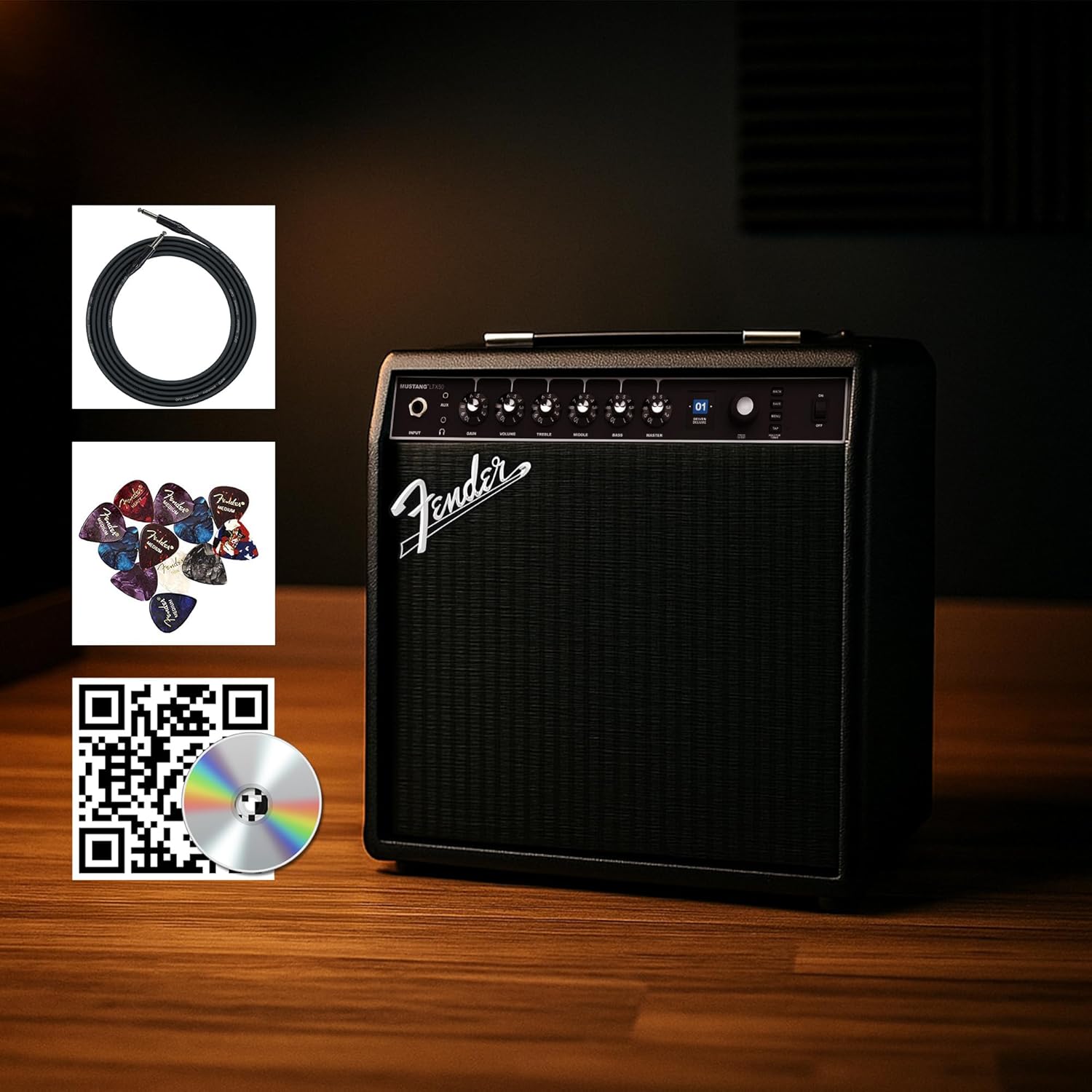
Figure 1: Fender Mustang LTX50 Guitar Combo Amplifier with included accessories.
Nastavitev
1. Razpakiranje in prvi pregled
- Previdno odstranite amppolnilnik in vso dodatno opremo vzemite iz embalaže.
- Preglejte amplifier for any signs of damage that may have occurred during shipping.
- Confirm all included items are present: Mustang LTX50 amplifier, power cord, instrument cable, 12-pack guitar picks, and instructional DVD.
2. Priključitev napajanja
- Zagotovite ampStikalo za vklop naprave Liferier je v položaju IZKLOP.
- Connect the included power cord to the AC input on the rear panel of the amplifier.
- Drugi konec napajalnega kabla priključite v ozemljeno električno vtičnico.
3. Priključitev kitare
- Use the included instrument cable to connect your guitar to the VNOS vtičnico na sprednji plošči amplifier.
4. Osnovni nadzor nadview
Familiarize yourself with the front panel controls before powering on the amplifier.
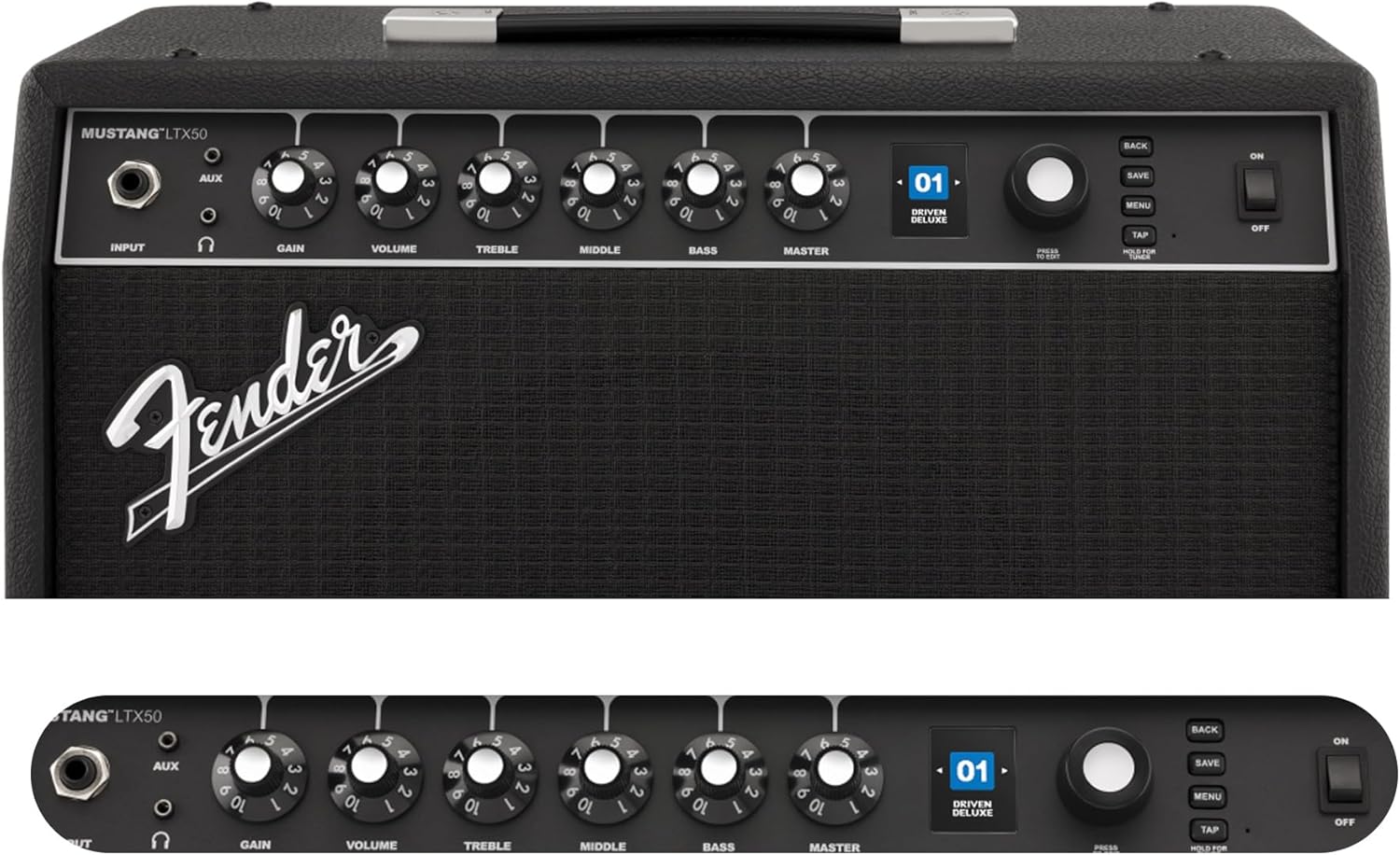
Figure 2: Front Panel Controls of the Mustang LTX50.
Navodila za uporabo
1. Vklop/izklop
- To power on, ensure all volume controls are set to minimum, then flip the MOČ preklopite v položaj ON.
- To power off, flip the MOČ preklopite v položaj OFF.
2. Navigacija po prednastavitvah
- Uporabite KODIR knob (large rotary knob) to scroll through the 100 available presets (70 factory, 30 user).
- Pritisnite KODIR knob to select a preset.
- The color LCD displays the current preset number and name.
3. Prilagoditev Amp Modeli in učinki
- Pritisnite MENI gumb za dostop do ampnastavitve programa Liferier.
- Navigate through options like AMP, STOMP, MOD, DELAY, REVERB using the KODIR.
- Select an option and use the KODIR to choose different amp models or effects.
- Adjust parameters for each effect using the smaller control knobs (GAIN, VOLUME, TREBLE, MIDDLE, BASS, MASTER) or by selecting parameters on the display.
- Pritisnite SHRANI to store your customized preset.
4. Using the Built-in Tuner
- Pritisnite in držite TAPNITE button to activate the chromatic tuner.
- Play a single note on your guitar; the display will show the note and indicate if it is sharp, flat, or in tune.
- Press any button or play for a few seconds to exit tuner mode.
5. Fender Tone 3.0 App Control
- Download the Fender Tone 3.0 app from your device's app store (iOS/Android).
- Omogočite Bluetooth na mobilni napravi.
- Na amplifier, press the MENI button, navigate to "Bluetooth," and select "Pair."
- Select "Mustang LTX50" from your device's Bluetooth settings to connect.
- Use the app to wirelessly create, edit, save, and share presets, and to manage your ampnastavitve lifierja.
6. Playing Along with Audio (Bluetooth)
- Once paired via Bluetooth, you can stream audio from your mobile device directly to the amplifier.
- Adjust the volume of the streamed audio from your mobile device.
- Alternatively, connect an external audio source to the AUX IN. jack on the front panel using a 3.5mm stereo cable.
7. Recording via USB-C
- Connect a USB-C cable from the amplifier's USB-C port to your computer (Mac or PC).
- The amplifier functions as a bidirectional audio interface, allowing direct recording and monitoring.
- Refer to your Digital Audio Workstation (DAW) software's manual for specific setup instructions.
Vzdrževanje
1. Čiščenje
- Odklopite amplifier from power before cleaning.
- Za brisanje zunanjih površin uporabite mehko, suho krpo.
- Za trdovratno umazanijo rahlo damp Uporabite lahko krpo z blagim milom, nato pa še suho krpo.
- Izogibajte se uporabi abrazivnih čistil, topil ali voskov, saj lahko poškodujejo premaz.
2. Shranjevanje
- Shranite ampShranjujte na hladnem in suhem mestu, stran od neposredne sončne svetlobe in ekstremnih temperatur.
- Avoid storing in areas with high humidity.
- If storing for extended periods, cover the ampzaščitni pokrovček, da ga zaščitite pred prahom.
3. Safety Warnings (Proposition 65)
Ta izdelek lahko vsebuje kemikalije, za katere je v zvezni državi Kalifornija znano, da povzročajo raka, prirojene okvare ali druge reproduktivne poškodbe. Za več informacij obiščite www.p65warnings.ca.gov.
Odpravljanje težav
Brez zvoka
- Zagotovite amplifier is powered on and the power cord is securely connected.
- Check that your guitar is properly connected to the VNOS jack.
- Preverite, ali je MOJSTER volume and individual preset volume controls are not set to zero.
- Test with a different instrument cable and guitar to rule out faulty equipment.
- If using headphones, ensure they are fully plugged into the headphone jack and that the main speaker is not muted.
Distorted or Unwanted Noise
- Check your guitar's volume and tone controls.
- Zmanjšajte DOBITEK nastavitev na amplifier.
- Ensure your instrument cable is not damaged or poorly shielded.
- Try a different power outlet to rule out electrical interference.
- If using high-gain amp models, some distortion is inherent. Adjust settings accordingly.
Težave s povezavo Bluetooth
- Ensure Bluetooth is enabled on both your mobile device and the amplifier.
- Prepričajte se, da amplifier is in pairing mode (refer to "Fender Tone 3.0 App Control" section).
- Move your mobile device closer to the amplifier.
- Poskusite razdružiti naprave in jih ponovno združiti.
- Ponovno zaženite oba ampživljenjska naprava in vaša mobilna naprava.
Amplifier Not Responding
- Napajalni cikel amplifier by turning it off, waiting 10 seconds, and turning it back on.
- If the issue persists, a factory reset may be necessary. Consult the Fender support website for instructions on performing a factory reset for the Mustang LTX50.
Specifikacije
| Ime modela | MUSTANG LTX50 |
| Številka modela | 2311700000 |
| Znamka | Blatnik |
| Ampvrsta dvigala | Digitalno modeliranje |
| Izhodna moč | 50 vatov |
| Zvočnik | 1 x 12" Celestion G12P-80 |
| Amp Modeli | 25 |
| Učinki | 25 (distortion, overdrive, compression, modulation, reverb, delay, octave, etc.) |
| Prednastavitve | 70 factory + 100 user slots |
| Zaslon | Color LCD with onboard chromatic tuner |
| Povezljivost | Bluetooth audio, USB-C bidirectional audio |
| Izhodi | XLR line out, Headphone out |
| Podpora za aplikacije | Fender Tone 3.0 app (iOS/Android) |
| Material ohišja | Kovina |
| Mere predmeta (D x Š x V) | 22.3"D x 19.9"Š x 12.3"V |
| Teža predmeta | 26.4 funta |
| UPC | 840262259088 |

Figure 3: Rear Panel Connections of the Mustang LTX50.
Informacije o garanciji
The Fender Mustang LTX50 Guitar Combo Amprešilec je pokrit z 2-letna omejena garancija. This warranty covers defects in materials and workmanship under normal use. For full terms and conditions, please refer to the warranty documentation included with your product or visit the official Fender webmesto.
Podpora
For further assistance, technical support, or service inquiries regarding your Fender Mustang LTX50 amplifier, please visit the official Fender support webspletno mesto:
You may also find additional resources, FAQs, and software updates on the Fender webmesto.