
Konec izdelkaview
The DIERYA DK68 is a 60% compact mechanical keyboard designed for versatility and performance. It features triple-mode connectivity, allowing seamless switching between Bluetooth 5.0, 2.4GHz wireless, and USB-C wired connections. Equipped with clicky blue mechanical switches and vibrant RGB backlighting, it offers a responsive and customizable typing experience for both gaming and office use.

Figure 1: DIERYA DK68 Wireless Mechanical Keyboard showcasinzaradi svoje kompaktne zasnove in RGB osvetlitve.
Vsebina paketa
Prepričajte se, da so v paketu prisotni vsi elementi:
- DIERYA DK68 Wireless Mechanical Keyboard
- Kabel USB-C v USB-A
- Izvleček za ključe
- 2.4GHz USB Receiver (stored in the keyboard's back compartment)
- Uporabniški priročnik (ta dokument)
Nastavitev in povezljivost
The DK68 keyboard supports three connection modes: USB-C wired, 2.4GHz wireless, and Bluetooth 5.0. Choose the mode that best suits your needs.
1. Žični način USB-C
- Priloženi kabel USB-C priključite na vrata USB-C na tipkovnici.
- Priključite konec kabla USB-A v prosta vrata USB na računalniku.
- Tipkovnica bo samodejno prepoznana in pripravljena za uporabo.
2. Brezžični način 2.4 GHz
- Locate the 2.4GHz USB receiver in the compartment on the back of the keyboard.
- Odstranite sprejemnik in ga priključite v prosta vrata USB na računalniku.
- Turn on the keyboard using the switch located on the back.
- Tipkovnica bi se morala samodejno povezati s sprejemnikom. Če se ne, pritisnite Fn + G (labeled '2.4G' on the key) to activate 2.4GHz pairing mode.

Figure 2: Triple-mode connectivity options including 2.4GHz wireless.
3. Način Bluetooth 5.0
Tipkovnica se lahko poveže z do tremi napravami Bluetooth.
- Turn on the keyboard using the switch on the back.
- Pritisnite in držite Fn+Z (labeled 'BT1'), Fn + X (labeled 'BT2'), or Fn+C (labeled 'BT3') for 3-5 seconds until the corresponding key's backlight flashes rapidly. This indicates pairing mode.
- On your device (PC, laptop, tablet, phone), enable Bluetooth and search for "DIERYA DK68".
- Select the keyboard to pair. The key's backlight will stop flashing once connected.
- Za preklapljanje med seznanjenimi napravami Bluetooth preprosto pritisnite Fn + Z/X/C.

Figure 3: Bluetooth connectivity for multiple devices.
Navodila za uporabo
Nadzor osvetlitve ozadja RGB
The DK68 features 20 built-in RGB lighting effects and 16.8 million customizable colors. Use the following key combinations to control the lighting:
- Fn + vračalka: Turn backlighting On/Off.
- Fn+Shift: Switch light colors.
- Fn + Enter: Switch light modes (20 dynamic RGB modes).
- Fn + puščica gor: Povečajte svetlost.
- Fn + puščica navzdol: Decrease brightness.
- Fn + puščica levo: Zmanjšajte hitrost svetlobe.
- Fn + puščica desno: Povečaj hitrost svetlobe.

Figure 4: RGB lighting control key combinations for the DK68 keyboard.
Prilagajanje tipk in makri
The DIERYA DK68 supports full key anti-ghosting and N-Key Rollover (NKRO) for accurate input. For advanced customization, including key remapping, macro programming, and additional lighting effects, dedicated software is available. Please refer to the official DIERYA webspletno mesto za prenos programske opreme in navodila.

Figure 5: Full N-Key Rollover and software customization capabilities.
Mehanska modra stikala
The keyboard is equipped with clicky blue mechanical switches, providing a distinct tactile bump and an audible click with each keystroke. These switches are ideal for users who prefer clear feedback and a satisfying typing experience. They feature a medium 60gf actuation force (±15gf) and 2.3mm travel (±0.6mm), with a lifespan of 50 million clicks.

Slika 6: Podrobno view of mechanical blue switches and their specifications.
Vzdrževanje
Upravljanje baterije
The keyboard is powered by a 3000mAh lithium battery. To charge, connect the keyboard via the USB-C cable to a power source. The keyboard can be used while charging.
- Usage Time (Backlighting On): Do 12 ur.
- Usage Time (Backlighting Off): Do 333 ur.
- Način samodejnega spanja: The keyboard enters auto-sleep mode after 3 minutes of inactivity to conserve power.
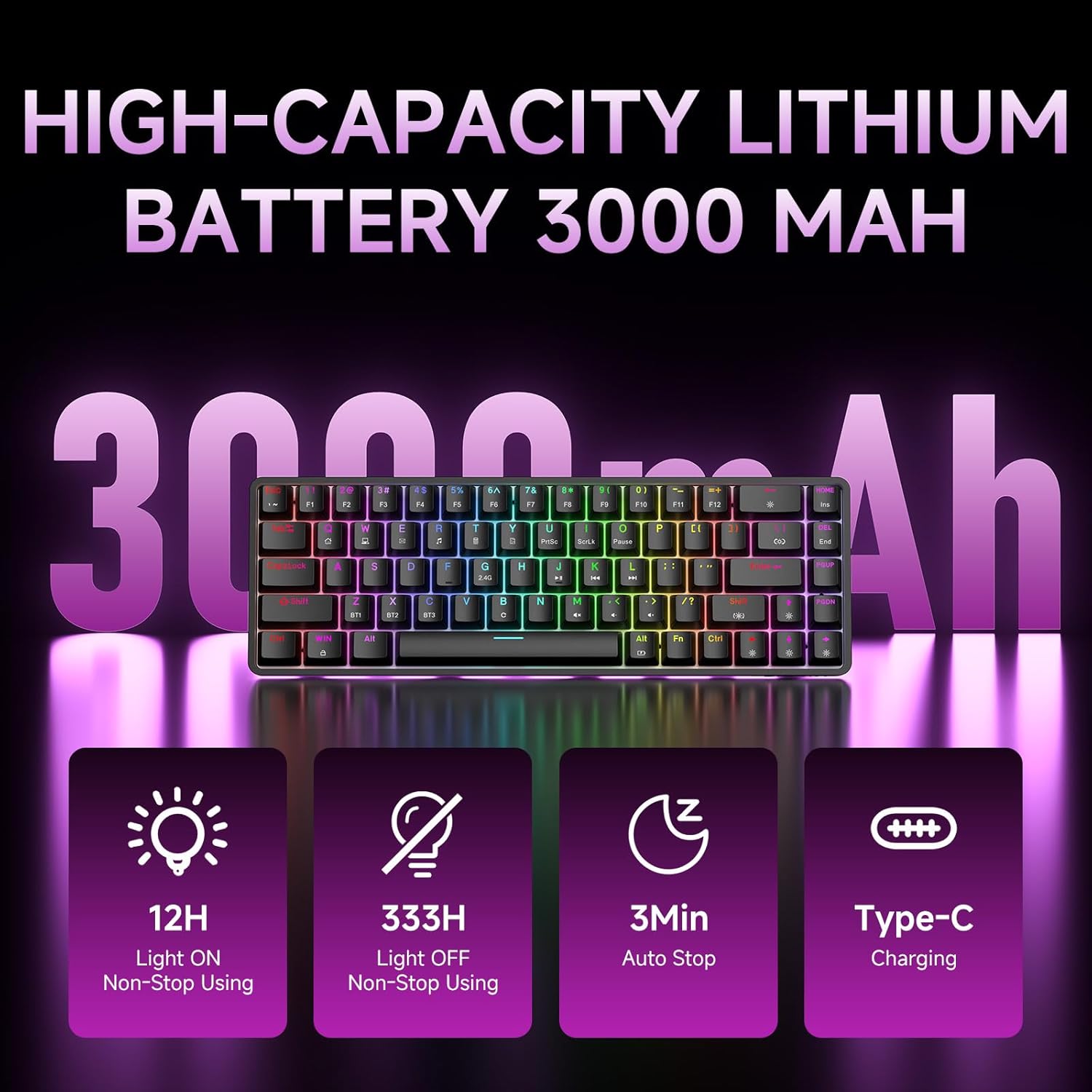
Figure 7: Battery capacity and power-saving features of the DK68.
Čiščenje in nega
- Use the provided keycap puller to carefully remove keycaps for cleaning.
- Clean the keyboard surface with a soft, damp krpo. Izogibajte se prekomerni vlagi.
- Ne uporabljajte ostrih kemikalij ali abrazivnih čistil.
- Pred čiščenjem se prepričajte, da je tipkovnica izklopljena.
Odpravljanje težav
- Tipkovnica se ne odziva:
- Check the power switch on the back of the keyboard.
- Ensure the correct connection mode (wired, 2.4GHz, or Bluetooth) is selected.
- Pri 2.4 GHz se prepričajte, da je sprejemnik USB varno priključen.
- Za Bluetooth se prepričajte, da je tipkovnica seznanjena in izbrana v vaši napravi. Po potrebi poskusite znova seznaniti.
- If using wired mode, try a different USB port or cable.
- Osvetlitev ozadja ne deluje:
- Pritisnite Fn + vračalka to toggle the backlighting.
- Check battery level; low battery may disable backlighting.
- Ključi se ne registrirajo:
- Ensure the keyboard is properly connected and powered on.
- If specific keys are not working, try removing and re-seating their keycaps.
Specifikacije
| Funkcija | Podrobnost |
|---|---|
| Številka modela | DK68 |
| Tehnologija povezljivosti | 2.4 GHz brezžično, Bluetooth 5.0, USB-C žično |
| Tip stikala | Clicky Blue Mechanical Switches |
| Postavitev tipk | 68 tipk (60 % razporeditev) |
| Osvetlitev ozadja | RGB (16.8 Million Colors, 20 Effects) |
| Kapaciteta baterije | 3000 mAh litij polimer |
| Združljive naprave | Igralna konzola, prenosnik, računalnik, tablica |
| Anti-Ghosting | Full Key Anti-Ghosting & NKRO |
| Material | Plastika |
| Teža predmeta | 1.76 funta (približno 800 g) |
| Dimenzije paketa | 14.33 x 4.37 x 1.73 palcev |

Figure 8: Keyboard dimensions and compact 68-key layout.
Garancija in podpora
For warranty information and technical support, please refer to the documentation included with your product or visit the official DIERYA website. Amazon's return policy for this product is 30 days from the date of receipt.