
Uvod
Thank you for choosing the TECKNET TK-HS049 Hybrid Active Noise Cancelling Headphones. These headphones are designed to provide a superior audio experience with advanced noise cancellation, long battery life, and versatile connectivity. This manual will guide you through the setup, operation, and maintenance of your new headphones.
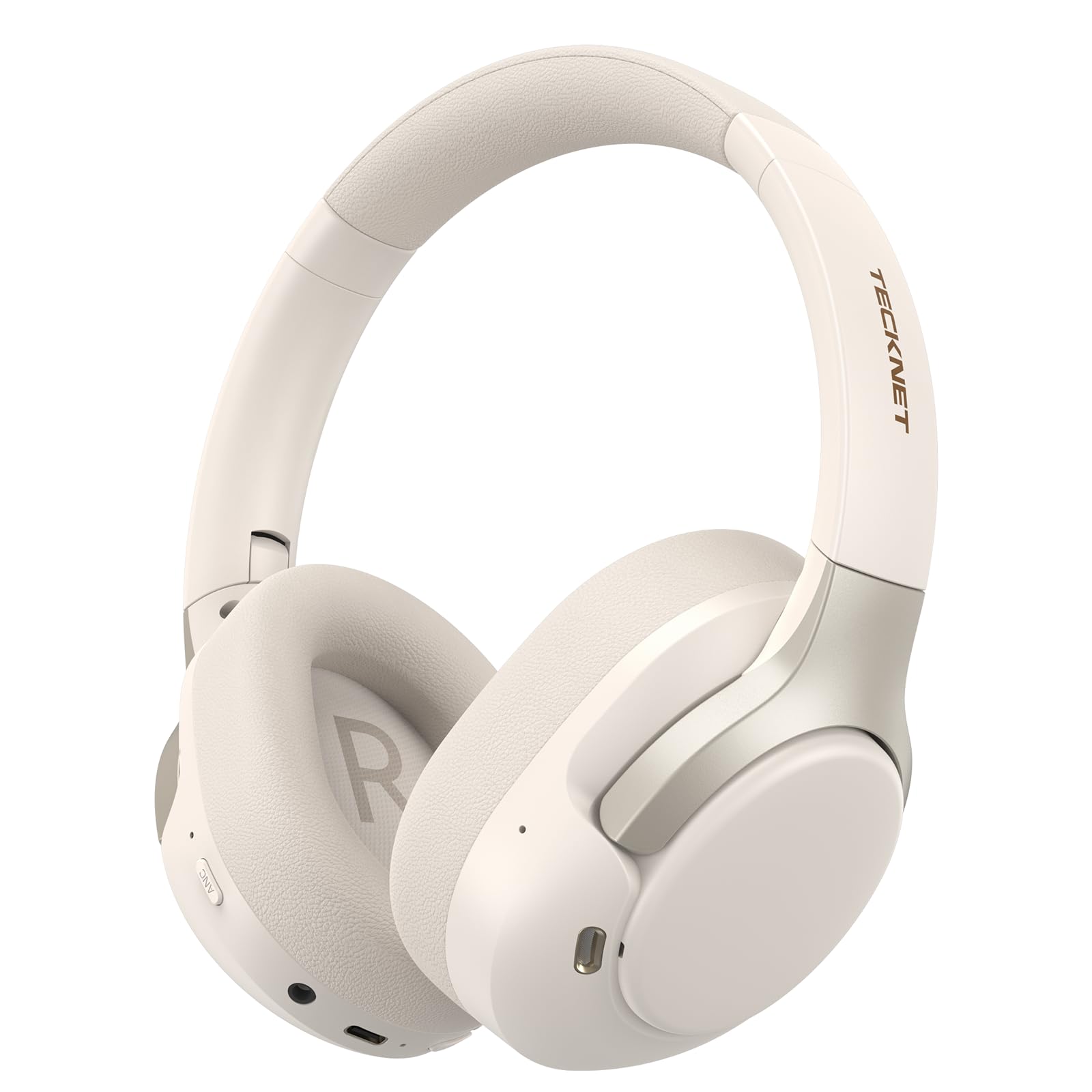
Image: TECKNET TK-HS049 Hybrid Active Noise Cancelling Headphones.
Kaj je v škatli
- 1 x TECKNET TK-HS049 ANC Headphones
- 1 x 3.5 mm avdio kabel
- 1 x uporabniški priročnik
- 1 x polnilni kabel Type-C

Slika: Vsebina embalaže izdelka.
Konec izdelkaview
Familiarize yourself with the various components and controls of your TECKNET TK-HS049 headphones.
Slika: Stran view of the headphones highlighting control buttons and ports.
Ključne komponente:
- Gumb za vklop: Uporablja se za vklop/izklop slušalk in za seznanjanje prek Bluetootha.
- Gumb za povečanje glasnosti/naslednja skladba: Poveča glasnost ali preskoči na naslednjo skladbo.
- Gumb za zmanjšanje glasnosti/prejšnja skladba: Zmanjša glasnost ali preskoči na prejšnjo skladbo.
- Večnamenski gumb: Predvajanje/začasna ustavitev glasbe, sprejemanje/končanje klicev.
- Gumb ANC: Preklopi med načini aktivnega odpravljanja šuma.
- Vrata za polnjenje Type-C: Za polnjenje slušalk.
- 3.5 mm avdio priključek: Za žično avdio povezavo.
- Mikrofon: Za klice in glasovne ukaze.
Nastavitev
1. Polnjenje slušalk
Before first use, fully charge your headphones. Connect the supplied Type-C charging cable to the charging port on the headphones and the other end to a USB power source (e.g., wall adapter, computer USB port).
- LED indikator bo pokazal stanje polnjenja.
- Polno polnjenje običajno traja približno 2-3 ure.
2. Vklop/izklop
- Vklop: Pritisnite in držite gumb za vklop 3 sekunde, dokler LED indikator ne utripa modro.
- Ugasniti: Pritisnite in držite gumb za vklop 3 sekunde, dokler LED indikator ne utripa rdeče in se nato izklopi.
3. Bluetooth seznanjanje
Če želite slušalke povezati z napravo prek povezave Bluetooth:
- Prepričajte se, da so slušalke izklopljene.
- Pritisnite in držite gumb za vklop 5 sekund, dokler LED indikator ne utripa izmenično rdeče in modro, kar označuje način seznanjanja.
- V napravi (pametnem telefonu, tablici, prenosniku) omogočite Bluetooth in poiščite razpoložljive naprave.
- Select "TECKNET TK-HS049" from the list of devices.
- Ko je priključen, LED indikator počasi utripa modro.
4. Povezava z dvema napravama
The headphones support simultaneous connection to two Bluetooth devices, allowing seamless switching between them.
- Pair the headphones with the first device (e.g., smartphone) as described above.
- Onemogočite Bluetooth na prvi napravi. Slušalke bodo znova prešle v način seznanjanja.
- Pair the headphones with the second device (e.g., laptop).
- Ponovno omogočite Bluetooth na prvi napravi. Slušalke bi se morale samodejno povezati z obema napravama.
- To switch audio, simply play media on the desired device.

Image: Dual device connection setup.
5. Žična povezava
For devices without Bluetooth or when battery is low, use the included 3.5mm audio cable.
- En konec 3.5 mm avdio kabla priključite v avdio priključek na slušalkah.
- Drugi konec priključite v 3.5 mm avdio izhod vaše naprave.
- Note: Some headphone functions (e.g., ANC, EQ modes) may be limited or unavailable in wired mode without power.

Image: Wired connection via 3.5mm audio jack.
Delovanje
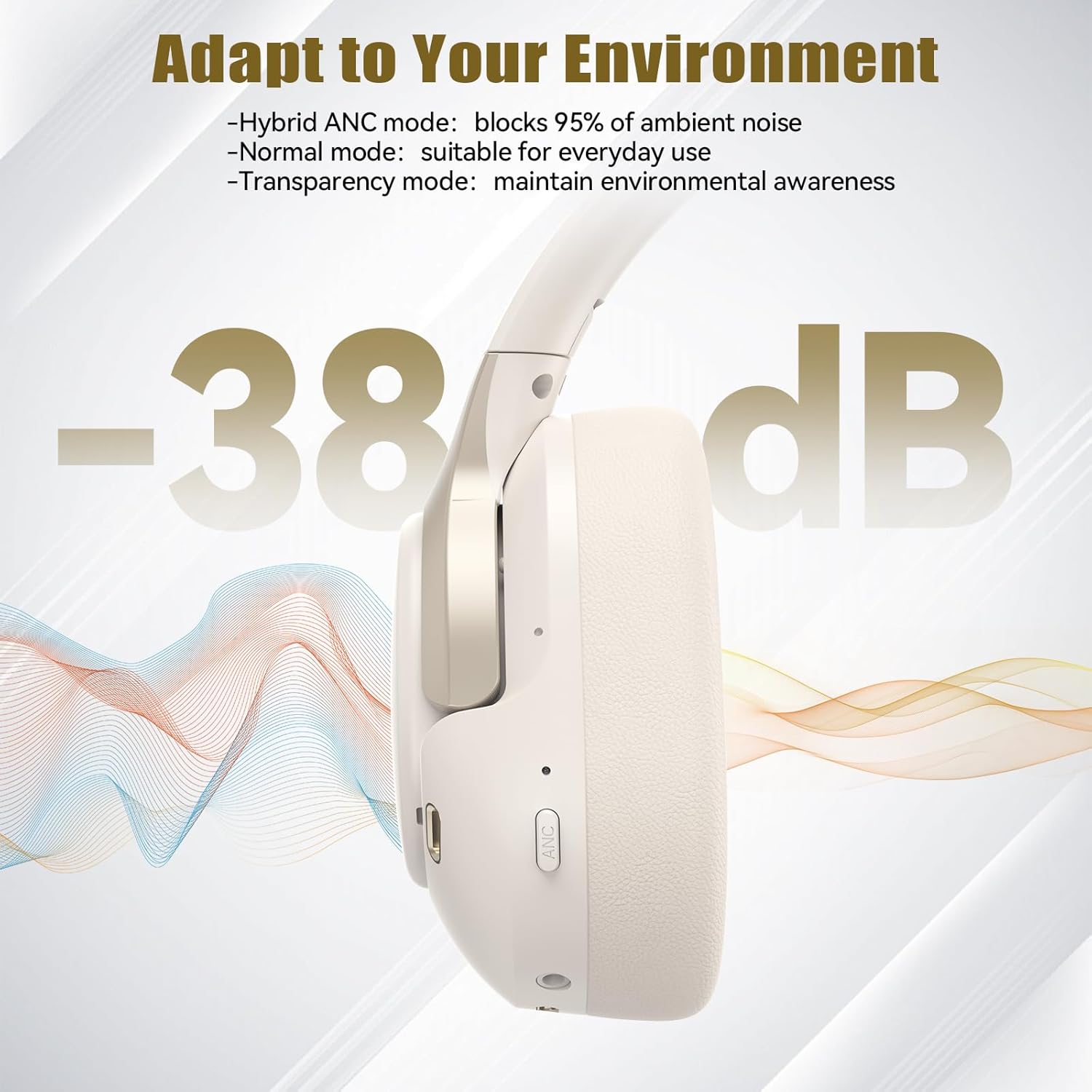
1. Načini aktivnega odpravljanja šumov (ANC)
Press the ANC button to cycle through the available noise cancellation modes:
- Hibridni način ANC: Blocks up to 35dB-38dB of ambient noise, ideal for travel or noisy environments.
- Normalni način: ANC is off, suitable for everyday use where some environmental awareness is desired.
- Način preglednosti: Allows ambient sounds to pass through, enhancing awareness of your surroundings.

Image: Hybrid Active Noise Cancellation in action.
2. Predvajanje glasbe
- Predvajanje/pavza: Enkrat pritisnite večfunkcijski gumb.
- Naslednja skladba: Pritisnite in držite gumb za povečanje glasnosti.
- Prejšnja skladba: Pritisnite in držite gumb za zmanjšanje glasnosti.
- Povečaj glasnost: Na kratko pritisnite gumb za povečanje glasnosti.
- Znižaj glasnost: Na kratko pritisnite gumb za zmanjšanje glasnosti.
3. Upravljanje klicev
- Sprejmi/končaj klic: Enkrat pritisnite večfunkcijski gumb.
- Zavrni klic: Pritisnite in držite večfunkcijski gumb 2 sekundi.
- Glasovni asistent: Dvakrat pritisnite večfunkcijski gumb, da aktivirate glasovnega pomočnika naprave.
4. EQ Music Modes
The headphones feature 6 EQ music modes to optimize your listening experience for different genres. Press the EQ button (if available, or refer to specific button on your model) to cycle through these modes:
- Ples
- Rock
- Klasična
- Vokalna
- Bas
- Mehko

Image: Cycling through 6 EQ music modes.
Vzdrževanje
To ensure the longevity and optimal performance of your TECKNET TK-HS049 headphones, follow these maintenance guidelines:
- Čiščenje: Za čiščenje ušesnih školjk in naglavnega traku uporabite mehko, suho krpo. Ne uporabljajte abrazivnih čistil ali topil.
- Shranjevanje: When not in use, store the headphones in a cool, dry place, preferably in a protective case to prevent dust and damage.
- Izogibajte se vlagi: Although the headphones have a waterproof rating, avoid prolonged exposure to water or high humidity. Do not submerge them.
- Polnjenje: Only use the provided Type-C cable for charging. Avoid overcharging the battery.
- Temperatura: Slušalk ne izpostavljajte ekstremnim temperaturam (vročini ali mrazu).
Odpravljanje težav
Če imate kakršne koli težave s slušalkami, si oglejte naslednje pogoste težave in rešitve:
| Težava | rešitev |
|---|---|
| Slušalke se ne vklopijo. | Ensure the headphones are charged. Connect to a power source and try again after a few minutes. |
| Seznanitev prek Bluetootha ni mogoča. | Make sure the headphones are in pairing mode (LED flashing red/blue). Disable and re-enable Bluetooth on your device. Ensure no other devices are connected. |
| Ni zvoka ali nizka glasnost. | Check volume levels on both headphones and your connected device. Ensure the headphones are properly paired. Try playing audio from a different source. |
| ANC ni učinkovit. | Ensure ANC mode is activated. Check that the earcups form a good seal around your ears. ANC is most effective against low-frequency, constant noise. |
| Mikrofon ne deluje. | Ensure the headphones are connected via Bluetooth. Check microphone settings on your device. |
Specifikacije
Detailed technical specifications for the TECKNET TK-HS049 headphones:
| Funkcija | Podrobnost |
|---|---|
| Številka modela | TK-HS049 |
| Tehnologija povezljivosti | Brezžično (Bluetooth), Žično (3.5 mm vtičnica) |
| Različica Bluetooth | 6.0 |
| Nadzor hrupa | Hibridno odpravljanje šumov (do 38 dB) |
| Vrsta gonilnika | 40 mm dinamični gonilniki |
| Frekvenčno območje | 20Hz - 20,000Hz (supports up to 40kHz for high-resolution audio) |
| Življenjska doba baterije (z vklopljenim ANC) | Do 40 ur (pri 60% glasnosti) |
| Življenjska doba baterije (izklopljeno ANC) | Do 70 ur |
| Nadzorna metoda | Fizični gumbi |
| Namestitev ušesa | Nad ušesi |
| Material | Fabric, Silicone, Memory Foam (earcups) |
| Stopnja vodoodpornosti | Vodotesen |
| Mikrofon | 4 ENC Microphones |
| Načini eQ | 6 Presets (Dance, Rock, Classical, Vocal, Bass, Soft) |

Slika: Življenjska doba baterije je končanaview.

Image: 40mm dynamic drivers for premium audio.

Image: Comfort features including memory foam earcups and adjustable headband.
Garancija in podpora
TECKNET TK-HS049 headphones come with a 36-mesečna garancija. If you encounter any problems during product use, please contact our professional customer service team for assistance. You can typically find contact information on the TECKNET official webspletnega mesta ali prek vaše nakupovalne platforme.