
Uvod
This manual provides detailed instructions for the OQIMAX Kids Alarm Clock, Model WA175USKM. This device is designed to assist children with sleep training, provide a comforting night light, and offer reliable dual alarm functions. Please read this manual thoroughly before use to ensure proper operation and maintenance.
Varnostne informacije
- Ensure the device is plugged into a compatible power source (Type-C). An adapter is not included.
- Napravo hranite stran od vode ali prekomerne vlage.
- Naprave ne poskušajte razstavljati ali popravljati sami. V primeru težav se obrnite na podporo strankam.
- Ta izdelek je namenjen samo za uporabo v zaprtih prostorih.
Vsebina paketa
- OQIMAX Kids Alarm Clock (Model WA175USKM)
- Kabel USB tipa C
- Navodila za uporabo
Konec izdelkaview
The OQIMAX Kids Alarm Clock features a friendly cat-shaped design with a digital display and intuitive controls. It combines multiple functions to support children's routines:
- Sleep Training: Visual cues (moon/sun icons, colored lights) guide children for bedtime and wake-up.
- Nočna luč: 11 vibrant colors and adjustable brightness levels create a soothing ambiance.
- Glasba in zvoki: 10 soothing melodies, nature sounds, or white noise options.
- Dvojni alarmi: Two independent alarms with customizable schedules and a snooze function.
- Otroška ključavnica: Preprečuje nenamerne spremembe nastavitev.

Slika 1: Konecview of the OQIMAX Kids Alarm Clock highlighting its main features.
Nastavitev
- Napajalni priključek: Connect the provided Type-C USB cable to the clock and plug it into a suitable USB power adapter (not included). The clock will power on automatically.
- Začetna nastavitev časa: The clock has a power-off memory function, but it's recommended to set the correct time upon first use or after extended power loss.
Navodila za uporabo
Funkcije gumbov
Familiarize yourself with the buttons located on the front of the alarm clock:

Figure 2: Button layout and functions for the OQIMAX Kids Alarm Clock.
- ČAS NASTAVLJEN: Short press to adjust time, long press to enter time setting mode.
- SUN/MOON ON/OFF: Short press to turn sun/moon icon on/off, long press to set appearance time of the moon.
- TUNES: Short press to select music (10 options), long press for 3 seconds to activate/deactivate child lock.
- DISPLAY: Prilagodite svetlost zaslona.
- UP (U/P): Increase value, adjust RGB brightness.
- DOWN (DOWN): Decrease value, adjust volume.
- Zgornja površina: Press the top of the clock to change night light colors or activate snooze.
Nastavitev časa
- Dolgo pritisnite ČAS NAST gumb, dokler ne utripajo številke za uro.
- Uporabite UP or DOL gumbi za nastavitev ure.
- Pritisnite ČAS NAST ponovno za premik na nastavitev minut, nato pa uporabite UP or DOL.
- Nadaljujte s pritiskom ČAS NAST to cycle through year, month, day settings, adjusting each with UP or DOL.
- Pritisnite ČAS NAST one last time to confirm and exit.
Sleep Training Function
The sleep training feature uses visual cues to help children understand bedtime and wake-up times.
- Bedtime (Moon Icon): From 7 PM to 11 PM, a moon icon lights up, and the night light glows a gentle red, signaling it's time for bed. The red night light automatically turns off after 1 hour.
- Wake-Up (Sun Icon): 20 minutes before the set alarm time, a soft yellow light will appear. When the alarm rings, the light turns green, indicating it's time to wake up.

Figure 3: Bedtime mode with red light and moon icon.

Figure 4: Wake-up mode with yellow light and sun icon.
Delovanje nočne luči
The clock offers 11 vibrant light colors and 5 brightness levels for the display and nightlight.
- Spreminjanje barv: Press the top surface of the alarm clock to cycle through the 11 light colors (7 solid colors + 4 dynamic colors).
- Prilagoditev svetlosti: Uporabite UP or DOL buttons to adjust the brightness of the night light. The display brightness can be adjusted using the ZASLON gumb.

Figure 5: Night light color options and how to change them.

Figure 6: Demonstrating 5 levels of screen brightness and automatic night brightness adjustment.
Music and Sound Selection
Choose from 10 soothing music melodies, nature sounds, or white noise options.
- Selecting Tunes: Kratek pritisk na TUNES button to cycle through the 10 available melodies.
- Prilagoditev glasnosti: Uporabite DOL button to adjust the volume level (4 levels available).
Video 1: Demonstration of the OQIMAX Kids Alarm Clock's 11 colors night light and sound options.
Alarm Setup and Snooze
The clock supports two independent alarms with customizable schedules.
- Nastavitev alarmov: Use the dedicated Alarm 1 and Alarm 2 buttons (located on the back) to set individual alarm times and modes.
- Načini dela: Choose from four workday modes:
- 1-1: Single day alarm
- 1-5: od ponedeljka do petka
- 1–7: od ponedeljka do nedelje
- 6-7: Saturday and Sunday
- Funkcija dremeža: When an alarm sounds, press the top surface of the clock to activate a 5-minute snooze.
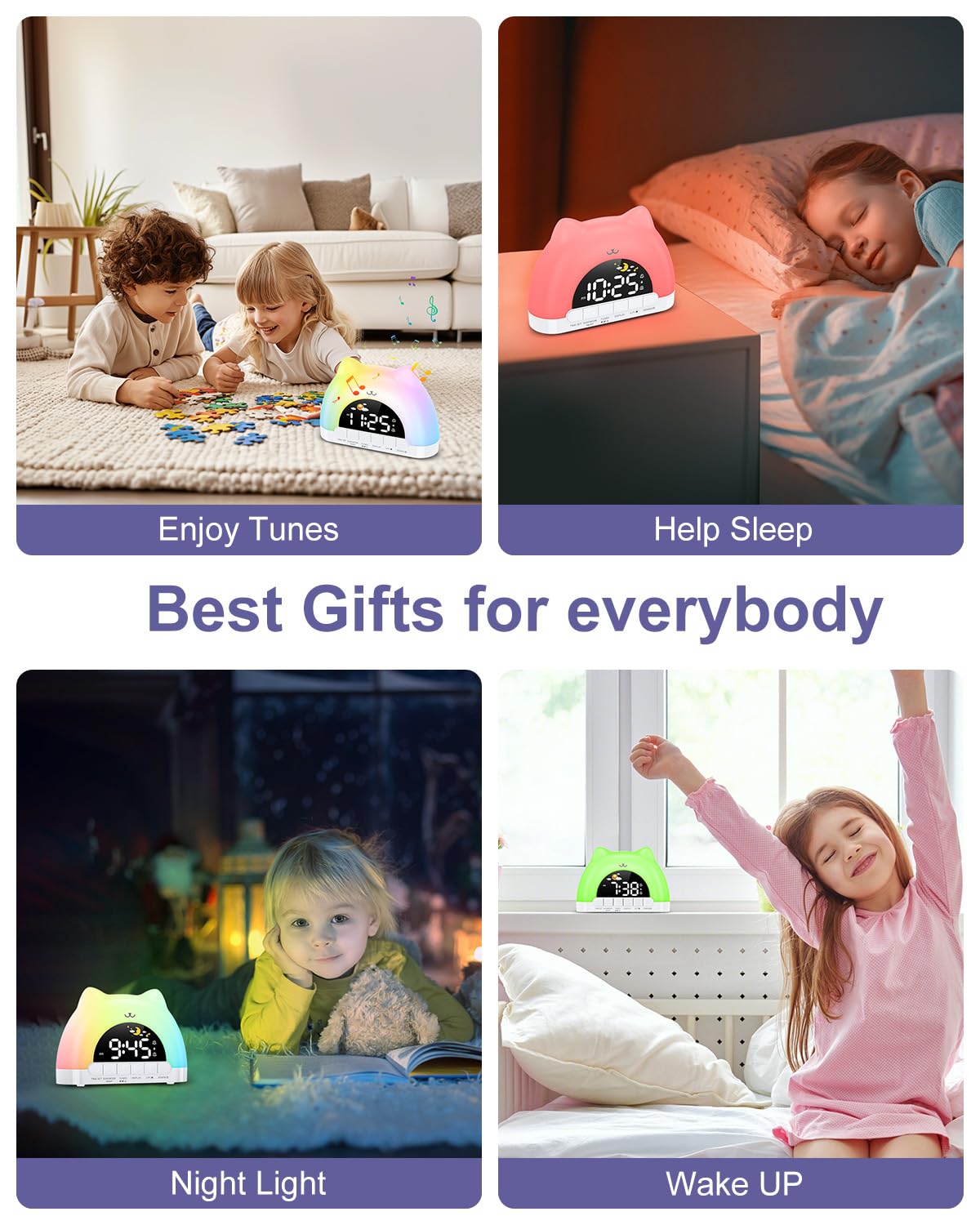
Figure 7: Dual alarm clock and snooze feature.
Otroška ključavnica
To prevent accidental changes to settings, activate the child lock.
- Aktiviraj/deaktiviraj: Drži oba TUNES buttons for 3 seconds. When active, children can still enjoy music and lights without altering critical settings.
Vzdrževanje
- Napravo očistite z mehko, suho krpo. Ne uporabljajte abrazivnih čistil ali topil.
- Keep the device free from dust and debris to ensure optimal performance.
Odpravljanje težav
| Težava | Možen vzrok | rešitev |
|---|---|---|
| Ura se ne vklopi. | Not properly plugged in or power adapter issue. | Ensure the Type-C cable is securely connected and the power adapter is working. |
| Alarm se ne oglasi. | Alarm not set, volume too low, or child lock active. | Verify alarm settings, increase volume, and check child lock status. |
| Night light not changing colors. | Incorrect button press or child lock active. | Ensure you are pressing the top surface of the clock. Check if child lock is active. |
Specifikacije
| Funkcija | Podrobnost |
|---|---|
| Dimenzije izdelka | 6.69 x 1.5 x 5.12 palcev |
| Teža predmeta | 8.1 unč (0.23 kilograma) |
| Številka modela | WA175USKM |
| Znamka | OQIMAX |
| Vir napajanja | Type-C Plug-in (Adapter not included) |
| Barve nočne svetlobe | 11 (7 solid, 4 dynamic) |
| Music Melodies | 10 možnosti |
| Svetlost zaslona | 5 ravni |
| Stopnje glasnosti | 4 ravni |
Garancija in podpora
For warranty information or technical support, please refer to the product packaging or contact OQIMAX customer service directly. Keep your purchase receipt for any warranty claims.