
Uvod
Thank you for choosing the ProCase Tempered Glass Screen Protector. This manual provides detailed instructions for the proper installation, use, and care of your screen protector. Designed exclusively for the Lenovo Idea Tab Plus 12.1" (2025), this product offers superior protection against scratches, impacts, and daily wear while maintaining optimal screen clarity and touch sensitivity. Please read these instructions carefully before installation to ensure a bubble-free application and long-lasting performance.
Konec izdelkaview in funkcije
The ProCase Tempered Glass Screen Protector is engineered to provide robust protection for your device's screen. Key features include:
- Ekskluzivna združljivost: Specifically designed for the Lenovo Idea Tab Plus 12.1" (2025).
- 9H Hardness Surface: Provides exceptional resistance against scratches and impacts.
- Super HD Transparency: Ensures crystal-clear viewing and maintains original screen brightness.
- True Touch Sensitivity: Ultra-thin (0.33mm thickness) design preserves the original touch experience.
- Namestitev brez mehurčkov: Advanced silicone adhesive allows for quick and easy, bubble-free application.
- Oleofobni premaz: Resists fingerprints and smudges, making the screen easy to clean.
- Shatter-Proof Quality: High-temperature treatment enhances durability and safety.

Slika 1: Združljivost nadview, highlighting the Lenovo Idea Tab Plus 12.1" (2025) as the compatible device.
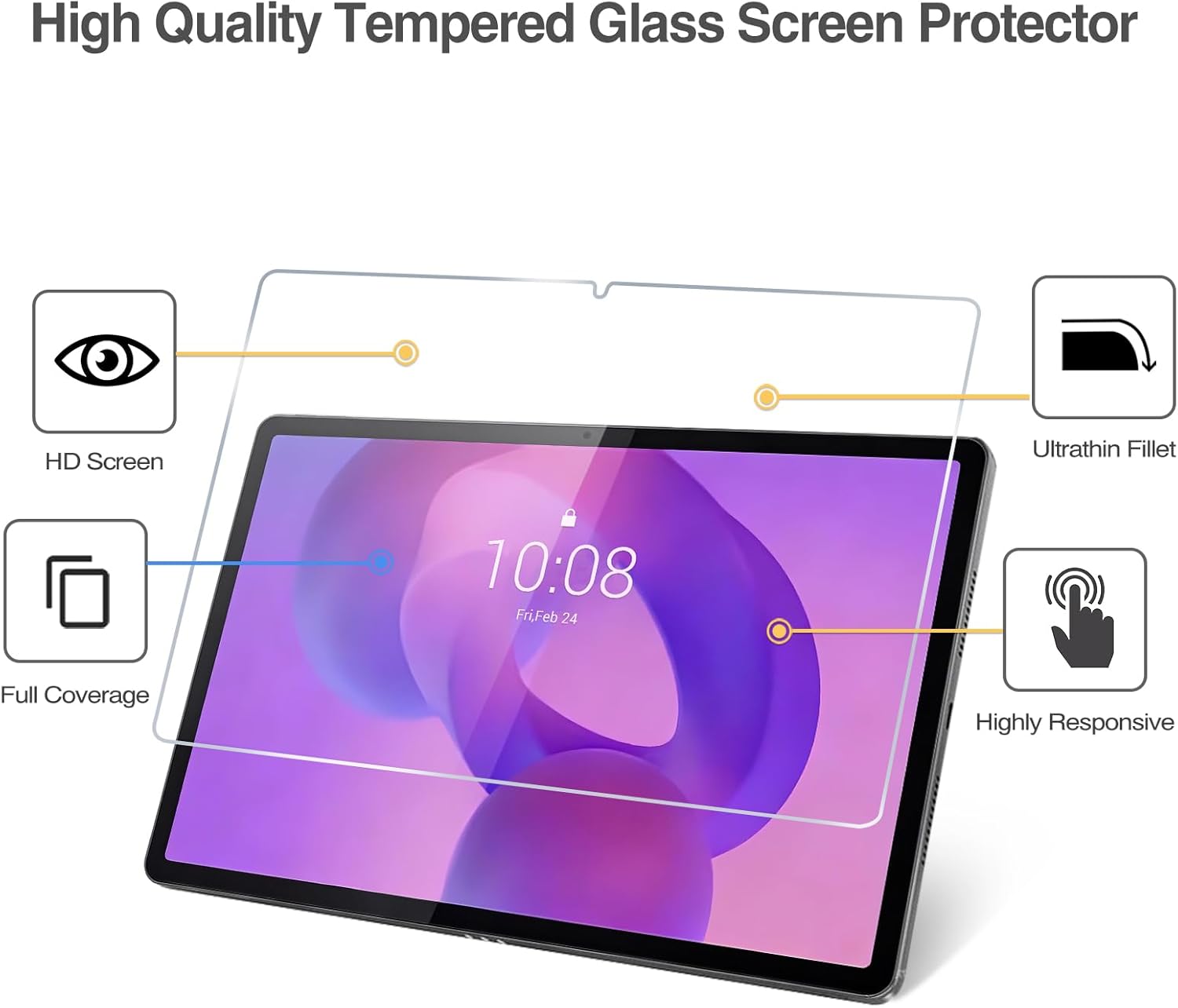
Image 2: Visual representation of the screen protector's high-quality features, including HD clarity, full coverage, high responsiveness, and an ultrathin design.
Nastavitev in namestitev
Follow these steps carefully for a successful, bubble-free installation:
- Pripravite svoj delovni prostor: Izberite čisto in brezprašno okolje. Temeljito si umijte roke, da preprečite prenos olja ali umazanije na zaslon.
- Clean the Tablet Screen: Use the provided alcohol wipe to thoroughly clean the tablet screen. Ensure all smudges, fingerprints, and dirt are removed.
- Posušite zaslon: Use the microfiber cloth to dry the screen completely. Ensure no lint or dust particles remain. Use the dust-absorber sticker to pick up any remaining dust.
- Poravnajte zaščito zaslona: Carefully peel off the protective film from the adhesive side of the tempered glass (usually marked '1' or 'Back'). Hold the screen protector by its edges and align it precisely with your tablet's screen, paying attention to cutouts for the camera and sensors.
- Nanesite zaščitno sredstvo: Once aligned, gently lower the screen protector onto the tablet screen. The adhesive will begin to spread automatically.
- Odstranite mehurčke: If small bubbles appear, gently push them towards the edges of the screen using the microfiber cloth or a squeegee card. Most bubbles will disappear within 24-48 hours as the adhesive fully settles.

Image 3: Demonstrates the ultra-thin profile, bubble-free installation process, and overall ease of application for the screen protector.
Delovanje
Once installed, the ProCase Tempered Glass Screen Protector operates seamlessly with your Lenovo Idea Tab Plus 12.1" (2025). Its design ensures that the original touch sensitivity of your tablet is fully preserved, allowing for smooth navigation, typing, and interaction without any lag or reduction in responsiveness. The high-definition clarity ensures that your viewing experience remains vibrant and true to color, as if no protector is present.

Image 4: Illustrates the high-definition clarity of the screen protector, preserving the original viewing quality and experience.
Vzdrževanje
To ensure the longevity and optimal performance of your screen protector, follow these maintenance guidelines:
- Čiščenje: Use a soft, lint-free microfiber cloth to gently wipe the screen protector. For stubborn smudges or fingerprints, slightly dampKrpo obrišite z vodo ali čistilom za zaslone, posebej zasnovanim za elektroniko. Izogibajte se agresivnim kemikalijam ali abrazivnim materialom.
- Zaščita: While the screen protector is highly resistant to scratches and shocks, avoid placing your tablet face down on rough surfaces or exposing it to sharp objects that could potentially damage the protector or the underlying screen.
- Ravnanje: When handling your tablet, try to avoid excessive pressure on the screen protector, especially near the edges, to prevent lifting.

Image 5: Demonstrates the screen protector's robust properties, including shock resistance, liquid resistance, and scratch resistance.
Odpravljanje težav
Tukaj so rešitve za pogoste težave, na katere lahko naletite:
- Mehurčki po namestitvi: Small bubbles often disappear within 24-48 hours as the adhesive cures. For larger bubbles, gently lift the nearest edge of the screen protector with a thin card (like a credit card) and slowly reapply, pushing the bubble out towards the edge with the microfiber cloth.
- Prah pod zaščitnikom: If dust particles are trapped, carefully lift the screen protector from the nearest corner. Use a dust-absorber sticker to gently dab the dust off both the screen and the adhesive side of the protector. Realign and reapply.
- Robovi se ne lepijo: Ensure the screen was thoroughly cleaned and free of dust or oils before installation. If edges are lifting, gently press them down with a microfiber cloth for a few seconds. Extreme cases might require reapplication after cleaning the edge area.
- Zmanjšana občutljivost na dotik: This is rare with tempered glass protectors. Ensure the protector is correctly aligned and fully adhered. If the issue persists, verify that your tablet's touch settings are optimized.
Specifikacije
| Znamka | ProCase |
| Številka modela | PC 08366820 |
| Združljive naprave | Lenovo Idea Tab Plus 12.1" (2025) |
| Material | Kaljeno steklo |
| Trdota artikla | 9H |
| Dimenzije izdelka (D x Š) | 27.3L x 17.5W centimeters |
| Velikost zaslona | 12.1 palcev |
| Posebna funkcija | Občutljiv na dotik |
| Vrsta zaključka | Sijajni |
| Jasnost | 100 % |
| Število enot | 2.0 Skupaj |
Garancija in podpora
For warranty information and customer support, please refer to the product packaging or visit the official ProCase website. Keep your purchase receipt as proof of purchase for any warranty claims. If you encounter any issues not covered in this manual, please contact ProCase customer service for assistance.