
Konec izdelkaview
The EWEADN C98 Wired Keyboard and Mouse Combo is designed for comfortable and efficient use with various computer systems. This set includes a wired keyboard with a detachable wrist rest, RGB backlighting, double-shot keycaps, and a multimedia knob, along with a wired mouse featuring adjustable DPI settings.
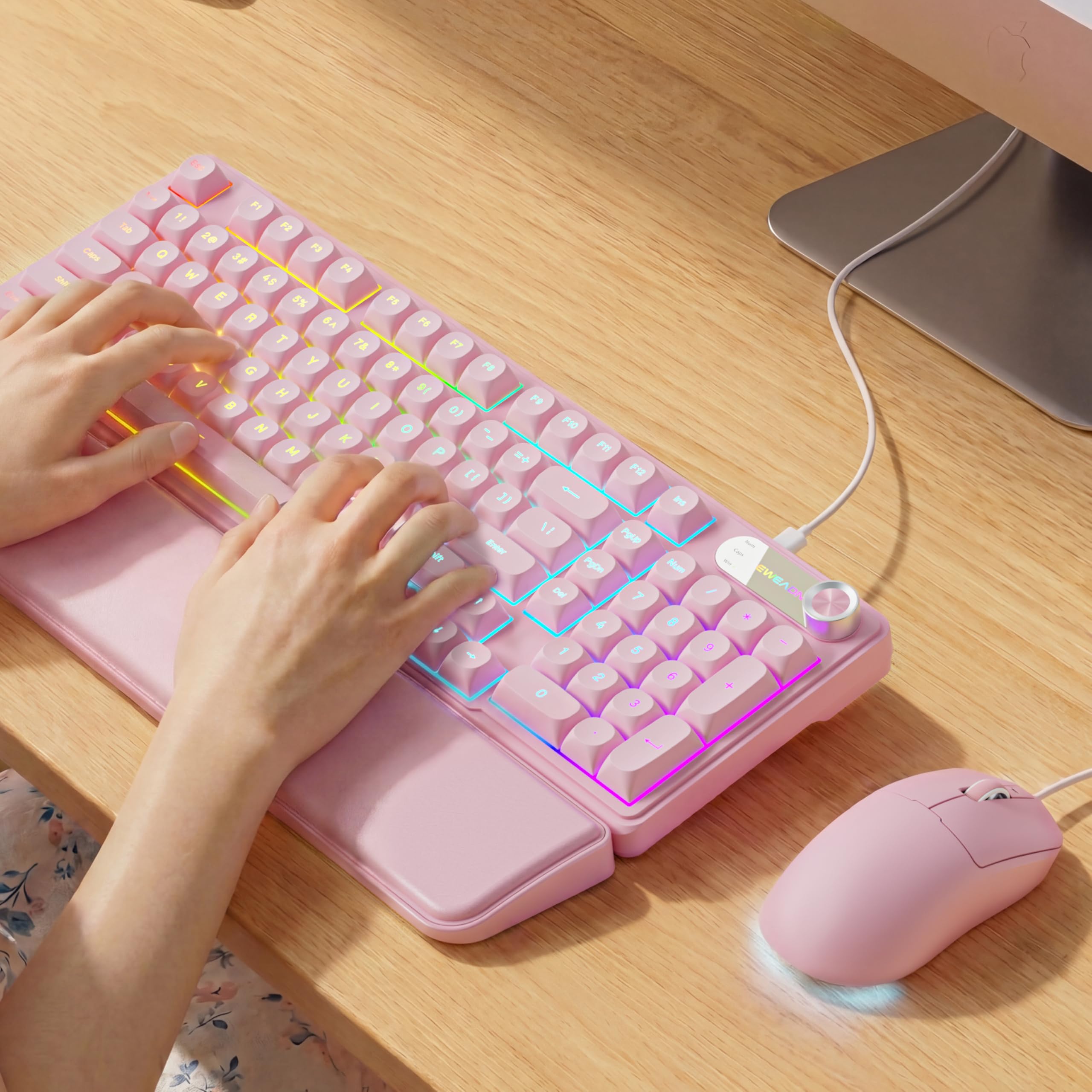
Image: EWEADN C98 Wired Keyboard and Mouse Combo in Pink. This image displays the full keyboard and mouse set, highlighting its ergonomic design and color.
Vsebina paketa
Preverite, ali so v paketu prisotni vsi elementi:
- EWEADN C98 Wired Keyboard
- Žična miška
- Snemljiv naslon za zapestje
- USB kabel (vgrajen)
- Uporabniški priročnik (ta dokument)
Navodila za namestitev
Follow these steps to set up your EWEADN C98 Keyboard and Mouse Combo:
- Priključite tipkovnico: Locate an available USB-A port on your computer (Laptop, PC, Desktop, Gaming Console). Insert the USB-A connector from the keyboard into the port.
- Povežite miško: The mouse is typically connected via the same USB cable as the keyboard or has its own integrated USB-A connector. Insert the mouse's USB-A connector into another available USB-A port on your computer.
- Pritrditev naslona za zapestje: Align the detachable wrist rest with the front edge of the keyboard and gently attach it.
- Prepoznavanje sistema: Your operating system (Windows, Linux, macOS) should automatically detect and install the necessary drivers. No additional software installation is typically required for basic functionality.
- Mac Compatibility Note: For macOS devices, a USB-A to Type-C adapter is required if your Mac only has Type-C ports. This adapter is not included with the product.

Image: Close-up of the keyboard's USB connection and the detachable wrist rest. This illustrates how the keyboard connects and the wrist rest attaches for ergonomic support.

Image: Diagram showing dual-system compatibility. The image indicates how to switch between Windows (FN + A) and Mac (FN + S) layouts for optimal functionality.
Navodila za uporabo
Funkcije tipkovnice
- RGB osvetlitev ozadja: The keyboard features 12 active RGB lighting modes.
- Barva svetlobe stikala: Pritisnite FN + INS to cycle through different lighting colors.
- Prilagodi svetlost: Pritisnite FN + PGUP za povečanje svetlosti in FN + PGDN za zmanjšanje svetlosti.
- Multimedijski gumb: The 2-in-1 rotary knob provides quick control over media and lighting.
- Nadzor glasnosti: Zavrtite gumb za nastavitev glasnosti sistema.
- Funkcija utišanja: Press the knob once to mute/unmute audio.
- Preklopni način: Press and hold the knob for 3 seconds to switch between volume control mode and lighting adjustment mode. In lighting mode, rotate to adjust brightness or press to switch light effects.
- Ergonomska oblika: The keyboard includes a detachable PU leather wrist rest for comfortable typing posture and foldable stands to adjust the typing angle (up to 8 degrees).
- Tiho tipkanje: The membrane keys are designed for low-noise operation, suitable for quiet environments.
- Double-Shot Keycaps: Characters are injection molded for durability and fade resistance, allowing backlighting to shine through clearly.

Image: Illustration of RGB backlight controls. This image shows the FN + INS and FN + PGUP/PGDN key combinations for adjusting keyboard lighting.

Image: Diagram detailing the 2-in-1 multimedia knob functions. It shows how to adjust volume, mute, and switch between lighting and volume modes.
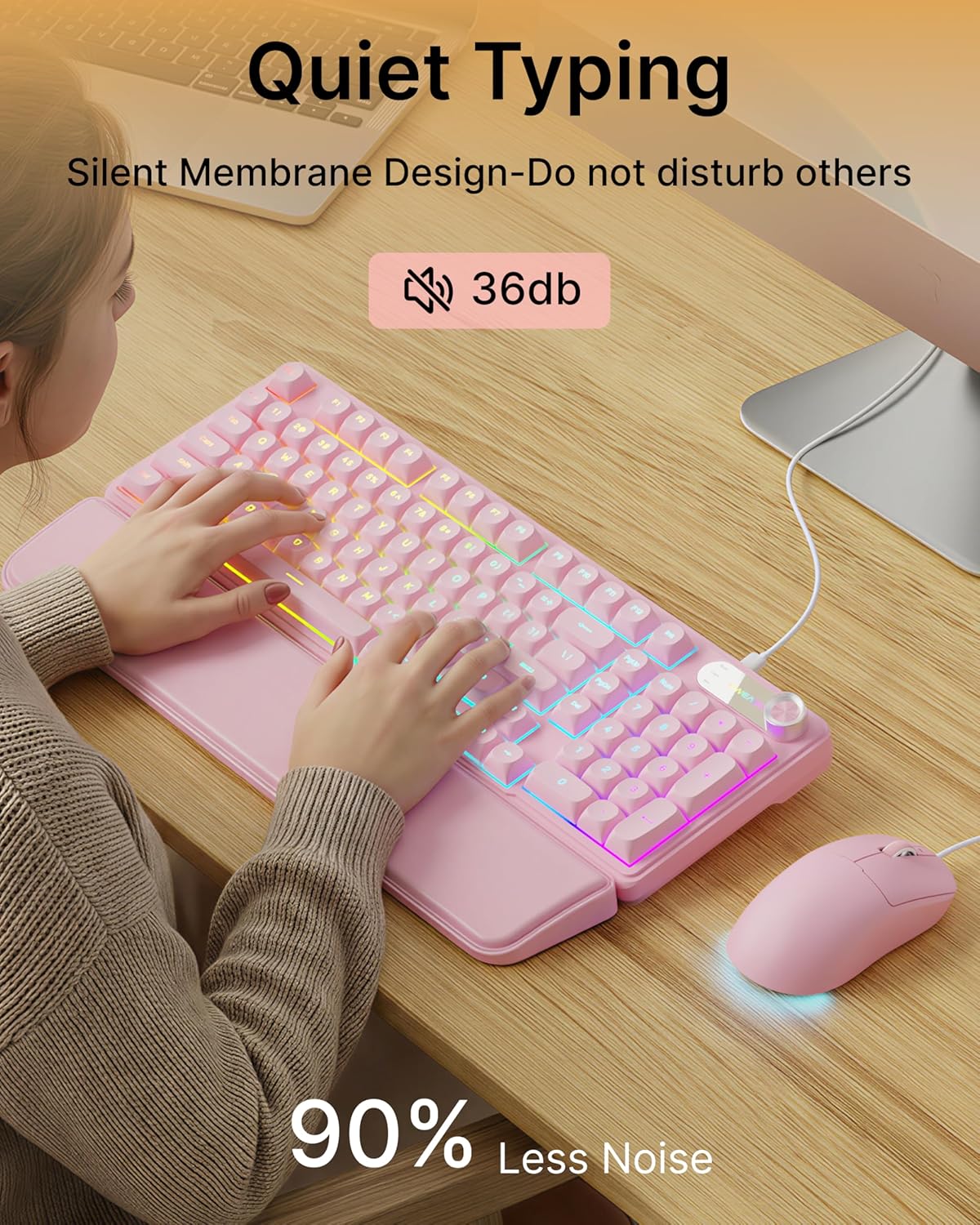
Image: Visual representation of the quiet typing feature. This image highlights the low noise level (36dB) of the keyboard during use.
Funkcije miške
- Nastavljiv DPI: The mouse offers 4 adjustable DPI levels for precision control.
- DPI levels typically range from 800 to 4800.
- Press the DPI button (usually located behind the scroll wheel) to cycle through the available sensitivity settings.
- Tihi klik: The mouse buttons are designed for quiet operation.
- Ergonomska oblika: Designed for a comfortable palm grip.

Image: Diagram illustrating the 4-level DPI adjustment for the mouse. It shows the different DPI settings (800, 1600, 3200, 4800) and the ergonomic palm grip design.
Vzdrževanje
To ensure the longevity and optimal performance of your EWEADN C98 Keyboard and Mouse Combo, follow these simple maintenance guidelines:
- Čiščenje: Za brisanje površin tipkovnice in miške uporabite mehko, suho krpo. Za trdovratno umazanijo rahlo obrišiteampKrpo sperite z vodo ali blagim, neabrazivnim čistilom. Izogibajte se prekomerni vlagi.
- Odstranjevanje prahu: Za odstranitev prahu in umazanije med tipkami uporabite stisnjen zrak.
- Izogibajte se tekočinam: While the product has some water resistance, avoid spilling liquids directly onto the keyboard or mouse. If a spill occurs, disconnect immediately and allow to dry completely before reconnecting.
- Shranjevanje: Store the combo in a clean, dry environment away from extreme temperatures.
Odpravljanje težav
If you encounter issues with your EWEADN C98 Keyboard and Mouse Combo, refer to the following common solutions:
- Tipkovnica ali miška se ne odziva:
- Ensure the USB-A connector(s) are securely plugged into your computer's USB port(s).
- Try plugging the USB connector(s) into a different USB port on your computer.
- Znova zaženite računalnik.
- Če uporabljate zvezdišče USB, poskusite priključiti napravo neposredno na računalnik.
- Osvetlitev ozadja ne deluje:
- Prepričajte se, da je tipkovnica pravilno priključena.
- Pritisnite FN + PGUP multiple times to increase brightness, as it might be set to the lowest level.
- Pritisnite FN + INS to cycle through lighting modes, ensuring a mode with backlighting is selected.
- Multimedia Knob Not Functioning:
- Prepričajte se, da je tipkovnica pravilno priključena.
- Press and hold the knob for 3 seconds to switch between volume and lighting modes. Verify you are in the desired mode.
- Mouse Cursor Movement is Erratic or Slow:
- Clean the mouse sensor on the underside with a soft cloth.
- Prepričajte se, da miško uporabljate na primerni površini (npr. podlogi za miško).
- Press the DPI button to adjust the sensitivity.
- Združljivost z Mac: If using with a Mac and experiencing connection issues, confirm you are using a USB-A to Type-C adapter if your Mac lacks standard USB-A ports.
Specifikacije
| Znamka | EWEADN |
| Številka modela | C98 |
| Tehnologija povezljivosti | USB-A (žični) |
| Združljive naprave | Laptop, PC, Desktop, Windows, Linux, Gaming Consoles |
| Opis tipkovnice | Membrane, 98-key layout |
| Posebne lastnosti | RGB Backlit, Ergonomic, Detachable Wrist Rest, Multimedia Knob, Double-Shot Keycaps, Quiet Typing |
| Podpora za barve osvetlitve ozadja tipkovnice | RGB (12 načinov) |
| Stopnje DPI miške | 4 adjustable levels (up to 4800 DPI) |
| Material | Plastic (Keyboard), PU Leather (Wrist Rest) |
| Stopnja vodoodpornosti | Waterproof (general resistance, not submersible) |
| barva | Roza |

Image: Detailed dimensions of the EWEADN C98 keyboard, mouse, and wrist rest. This image provides measurements in inches for each component.
Garancija in podpora
Specific warranty details are not provided in the product information. For warranty claims or technical support, please refer to the retailer's return policy or contact EWEADN customer service directly through their official channels. Typically, products purchased through Amazon.sg may be subject to a 30-day return policy.