
1. Uvod
The Gemmac XLN-486SW is a versatile portable emergency radio designed for various situations, including outdoor activities, travel, and emergency preparedness. It features multiple power sources, radio bands, and additional functions like a flashlight, SOS alarm, and power bank. This manual provides detailed instructions for its proper use and maintenance.
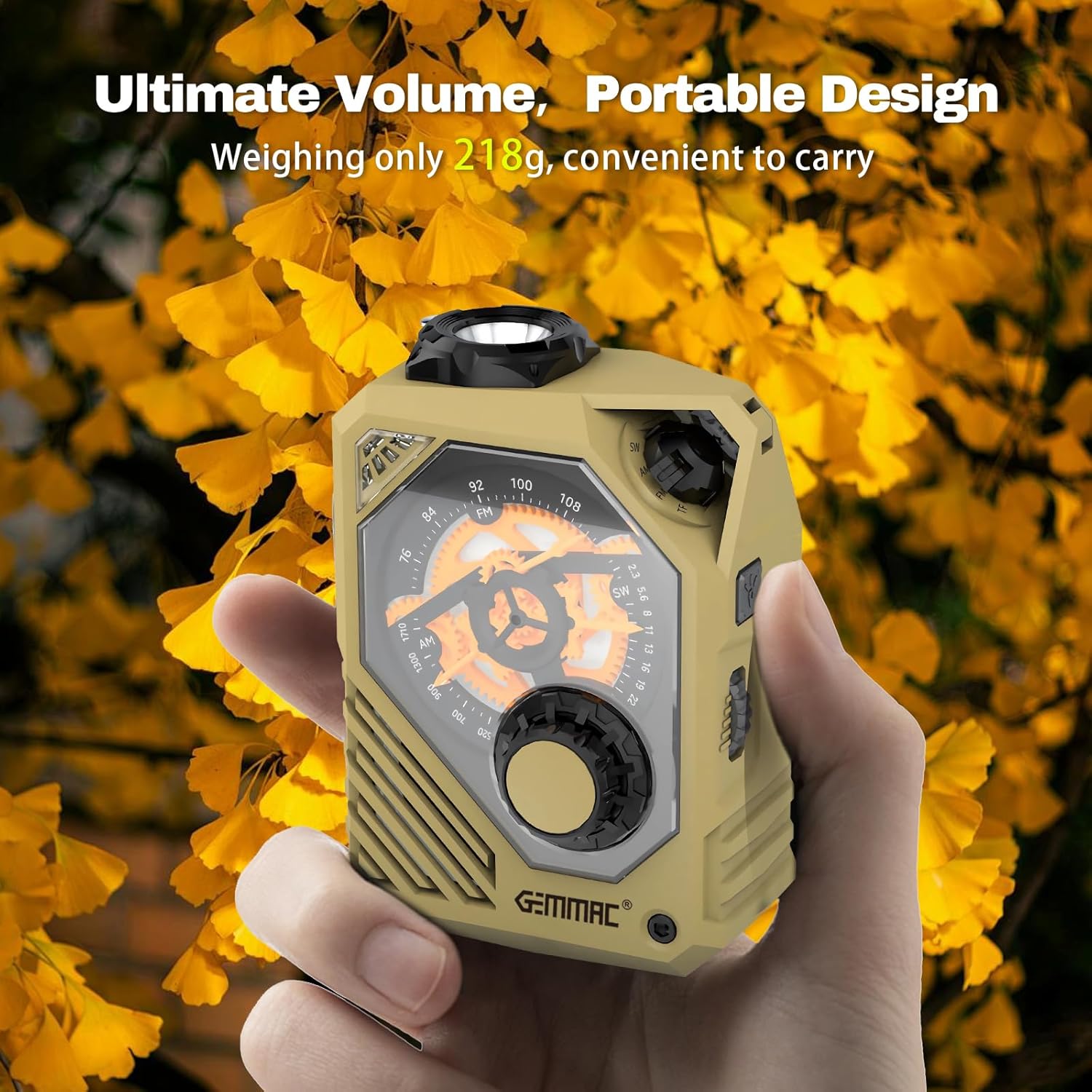
Figure 1: The compact and portable Gemmac XLN-486SW radio.
2. Izdelek je končanview in komponente
Familiarize yourself with the various parts of your Gemmac XLN-486SW radio to ensure correct operation.

Figure 2: Labeled components of the Gemmac XLN-486SW radio.
- Svetilka
- Indikator baterije
- Indikator
- Vhod tipa C
- USB izhod
- Reža za kartico TF
- Zvočnik
- SW/AM/FM/TF switch
- Izbira frekvence
- Frequency dial knob
- Luknja za vrvico
- USB/TF card playback operation buttons
- Lighting / Alarm button
- Stikalo za glasnost
- Antena
- Red blink light
- Ročaj ročice
Kaj je v škatli:
- Gemmac XLN-486SW Portable Emergency Radio
- Polnilni kabel
- Uporabniški priročnik
3. Napajanje naprave
The Gemmac XLN-486SW offers multiple methods to ensure continuous power, especially during emergencies.
3.1. USB-C polnjenje
Connect the provided charging cable to the Type-C input port (4) on the radio and to a standard USB power adapter (not included) or a computer USB port. The battery indicator (2) will show charging status. A full charge provides extended operation time.
3.2. Polnjenje z ročno ročico
Extend the crank handle (17) and rotate it clockwise or counter-clockwise at a rate of 120-160 cycles per minute. This kinetic energy will charge the internal 2000mAh battery. This method is ideal when no external power source is available.

Figure 3: Operating the hand crank for emergency power.
3.3. Solarno polnjenje
The radio features a solar panel for supplementary charging. Place the radio in direct sunlight to slowly charge the internal battery. This method is most effective for maintaining charge or for very slow charging over extended periods.
4. Delovanje radia
The radio supports AM, FM, and SW bands for receiving broadcasts.
4.1. Selecting a Radio Band
Use the SW/AM/FM/TF switch (8) to select your desired radio band: AM (Amplitude Modulation), FM (Frequency Modulation), or SW (Shortwave).
4.2. Uglaševanje postaje
Extend the antenna (15) for optimal reception. Rotate the frequency dial knob (10) to adjust the frequency dial (9) and tune into a station. The frequency ranges are: AM 530-1710 kHz, FM 87-108 MHz, SW 7-19 MHz (or 2.3-22 MHz as per some specifications).

Figure 4: Tuning the radio to receive AM/FM/SW broadcasts.
4.3. Prilagajanje glasnosti
Rotate the volume switch (14) to increase or decrease the audio output from the speaker (7).
5. Predvajanje medijev
In addition to radio, the device supports playback from various media sources.
5.1. TF Card and USB Drive Playback
Insert a TF card into the TF card slot (6) or a USB drive into the USB output port (5). Use the USB/TF card playback operation buttons (12) to control playback (e.g., play, pause, skip tracks). The device supports TF cards and USB drives up to 128GB.
5.2. Bluetooth povezljivost
Switch the SW/AM/FM/TF switch (8) to the Bluetooth mode. The radio will enter pairing mode. Iskanje "XLN-486SW" on your smartphone or other Bluetooth-enabled device and connect. You can then stream audio wirelessly to the radio.
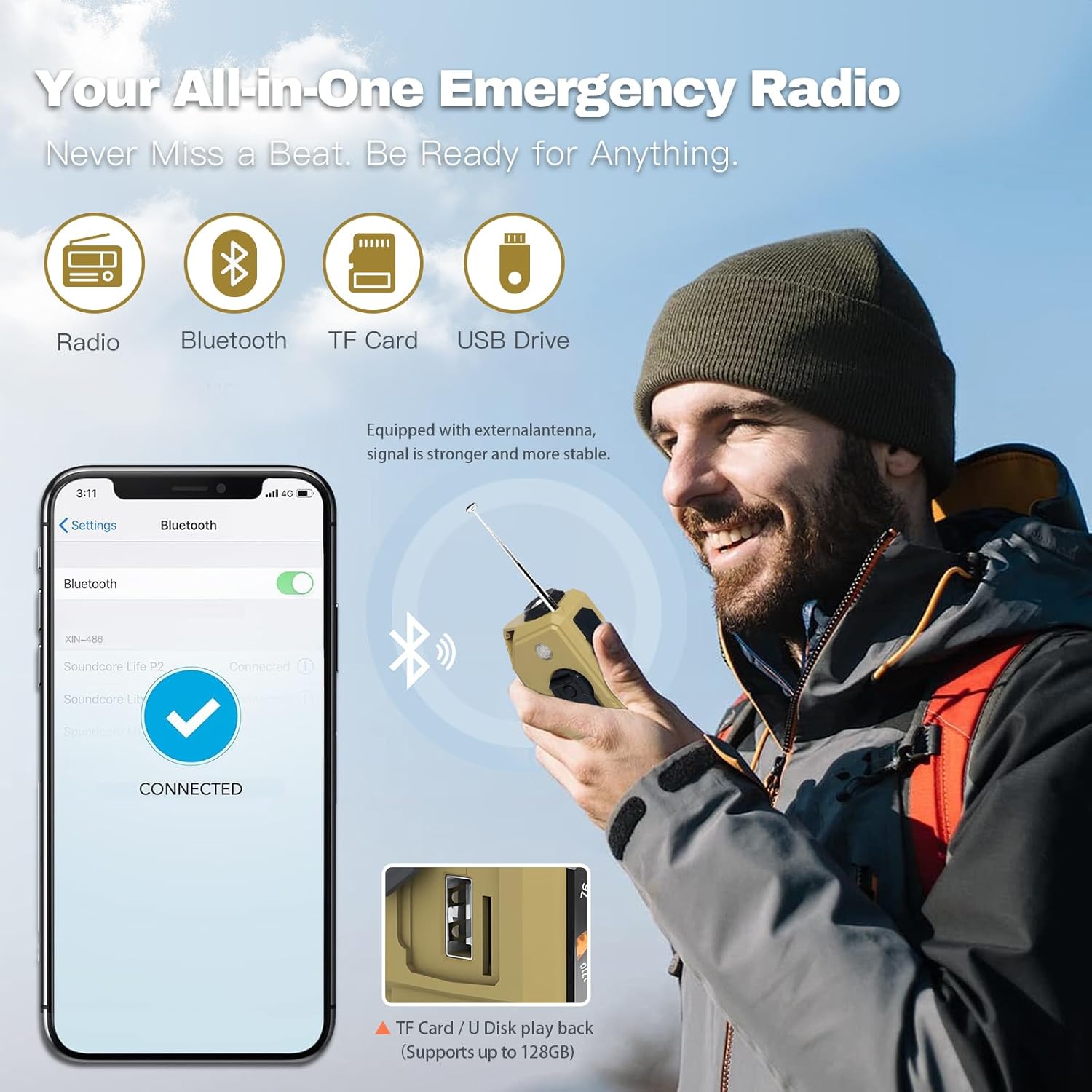
Figure 5: Connectivity options including Bluetooth, TF card, and USB drive.
6. Funkcije za nujne primere
The Gemmac XLN-486SW is equipped with essential features for emergency situations.
6.1. LED svetilka
Press the Lighting / Alarm button (13) to activate the flashlight (1). The flashlight offers strong light, flashing light, and warning light modes. The built-in 2000mAh lithium battery provides approximately 600 minutes of strong light duration.

Figure 6: The powerful LED flashlight for illumination.
6.2. SOS alarm
Long press the Lighting / Alarm button (13) to activate the SOS alarm. This feature emits a loud siren sound and flashes the red blink light (16) to attract attention in an emergency.

Figure 7: Activating the SOS alarm for emergency signaling.
6.3. Funkcija prenosne baterije
The integrated 2000mAh battery can be used to charge external USB devices, such as smartphones or MP3 players, via the USB output port (5). Connect your device's charging cable to the USB output port on the radio.

Figure 8: Using the radio as a power bank to charge a mobile device.
7. Specifikacije
| Funkcija | Specifikacija |
|---|---|
| Znamka | Gemmac |
| Številka modela | XLN-486SW |
| barva | Kaki |
| Tehnologija povezljivosti | Bluetooth |
| Posebne lastnosti | Power bank, Hand crank radio, Flashlight, SOS Alarm, TF Card, USB Drive |
| Združljive naprave | Mobile phone, MP3 player, Laptop |
| Dimenzije izdelka | 7 D x 5.2 Š x 10 V centimetrov |
| Tehnologija sprejemnika | AM/FM/JZ |
| Vir napajanja | Battery powered, Hand crank, Solar |
| Podprti radijski pasovi | AM (530-1710 kHz), FM (87-108 MHz), SW (7-19 MHz / 2.3-22 MHz) |
| Kapaciteta baterije | 2000 mAh |
| Flashlight Duration (strong light) | 600 minut |
8. Odpravljanje težav
- Brez napajanja: Ensure the battery is charged. Use USB-C charging or hand crank for power. Check if the power switch is in the ON position.
- Slab radijski sprejem: Extend the antenna fully. Try repositioning the radio to a location with better signal. Adjust the tuning knob slowly.
- Ni zvoka: Check the volume level. Ensure the correct mode (AM/FM/SW/TF/USB/Bluetooth) is selected.
- TF Card/USB Drive Not Playing: Ensure the media is inserted correctly. Check if the audio fileso v podprti obliki.
- Težave s povezovanjem Bluetooth: Make sure the radio is in Bluetooth mode and discoverable. Ensure your device's Bluetooth is on and within range.
- Svetilka ne deluje: Preverite napolnjenost baterije. Prepričajte se, da je gumb svetilke pravilno pritisnjen.
9. Vzdrževanje
- Čiščenje: Wipe the radio with a soft, dry cloth. Do not use harsh chemicals or abrasive cleaners.
- Shranjevanje: Radio shranjujte na hladnem in suhem mestu, stran od neposredne sončne svetlobe in ekstremnih temperatur.
- Vzdrževanje baterije: For optimal battery life, charge the radio regularly, even if not in frequent use. Avoid fully discharging the battery for extended periods.
- Vodoodpornost: The device is designed for outdoor use but is not fully waterproof. Avoid submerging it in water.
10. Garancija in podpora
The Gemmac XLN-486SW Portable Emergency Radio comes with a manufacturer's guarantee for refund and return within 30 days of purchase. For further assistance or inquiries, please refer to the seller's support channels.
Informacije o razpoložljivosti rezervnih delov in posodobitvah programske opreme trenutno niso na voljo.