
1. Uvod
The EVILTO RGB Digital Alarm Clock is designed to provide clear time display, dual alarm functionality, and ambient lighting options. It features a high-contrast screen that shows time, temperature, date, and day of the week. With customizable RGB display colors and ambient light settings, it complements various room decors while offering practical features like Daylight Saving Time (DST) adjustment and power-outage spomin.
2. Varnostna navodila
- Ensure the device is placed on a stable, flat surface to prevent falling.
- Keep away from water or high humidity environments to avoid electrical hazards.
- Ne izpostavljajte neposredni sončni svetlobi ali ekstremnim temperaturam.
- Uporabljajte samo priloženi napajalnik in kabel.
- Hraniti izven dosega otrok.
- Naprave ne poskušajte razstavljati ali popravljati sami. Po potrebi se obrnite na podporo strankam.
3. Vsebina paketa
Preverite, ali so v paketu prisotni vsi elementi:
- EVILTO RGB Digital Alarm Clock Unit
- Napajalni kabel USB-C
- Napajalni adapter
- Uporabniški priročnik
4. Izdelek je končanview
The alarm clock features a large digital display and intuitive controls. Familiarize yourself with the main components and buttons:
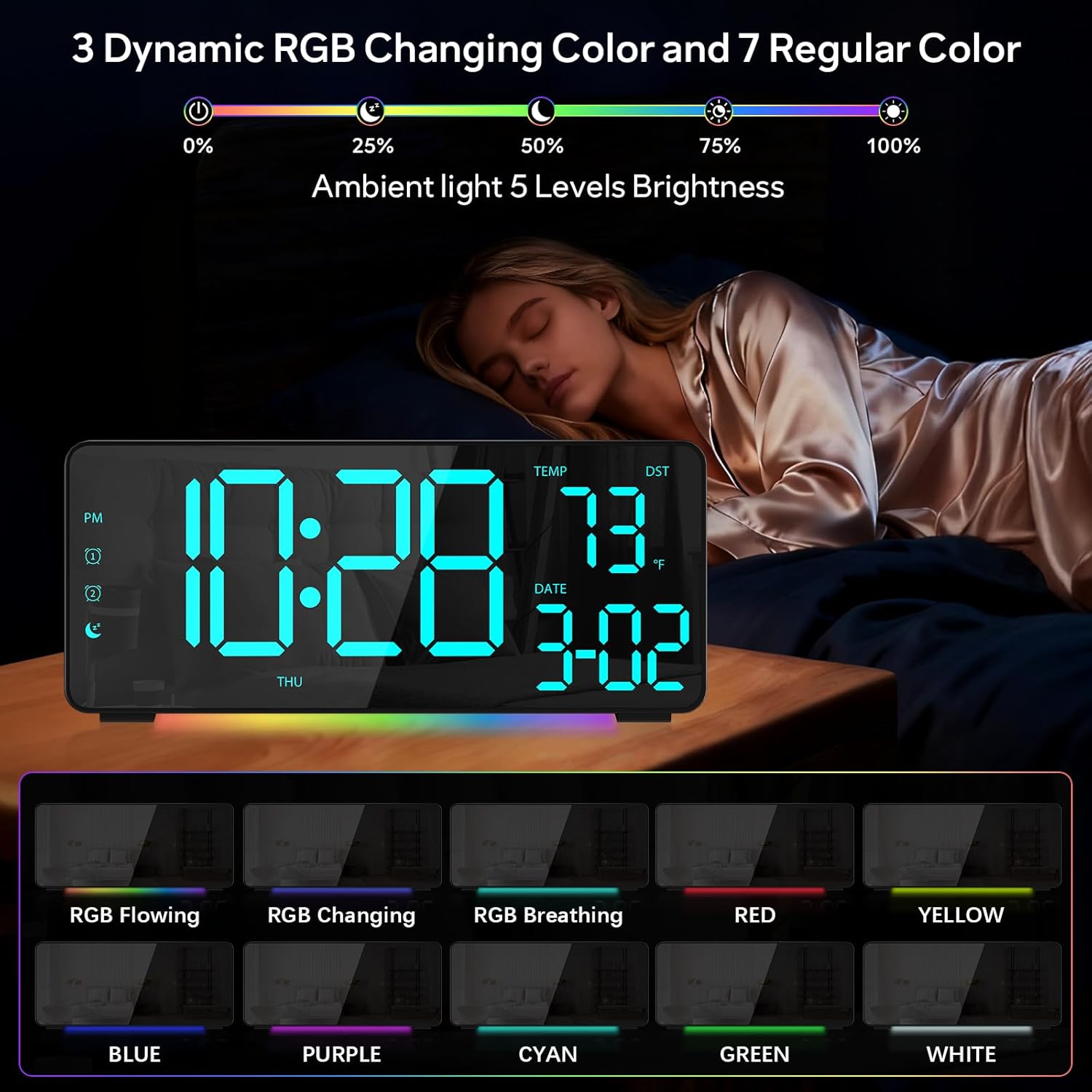
Slika 1: Spredaj view of the EVILTO RGB Digital Alarm Clock, showing the time, temperature, date, and day of the week. The display features vibrant RGB colors.

Slika 2: Zadaj view of the EVILTO RGB Digital Alarm Clock, highlighting the control buttons for settings, alarms, display, and the USB-C input and USB output ports.
Gumbi za upravljanje:
- Gumb SET: Enters/confirms settings.
- Gumb za svetlost: Prilagodi svetlost zaslona.
- Gumb RGB: Cycles through RGB display colors.
- Gumba za alarm 1/2: Vklopi/izklopi in nastavi alarm 1 ali alarm 2.
- Gumb za glasnost: Prilagodi glasnost alarma.
- DST Button: Preklopi na poletni čas.
- 12/24H Button: Switches between 12-hour and 24-hour time format.
- Gumb °C/°F: Switches between Celsius and Fahrenheit for temperature display.
5. Nastavitev
5.1 Napajanje naprave
The alarm clock operates via a corded electric connection. For power-outage memory, install 3 AAA batteries (not included).
- Connect the USB-C power cable to the INPUT port on the back of the clock.
- Priključite napajalnik v standardno električno vtičnico.
- For backup power, open the battery compartment on the back and insert 3 AAA batteries, ensuring correct polarity.

Figure 3: The clock connected via USB-C for power, demonstrating its USB output for charging other devices.

Figure 4: Illustration of the power-outage memory function, showing the battery compartment for AAA batteries to retain settings during power interruptions.
6. Navodila za uporabo
6.1 Nastavitev časa in datuma
- Pritisnite in držite NASTAVI button on the back of the clock for 3 seconds to enter time setting mode. The hour digits will begin to flash.
- Uporabite + in - gumbi za nastavitev ure.
- Pritisnite NASTAVI ponovno za premik na nastavitev minut. Uporabite + in - za prilagoditev minut.
- Nadaljujte s pritiskom NASTAVI za preklapljanje med nastavitvami leta, meseca in dneva ter prilagajanje vsake od njih z + in -.
- Pritisnite NASTAVI še zadnjič za izhod iz načina nastavitev.
- To switch between 12-hour and 24-hour format, short press the 12/24H gumb.
- To switch between Celsius and Fahrenheit, short press the ° C / ° F gumb.
6.2 Nastavitev alarmov
The clock supports two independent alarms with four modes (Daily, Weekday 1, Weekday 2, Weekend).
- Pritisnite in držite Alarm 1 or Alarm 2 3 sekunde držite gumb, da vstopite v način nastavitve alarma. Številke za ure bodo utripale.
- Uporabite + in - gumbe za nastavitev želene ure budilke.
- Pritisnite Alarm button again to set the minutes, adjusting with + in -.
- Pritisnite Alarm button a third time to select the alarm mode (Daily, Weekday 1, Weekday 2, Weekend) using + in -.
- Pritisnite Alarm button one last time to confirm and exit.
- To activate or deactivate an alarm, short press its respective Alarm 1 or Alarm 2 button. An icon will appear/disappear on the display.
- Ko se oglasi alarm, pritisnite DREMEŽ button (top center) to activate snooze for 5 minutes. To turn off the alarm, press any other button.

Figure 5: The clock illustrating the setup for dual alarms with options for daily, weekday, or weekend modes.
6.3 Adjusting Display and Ambient Light
- Svetlost zaslona: Kratek pritisk na Svetlost button on the back to cycle through 5 adjustable brightness levels for the main display.
- RGB Display Colors: Kratek pritisk na RGB button on the back to cycle through 15 vibrant RGB display colors, including 4 dynamic RGB modes, 7 regular colors, and 4 specific color options.
- Ambientalna osvetlitev: The clock features 10 ambient lighting options. These can be adjusted independently from the main display colors. Refer to the specific instructions in the included manual for ambient light control.
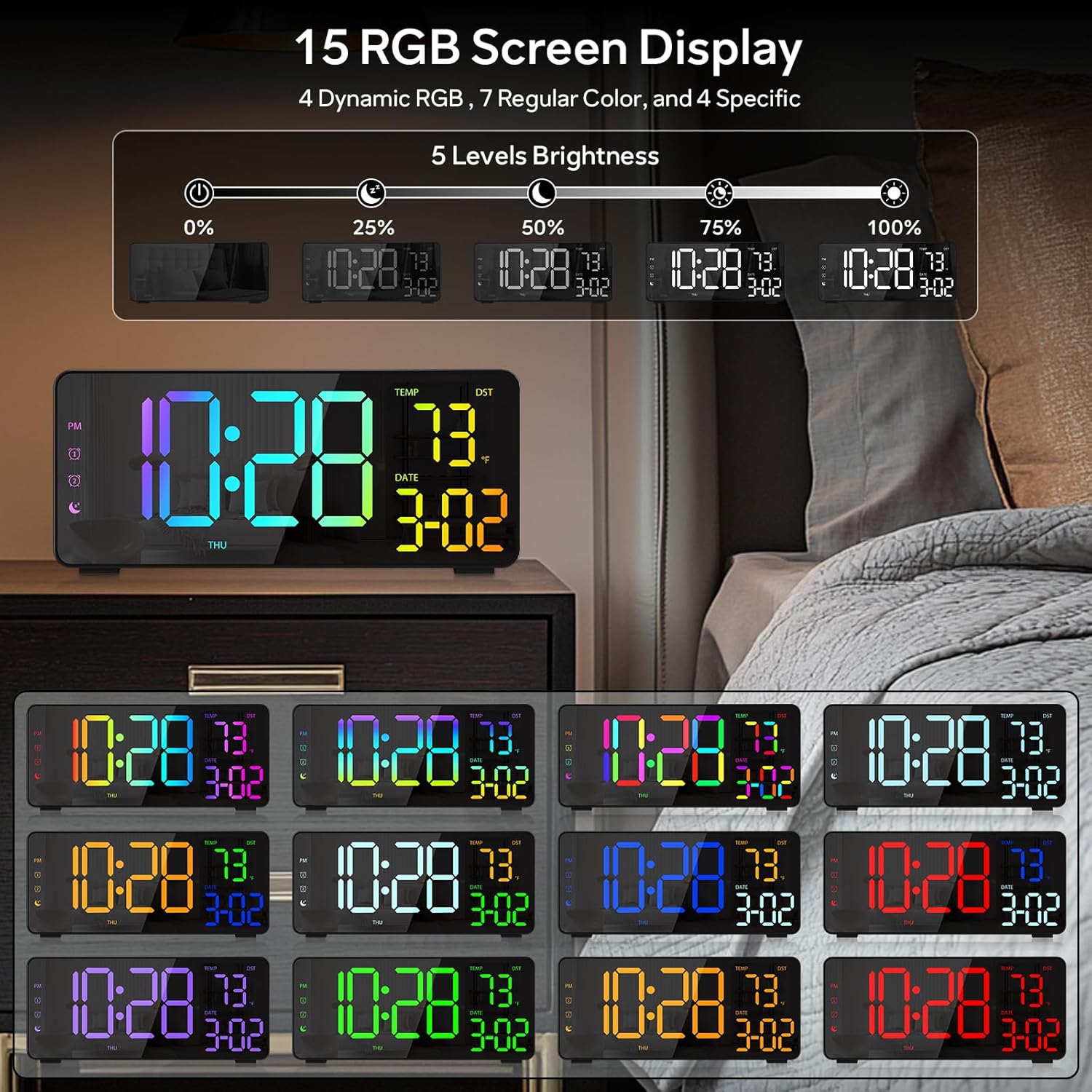
Figure 6: Various display color options and brightness levels of the digital alarm clock.
6.4 Daylight Saving Time (DST) Adjustment
To adjust for Daylight Saving Time, simply press the poletni čas button on the back of the clock. This will move the time forward or backward by 1 hour, keeping your clock synchronized with seasonal changes.
7. Vzdrževanje
- Clean the clock's surface with a soft, dry cloth. Avoid abrasive cleaners or solvents.
- If the display appears scratched, gently remove any protective film that may be present.
- Ensure the USB-C port and USB output port are free from dust and debris.
8. Odpravljanje težav
8.1 Zaslon se ne prižge
- Check if the power cable is securely connected to both the clock and the power outlet.
- Prepričajte se, da napajalnik pravilno deluje.
- If using battery backup, ensure batteries are correctly inserted and not depleted. Note that the display will not stay on continuously when running on battery power alone; it will only light up briefly when a button is pressed or an alarm sounds.
8.2 Alarm Not Sounding
- Verify that the alarm is activated (alarm icon visible on the display).
- Check the alarm volume setting using the Glasnost gumb.
- Ensure the alarm time and mode are set correctly.
8.3 Napačen čas/datum
- Re-enter the time and date settings as described in Section 6.1.
- If DST is active, ensure it is correctly set for your region.
9. Specifikacije
| Funkcija | Podrobnost |
|---|---|
| Znamka | EVILTO |
| Številka modela | RGBNZ |
| barva | Črna |
| Vrsta zaslona | Digitalno |
| Posebne lastnosti | Adjustable Brightness, Adjustable Volume, Large Display, Loud Alarm, Temperature Display |
| Dimenzije izdelka | 6.89 cm Š x 3.1 cm V |
| Vir napajanja | Električni na kabel |
| Vrsta sobe | Bedroom, Home Office, Kid's Room, Living Room, Study Room |
| Material | Plastika |
| Število alarmov | 2 |
| Velikost zaslona | 8.1 palcev |
| Teža predmeta | 10.9 unč |
10. Garancija in podpora
For warranty information or technical support, please refer to the contact details provided in the product packaging or contact EVILTO customer service directly. Keep your purchase receipt for warranty claims.