
1. Uvod
Thank you for choosing the Homary 3-Drawer LED Smart Nightstand. This nightstand is designed to enhance your bedroom with convenient features including wireless charging, USB and Type-C ports, adjustable LED lighting, and ample storage. Please read this manual thoroughly before assembly and use to ensure proper function and longevity of your product.
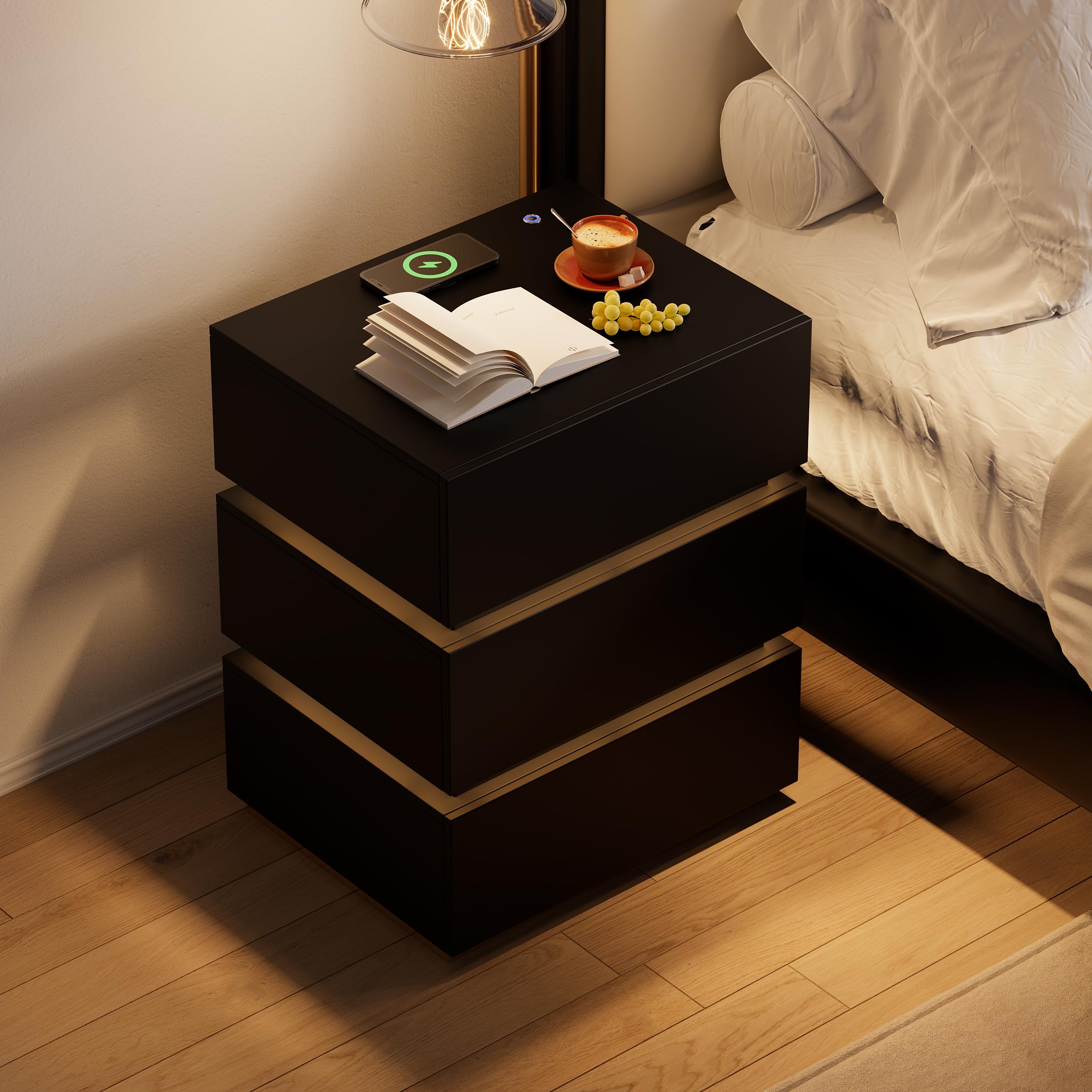
Image 1.1: The Homary 3-Drawer LED Smart Nightstand, showcasing its modern design and integrated features.
2. Varnostne informacije
- Vso embalažo hranite izven dosega otrok in hišnih ljubljenčkov, da preprečite nevarnost zadušitve.
- Med montažo se prepričajte, da so vsi vijaki in pritrdilni elementi varno priviti. Občasno preverite, ali so povezave ohlapne.
- Ne prekoračite največje priporočene teže 35 funtov na zgornji površini.
- Avoid placing liquids directly on the nightstand, especially near electrical components.
- Use only a dry cloth for cleaning. Do not use abrasive cleaners or harsh chemicals.
- This product is intended for indoor, residential use only.
3. Vsebina paketa
Pred začetkom montaže preverite, ali so prisotne vse komponente. Če kateri koli deli manjkajo ali so poškodovani, se obrnite na podporo strankam.
- Nočne omarice (zgornji, spodnji, stranski, zadnji)
- Komponente predalov (sprednje strani, stranice, hrbtne strani, dna)
- Drsalniki in strojna oprema za predale
- Podnožje iz nerjavečega jekla
- LED Light Strip and Power Adapter
- Wireless Charging Module with USB/Type-C Ports
- Montažni material (vijaki, mozniki, ključavnice itd.)
- Assembly Guide (Included)
4. Nastavitev in montaža
Assembly is required for this nightstand. It is recommended that dve osebi perform the assembly. A screwdriver is the primary tool recommended for assembly.

Slika 4.1: Dimenzije izdelka za načrtovanje namestitve in montaže.
Koraki sestavljanja:
- Razpakirajte in prepoznajte dele: Carefully remove all components from the packaging. Lay them out on a clean, soft surface to prevent scratches. Refer to the included Assembly Guide to identify each part.
- Sestavite glavni okvir: Follow the step-by-step instructions in the Assembly Guide to construct the outer frame of the nightstand using the provided hardware. Ensure all connections are tight and stable.
- Namestitev predal za predale: Attach the drawer slides to the inner sides of the nightstand frame according to the guide. Pay attention to the orientation of the slides.
- Sestavljanje predalov: Construct each of the three drawers. Attach the drawer slides to the assembled drawers.
- Vstavite predale: Carefully slide the assembled drawers into the nightstand frame. Test their movement to ensure they open and close smoothly.
- Attach Stainless Steel Base: Secure the glossy stainless steel base to the bottom of the nightstand frame.
- Priključite električne komponente: Install the LED light strip, wireless charging pad, and USB/Type-C module as directed in the Assembly Guide. Connect the power adapter.
- Končno preverjanje: Preverite, ali so vsi deli pravilno sestavljeni in ali so vsi pritrdilni elementi priviti.
5. Navodila za uporabo
5.1. LED osvetlitev
The nightstand features a built-in LED light for ambient illumination.
- Vklop/izklop: Press the top button located on the nightstand's surface to turn the LED light on or off.
- Prilagodi svetlost: With the LED light on, press and hold the top button to adjust the brightness level. Release the button when the desired brightness is achieved.

Image 5.1: Location of the LED control button and wireless charging pad.
5.2. Funkcije polnjenja
The nightstand is equipped with a wireless charging pad, USB port, and Type-C port for convenient device charging.
- Brezžično polnjenje: Place your compatible smartphone or device directly on the wireless charging pad located on the top surface. Ensure the device is centered for optimal charging.
- Vrata USB in tipa C: Connect your devices using appropriate cables to the USB and Type-C ports for wired charging.
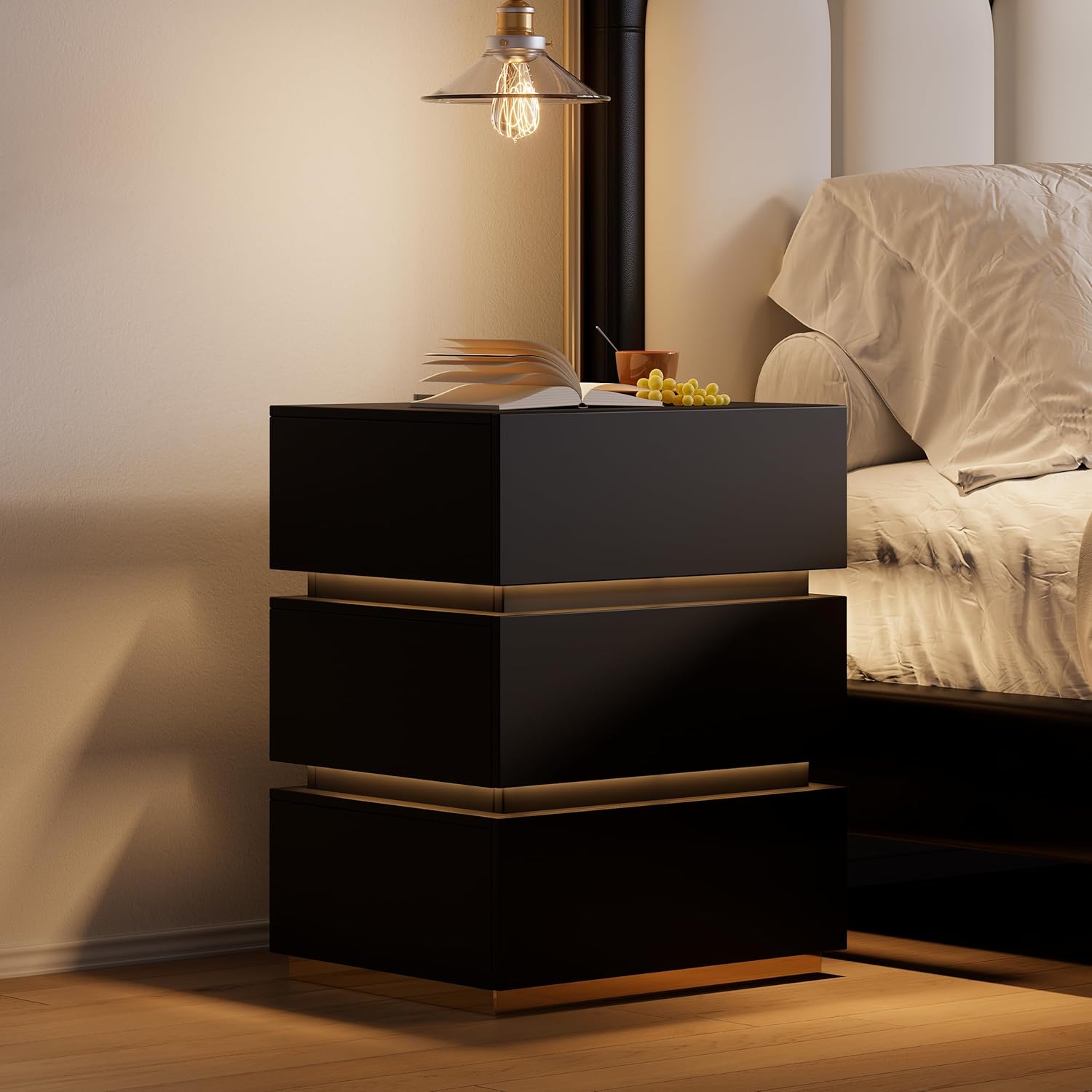
Image 5.2: Wireless charging in action and the illuminated LED button.
5.3. Predali za shranjevanje
The three spacious drawers provide organized storage for your personal items.

Image 5.3: Open drawers demonstrating storage capacity.
6. Vzdrževanje
- Čiščenje: Wipe the nightstand surfaces with a dry, soft cloth. For stubborn marks, a slightly damp cloth followed immediately by a dry cloth can be used.
- Odpornost na madeže: The nightstand is designed to be stain resistant. Promptly wipe any spills to prevent potential staining.
- Preverjanje strojne opreme: Občasno preverite vse vijake in pritrdilne elemente, da se prepričate, da so trdno priviti. Po potrebi jih privijte, da ohranite stabilnost.
- Električne komponente: Ensure the power adapter and cables are not pinched or damaged. Do not attempt to repair electrical components yourself.
7. Odpravljanje težav
7.1. LED Light Not Working
- Ensure the nightstand is properly plugged into a working power outlet.
- Check that the power adapter is securely connected to the nightstand.
- Press the LED control button firmly to ensure it registers the input.
7.2. Wireless Charging Not Functioning
- Verify the nightstand is powered on and plugged in.
- Prepričajte se, da je vaša naprava združljiva z brezžičnim polnjenjem (standard Qi).
- Odstranite vse debele ovitke za telefon, ki bi lahko motili brezžično polnjenje.
- Reposition your device on the charging pad to ensure proper alignment.
- Avoid placing metal objects between your device and the charging pad.
7.3. USB/Type-C Ports Not Charging
- Confirm the nightstand is connected to power.
- Poskusite z drugim kablom USB ali Type-C, da izključite težave s kablom.
- Test with a different device to ensure the port is not faulty.
8. Specifikacije
| Funkcija | Podrobnost |
|---|---|
| Znamka | domači |
| Številka modela | JJ140H93L4 |
| Mere izdelka (D x Š x V) | 400 mm x 500 mm x 605 mm (15.7" x 19.7" x 23.8") |
| Teža predmeta | 62 funta |
| Največja priporočena teža | 35 Pounds (Top Surface) |
| Material okvirja | MDF; Stainless Steel |
| Vrsta zgornjega materiala | Konstruiran les |
| barva | Black (with Gold Base Color) |
| Število predalov | 3 |
| Posebne lastnosti | With Drawers; Wireless Charging; Built-In USB Ports; LED Light |
| Zahtevana montaža | ja |
| Priporočeno število ljudi za montažo | 2 |
| Priporočena orodja za montažo | Voznik vijakov |
| Navodila za nego izdelka | Obrišite s suho krpo |
9. Informacije o garanciji
This Homary product comes with a Omejena garancija. For specific details regarding warranty coverage, duration, and terms, please refer to the warranty documentation included with your purchase or contact Homary customer support.
10. Podpora
If you have any questions, require assistance with assembly, or encounter any issues with your Homary 3-Drawer LED Smart Nightstand, please do not hesitate to contact our customer support team.
E-pošta: service@homary.com
When contacting support, please provide your order number and the product model number (JJ140H93L4) for faster service.