
1. Uvod
The iflytek AINOTE 2 is an advanced 10.65-inch E-Ink tablet designed for note-taking, writing, and reading. Powered by ChatGPT-5, it integrates artificial intelligence to enhance productivity through features like voice-to-text transcription, handwriting conversion, and smart schedule management. This manual provides essential information for setting up, operating, and maintaining your device.
2. Kaj je v škatli
- AINOTE 2 Note Taking Tablet 10.65-inch
- Pisalo
- Polnilni kabel USB-C
- Vodnik za hiter začetek
3. Izdelek je končanview
The AINOTE 2 features a sleek, ultrathin design with a high-resolution E-Ink display. It is built for portability and a natural writing experience.
3.1 Fizične značilnosti
- Dimenzije: 7.5 x 5.4 x 0.2 palcev
- Teža: 10.4 unč (295 g)
- Debelina: 4.2 mm
- Zaslon: 10.65-inch Carta 1300 E-Ink, 2560x1920 resolution (300PPI)
- Gumbi: Power button, AI search button
- Pristanišča: Vrata za polnjenje USB Type-C
- Avdio: 4 microphones for voice pickup
- Pisalo: Magnetic attachment, eraser function, customizable button.
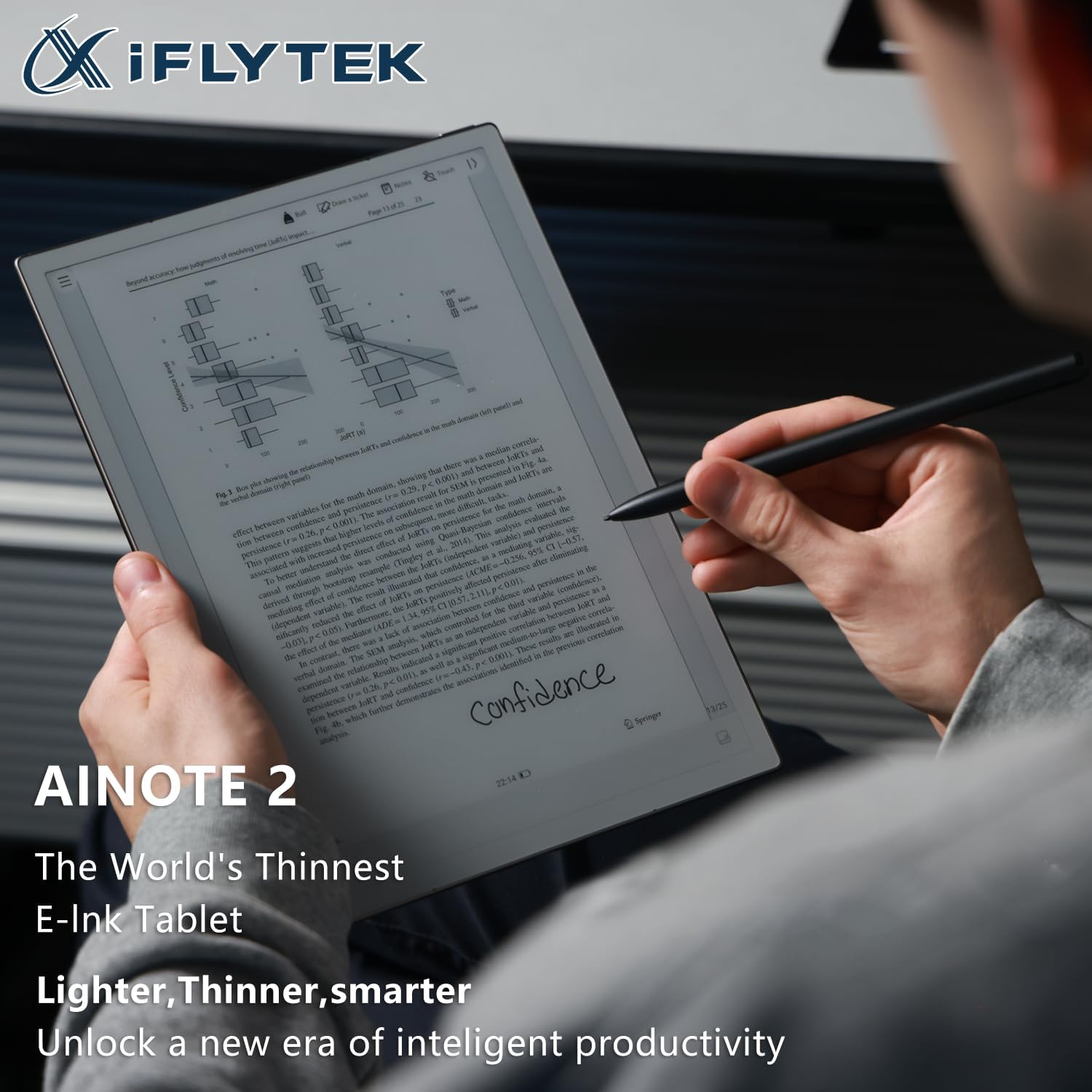
The device is designed to be lightweight and comfortable to hold, mimicking the feel of paper. The stylus provides a natural writing experience with various brush styles and pressure sensitivity.

4. Nastavitev
4.1. Vklop/izklop
- To power on, press and hold the power button (located on the top edge) for 3 seconds.
- To power off, press and hold the power button for 3 seconds and select 'Power off' from the on-screen options.
- A short press of the power button will lock or unlock the screen.
4.2. Začetna konfiguracija
Upon first power-on, follow the on-screen prompts to select your language, connect to Wi-Fi, and set up your basic preferences.
Video: Ta videoposnetek ponuja splošen pregledview of the iflytek AINOTE 2, highlighting its design and key features.
5. Osnovno delovanje
5.1. Navigacija
The AINOTE 2 features a user-friendly interface. Navigate through menus and applications using touch gestures on the E-Ink display. The top bar provides quick access to notes, schedule, reading, and other settings.
5.2. Creating Notes
From the main screen, tap the 'Notes' section. You can create new notes by tapping the '+' icon. The stylus allows for a natural writing experience with various brush styles and pressure sensitivity.
Video: This video demonstrates how to write notes on the AINOTE 2, showcasing the stylus responsiveness and various writing tools.
6. Napredne funkcije
6.1. AI Capabilities (Powered by ChatGPT-5)
The AINOTE 2 integrates advanced AI features to streamline your workflow:
- Pomočnik AI: Launch your AI assistant with one button to search notes, summarize content, and manage schedules.
- Prepis: Supports 16 languages for voice-to-text transcription during meetings or lectures.
- Handwriting Conversion: Convert handwritten notes into digital text with 133 handwriting-to-text options.
- Prevod: Offers 11 instant translation modes for global communication.

Video: This video demonstrates how to record meetings and utilize the transcription feature on the AINOTE 2.
Video: This video illustrates the process of converting handwritten notes into digital text using OCR on the AINOTE 2.
6.2. Mind Mapping
The AINOTE 2 supports native handwritten mind mapping. Build your mind maps by hand, with live nodes that grow as you think. You can write, move, and share without needing additional tools or typing.

6.3. Smart Schedule Management
Convert your handwritten doodles into actionable tasks. Circle, triangle, or star marks can instantly be synced to your schedule. The AINOTE 2 is compatible with Google Calendar, allowing effortless synchronization of your schedules across devices.
7. Reading and Writing Experience
Enjoy a paper-like writing experience with 8 refined brush styles that mimic real handwriting. The low latency ensures pixel-perfect precision. For reading, the 10.65-inch ultra-clear Carta 1300 display offers smooth, eye-friendly reading with fast refresh rates. It is compatible with popular e-reading apps like Kindle, Kobo, and Google Play.


8. Connectivity and Sync
The AINOTE 2 supports seamless file synchronization across its dedicated app, cloud services, and other devices. This ensures your notes and documents are always accessible.
Video: This video demonstrates how to sync files between the AINOTE 2 and Google Drive for easy access and backup.
Video: This video shows how to sync notes between the AINOTE 2 and a phone or PC using the AINOTE App.
9. Vzdrževanje
9.1. Življenjska doba baterije in polnjenje
The AINOTE 2 is equipped with a 4000mAh battery, providing up to 14 days of battery life on a single charge. Battery life can vary based on usage, including Wi-Fi activity, downloads, and brightness settings. Charge the device using the provided USB Type-C cable.
9.2. Posodobitve programske opreme
Regularly check for and install software updates to ensure optimal performance and access to new features. Updates can typically be found in the device's settings menu.
10. Odpravljanje težav
If you encounter any issues with your AINOTE 2, try the following basic troubleshooting steps:
- Znova zaženite napravo: Pritisnite in držite gumb za vklop, nato izberite »Ponovni zagon«.
- Preverite stanje baterije: Ensure the device has sufficient charge.
- Verify Wi-Fi connection: For online features and updates, confirm a stable Wi-Fi connection.
- Posvetujte se s spletnimi viri: Visit the iflytek support webspletno mesto za pogosta vprašanja in dodatno pomoč.
11. Specifikacije
| Funkcija | Specifikacija |
|---|---|
| Velikost prikaza stalnega zaslona | 10.65 palcev |
| Ločljivost zaslona | 1920*2560 |
| Največja ločljivost zaslona | 1920*2560 Pixels Per Inch |
| Procesor | 2.2 GHz (8-core 64-bit Rockchip) |
| Opis kartice | Integrirano |
| Brezžična vrsta | 802.11a, 802.11ac, 802.11ax, 802.11b, 802.11g, 802.11n |
| Povprečna življenjska doba baterije (v urah) | 14 dni |
| Operacijski sistem | Android 14 |
| Teža predmeta | 10.4 unč |
| Dimenzije paketa | 7.5 x 5.4 x 0.2 palcev |
| Zmogljivost pomnilnika | 64 GB |
12. Garancija in podpora
For warranty information and technical support, please refer to the documentation included with your product or visit the official iflytek webspletnega mesta. Shranite dokazilo o nakupu za morebitne garancijske zahtevke.