
1. Uvod
The Radioddity X1 Walkie Talkies are designed for reliable two-way communication in various environments. Featuring an IP67 waterproof and dustproof rating, durable construction, and advanced noise reduction, these FRS radios are suitable for outdoor adventures, professional use, and emergency situations. They offer a long communication range and include essential features like NOAA weather alerts and voice-activated transmission (VOX).

Image: The Radioddity X1 Walkie Talkie, showcasing njegovo robustno zasnovo.
2. Kaj je v škatli
Upon opening your Radioddity X1 package, you should find the following items:
- 2 x Radioddity X1 Walkie Talkies
- 2 x akumulatorske baterije
- 1 x polnilni kabel 2 v 1 USB-C
- 2 x sponke za pas
- 2 x ročni trakovi
- 1 x adapterja
- 1 x Uporabniški priročnik (ta dokument)

Image: All components included in the Radioddity X1 package, including two radios, batteries, charging cable, belt clips, hand straps, and adapters.
3. Nastavitev
3.1. Namestitev baterije
- Prepričajte se, da je voki-toki izklopljen.
- Poiščite predal za baterije na zadnji strani enote.
- Align the battery with the contacts and gently push it into the compartment until it clicks into place.
3.2. Polnjenje baterije
The Radioddity X1 features a 2500mAh rechargeable lithium battery. For optimal performance, fully charge the battery before first use.
- Connect the provided USB-C charging cable to the charging port on the walkie talkie.
- Connect the other end of the USB-C cable to the adapter, and then plug the adapter into a standard power outlet. Alternatively, you can connect the USB-C cable to a compatible USB power source (e.g., computer, power bank).
- The battery indicator on the display will show charging status. A full charge typically takes several hours.
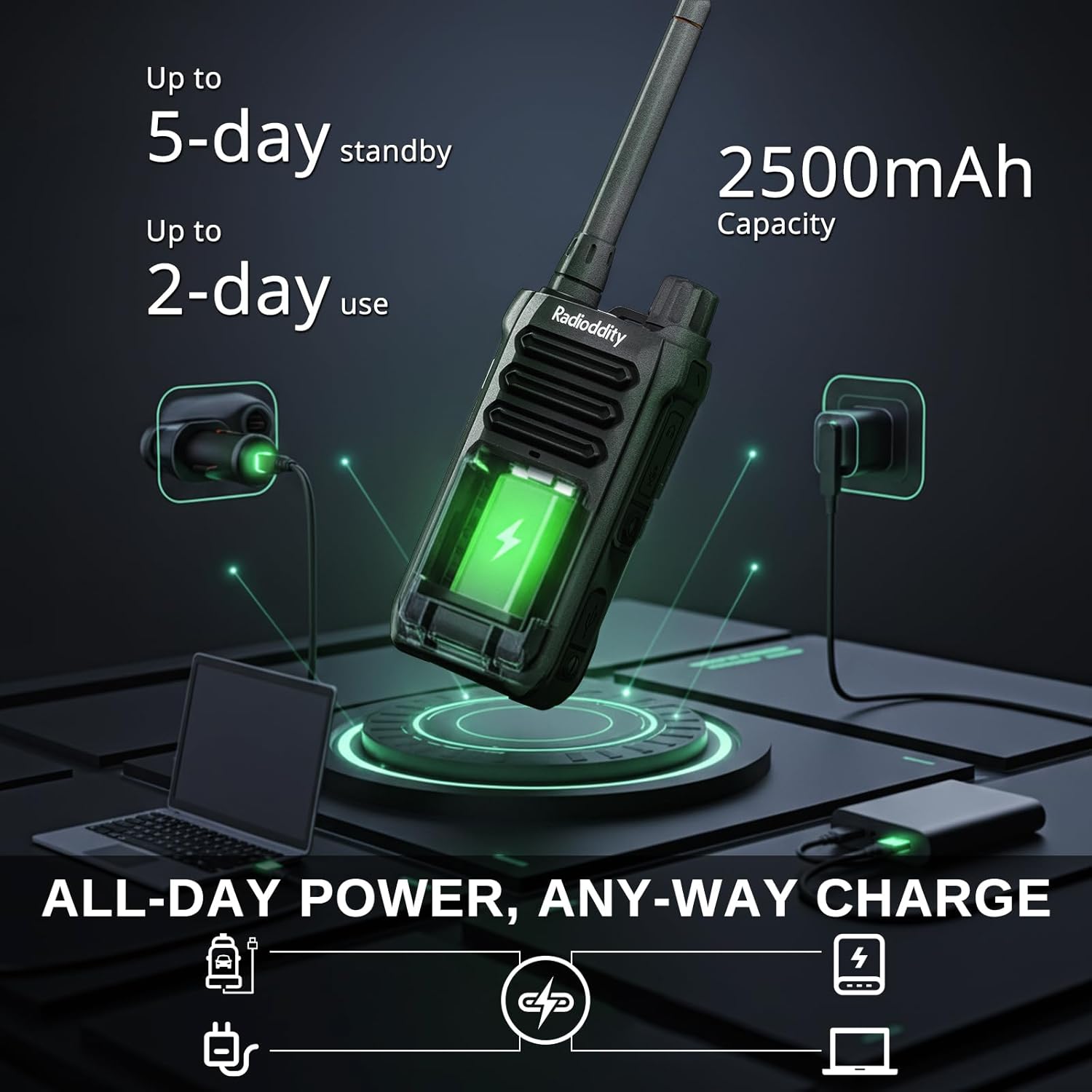
Image: The Radioddity X1 Walkie Talkie connected to a USB-C charger, illustrating the charging process.
3.3. Pritrditev dodatne opreme
- Sponka za pas: Secure the belt clip to the designated slot on the back of the walkie talkie.
- Ročni trak: Thread the hand strap through the loop on the top or side of the walkie talkie for added security.
3.4. Vklop/izklop
To power on or off the device, rotate the power/volume knob located on the top of the unit clockwise to turn on, and counter-clockwise until it clicks to turn off.
4. Navodila za uporabo
4.1. Izbira kanala
The Radioddity X1 comes pre-programmed with 22 FRS channels. To select a channel:
- Pritisnite MENI gumb za vstop v meni.
- Uporabite Puščica gor/dol buttons to navigate to the channel setting.
- Pritisnite OK za potrditev, nato uporabite Puščica gor/dol gumbe za izbiro želenega kanala (1–22).
- Pritisnite OK again to save the selection and MENI za izhod.
4.2. Kode zasebnosti (CTCSS/DCS)
The radio supports 155 privacy codes (CTCSS/DCS) to filter out unwanted conversations on a channel. While not providing true privacy, these codes ensure you only hear transmissions from radios set to the same channel and code.
- Pritisnite MENI gumb.
- Navigate to the CTCSS or DCS setting using the Puščica gor/dol gumbi.
- Pritisnite OK, then select your desired code.
- Pritisnite OK shraniti in MENI to exit. Ensure all radios in your group use the same channel and privacy code.
4.3. Pritisni in govori (PTT)
Za prenos pritisnite in držite veliko tipko PTT gumb na strani radia. Jasno govorite v mikrofon. Spustite gumb PTT gumb za poslušanje.
4.4. Funkcija VOX (glasovno upravljan prenos)
The VOX function allows for hands-free operation. When activated, the radio transmits automatically when it detects your voice.
- Pritisnite MENI gumb.
- Pomaknite se do VOX nastavitev.
- Pritisnite OK, then select an appropriate sensitivity level (higher numbers for lower sensitivity).
- Pritisnite OK shraniti in MENI za izhod.

Image: Icon representing the Voice Operated Transmission (VOX) function.
4.5. Vremenska opozorila NOAA
Stay informed with 10 built-in NOAA weather channels providing real-time alerts.
- Pritisnite MENI gumb.
- Pomaknite se do NOAA nastavitev.
- Pritisnite OK, then select the desired NOAA channel or activate weather alerts.
- Pritisnite OK shraniti in MENI za izhod.

Image: Icon representing the NOAA Scan & Alert feature.
4.6. Predvajanje snemanja
The Radioddity X1 features a unique recording playback function for up to 20 messages.
- To record, press and hold the dedicated SNEMANJE button (if available, or refer to specific menu options).
- To play back recorded messages, press the PONOVNO PREIGRAJTE gumb.

Image: The Radioddity X1 display showing the recording and replay functions, highlighting its audio safety net capability.

Image: Icon representing the Recording function.
4.7. Zmanjšanje hrupa
The dual-way noise reduction feature ensures clear communication even in noisy environments.

Image: The Radioddity X1 in a construction setting, illustrating its noise reduction capabilities for clear communication.
5. Vzdrževanje
5.1. Vodoodporna in protiprašna zaščita IP67
The Radioddity X1 is rated IP67, meaning it is dustproof and can withstand submersion in up to 1 meter of water for 30 minutes. To maintain its integrity:
- Ensure all port covers (e.g., charging port, accessory port) are securely closed before exposure to water or dust.
- After exposure to water, wipe the radio dry with a clean cloth. Do not charge the radio if the charging port is wet.
- Avoid prolonged submersion beyond the specified depth and time.

Image: The Radioddity X1 Walkie Talkie submerged in clear water, demonstrating its IP67 waterproof capability.

Image: The Radioddity X1 Walkie Talkie partially covered in sand, highlighting its dustproof design.
5.2. Skrb za baterijo
The 2500mAh battery provides up to 48 hours of average use. To prolong battery life:
- Izogibajte se rednemu popolnemu praznjenju baterije.
- Ko radia ne uporabljate, ga shranjujte na hladnem in suhem mestu.
- Uporabljajte samo priloženi polnilni kabel in adapter.
5.3. Čiščenje
Radio obrišite z mehko, damp krpo. Ne uporabljajte močnih kemikalij ali abrazivnih čistil.
6. Odpravljanje težav
| Težava | Možen vzrok | rešitev |
|---|---|---|
| Brez moči | Baterija je skoraj prazna ali ni pravilno vstavljena. | Napolnite baterijo ali jo ponovno namestite. |
| Ni mogoče oddajati ali sprejemati | Incorrect channel or privacy code. Out of range. | Verify channel and privacy code settings. Move closer to the other radio. |
| Slaba kakovost zvoka | Šibek signal, motnje ali prenizka glasnost. | Adjust volume. Move to an area with less obstruction. Check for interference sources. |
| Kratek doseg komunikacije | Obstructions (buildings, terrain), low power channel. | Move to an open area. Use channels 1-7 or 15-22 for higher power output. |
7. Specifikacije
| Funkcija | Podrobnost |
|---|---|
| Znamka | Radiodity |
| Številka modela | X1 |
| barva | Črna |
| Število kanalov | 22 (FRS) |
| Frekvenčno območje | FRS |
| Največji razpon govora | 5 Miles (open areas), 2 Miles (urban settings) |
| Stopnja vodoodpornosti | Vodoodporen IP67 |
| Posebne lastnosti | Dust Proof, Emergency Alarm (SOS), Long Range, Shockproof, Voice Operated Transmission (VOX), Noise Reduction, NOAA Weather Alerts, Recording Playback |
| Kapaciteta baterije | 2500mAh litij |
| Povprečna življenjska doba baterije | 48 ur |
| Polnjenje | USB-C |
| Mere izdelka (D x Š x V) | 1.1 cm x 2.4 cm x 7.1 cm |
| FCC ID | 2AN62-X1 |

Image: Visual representation of the Radioddity X1's communication range, showing up to 5 miles in open areas and 2 miles in urban settings.

Image: The Radioddity X1 Walkie Talkie on the ground at a construction site, illustrating its durability and shockproof design after 1,000+ drop tests.
8. Garancija in podpora
8.1. Informacije o garanciji
The Radioddity X1 Walkie Talkies come with an 18-mesečna garancija from the date of purchase. This warranty covers manufacturing defects and ensures your product is free from material and workmanship flaws under normal use. Please retain your proof of purchase for warranty claims.
8.2. Podpora strankam
For technical assistance, troubleshooting, or warranty inquiries, please visit the official Radioddity website or contact their customer support team. You can find contact information and additional resources on their webspletno mesto: www.radioddity.com.
9. Videoposnetki izdelkov
Radioddity X1 | Built for Harsh Conditions
Video: This official Radioddity video demonstrates the X1's robust features, including its IP67 dustproof and waterproof capabilities, drop resistance, car-crush resistance, long-range communication, and noise-cancelling audio, highlighting its suitability for challenging environments.