
Uvod
Thank you for choosing the Grandder 55x28 Inch Electric Standing Desk. This manual provides detailed instructions for assembly, operation, and maintenance to ensure optimal performance and longevity of your desk. Please read this manual thoroughly before assembly and use, and retain it for future reference.
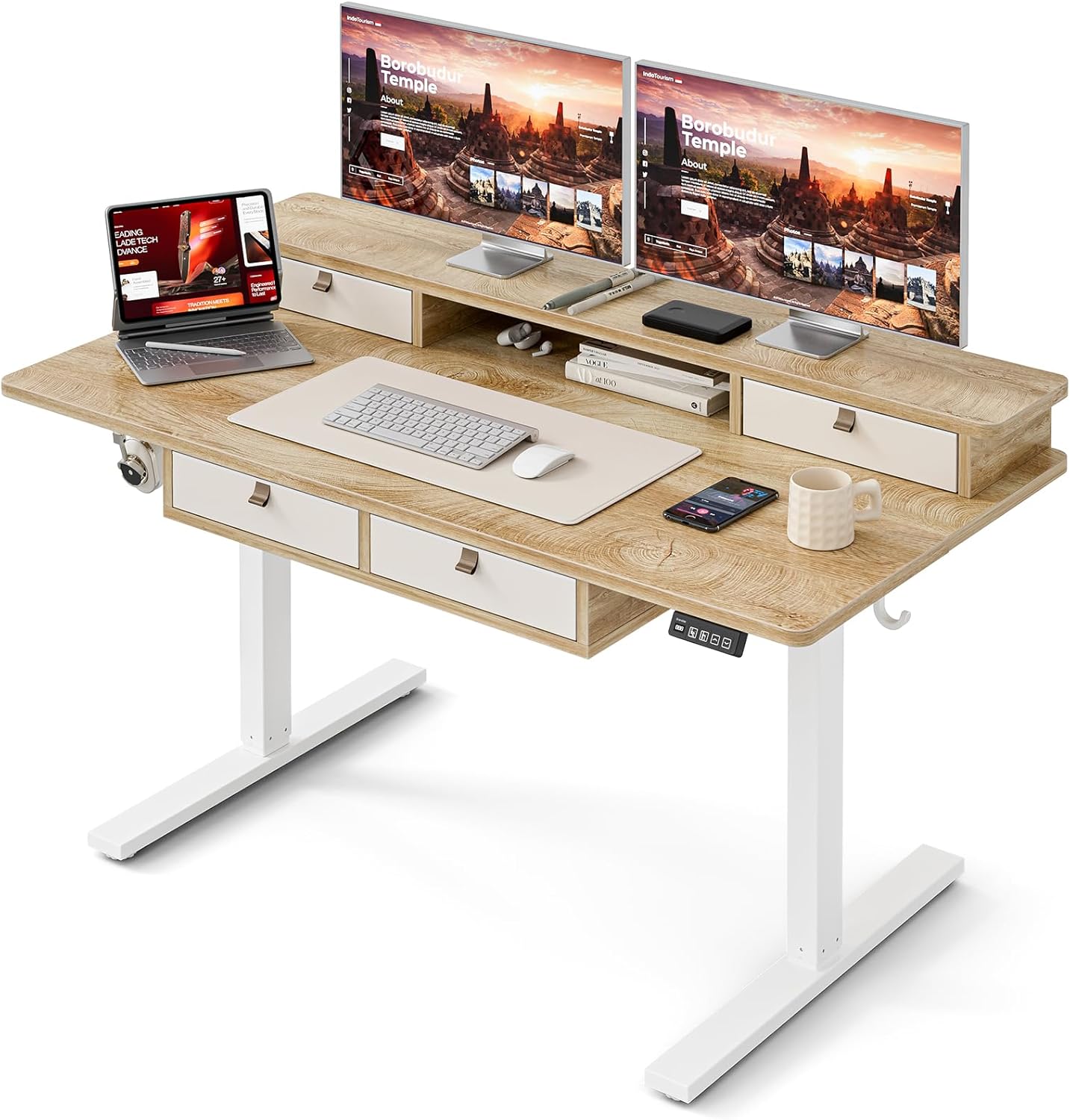
Image: The Grandder electric standing desk, showcasing its spacious desktop, integrated storage, and monitor stand.
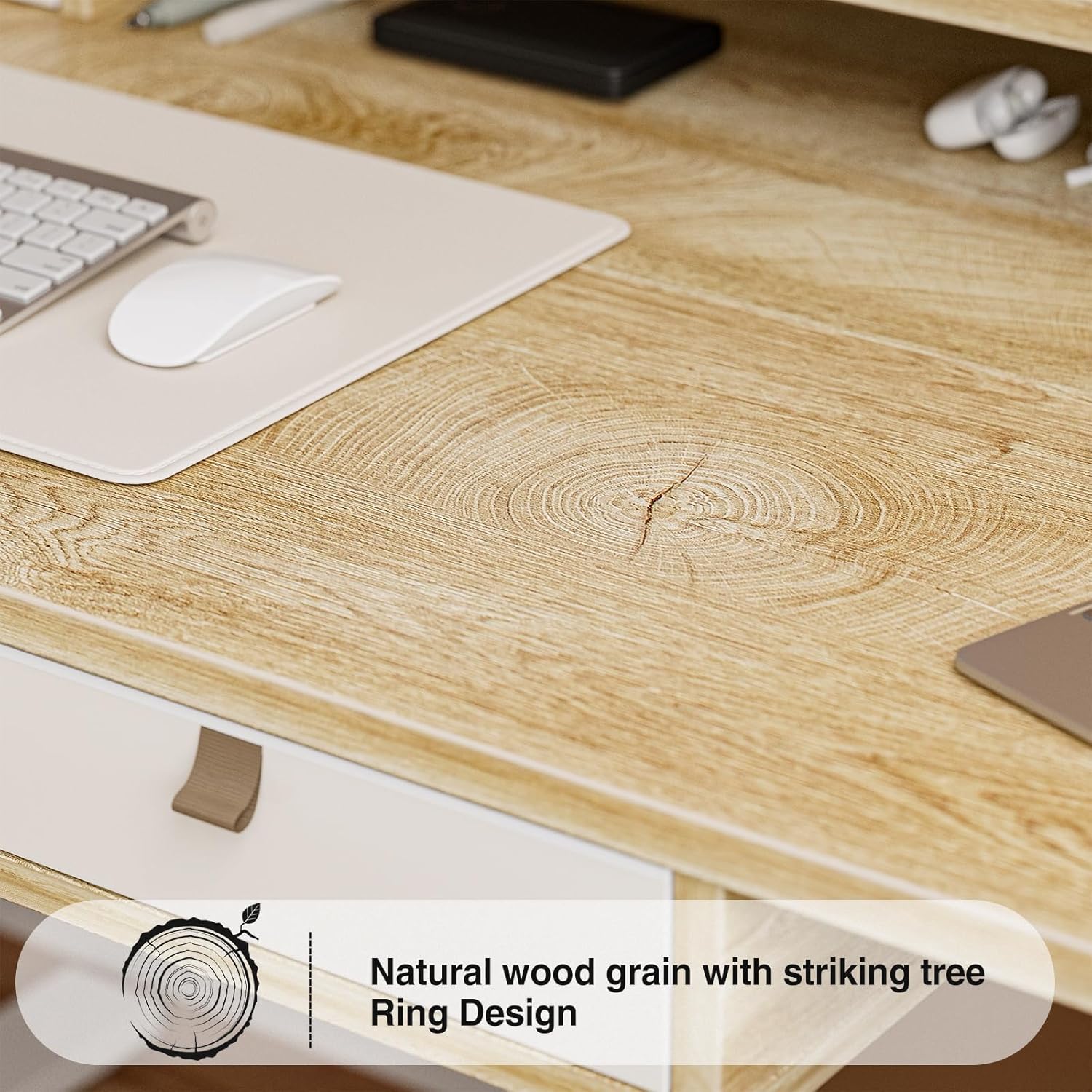
Image: Detail of the natural wood grain desktop finish.

Image: The desk's robust construction, tested for over 50,000 lifts, ensuring stability and durability.
Varnostne informacije
Da preprečite poškodbe ali škodo na vaši mizi, upoštevajte naslednje varnostne ukrepe:
- Pred uporabo se prepričajte, da so vse komponente varno pritrjene.
- Med delovanjem naj se otroci in hišni ljubljenčki ne približujejo mizi.
- Ne preobremenjujte mize. Za največjo nosilnost glejte specifikacije.
- Izogibajte se neposrednemu stiku tekočin s krmilno ploščo ali komponentami motorja.
- Pred čiščenjem ali vzdrževanjem izklopite napajanje.
- Do not attempt to modify the desk's electrical components.
- Med nastavljanjem višine se prepričajte, da na poti mize ni ovir.
Vsebina paketa
Pred začetkom montaže preverite, ali so vsi deli prisotni. Če kateri koli deli manjkajo ali so poškodovani, se obrnite na podporo strankam.
- Desktop (Splice Board)
- Okvir mize (noge in prečka)
- Electric Lifting Mechanism (Motor and Control Box)
- Nadzorna plošča
- 4 predalov za shranjevanje
- Monitor Stand/Upper Shelf
- Kabelske uvodnice
- Kavelj za slušalke
- Assembly Hardware (Screws, Allen Wrenches, etc.)
- Napajalni adapter
- Uporabniški priročnik
Navodila za montažo
Assembly typically requires two people. Follow the steps below carefully. An estimated assembly time is 50-60 minutes.
- Razpakirajte komponente: Previdno vzemite vse dele iz embalaže in jih položite na čisto, mehko površino, da preprečite praske. Preverite vse dele glede na seznam vsebine embalaže.
- Sestavite okvir mize: Attach the desk legs to the crossbar using the provided hardware. Ensure all connections are secure.
- Priložite namizje: Carefully place the desktop onto the assembled frame. Align the pre-drilled holes and secure the desktop to the frame with screws.
- Install Electric Mechanism: Mount the motor and control box to the designated areas under the desktop. Connect all necessary cables according to the wiring diagram (refer to specific diagrams in the full manual, if available).
- Namestitev nadzorne plošče: Attach the control panel to the underside of the desktop, typically on the right side, and connect its cable to the control box.
- Assemble Storage Elements: Install the four storage drawers into their respective slots. Attach the monitor stand/upper shelf to the desktop.
- Pritrdite dodatke: Install cable grommets and the headphone hook as desired.
- Priključite napajanje: Priključite napajalnik v krmilno omarico in nato v stensko vtičnico.
- Začetni test: Perform an initial test of the height adjustment function to ensure smooth operation.

Image: Desk dimensions for reference during assembly and placement.
Navodila za uporabo
Your Grandder electric standing desk features an intuitive control panel for easy height adjustment and memory presets.
Funkcije nadzorne plošče

Image: The hand controller for the electric standing desk, showing the digital display and control buttons.
- Puščici gor/dol (▲ / ▼): Pritisnite in držite za ročno nastavitev višine mize. Spustite, da se ustavite v želenem položaju.
- Digitalni zaslon: Shows the current desk height in inches or centimeters.
- Preset Buttons (Icons): Your desk features preset buttons to save and recall preferred sitting and standing heights.
- Če želite shraniti prednastavitev: Adjust the desk to your desired height using the up/down arrows. Press and hold one of the preset icon buttons (e.g., sitting person icon) until the display flashes or beeps, indicating the height is saved.
- Če želite priklicati prednastavitev: Briefly press the corresponding preset icon button. The desk will automatically move to the saved height.
Nastavitev višine
The desk allows for smooth electric height adjustment, enabling you to switch between sitting and standing positions. The height range is approximately 28 inches to 45.6 inches.
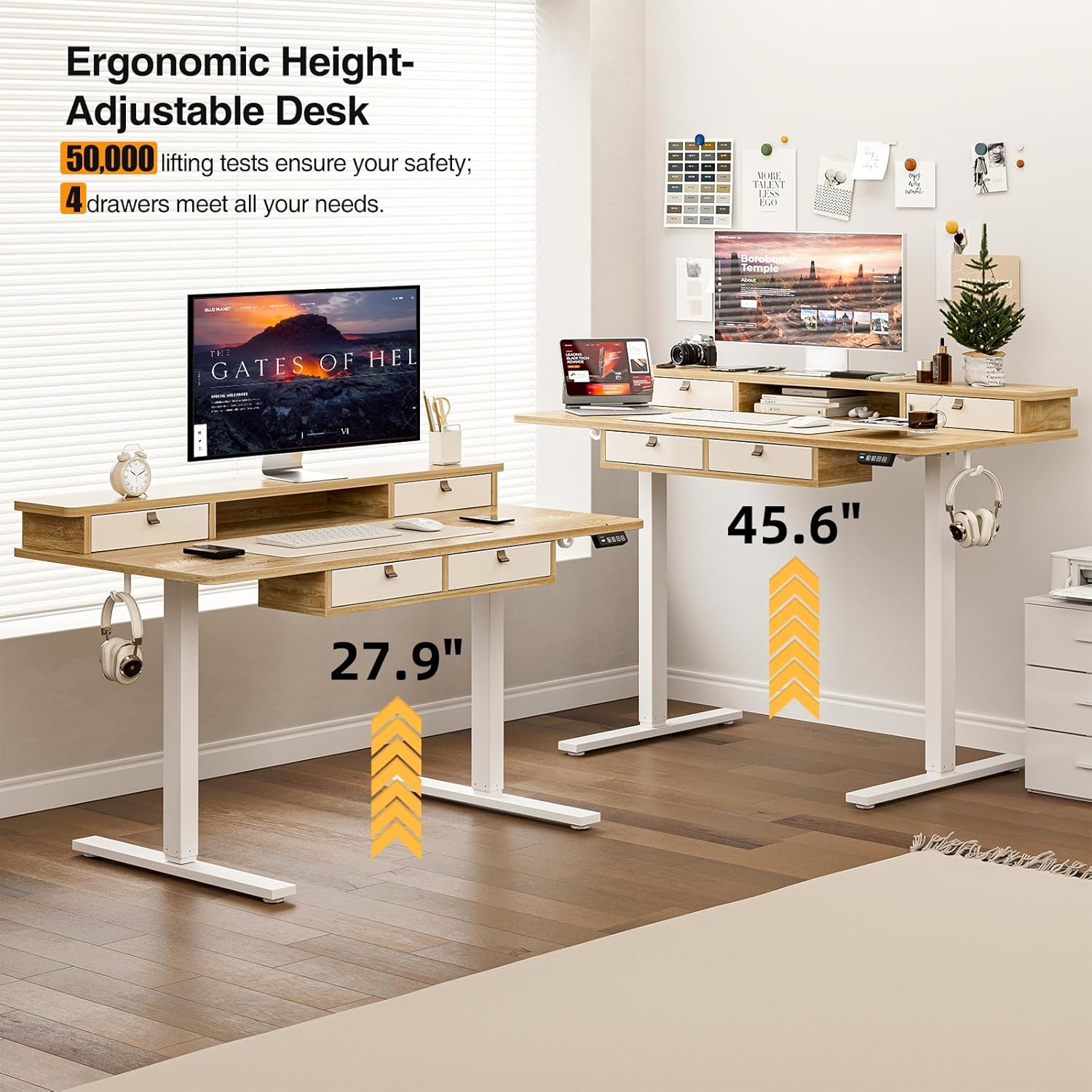
Image: Visual representation of the desk's adjustable height range, from sitting to standing positions.
Funkcije shranjevanja
The desk includes four integrated drawers and an upper shelf for organized storage of office essentials, helping to maintain a tidy workspace.

Image: The four storage drawers providing ampprostor za organizacijo.

Image: Comparison illustrating the enhanced storage capabilities of the Grandder desk.
Dodatne funkcije
- Anti-Collision Design: The desk is equipped with an anti-collision system that automatically stops movement if an obstruction is detected, preventing damage or injury.
- Nastavljive podloge za noge: The desk features adjustable foot pads to ensure stability on uneven floors.
- Kavelj za slušalke: A convenient hook is included for hanging headphones or other accessories.

Image: Details of the control panel, adjustable foot pads, and anti-collision feature.
Vzdrževanje
Regular maintenance ensures the longevity and smooth operation of your desk.
- Čiščenje: Obrišite namizje in okvir z mehko krpoamp krpo. Izogibajte se abrazivnim čistilom ali močnim kemikalijam, ki bi lahko poškodovale površino.
- Upravljanje kablov: Periodically check and organize cables to prevent tangles and ensure they do not interfere with the desk's movement.
- Preverjanje pritrdilnih elementov: Every few months, check all screws and fasteners to ensure they are tight. Retighten if necessary.
- Nega motorja: The electric motor is designed for maintenance-free operation. Do not attempt to lubricate or disassemble it.
Odpravljanje težav
| Težava | Možen vzrok | rešitev |
|---|---|---|
| Pisalna miza se ne premakne. | Napajalni kabel odklopljen; preobremenitev motorja; težava z nadzorno ploščo. | Check power connections. Unplug and replug the power cable. Reduce weight on the desk. Contact customer support if the issue persists. |
| Neenakomerna nastavitev višine. | Uneven load; loose fasteners. | Distribute weight evenly on the desktop. Check and tighten all assembly fasteners. |
| Miza se sredi gibanja ustavi. | Overload protection activated; anti-collision system triggered. | Reduce weight on the desk. Check for obstructions under or around the desk. Wait a few moments before attempting to adjust again. |
| Control panel display not working. | Power issue; loose cable connection. | Ensure the power cable is securely connected. Check the connection between the control panel and the control box. |
Specifikacije
| Znamka | Grandder |
| Številka modela | A205-55DX |
| Mere izdelka (D x Š x V) | 27.6"D x 55"W x 37"H (at lowest point, approximate) |
| Nastavljiv razpon višine | Approx. 28" - 45.6" |
| Material za namizni računalnik | Inženirski les z laminirano površino |
| Material okvirja | Kovina |
| barva | Hrast |
| Teža predmeta | 59 funta |
| Zmogljivost teže | Do 220 lbs |
| Posebne lastnosti | Ergonomic, 4 Storage Drawers, Monitor Stand, Cable Grommets, Headphone Hook |

Image: The desk's capacity to hold various office items, up to 220 lbs.
Garancija in podpora
Grandder products are designed for quality and durability. For warranty information, technical support, or assistance with missing/damaged parts, please contact Grandder customer service through the retailer's platform or the official Grandder website. Please have your model number (A205-55DX) and purchase date ready when contacting support.