
Uvod
Thank you for choosing the INPHIC Wireless Rechargeable Mouse. This manual provides detailed instructions for setting up, operating, and maintaining your mouse to ensure optimal performance and longevity. This mouse features a visible battery indicator, silent buttons, an ergonomic design, and adjustable DPI settings for a comfortable and efficient user experience.
Nastavitev
1. Vsebina paketa
- INPHIC Wireless Rechargeable Mouse
- USB sprejemnik (shranjen v miški)
- Polnilni kabel USB-C
- Uporabniški priročnik
2. Začetno polnjenje
Before first use, fully charge the mouse for approximately 1 hour. Connect the provided USB-C charging cable to the mouse's charging port and the other end to a USB power source (e.g., computer USB port, USB wall adapter). The visible battery indicator on the top of the mouse will show charging status and remaining battery level.

Image: The mouse connected via USB-C cable for charging, highlighting the charging port and the visible battery level indicator.
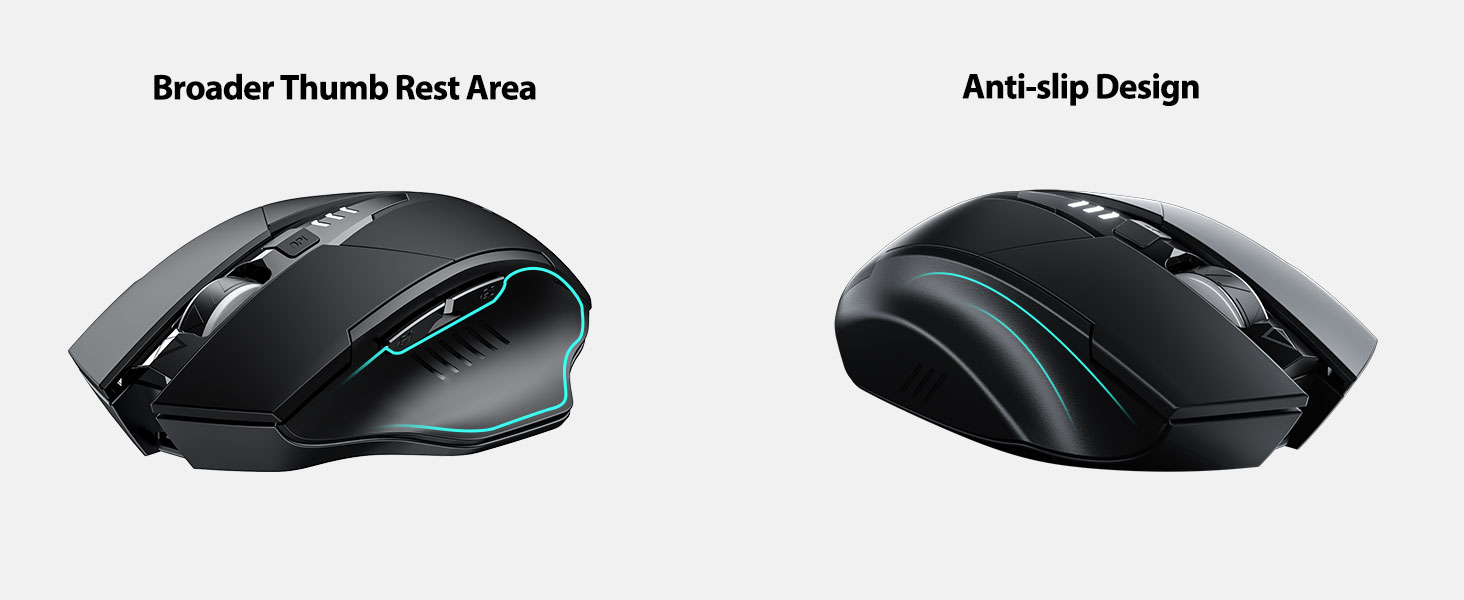
Image: A close-up of the mouse's top surface, showing the illuminated battery indicator displaying the current charge level.
3. Connecting the USB Receiver (2.4G Mode)
- Poiščite USB-sprejemnik, ki je shranjen v predalu na spodnji strani miške.
- Odstranite sprejemnik USB.
- Insert the USB receiver into an available USB port on your computer or laptop.
- Vklopite miško s stikalom za vklop na dnu.
- Računalnik bi moral samodejno zaznati in namestiti potrebne gonilnike. Miška je pripravljena za uporabo.

Image: The underside of the mouse, illustrating the storage compartment for the USB receiver.

Image: The mouse in use on a desk, demonstrating its reliable 2.4G wireless connection with a laptop.
4. Združljivost
The 2.4G USB connected mode is compatible with any USB-enabled device and supports a wide range of operating systems, including:
- Windows 7/8/10/XP, Vista
- Sistem Mac OS
- Android
- Chrome OS
- Jedro Linuxa 2.6+

Image: The mouse positioned alongside icons representing Windows, Chrome OS, and Linux, illustrating its broad compatibility.
Navodila za uporabo
1. Vklop/izklop in način mirovanja
Use the power switch on the bottom of the mouse to turn it on or off. To conserve battery, the mouse will automatically enter sleep mode after 5 minutes of inactivity. Click any button to wake it up.
2. Prilagoditev DPI
The mouse features 4 adjustable DPI levels: 800, 1200, 1600, and 2400. Press the DPI button located behind the scroll wheel to cycle through these settings. Each press will change the cursor speed, allowing you to select the sensitivity that best suits your task.
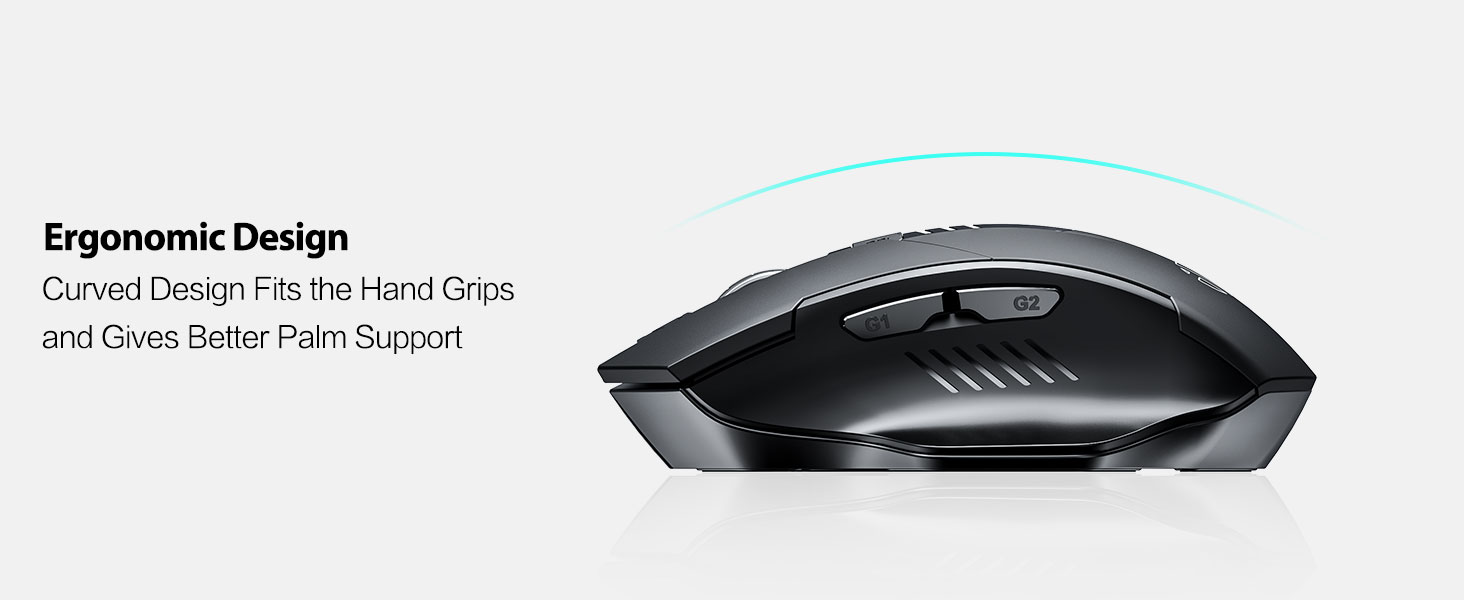
Image: An illustration showing the mouse and a graphic representing the adjustable DPI settings from 800 to 2400.

Slika: Bližnji posnetek view of the DPI controller button located on the top of the mouse.
3. Funkcije gumbov
The mouse is equipped with 6 efficient buttons:
- Levi klik na gumb: Primary function, silent operation.
- Desni klik na gumb: Secondary function, silent operation.
- Kolesce za pomikanje: For vertical scrolling. Can also be pressed for middle-click functionality.
- Gumb DPI: Prilagodi občutljivost kurzorja (800/1200/1600/2400 DPI).
- Stranski gumbi (G1, G2): Typically function as 'Forward' and 'Back' in web brskalniki in file raziskovalci.

Image: The mouse on a desk, emphasizing its quiet left and right click buttons for reduced noise.

Slika: Bližnji posnetek view of the smooth scrolling wheel on the mouse.
4. Ergonomska oblika
The mouse is designed for right-handed users with a curved shape and a broader thumb rest area to provide optimal support for the entire palm and fingers. This design aims to reduce pressure and tension during extended use.
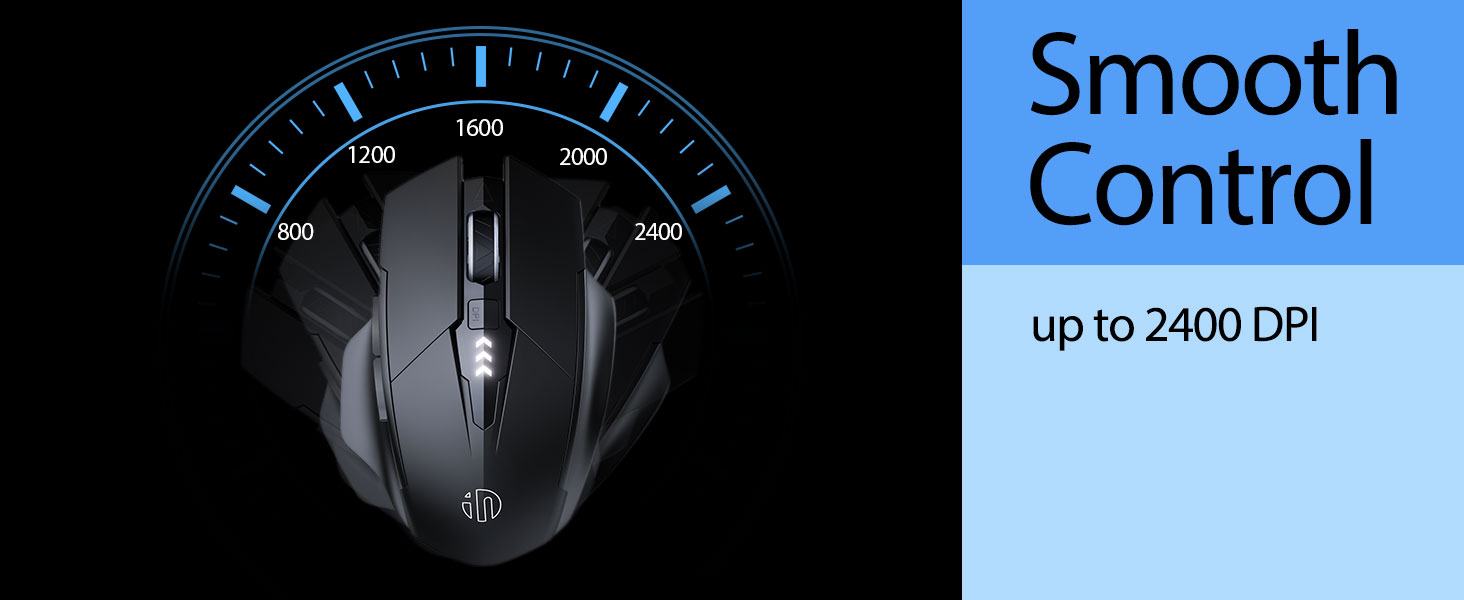
Image: An illustration demonstrating the ergonomic curve of the mouse, designed to fit the hand comfortably.

Slika: Dve views of the mouse, highlighting its broader thumb rest area and anti-slip design for improved grip and comfort.
Vzdrževanje
1. Čiščenje
Za čiščenje miške površino nežno obrišite z mehko,amp cloth. Avoid using harsh chemicals or abrasive materials, as these can damage the finish. Ensure no liquid enters the internal components.
2. Shranjevanje
When not in use for extended periods, store the mouse in a cool, dry place. It is recommended to turn off the mouse to preserve battery life. The USB receiver can be stored in its dedicated compartment on the mouse's underside.
3. Skrb za baterijo
The built-in 400mAh rechargeable battery is designed for long-lasting performance. For optimal battery health, avoid completely draining the battery frequently. Recharge the mouse when the visible indicator shows a low battery level. Do not expose the mouse to extreme temperatures.
Odpravljanje težav
| Težava | Možen vzrok | rešitev |
|---|---|---|
| Miška se ne odziva | Low battery; USB receiver disconnected; Mouse power off. | Charge the mouse; Re-insert USB receiver; Turn on the mouse. |
| Premikanje kurzorja je neenakomerno ali počasno | Incorrect DPI setting; Dirty optical sensor; Unsuitable surface. | Adjust DPI using the DPI button; Clean the optical sensor; Use on a clean, non-reflective surface. |
| Miška se ne polni | Okvarjen kabel USB-C ali vir napajanja. | Poskusite z drugim kablom USB-C ali vrati USB/napajalnikom. |
| Side buttons (G1/G2) not working | Application does not support side button functions. | Ensure the application (e.g., web browser) is active and supports 'back'/'forward' commands. |
Specifikacije
- Model: B0FQCCP1VH
- Dimenzije izdelka: 4.7 x 3.1 x 0.1 palcev
- Teža artikla: 4.2 unč
- Baterija: 1 Nonstandard Battery (400mAh, included)
- Tehnologija povezljivosti: 2.4G brezžično (USB sprejemnik)
- Tehnologija zaznavanja gibanja: Optični
- Ravni DPI: 800/1200/1600/2400 (nastavljivo)
- Gumbi: 6 (Left, Right, Scroll Wheel, DPI, G1, G2)
- Posebne lastnosti: Ergonomic Design, LED Battery Level Display, Rechargeable, Silent Clicks (Left & Right Buttons)
Image: A diagram illustrating the physical dimensions of the INPHIC Wireless Mouse.
Video o izdelku
Video: Prekoračitevview of the INPHIC Wireless Rechargeable Mouse, demonstrating its features and ergonomic design.
Garancija in podpora
Za informacije o garanciji ali tehnično podporo glejte embalažo izdelka ali se obrnite neposredno na proizvajalca. Račun shranite kot dokazilo o nakupu.