
Uvod
Welcome to the COROS APEX 4 Sports Watch user manual. This guide provides essential information for setting up, operating, maintaining, and troubleshooting your new device. The COROS APEX 4 is a high-precision GPS sports watch designed for trail running and various outdoor activities, featuring 5ATM waterproofing, navigation capabilities, music storage, voice memo functionality, and map support.
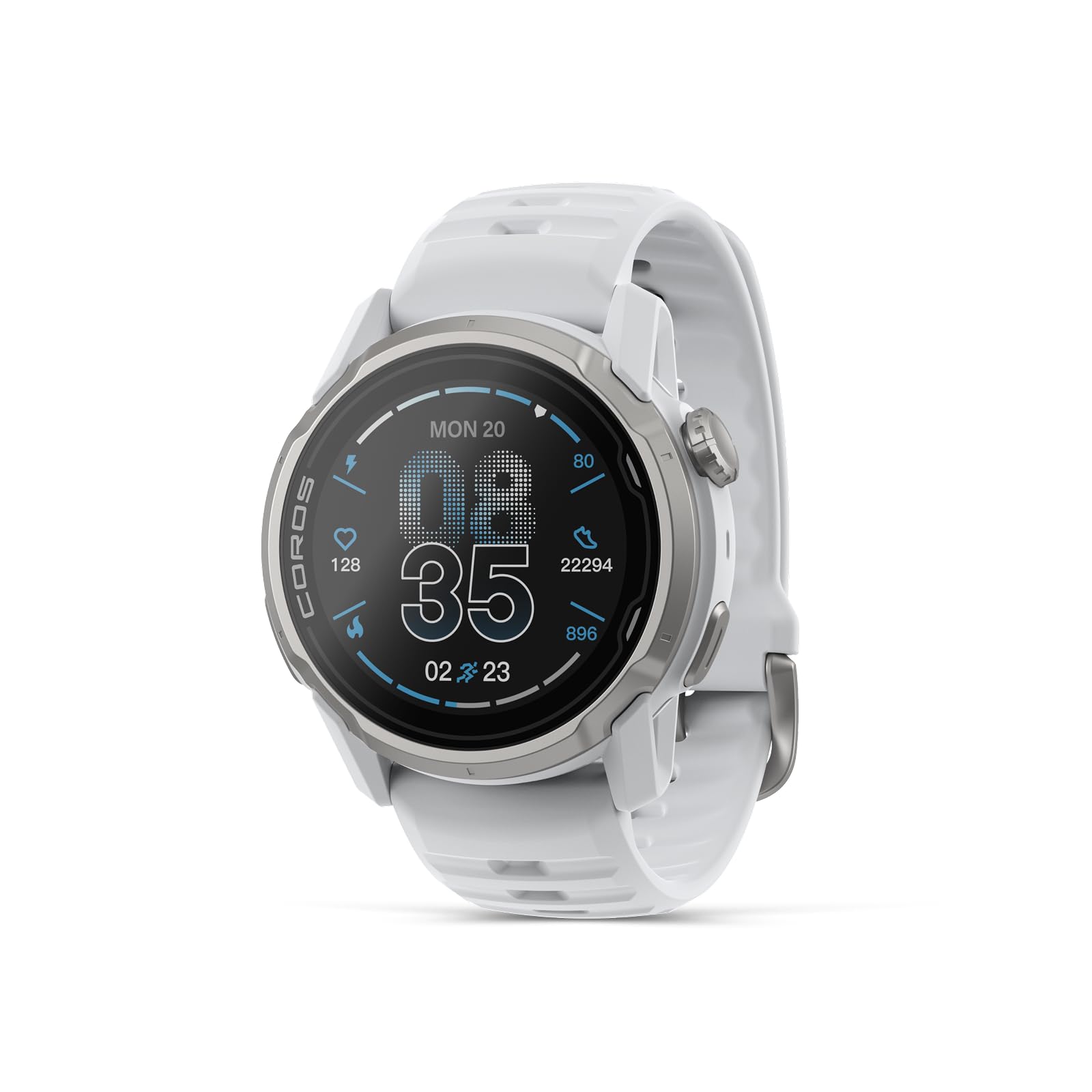
Image: The COROS APEX 4 Sports Watch in white, showcasing njegovo zasnovo.
Varnostne informacije
Please read all safety information before using your COROS APEX 4. Failure to follow these instructions could result in injury, electric shock, fire, or other damage. Keep the device away from extreme temperatures, direct sunlight, and water (beyond its 5ATM rating). Do not attempt to disassemble or repair the device yourself. Consult a professional for service.
Vsebina paketa
Prepričajte se, da so v škatli vsi predmeti:
- COROS APEX 4 Sports Watch (42mm)
- Keychain-style USB Type-C Charging Adapter
- Uporabniški priročnik (ta dokument)
Opomba: A USB Type-C charging cable is ne included in the package. Please use a compatible USB Type-C 2.0/3.0 charging cable. Original COROS charging cables from previous models are not compatible with the APEX 4.

Image: Contents of the COROS APEX 4 package, including the watch and charging adapter.
Nastavitev
1. Začetno polnjenje
- Connect the included keychain-style USB Type-C charging adapter to a compatible USB Type-C 2.0/3.0 charging cable (not included).
- Plug the charging cable into a USB power source.
- Attach the watch to the charging adapter. The watch will display a charging indicator.
- Charge the watch until it reaches 100% battery.
2. Seznanjanje s pametnim telefonom
- Download and install the COROS app from your smartphone's app store (iOS or Android).
- Open the COROS app and create an account or log in.
- Turn on your COROS APEX 4 watch.
- In the COROS app, follow the on-screen instructions to add a new device. The app will guide you through the pairing process via Bluetooth.
- Potrdite kodo za seznanjanje, ki je prikazana na uri in pametnem telefonu.
3. Osnovne nastavitve
After pairing, the app will prompt you to set up basic preferences such as language, time zone, and units of measurement. You can further customize watch faces and data fields through the COROS app.
Upravljanje ure
Navigacija in nadzor
The COROS APEX 4 features a digital dial and a back button for navigation. Rotate the digital dial to scroll through menus and data screens. Press the digital dial to select an option or start an activity. Use the back button to return to the previous screen or mark a lap during an activity.
Načini dejavnosti
The watch supports over 30 activity modes, including:
- Running (Trail Run, Track Run, Indoor Run)
- Cycling (Road, Mountain, Indoor)
- Swimming (Pool, Open Water)
- Hiking & Climbing
- Skiing & Snowboarding
- Vadba za moč
- Triatlon
To start an activity:
- From the watch face, press the digital dial to enter the main menu.
- Scroll to and select your desired activity mode.
- Počakajte na pridobitev signala GPS (če je na voljo).
- Press the digital dial again to start the activity.

Image: The COROS APEX 4 supports a wide range of activity modes for diverse adventures.
GPS in navigacija
The APEX 4 features high-precision GPS with a dual satellite system (L1+L5) for accurate tracking even in challenging environments like dense forests or steep cliffs. It supports global maps with two map layers (landscape and topographical) that include road and trail names. Turn-by-turn directions, Points of Interest (POI), and a 'return to start' function are available for navigation.

Image: The COROS APEX 4 displaying a detailed map with a navigation route, showing improved map and graphic display speed.
Mikrofon in zvočnik
The APEX 4 includes both a microphone and a speaker. This allows for:
- Voice Memos: Record voice notes during activities to capture data or strategy information.
- Prostoročni klici: Klicajte in sprejemajte klice neposredno z uro, ko je povezana s pametnim telefonom.
- Zvočna opozorila: Receive audible notifications for pace, time, distance, and turn-by-turn directions during workouts.

Image: A diagram highlighting the microphone and speaker components on the COROS APEX 4.
Pametne funkcije in povezljivost
The APEX 4 connects to your smartphone via Bluetooth, enabling:
- Obvestila: Receive customizable alerts for calls, text messages, and major apps (e.g., Facebook, Line, Instagoven).
- Third-Party App Sync: Sync data with popular fitness platforms like Strava, Nike Run Club, and Apple Health.
- Action Camera Control: Control GoPro and Insta360 cameras directly from your watch.
- Najdi moj telefon: A convenient feature to locate your paired smartphone.

Image: Icons illustrating the COROS APEX 4's compatibility with various third-party apps and action cameras.
Spremljanje zdravja
Ura omogoča celovito spremljanje zdravja:
- Sledenje spanju: Monitors sleep quality, duration, and stages (Awake, REM, Light, Deep).
- Srčni utrip (HR): Stalno spremljanje srčnega utripa.
- Spremenljivost srčnega utripa (HRV): Measures HRV for recovery insights.
- Raven stresa: Spremlja raven stresa čez dan.
- Kisik v krvi (SpO2): Meri nasičenost krvi s kisikom.

Image: The COROS APEX 4 and its companion app displaying detailed sleep quality data.

Image: The COROS APEX 4 and app showing a wellness check with heart rate, HRV, stress, and SpO2 readings.
Vzdrževanje
Čiščenje ure
Regularly clean your watch and band to prevent skin irritation and maintain performance. Use a soft, damp cloth to wipe the watch body and sensors. For the band, follow the manufacturer's recommendations. Avoid harsh chemicals or abrasive materials.
Vodoodpornost
The COROS APEX 4 has a 5ATM water resistance rating, making it suitable for swimming and showering. It is not recommended for scuba diving or high-speed water sports. Ensure the charging port is dry before charging.
Skrb za baterijo
Za podaljšanje življenjske dobe baterije:
- Izogibajte se pogostemu popolnemu praznjenju baterije.
- Uro shranjujte na hladnem in suhem mestu, ko je dalj časa ne uporabljate.
- Use only the provided charging adapter and a compatible USB Type-C 2.0/3.0 cable.

Image: The COROS APEX 4 displaying its long battery life, with up to 41 hours for the 42mm model in full GPS mode.
Odpravljanje težav
Pogoste težave
- Ura se ne vklopi: Prepričajte se, da je ura popolnoma napolnjena.
- Netočnost GPS-a: Prepričajte se, da ste na odprtem območju z neoviranim view of the sky. Avoid tall buildings or dense foliage.
- Težave s seznanjanjem prek Bluetootha: Prepričajte se, da je Bluetooth omogočen na telefonu in uri. Poskusite znova zagnati obe napravi.
- Obvestila se ne prikazujejo: Check notification settings in the COROS app and your phone's system settings.
- Weak notification vibration: This is a known characteristic; ensure audio alerts are enabled if vibration is insufficient.
Ponastavitev na tovarniške nastavitve
If you experience persistent issues, a factory reset may resolve them. This will erase all data on your watch. Consult the COROS app or official support website for detailed instructions on how to perform a factory reset.
Specifikacije
| Model | COROS APEX 4 (42mm) |
| Velikost zaslona | 1.3 inches (3rd Generation MIP Always-On Display) |
| Operacijski sistem | Linux |
| Povezljivost | Bluetooth |
| GPS | Built-in, High-Precision Dual Satellite System (L1+L5) |
| Vodoodpornost | 5 bankomatov (50 metrov) |
| Življenjska doba baterije (model 42 mm) | Up to 41 hours in full satellite system GPS mode |
| Mazel materiala | Titan 5. razreda |
| Material zaslona | Safirno steklo |
| UPC | 810005784757 |
Opomba: Product dimensions (44 x 83 x 166 mm) refer to the packaging size, not the watch itself.

Slika: Eksplodirala view of the COROS APEX 4, highlighting its durable Grade 5 titanium bezel and scratch-resistant sapphire glass.
Garancija in podpora
Your COROS APEX 4 Sports Watch is covered by a manufacturer's warranty. For detailed warranty terms and conditions, please refer to the official COROS website or contact COROS customer support. For technical assistance, troubleshooting, or service requests, visit the COROS support page or contact their customer service team directly.
Official COROS Webspletno mesto: www.coros.com
No Official Product Videos Found
No official product videos from the seller were found in the provided data. Please refer to the COROS official website or authorized channels for any available video tutorials or product demonstrations.