
1. Uvod
Thank you for choosing the HEBEOT HD 1080p Portable Video Camera. This manual provides essential information for setting up, operating, and maintaining your device. Please read it thoroughly before use to ensure optimal performance and longevity of your camera.
2. Varnostne informacije
- Fotoaparata ne izpostavljajte vodi ali vlagi.
- Izogibajte se ekstremnim temperaturam, neposredni sončni svetlobi ali prašnemu okolju.
- Naprave ne poskušajte razstavljati ali popravljati sami. Za servis se obrnite na usposobljeno osebje.
- Hraniti izven dosega otrok.
- Use only the provided data cable for charging.
3. Vsebina paketa
Prosimo, preverite paket za naslednje artikle:
- 1 x HEBEOT HD 1080p Portable Video Camera
- 1 x podatkovni kabel (USB tip C)
- 1 x Navodila za uporabo
4. Izdelek je končanview
The HEBEOT Portable Video Camera is a compact device designed for capturing high-definition video and photos. It features a 1080p camera module, built-in supplementary lights for low-light conditions, and WiFi connectivity for easy content management.


5. Nastavitev
5.1 Polnjenje fotoaparata
Before first use, fully charge the camera. Connect the provided USB Type-C data cable to the camera's charging port and the other end to a USB power adapter (not included) or a computer USB port. The charging indicator will show the charging status.
5.2 Vstavljanje TF kartice
The camera requires a TF (microSD) card for storing recordings. Locate the TF card slot on the side of the camera. Gently insert the TF card with the gold contacts facing down until it clicks into place. Ensure the card is inserted correctly to avoid damage.
5.3 Vklop/izklop
To power on the camera, slide the power switch to the 'ON' position. To power off, slide the switch to the 'OFF' position.
6. Navodila za uporabo
6.1 One-Touch Recording and Photo Taking
The camera features dedicated buttons for quick recording and photo capture. Press the designated button (refer to Figure 4.2) once to start recording video or take a photo. Press again to stop recording or take another photo.
6.2 Prilagajanje kota kamere
The camera lens can be rotated 360 degrees. Gently rotate the lens module to achieve the desired shooting angle. This flexibility allows for capturing footage from various perspectives, whether mounted or handheld.
6.3 Možnosti namestitve
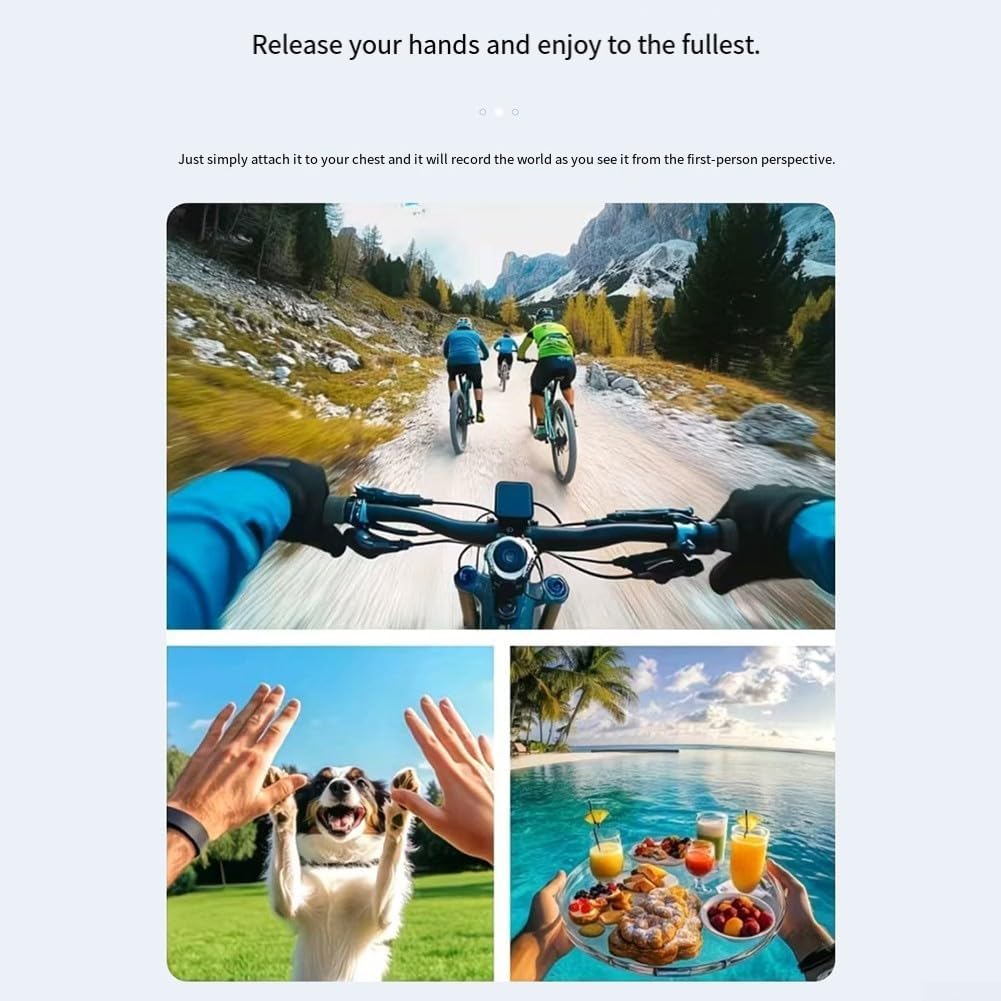
The camera includes a fixed back clip for attaching it to clothing, bags, or other surfaces. Additionally, it features a 1/4 inch expansion socket, making it compatible with standard tripods and other mounting accessories for stable recording.

7. WiFi povezljivost
The camera supports WiFi connectivity, allowing you to connect your smartphone to its built-in WiFi hotspot. This feature enables seamless playback and downloading of recorded videos and photos directly to your smartphone without consuming mobile data. Refer to the camera's on-screen menu or a dedicated app (if applicable, check product packaging for app details) for WiFi setup instructions.
8. Low Light / Night Recording
Equipped with integrated supplementary lights, this camera is designed to deliver clear video quality even in low-light environments. This makes it suitable for use during nighttime or in dimly lit indoor settings, ensuring your recordings maintain detail and visibility.
9. Vzdrževanje
- Čiščenje: Use a soft, dry cloth to clean the camera body. For the lens, use a specialized lens cleaning cloth and solution. Do not use harsh chemicals or abrasive materials.
- Shranjevanje: Ko fotoaparata ne uporabljate, ga shranite na hladnem in suhem mestu, stran od neposredne sončne svetlobe in ekstremnih temperatur.
- Vzdrževanje baterije: For optimal battery life, avoid fully discharging the battery frequently. Charge the camera regularly, even if not in active use, to maintain battery health.
10. Odpravljanje težav
10.1 Kamera se ne vklopi
- Ensure the battery is charged. Connect the camera to a power source and allow it to charge for at least 30 minutes.
- Preverite, ali je stikalo za vklop v položaju »VKLOP«.
10.2 Cannot Record Video/Take Photos
- Check if a TF card is inserted correctly and has sufficient free space.
- Ensure the TF card is formatted correctly (usually FAT32). Format the card if necessary (this will erase all data).
- The battery level might be too low. Charge the camera.
10.3 Težave z brezžično povezavo
- Ensure the camera's WiFi hotspot is enabled.
- Znova zaženite fotoaparat in pametni telefon.
- Make sure you are within the effective range of the camera's WiFi signal.
11. Specifikacije
| Funkcija | Specifikacija |
|---|---|
| Znamka | HEBEOT |
| Model | M22T1UQO235FIZDV759Y5JN4M |
| Video ločljivost | 1080p HD |
| Dimenzije (D x Š x V) | 10 x 8 x 6 cm |
| Teža | 150 gramov |
| Povezljivost | WiFi |
| Shranjevanje | Kartica TF (ni priložena) |
| Posebne lastnosti | Night Recording (built-in supplementary lights), 360° Rotatable Lens, One-touch Recording, Fixed Back Clip, 1/4 inch Tripod Socket |
12. Garancija in podpora
Za informacije o garanciji in tehnično podporo glejte dokumentacijo, ki je bila priložena nakupu, ali se obrnite neposredno na prodajalca/proizvajalca. Shranite dokazilo o nakupu za morebitne garancijske zahtevke.