
1. Uvod
The T-WOLF G520 is a high-performance wired gaming mouse designed for precision and comfort. It features a USB2.0 wired connection, 7 customizable buttons, and dynamic RGB lighting. This manual provides essential information for setting up, operating, and maintaining your G520 gaming mouse.
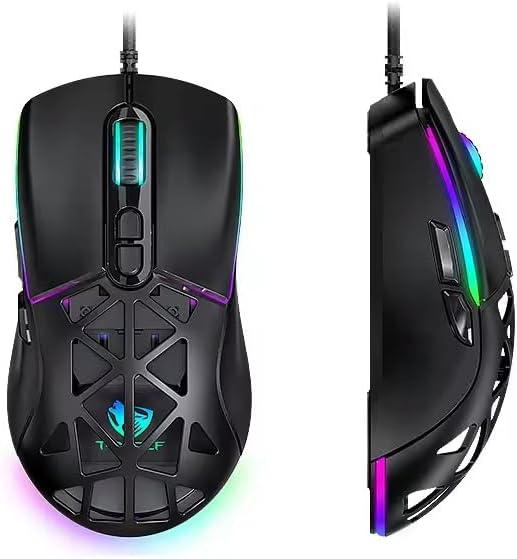
Figure 1: T-WOLF G520 Gaming Mouse (Front and Side View)
2. Značilnosti izdelka
- Povezava: Wired USB2.0 for stable and responsive performance.
- Vrsta senzorja: Optical sensor for accurate tracking.
- Nastavitve DPI: Adjustable DPI from 800 to 12800 (800 / 1600 / 3200 / 4800 / 6400 / 12800).
- Stopnja glasovanja: 1000Hz for rapid response times.
- Gumbi: 7 programmable buttons (Left, Right, Middle, Forward, Back, DPI+, DPI-).
- RGB osvetlitev: 13 dynamic RGB lighting modes.
- Vzdržljivost: 10 million click lifespan for micro switches.
- Kabel: 1.5m braided cable for enhanced durability and tangle resistance.
- Oblikovanje: Lightweight honeycomb structure and ergonomic shape for comfortable grip and ventilation.
- Prilagajanje: Magnetic interchangeable back cover.

Slika 2: Ključne značilnostiview
3. Vsebina paketa
- T-WOLF G520 Gaming Mouse Unit
- Interchangeable Magnetic Back Covers (2 types)

Figure 3: G520 Mouse with Interchangeable Back Covers
4. Navodila za nastavitev
- Connect the USB connector of the T-WOLF G520 gaming mouse to an available USB 2.0 port on your computer.
- The mouse is Plug & Play compatible and does not require additional drivers for basic functionality. Your operating system will automatically detect and install the necessary drivers.
- Once detected, the mouse will be ready for use.
5. Navodila za uporabo
5.1 Funkcije gumbov
The T-WOLF G520 mouse features 7 buttons with the following default functions:
- Levi gumb: Funkcija primarnega klika.
- Desni gumb: Funkcija sekundarnega klika (kontekstni meni).
- Middle Button / Scroll Wheel: Scroll up/down, click for universal scroll or other functions.
- Gumb za naprej: Navigacija naprej v web brskalniki oz file raziskovalci.
- Gumb za nazaj: Navigacija nazaj v web brskalniki oz file raziskovalci.
- Gumb DPI+: Poveča občutljivost DPI.
- Gumb DPI: Zmanjša občutljivost DPI.
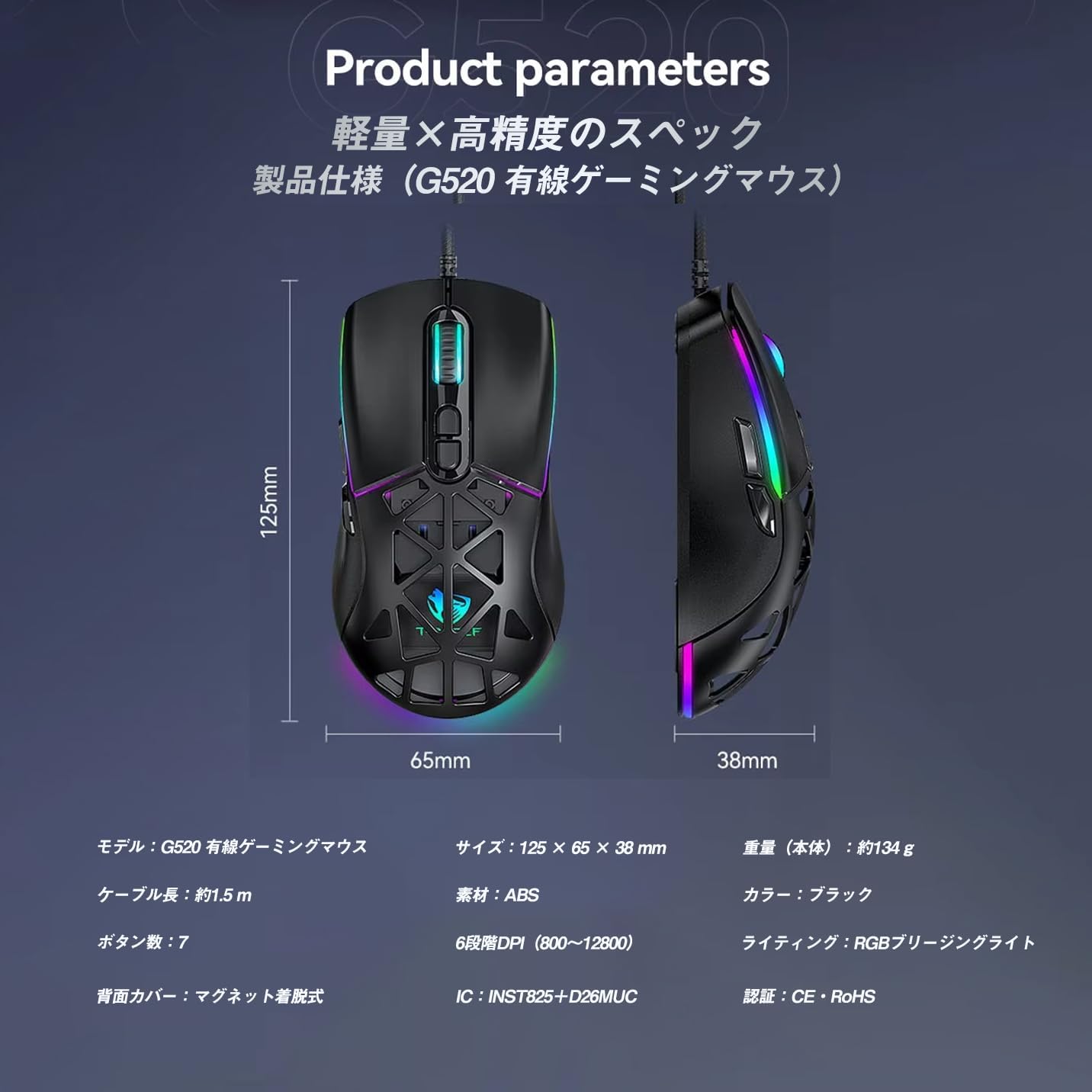
Figure 4: G520 Button Layout
5.2 Prilagoditev DPI
The mouse supports 6 adjustable DPI levels. To change the DPI, press the DPI+ or DPI- buttons located on the top of the mouse. Each press will cycle through the available DPI settings: 800, 1600, 3200, 4800, 6400, and 12800.

Slika 5: Ravni prilagajanja DPI
5.3 Nadzor osvetlitve RGB
The T-WOLF G520 features 13 RGB lighting modes. To change the RGB lighting mode, press and hold the Gumb za nazaj in Gumb DPI simultaneously for approximately 3 seconds. Repeat this action to cycle through the different lighting effects.
5.4 Magnetic Back Cover
The mouse comes with two types of magnetic back covers that can be easily interchanged. To remove a cover, gently lift it from the back of the mouse. To attach a cover, align it with the mouse body and allow the magnets to secure it in place.

Figure 6: Magnetic Back Cover Exchange
6. Vzdrževanje
- Čiščenje: Za čiščenje miške uporabite mehko, suho krpo. Za trdovratno umazanijo rahloamp Uporabite lahko krpo, pri čemer pazite, da v miško ne pride tekočina.
- Izogibajte se tekočinam: Miške ne potapljajte v vodo in je ne izpostavljajte prekomerni vlagi.
- Shranjevanje: Miško shranjujte na hladnem in suhem mestu, stran od neposredne sončne svetlobe in ekstremnih temperatur.
- Skrb za kabel: Avoid bending or twisting the braided cable excessively to prevent damage.
7. Odpravljanje težav
- Miška se ne odziva:
- Prepričajte se, da je kabel USB varno priključen na vrata USB na računalniku.
- Poskusite miško priključiti na drug USB vhod.
- Znova zaženite računalnik.
- DPI se ne spreminja:
- Ensure you are pressing the correct DPI+ or DPI- buttons.
- The mouse cycles through 6 fixed DPI levels; there is no software adjustment.
- RGB Lighting Not Working/Changing:
- Prepričajte se, da je miška pravilno priključena.
- Pritisnite in držite Gumb za nazaj in Gumb DPI simultaneously for 3 seconds to cycle through modes.
- Težave s sledenjem:
- Očistite optični senzor na spodnji strani miške.
- Miško uporabljajte na čisti, enakomerni površini ali podlogi za miško.
8. Specifikacije
| Funkcija | Specifikacija |
|---|---|
| Model | G520 |
| Vrsta povezave | Wired USB2.0 |
| Vrsta senzorja | Optični |
| Nastavitve DPI | 800/1600/3200/4800/6400/12800 |
| Polling Rate | 1000Hz |
| Število gumbov | 7 |
| Dolžina kabla | 1.5m (Braided) |
| Dimenzije (D׊×V) | 124 × 65 × 40 mm |
| Teža | Pribl. 132 g |
| Delovna zvezatage/Tok | 5V / 150mA |
| Razsvetljava | RGB (13 Modes) |
| Material | Plastika (ABS) |
| Združljiv OS | Windows 10, Windows 11, Mac OS, Linux (OS standard, no driver required) |

Slika 7: Diagram specifikacij izdelka
9. Garancija in podpora
This product is covered by a standard manufacturer's warranty. Please refer to your purchase documentation for specific warranty terms and conditions. For technical support or warranty claims, please contact the retailer or the manufacturer's customer service.