
Konec izdelkaview
The pTron Studio Pro are wireless over-ear headphones designed for extended listening and clear communication. They feature an ergonomic design with soft earpads and an adjustable headband for comfortable wear. Key features include long battery life, advanced audio drivers, and versatile connectivity options.
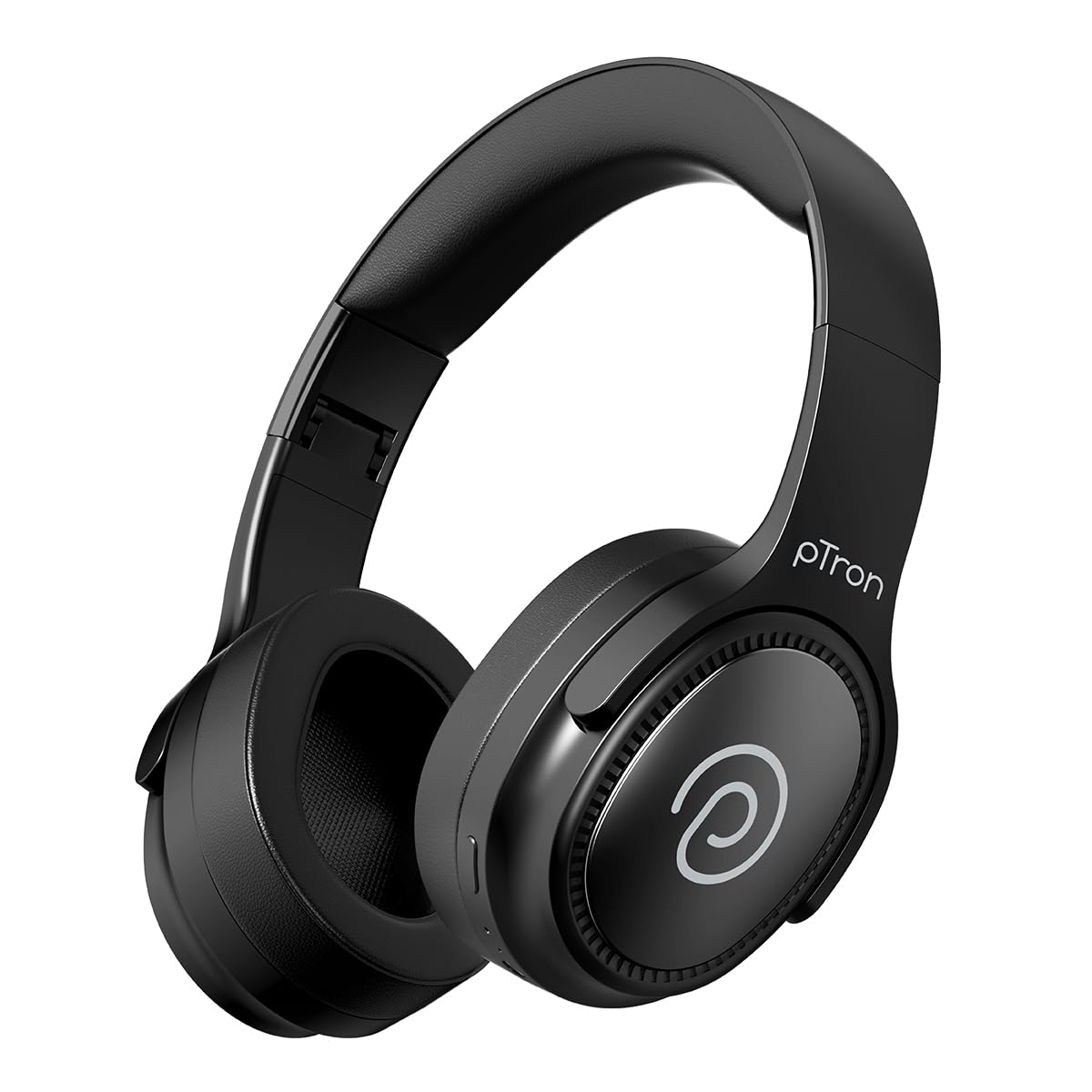
Image: pTron Studio Pro Wireless Over-Ear Headphones in Jet Black, showcasinelegantna oblika.
Ključne značilnosti
- Podaljšan čas predvajanja: Up to 65 hours of music playback on a single full charge.
- Hitro polnjenje: 2.5 hours for a full charge via Type-C. A 10-minute charge provides approximately 4 hours of playtime.
- Visokokakovosten zvok: Equipped with 40mm Neody Drivers for pristine stereo sound.
- Počisti klice: Built-in HD Microphone with TruTalk AI-ENC (Environmental Noise Cancellation) for crystal-clear calls.
- Napredna povezljivost: Fast Bluetooth v5.4 for instant pairing and stable connection.
- Združevanje dveh naprav: Seamlessly connect and switch between two devices simultaneously.
- Vsestranski načini: Dedicated Low-Latency Gaming Mode and Music Mode.
- Vodoodpornost: IPX4 rating, making them resistant to water splashes and sweat.
- Comfort & Portability: Ergonomic, lightweight, and foldable design with soft earpads and an adjustable headband for a perfect fit and easy storage.
- Enostaven nadzor: Multi-functional buttons for managing music, calls, and activating voice assistant.

Image: Infographic detailing the main features of the pTron Studio Pro headphones, including battery life, drivers, and connectivity.
Kaj je v škatli
Upon unboxing your pTron Studio Pro headphones, you will find the following items:
- pTron Studio Pro Wireless Over-Ear Headphones
- Polnilni kabel (vrsta C)
- Uporabniški priročnik
Video: An official product video demonstrating the unboxing and key features of the pTron Studio Pro headphones.
Postavitev in upravljanje izdelka
Familiarize yourself with the physical components and control buttons of your pTron Studio Pro headphones.

Slika: Podrobna view of the multi-function control buttons located on the ear cup, including power, volume, and track controls.
Funkcije kontrolnih gumbov:
| Gumb/dejanje | funkcija |
|---|---|
| Gumb za vklop (dolg pritisk) | Vklop/izklop, vstop v način seznanjanja |
| Gumb za predvajanje/pavzo (enkratni pritisk) | Predvajanje/začasna ustavitev glasbe, sprejem/končanje klica |
| Play/Pause Button (Long Press) | Zavrni klic, aktiviraj glasovnega pomočnika |
| Volume Up (+) (Single Press) | Povečaj glasnost |
| Volume Down (-) (Single Press) | Zmanjšaj glasnost |
| Povečanje glasnosti (+) (dolgi pritisk) | Naslednja skladba |
| Zmanjšanje glasnosti (-) (dolgi pritisk) | Prejšnja skladba |
| Mode Button (Single Press) | Preklapljanje med igralnim in glasbenim načinom |
Nastavitev
1. Polnjenje slušalk
- Priloženi polnilni kabel tipa C priključite na polnilno vtičnico na slušalkah.
- Connect the other end of the cable to a USB power source (DC5V-1A max.).
- LED indikator bo prikazoval stanje polnjenja. Popolno polnjenje traja približno 2.5 uri.
- 10-minutno polnjenje lahko zagotovi do 4 ur predvajanja.

Image: The pTron Studio Pro headphones highlighting the Type-C charging port and emphasizing the 65-hour playtime.
2. Bluetooth seznanjanje
- Prepričajte se, da so slušalke popolnoma napolnjene.
- Pritisnite in držite gumb za vklop, dokler LED indikator ne utripa izmenično rdeče in modro, kar označuje način seznanjanja.
- V napravi (pametnem telefonu, tablici, prenosniku) omogočite Bluetooth in poiščite razpoložljive naprave.
- Select "pTron Studio Pro" from the list of devices.
- Ko je povezava vzpostavljena, bo LED indikator začel neprekinjeno svetiti modro ali prenehal utripati.
3. Združevanje dveh naprav
- Slušalke seznanite s prvo napravo, kot je opisano zgoraj.
- Onemogočite Bluetooth na prvi napravi. Slušalke bodo znova prešle v način seznanjanja.
- Seznanite slušalke z drugo napravo.
- Ponovno omogočite Bluetooth na prvi napravi. Slušalke bi se morale samodejno povezati z obema napravama.
- You can now switch audio playback between the two connected devices.

Image: The headphones connected to both a laptop and a smartphone, demonstrating the dual device pairing feature.
4. Wired Connection (3.5mm Aux-in)
- Insert one end of a 3.5mm audio cable (not included) into the Aux-in port on the headphones.
- Connect the other end of the cable to your audio source's 3.5mm jack.
- Slušalke bodo samodejno preklopile v žični način.

Image: The headphones connected to a smartphone using a 3.5mm Aux-in cable, illustrating wired music playback.
Navodila za uporabo
Vklop/izklop
- Vklop: Pritisnite in držite gumb za vklop približno 3 sekundi, dokler se ne prižge LED indikator.
- Ugasniti: Pritisnite in držite gumb za vklop približno 5 sekunde, dokler se LED indikator ne izklopi.
Kontrole glasbe
- Predvajanje/pavza: Single press the Play/Pause button.
- Naslednja skladba: Dolgo pritisnite gumb za povečanje glasnosti (+).
- Prejšnja skladba: Dolgo pritisnite gumb za zmanjšanje glasnosti (-).
- Povečaj glasnost: Enkrat pritisnite gumb za povečanje glasnosti (+).
- Znižaj glasnost: Enkrat pritisnite gumb za zmanjšanje glasnosti (-).
Nadzor klicev
- Sprejmi/končaj klic: Single press the Play/Pause button.
- Zavrni klic: Dolgo pritisnite gumb Predvajaj/Premor.
Glasovni pomočnik
- Aktiviranje glasovnega pomočnika: Long press the Play/Pause button (after rejecting a call, if applicable, or when not on a call).
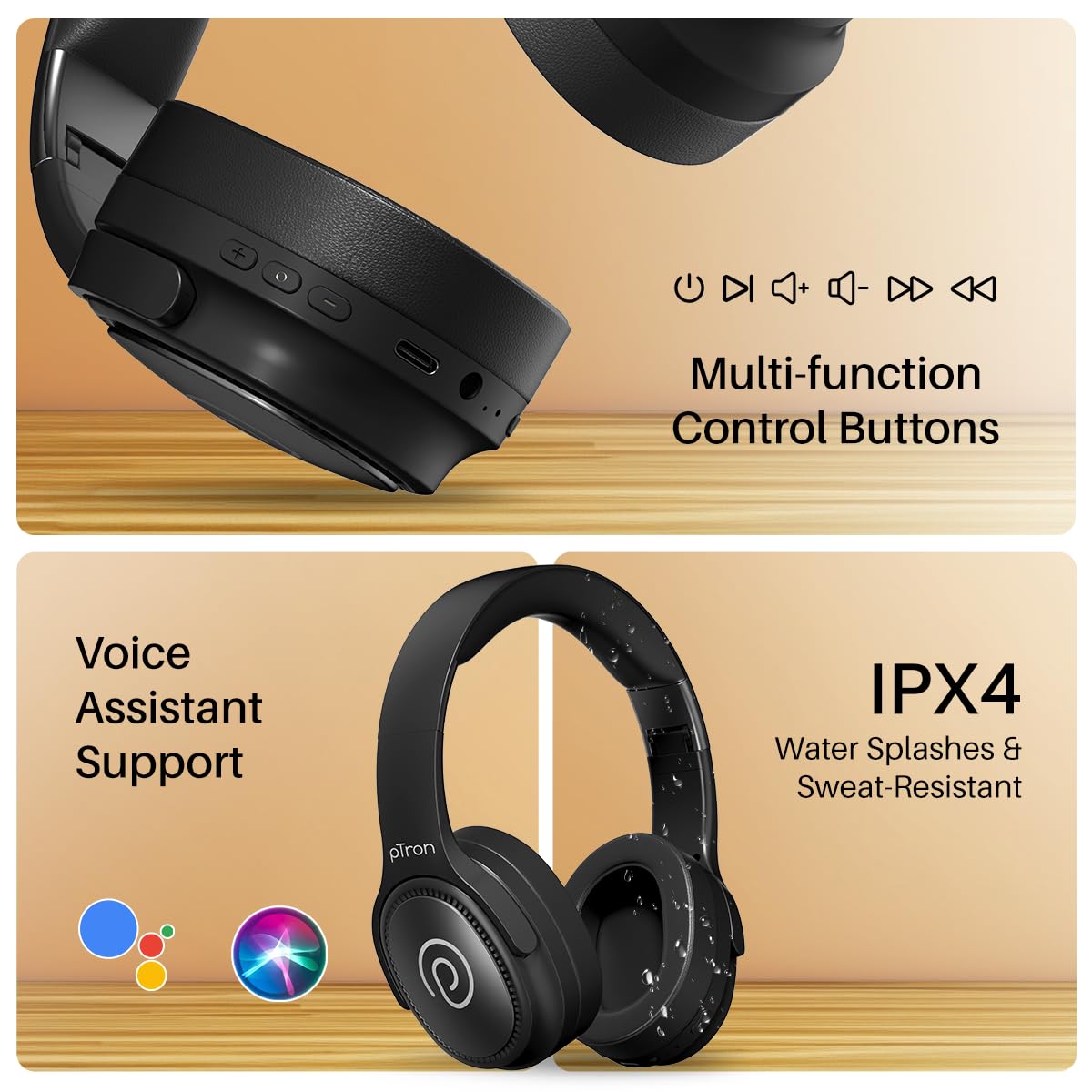
Image: The headphones illustrating support for voice assistants like Google Assistant and Siri, along with their IPX4 water-resistant rating.
Game & Music Modes
- Načini preklopa: Single press the Mode button to toggle between Low-Latency Gaming Mode and standard Music Mode.
Vzdrževanje
To ensure the longevity and optimal performance of your pTron Studio Pro headphones, follow these maintenance guidelines:
- Čiščenje: Za čiščenje slušalk uporabljajte mehko, suho krpo. Ne uporabljajte abrazivnih čistil ali topil.
- Shranjevanje: Ko slušalk ne uporabljate, jih shranjujte na hladnem in suhem mestu. Zložljiva zasnova omogoča kompaktno shranjevanje.
- Izpostavljenost vodi: While rated IPX4 for water splashes and sweat resistance, avoid submerging the headphones in water or exposing them to heavy rain. Dry them thoroughly if they get wet.
- Polnjenje: Use only the provided Type-C cable and a compatible power adapter (DC5V-1A max.) for charging.
- Izogibajte se ekstremnim temperaturam: Slušalk ne izpostavljajte izredno visokim ali nizkim temperaturam.
Odpravljanje težav
If you encounter any issues with your pTron Studio Pro headphones, refer to the following common troubleshooting steps:
| Težava | rešitev |
|---|---|
| Slušalke se ne vklopijo. | Prepričajte se, da so slušalke popolnoma napolnjene. Priključite jih na vir napajanja in preverite indikator polnjenja. |
| Seznanitev z napravo ni mogoča. | Make sure Bluetooth is enabled on your device and the headphones are in pairing mode (LED flashing red/blue). Move closer to the device. Forget previous pairings on your device and try again. |
| Ni zvoka ali nizka glasnost. | Check the volume levels on both the headphones and your connected device. Ensure the headphones are correctly paired. If using Aux-in, ensure the cable is fully inserted. |
| Kakovost klicev je slaba. | Ensure the microphone is not obstructed. Move to an area with less environmental noise. Check your device's network signal. |
| Slušalke se pogosto odklopijo. | Ensure there are no obstacles between the headphones and your device. Keep within the Bluetooth range (10 meters). Avoid strong electromagnetic interference. |
Specifikacije
| Funkcija | Podrobnost |
|---|---|
| Znamka | pTron |
| Ime modela | Studio |
| Namestitev ušesa | Nad ušesi |
| Različica Bluetooth | 5.4 |
| Bluetooth obseg | 10 metrov |
| Velikost zvočnega gonilnika | 40 milimetrov |
| Impedanca | 32 Ohmov |
| Povprečna življenjska doba baterije | 65 ur |
| Čas polnjenja baterije | 2.5 ur |
| Vrata za polnjenje | Tip-C |
| Stopnja vodoodpornosti | IPX4 (odporen na vodo) |
| Mikrofon | Built-in HD Mic with AI-ENC |
| Priključek za slušalke | 3.5 mm Jack |
| Vrsta nadzora | Call Control, Push Button |
| Lastnosti izdelka | Fast Charging, Foldable, Microphone Included, Noise Isolation, Surround Sound |
| Teža predmeta | 200 gramov |
| Material | Akrilonitril butadien stiren (ABS) |
| Združljive naprave | Mobilni telefoni, namizni računalniki, prenosniki, tablični računalniki |
Garancija in podpora
Your pTron Studio Pro headphones come with a manufacturer's warranty and dedicated customer support.
- Garancija: 6 Months Manufacturer Warranty from the Date of Purchase on Manufacturing Defects Only.
- Kontakt proizvajalca: Building A1, Red Box Creative Park, No. 3 Huancheng South Road, Bantian Street, Longgang District, Shenzhen City, China 518116.
- Customer Care Contact Details: 40-67138888 / Podpora@ptron.in
- Kontakt uvoznika: PALRED ELECTRONICS PVT. LTD., SY.NO. 56, 1. NADSTROPJE, GUNDLAPOCHAMPALLY VILLAGE, TECH PARK MTP, TSIIC-IALA NACHARAM, HYDERABAD - 500076, TELANGANA, INDIA.