
WESEARY WG2
WESEARY WG2 Wired Gaming Headset User Manual
Model: WG2
1. Uvod
Thank you for choosing the WESEARY WG2 Wired Gaming Headset. This manual provides detailed instructions for setting up, operating, and maintaining your headset to ensure an optimal gaming experience. The WG2 headset is designed for immersive audio and clear communication across multiple gaming platforms.
2. Kaj je v škatli
- WESEARY WG2 Gaming Headset (1 unit)
- 1 to 2 3.5mm Audio Jack Splitter Cable (1 unit)
- Uporabniški priročnik (ta dokument)
3. Izdelek je končanview
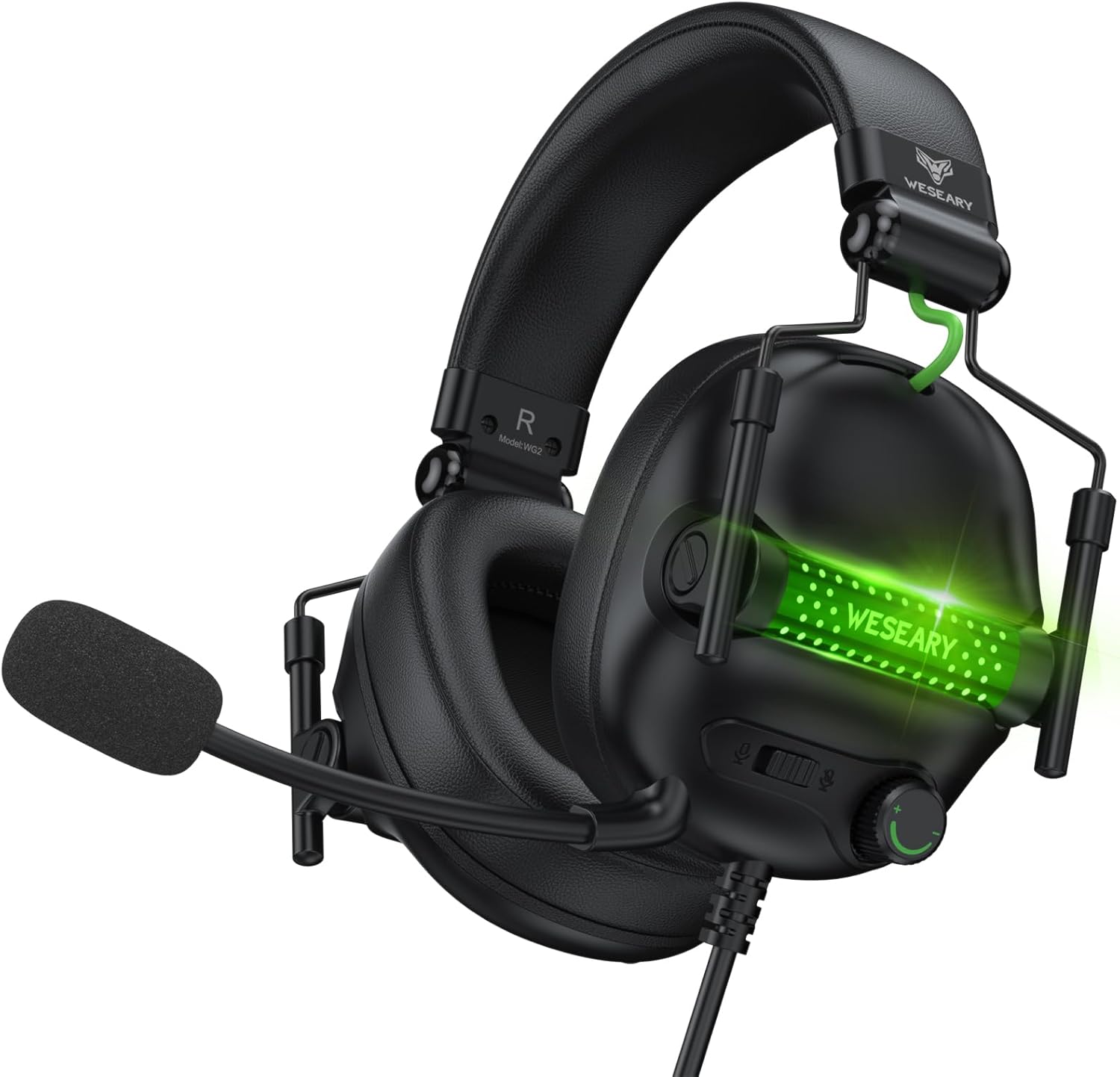
The WESEARY WG2 headset features 50mm drivers for rich stereo sound, an omnidirectional noise-canceling microphone for clear communication, and comfortable memory foam earcups. It is designed for multi-platform compatibility.
3.1 Ključne lastnosti
- Poglobljen stereo zvok: 50mm high-density neodymium drivers deliver detailed 3D stereo audio.
- Mikrofon za odpravljanje hrupa: 360° rotatable omnidirectional microphone with advanced noise cancellation for clear voice pickup.
- Ergonomsko udobje: Lightweight design with soft memory foam earcups and an adjustable headband for extended wear.
- Kontrole brez napora: In-line rotary volume control and one-button microphone mute.
- Trajna zasnova: Features a strong braided cable for longevity.
3.2 Komponente slušalk


4. Navodila za nastavitev
The WESEARY WG2 headset connects via a 3.5mm audio jack. Follow these steps to connect your headset to your device.
4.1 Connecting to PC/Laptop/Mac (with separate audio/mic ports)
- Locate the 3.5mm audio output port (headphone icon) and microphone input port (microphone icon) on your computer.
- Connect the 1 to 2 3.5mm Audio Jack Splitter Cable to the headset's 3.5mm jack.
- Plug the green connector of the splitter into your computer's audio output port.
- Plug the pink connector of the splitter into your computer's microphone input port.
- For LED lighting, connect the USB cable to an available USB port on your computer.
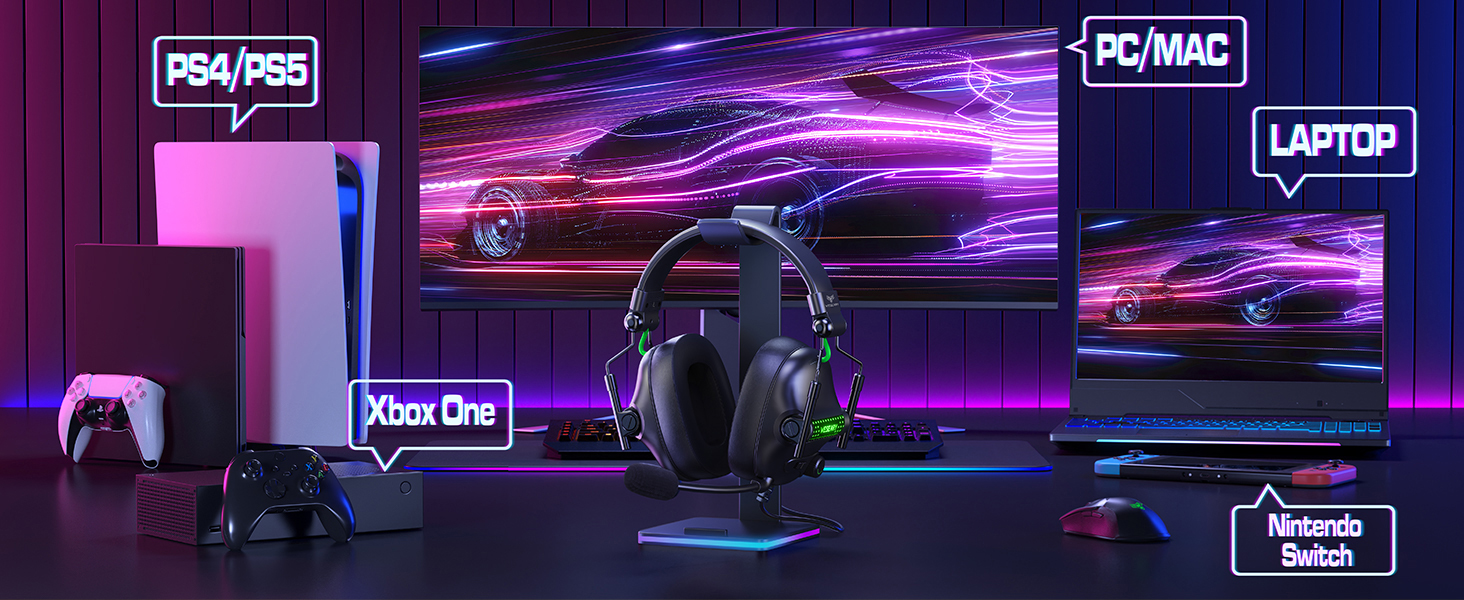
4.2 Connecting to PS4/PS5, Nintendo Switch, Xbox Series X|S, Mobile/Tablet (with single 3.5mm port)
- Plug the headset's 3.5mm jack directly into the 3.5mm audio port on your controller (PS4/PS5, Xbox Series X|S), console (Nintendo Switch), or mobile device.
- For LED lighting, connect the USB cable to an available USB port on your console or a USB power adapter.
- Note for Xbox One (older controllers): A Microsoft adapter (not included) is required for older Xbox One controllers that do not have a built-in 3.5mm jack.
- Opomba o združljivosti: This headset is not compatible with PS3 (without a 3.5mm adapter) or Xbox 360.

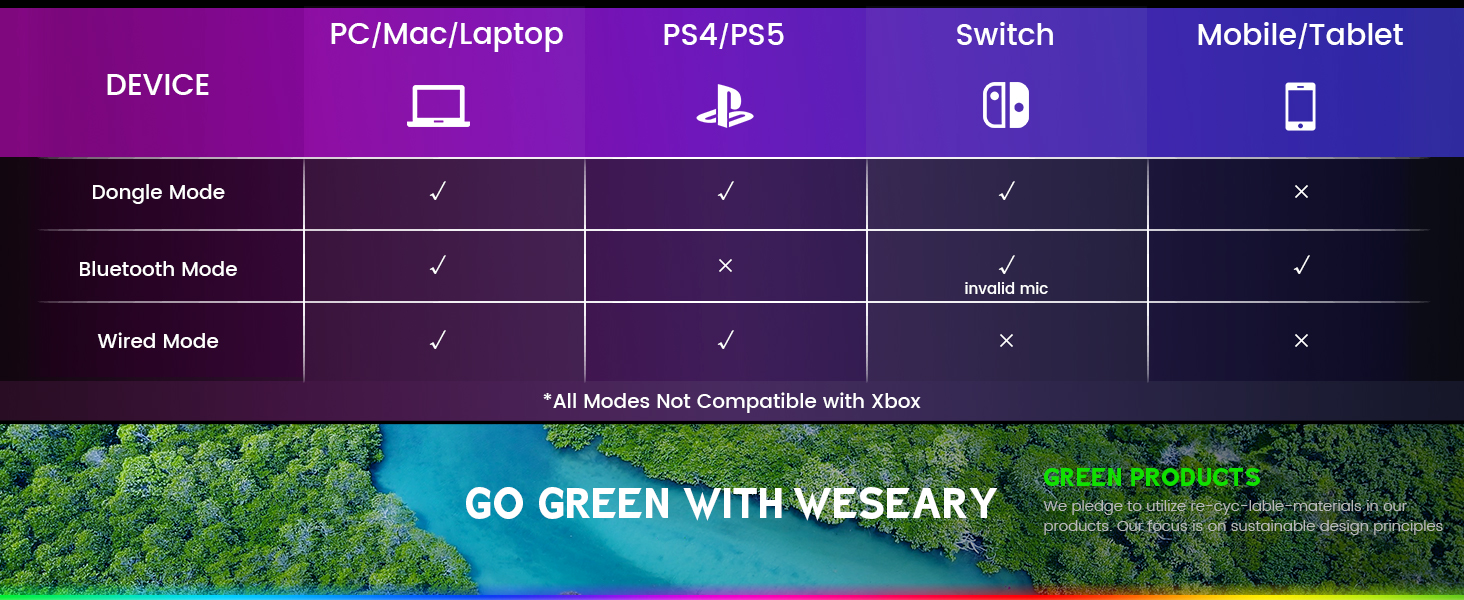
Pomembna opomba: The WESEARY WG2 is a ožičen gaming headset. Any references to "Dongle Mode" or "Bluetooth Mode" in external diagrams or marketing materials are not applicable to this specific model (WG2) which connects solely via its 3.5mm audio jack and USB for LED power.
5. Navodila za uporabo
5.1 Prilagajanje glasnosti
- Locate the rotary volume control wheel on the left earcup or in-line control.
- Rotate the wheel upwards to increase volume.
- Rotate the wheel downwards to decrease volume.

5.2 Izklop mikrofona
- Locate the microphone mute button on the left earcup or in-line control.
- Press the button once to mute the microphone.
- Press the button again to unmute the microphone.
5.3 Nastavitev mikrofona
- The microphone is 360° rotatable. Adjust its position for optimal voice pickup.
- Position the microphone approximately 1-2 inches from your mouth for best clarity.


5.4 Adjusting Headset Fit
- Adjust the headband by sliding the earcups up or down until the headset fits comfortably over your ears.
- Ensure the earcups fully enclose your ears for optimal sound isolation and comfort.
6. Združljivost z več platformami
The WESEARY WG2 Wired Gaming Headset is compatible with a wide range of devices:
- Igralne konzole: PlayStation 5 (PS5), PlayStation 4 (PS4), Xbox Series X|S, Nintendo Switch.
- računalniki: PC, Laptops, Mac.
- Mobilne naprave: Mobile phones, Tablets.
Pomembne opombe:
- For older Xbox One controllers without a 3.5mm jack, a Microsoft adapter (not included) is required.
- The headset is not compatible with PS3 or Xbox 360 without additional adapters.
- The USB connection is solely for powering the LED lighting and does not transmit audio.
7. Vzdrževanje
- Čiščenje: Za čiščenje slušalk uporabite mehko, suho krpo. Ne uporabljajte agresivnih kemikalij ali abrazivnih materialov.
- Shranjevanje: Slušalke shranjujte na hladnem in suhem mestu, stran od neposredne sončne svetlobe in ekstremnih temperatur. Zložljiva zasnova omogoča kompaktno shranjevanje.
- Skrb za kabel: Izogibajte se ostrim ovinkom ali prekomernemu vlečenju kabla, da preprečite poškodbe.
8. Odpravljanje težav
8.1 Ni zvoka iz slušalk
- Prepričajte se, da je 3.5-milimetrski avdio priključek popolnoma vstavljen v avdio vrata naprave.
- Check the volume control wheel on the headset and ensure it is turned up.
- Verify the audio output settings on your device (console, PC, etc.) are configured to use the headset.
- If using the splitter cable, ensure both green and pink jacks are correctly connected to their respective ports.
8.2 Mikrofon ne deluje
- Prepričajte se, da gumb za izklop mikrofona na slušalkah ni aktiviran.
- Check the microphone input settings on your device (console, PC, etc.) to ensure the headset microphone is selected and its volume is not muted.
- Ensure the 3.5mm audio jack (and pink splitter jack if applicable) is fully inserted.
- Prilagodite položaj mikrofona bližje ustom.
8.3 LED luči ne delujejo
- Ensure the USB cable is securely connected to a powered USB port on your device or a USB power adapter.
- Try connecting the USB cable to a different USB port.
9. Specifikacije
| Ime modela | WG2 |
| Tehnologija povezljivosti | Wired (3.5mm Audio Jack, USB for LED) |
| Vrsta zvočnega gonilnika | Dynamic Driver (50mm Neodymium) |
| Impedanca | 32 Ohmov |
| Namestitev ušesa | Nad ušesi |
| Nadzor hrupa | Sound Isolation, Noise Cancellation (Microphone) |
| Mikrofon | Omnidirectional, Noise-Canceling, 360° Rotatable |
| Material | Composite, Plastic (with Memory Foam Earcups) |
| Dimenzije izdelka | 5.5 x 2.98 x 5.5 palcev |
| Teža predmeta | 14.8 unč |
| barva | Črna skala |
| Proizvajalec | WESEARY |
10. Garancija in podpora
For warranty information and technical support, please refer to the documentation provided with your purchase or visit the official WESEARY webspletnega mesta. Shranite dokazilo o nakupu za uveljavljanje garancije.
Spletna podpora: Visit the WESEARY Store on Amazon
11. Videoposnetek izdelka
Posnetek 1: WESEARY Wired Gaming Headset OverviewTa videoposnetek ponuja kratek vizualni pregledview of the headset's features and design, demonstrating its immersive sound and clear communication capabilities.
Ask a question about this manual
Ask about setup, troubleshooting, compatibility, parts, safety, or missing instructions. Manuals+ will review the question and use this page’s manual context to help answer it.