
1. Izdelek je končanview
The AJAZZ AJ139 V2 MC is a versatile tri-mode gaming mouse designed for precision and responsiveness. It features a PAW3311 sensor for accurate tracking, a 1000Hz return rate for smooth performance, and a long-lasting 500mAh battery. Its compact and lightweight design makes it suitable for extended use and portability.
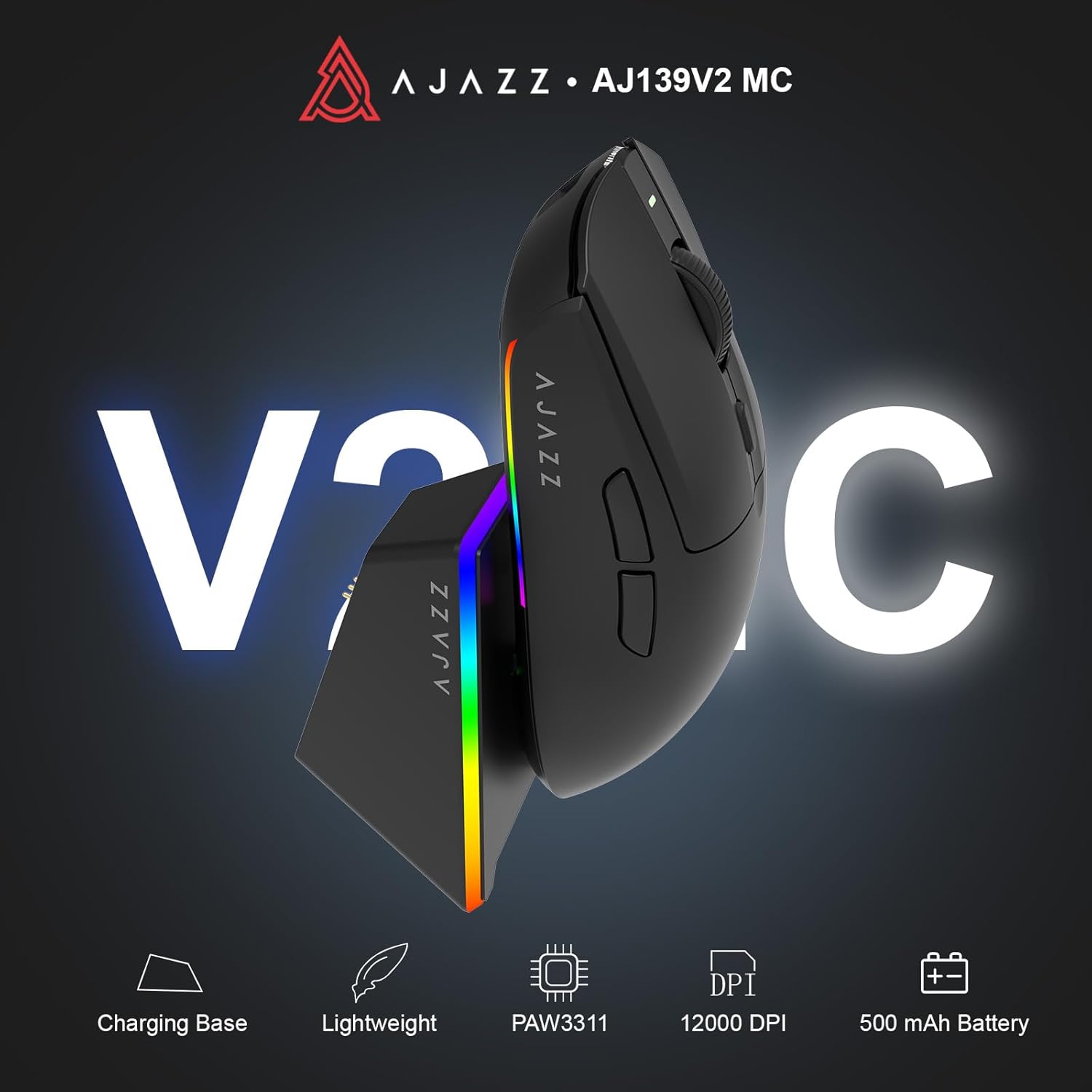
Figure 1.1: AJAZZ AJ139 V2 MC Gaming Mouse and Charging Dock.
Video 1.1: Overview of the AJAZZ AJ139 V2 MC Gaming Mouse, highlighting its features and design.
2. Vsebina paketa
Prepričajte se, da so v paketu prisotni vsi elementi:
- Igralna miška AJAZZ AJ139 V2 MC
- Polnilna postaja
- Polnilni kabel USB-C
- 2.4G USB Receiver (Dongle)
- Uporabniški priročnik
3. Ključne značilnosti
- PAW3311 Sensor Technology: Equipped with the PAW3311 sensor, this mouse ensures precise tracking and accurate cursor control for optimal performance.
- High 1000Hz Return Rate: Experience smooth and responsive performance with a 1000Hz return rate, enhancing your gaming or work experience.
- Dolgotrajna baterija z zmogljivostjo 500 mAh: The integrated 500mAh battery provides extended power, ensuring uninterrupted use for prolonged periods.
- Tri-modalna povezljivost: Supports versatile connectivity options including Wired, 2.4G Wireless, and Bluetooth, adapting to various devices and setups.
- Kompaktna in lahka oblika: Weighing approximately 66 grams, the mouse features a compact design for easy portability and comfortable use during long sessions.
- Prilagodljiva RGB osvetlitev: Features integrated RGB lighting for personalized aesthetics.
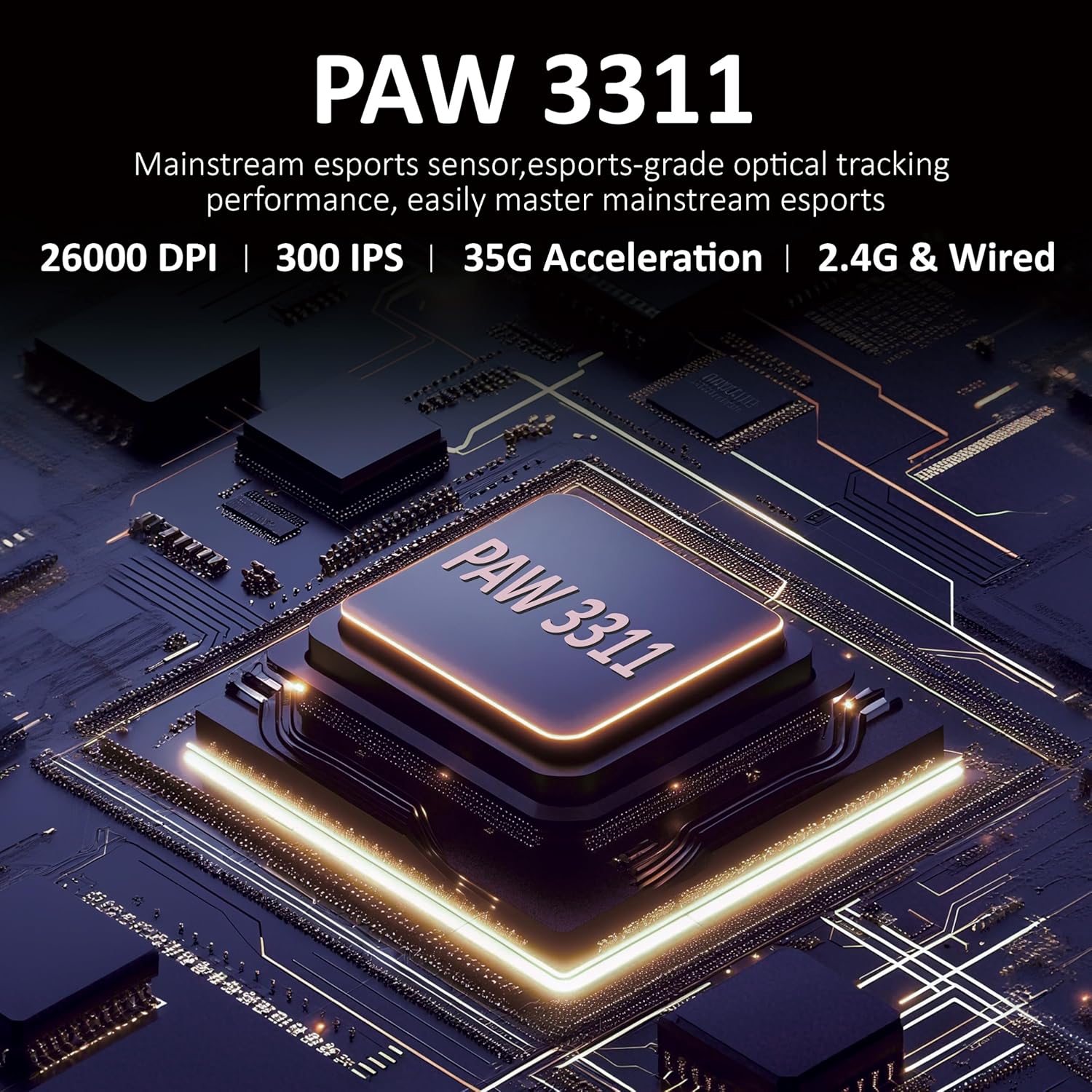
Slika 3.1: Podrobno view of the PAW3311 sensor technology.
Video 3.1: Demonstration of the mouse's 500mAh battery life.
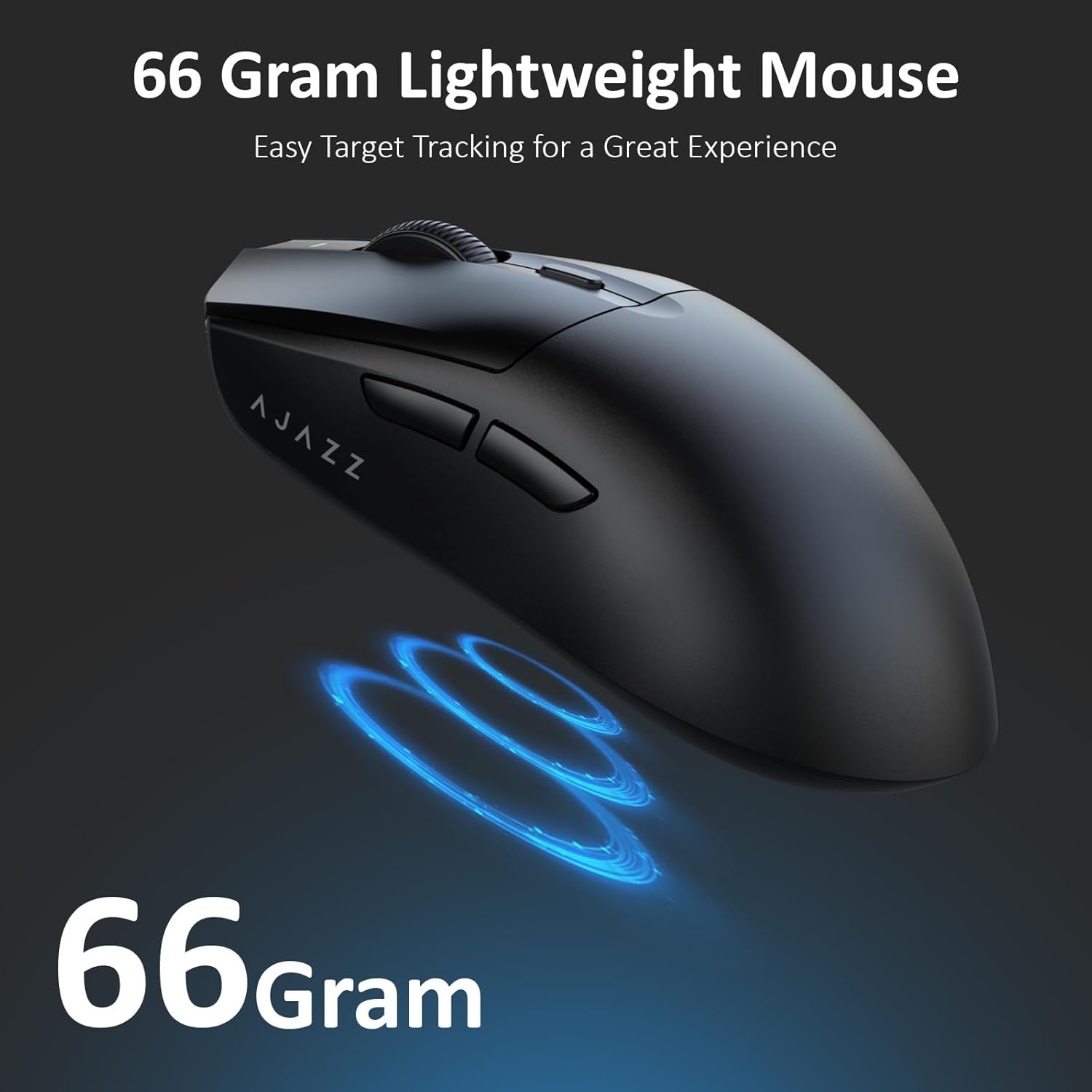
Figure 3.2: The lightweight design of the AJAZZ AJ139 V2 MC mouse.
4. Navodila za namestitev
4.1. Priključitev miške
The AJAZZ AJ139 V2 MC offers three connection modes:
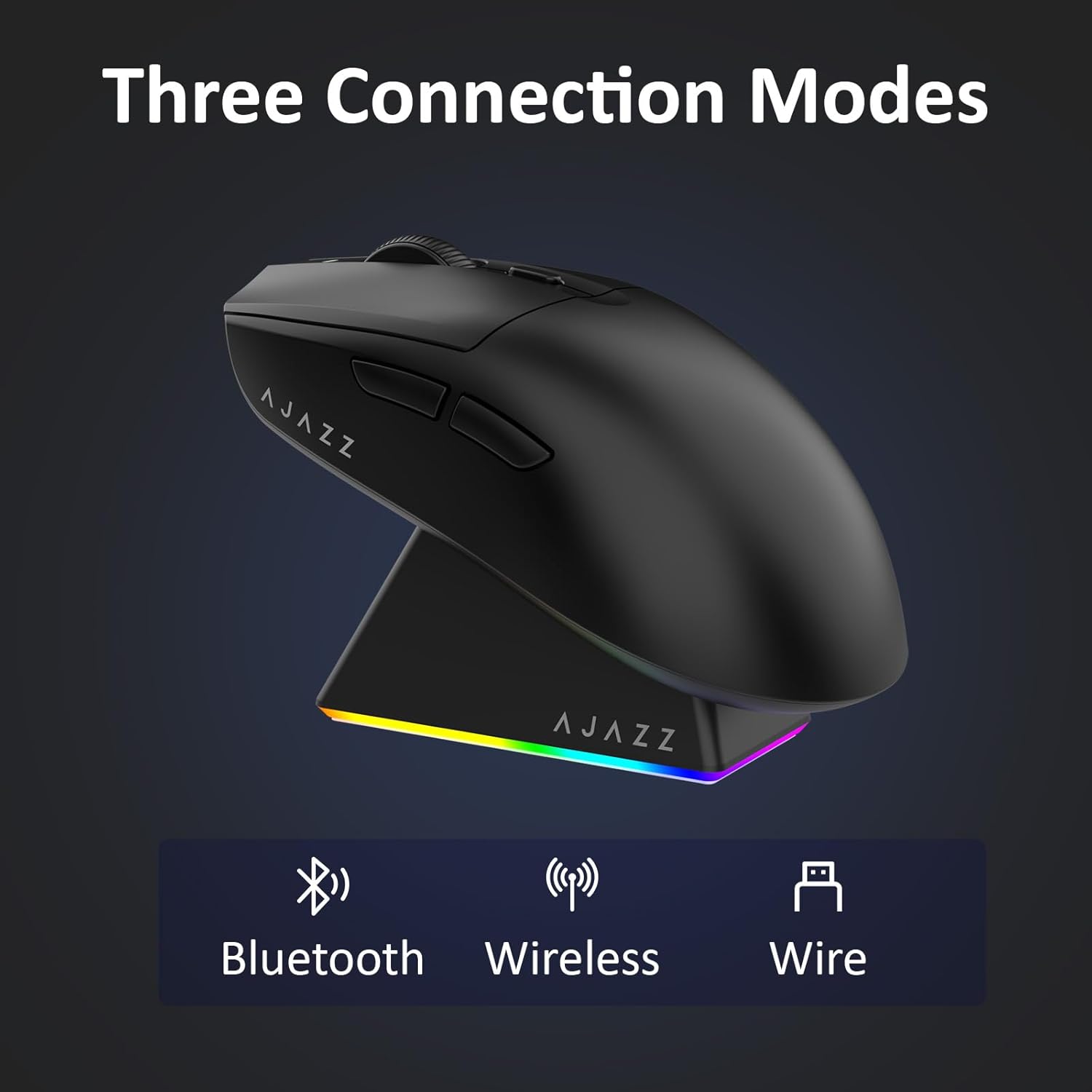
Slika 4.1: Vizualna predstavitev treh načinov povezave.
- Brezžični način 2.4G:
- Poiščite 2.4G USB sprejemnik, shranjen v predalu na spodnji strani miške.
- USB-sprejemnik priključite v razpoložljiva vrata USB na vašem računalniku.
- Potisnite stikalo na spodnji strani miške v položaj »2.4 G«. Miška se bo samodejno povezala.
- Način Bluetooth:
- Potisnite stikalo na spodnji strani miške v položaj 'BT'.
- V napravi odprite nastavitve Bluetooth in poiščite nove naprave.
- Select 'AJAZZ AJ139 V2 MC' from the list to pair.
- Žični način:
- Connect the USB-C charging cable to the mouse and the other end to your computer's USB port.
- Miška bo delovala kot žična naprava in se hkrati polnila.
4.2. Polnjenje miške
The mouse can be charged using the included charging dock or directly via the USB-C cable.
- Uporaba polnilne postaje:
- Connect the USB-C charging cable to the charging dock and then to a power source (e.g., computer USB port, USB wall adapter).
- Place the mouse onto the charging dock, aligning the magnetic contacts. The RGB lighting on the dock and mouse will indicate charging status.
- Neposredno polnjenje prek USB-C:
- Connect the USB-C charging cable directly to the mouse and a power source.
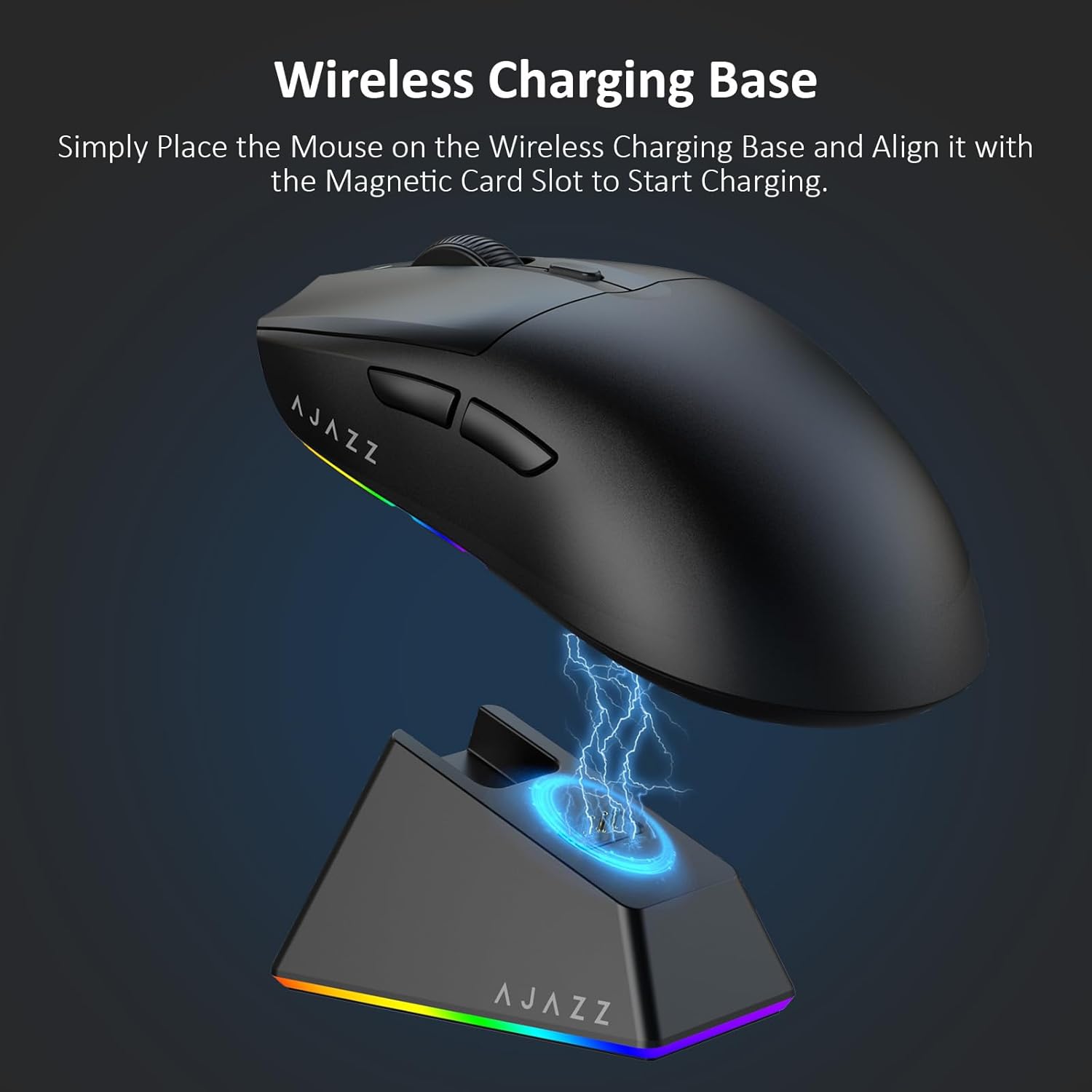
Figure 4.2: The mouse being charged on its wireless charging base.
5. Navodila za uporabo
5.1. Prilagoditev DPI
The mouse features a dedicated DPI adjustment button on its underside, allowing you to cycle through different sensitivity levels. Press the button to change the DPI setting to suit your preference.
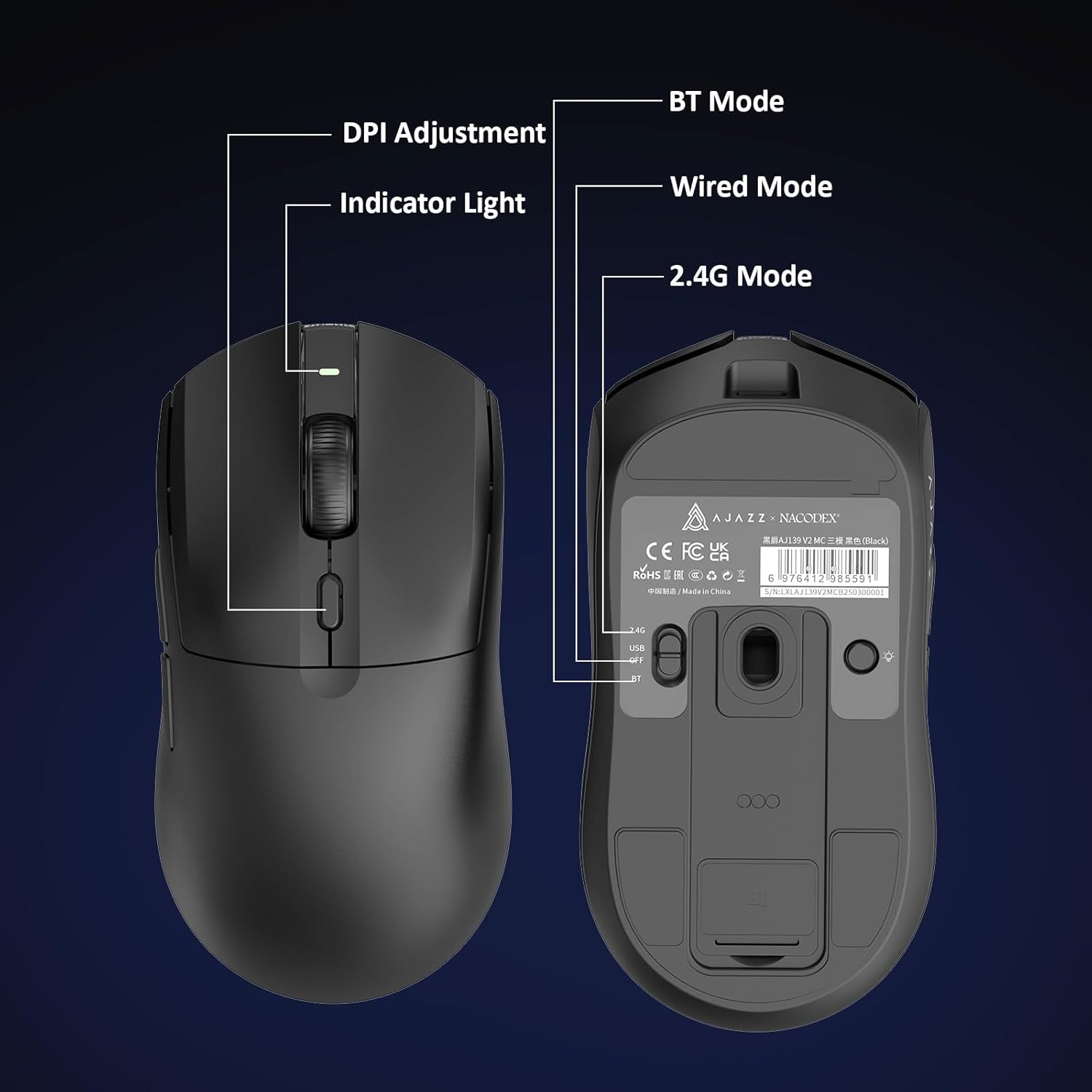
Figure 5.1: Location of the DPI adjustment button and connection mode switch on the mouse underside.
5.2. Funkcije gumbov
The mouse is equipped with 6 programmable buttons:
- Gumb z levim klikom
- Desni klik Gumb
- Drsno kolo (klikljivo)
- DPI Adjustment Button (on underside)
- Two Side Buttons (typically for forward/backward navigation)
For advanced customization of button functions and macros, please refer to the official AJAZZ software (downloadable from the manufacturer's webspletnem mestu).
5.3. Nadzor osvetlitve RGB
The mouse and charging dock feature customizable RGB lighting. Specific controls for lighting modes and colors are typically managed through the official AJAZZ software. A dedicated light button on the underside of the mouse allows for basic cycling or turning off the lighting.
6. Vzdrževanje
- Čiščenje: Za čiščenje površine miške uporabite mehko, suho krpo. Za trdovratno umazanijo rahloamp lahko uporabite krpo, s čimer preprečite vdor vlage v notranje komponente.
- Skrb za senzor: Optični senzor na spodnji strani miške naj bo čist in brez prahu ali umazanije, da se ohrani natančnost sledenja.
- Dolgoživost baterije: Da podaljšate življenjsko dobo baterije, se izogibajte pogostemu popolnemu praznjenju miške. Polnite jo, ko je indikator baterije nizek.
7. Odpravljanje težav
| Težava | Možna rešitev |
|---|---|
| Mouse not responding in 2.4G Wireless mode. | Ensure the 2.4G USB receiver is securely plugged into a USB port and the mouse switch is set to '2.4G'. Try a different USB port. |
| Mouse not pairing via Bluetooth. | Ensure the mouse switch is set to 'BT' and your device's Bluetooth is enabled and discoverable. Try unpairing and re-pairing the device. |
| Miška se ne polni. | Verify the USB-C cable is properly connected to both the dock/mouse and the power source. Ensure the mouse is correctly seated on the charging dock's magnetic contacts. |
| Inconsistent tracking or cursor movement. | Clean the optical sensor on the underside of the mouse. Ensure you are using the mouse on a suitable surface (e.g., a mouse pad). |
| RGB osvetlitev ne deluje. | Check the mouse's software settings for lighting control. Ensure the mouse has sufficient battery charge. |
8. Tehnične specifikacije
| Funkcija | Specifikacija |
|---|---|
| Znamka | AJAZZ |
| Ime modela | Aj139 V2 MC |
| barva | V2 MC Black |
| Tehnologija povezljivosti | Bluetooth, USB, 2.4G Wireless |
| Tehnologija zaznavanja gibanja | Optični (senzor PAW3311) |
| Mouse Maximum Sensitivity | 12000 Dots per Inch (DPI) |
| Stopnja vračila | 1000Hz |
| Kapaciteta baterije | 500 mAh |
| Količina gumbov | 6 |
| Ročna orientacija | prav |
| Združljive naprave | Namizni računalnik |
| Operacijski sistem | Windows |
| Razpon | 10 metrov |
| Teža predmeta | 4 unč (približno 113 gramov) |
| Mere artikla D x Š | 5"D x 2.5"Š (približno 12.7 cm x 6.35 cm) |
| Funkcija olepševanja | RGB osvetlitev |
| Material ohišja | Plastika |
| Končaj | Mat |
9. Garancija in podpora
This product comes with a standard manufacturer's warranty. For detailed warranty information, please refer to the official AJAZZ webali se obrnite na svojega prodajalca.
For technical support, troubleshooting assistance, or any product-related inquiries, please visit the AJAZZ official support page or contact their customer service team.
Spletni viri:
AJAZZ Official Store