
1. Uvod
Thank you for choosing the Redragon K709 HE Rapid Trigger Gaming Keyboard. This manual provides essential information for setting up, operating, and maintaining your new keyboard. Please read it thoroughly to ensure optimal performance and longevity of your device.
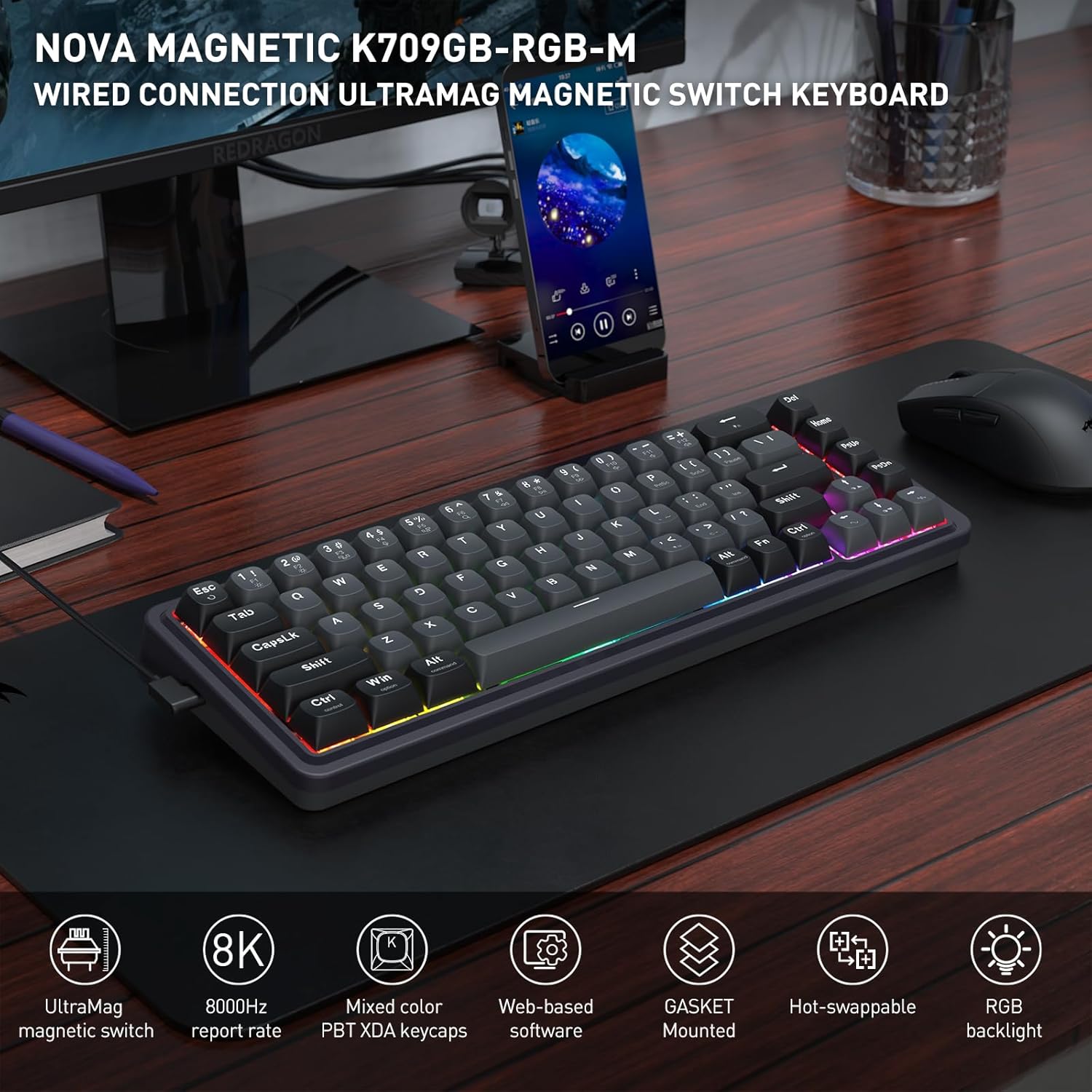
Image: The Redragon K709 HE keyboard, showcasing its compact design and RGB backlighting, positioned on a desk alongside a monitor and mouse.
2. Navodila za namestitev
2.1 Vsebina paketa
- Redragon K709 HE Rapid Trigger Gaming Keyboard
- Snemljiv kabel USB-A na USB-C
- Izvleček za ključe
- Stikalo Stikalo
- Spare UltraMag Magnetic Switches (if included)
- Uporabniški priročnik

Image: The Redragon K709 HE keyboard displayed with its included accessories: a detachable USB-C cable, keycap puller, switch puller, and spare switches.
2.2 Priključitev tipkovnice
- Priključite konec priloženega kabla USB-C v vrata USB-C na tipkovnici.
- Priključite konec kabla USB-A v prosta vrata USB na računalniku.
- Vaš operacijski sistem bo tipkovnico samodejno prepoznal.
2.3 Namestitev programske opreme (neobvezno, vendar priporočljivo)
For advanced customization, including Rapid Trigger settings and key remapping, it is recommended to use the Redragon software. The K709 HE supports both a standard desktop client (Windows-exclusive) and web-based driver support.
- Uporabniki sistema Windows: Download the desktop client from the official Redragon webmesto.
- Other Operating Systems: Dostop do web-based driver directly via your browser by visiting the Redragon website. This allows access to all software features without a dedicated installation.

Image: A computer screen displaying the Redragon web-based software interface, used for configuring keyboard settings and features.
3. Navodila za uporabo
3.1 UltraMag Magnetic Switches
The K709 HE features next-generation UltraMag magnetic switches with a dual-module floating structure. These switches offer precise and smooth keystrokes due to their full-POM construction and enclosed base design.
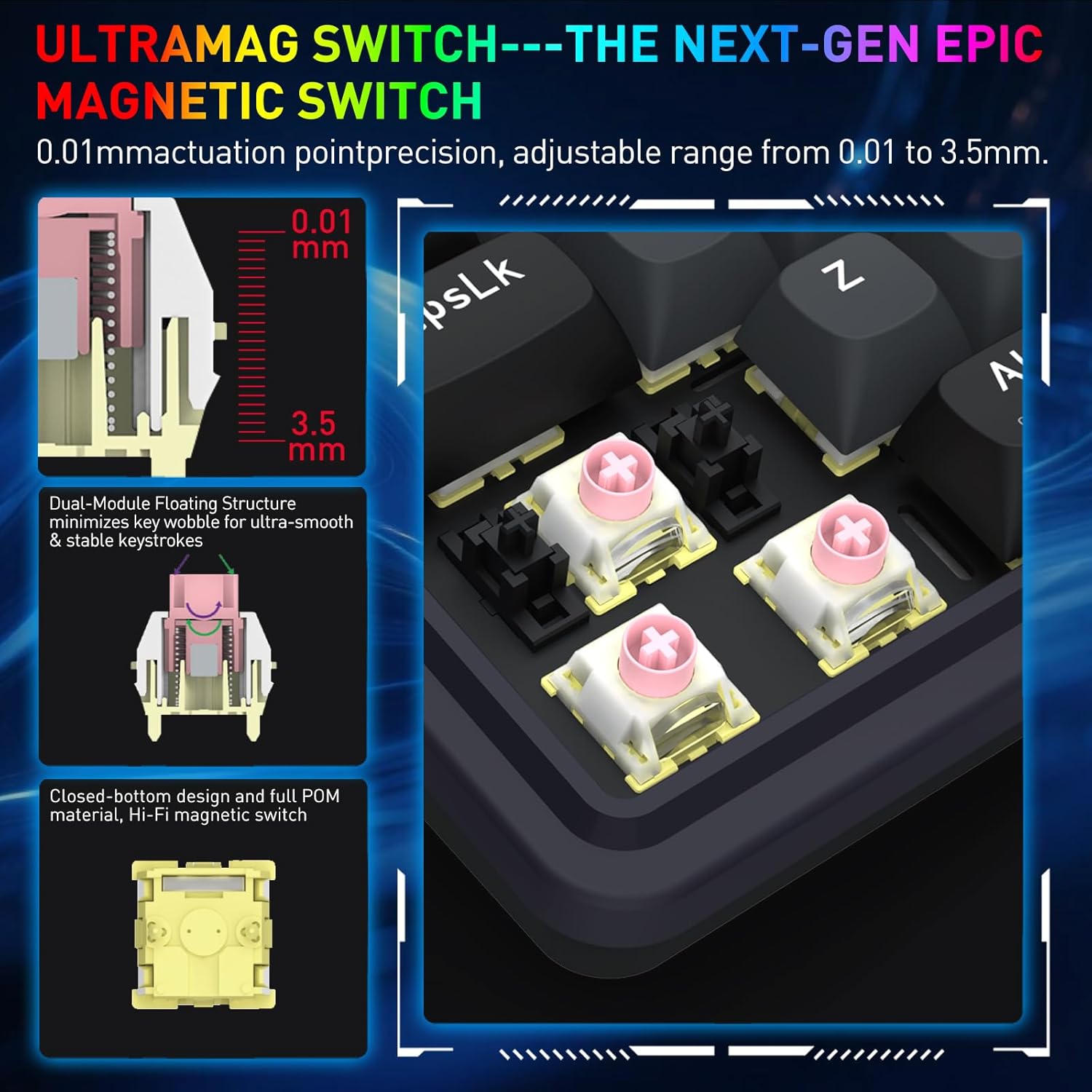
Image: A detailed diagram showing the internal components of the UltraMag magnetic switch, highlighting its dual-module floating structure and adjustable actuation points from 0.01mm to 3.5mm.
3.2 Rapid Trigger Technology
Rapid Trigger technology allows for dynamic activation and deactivation of keys based on movement, not just a fixed actuation point. This feature is highly beneficial for competitive gaming.
- Nastavitev sprožilne točke: Using the software, the actuation point can be precisely adjusted between 0.1mm and 3.4mm. This allows for fine-tuning key sensitivity to your preference.
- Dynamic Activation/Deactivation: Keys activate upon initial press and deactivate immediately upon release, enabling faster repeated inputs and precise control in games.

Slika: Visual examples showing how Rapid Trigger technology enhances gameplay in titles such as Valorant for accurate movement, CS:GO for precise peeking, Apex Legends for advanced movement, and osu! for improved note accuracy.
3.3 8K Hyper-Polling
The K709 HE features an 8,000Hz hyper-polling rate, meaning it reports inputs to your computer up to 8,000 times per second. This results in an ultra-low latency of approximately 0.125ms, ensuring your actions are registered almost instantaneously.
3.4 Hrup Dampening
The keyboard incorporates a 5-layer noise dampening system to reduce hollow sounds and provide a more satisfying typing and gaming experience. This includes:
- 3.5mm PO foam
- IXPE switch foam
- PET sound pad
- Bottom socket foam
- Silicone bottom pad
- Silikonsko tesnilo

Image: An exploded diagram of the K709 HE keyboard, illustrating the various layers including keycaps, UltraMag switches, top cover, TPR gasket, positioning plate, latex foam pad, IXPE switch pad, sound acting pad, PCBA, EVA noise absorbing foam, silicone bottom pad, and bottom case.
3.5 Team Wipe Engine (PRCS Technology)
This feature utilizes revolutionary PRCS technology with 4 modes, designed to optimize gaming performance by eliminating redundant inputs and ensuring clean, precise actions.
4. Vzdrževanje
4.1 Čiščenje tipkovnice
- Use a soft, lint-free cloth to wipe the surface of the keyboard.
- Za prah in umazanijo med tipkami uporabite stisnjen zrak.
- To clean under the keycaps, use the provided keycap puller to carefully remove them. Clean the switches and plate with a soft brush or compressed air. Reattach keycaps by pressing them firmly onto the switches.
4.2 Stikala z možnostjo vroče menjave
The K709 HE features a hot-swappable PCB, allowing you to easily replace individual switches without soldering. This is useful for customization or replacing a faulty switch.
- Use the provided keycap puller to remove the keycap from the desired switch.
- Use the provided switch puller to gently grip the top and bottom clips of the switch. Pull the switch straight up to remove it from the PCB.
- Align the pins of the new switch with the holes on the PCB. Press the new switch firmly until it clicks into place. Ensure the pins are not bent.
- Ponovno namestite pokrovček tipke.
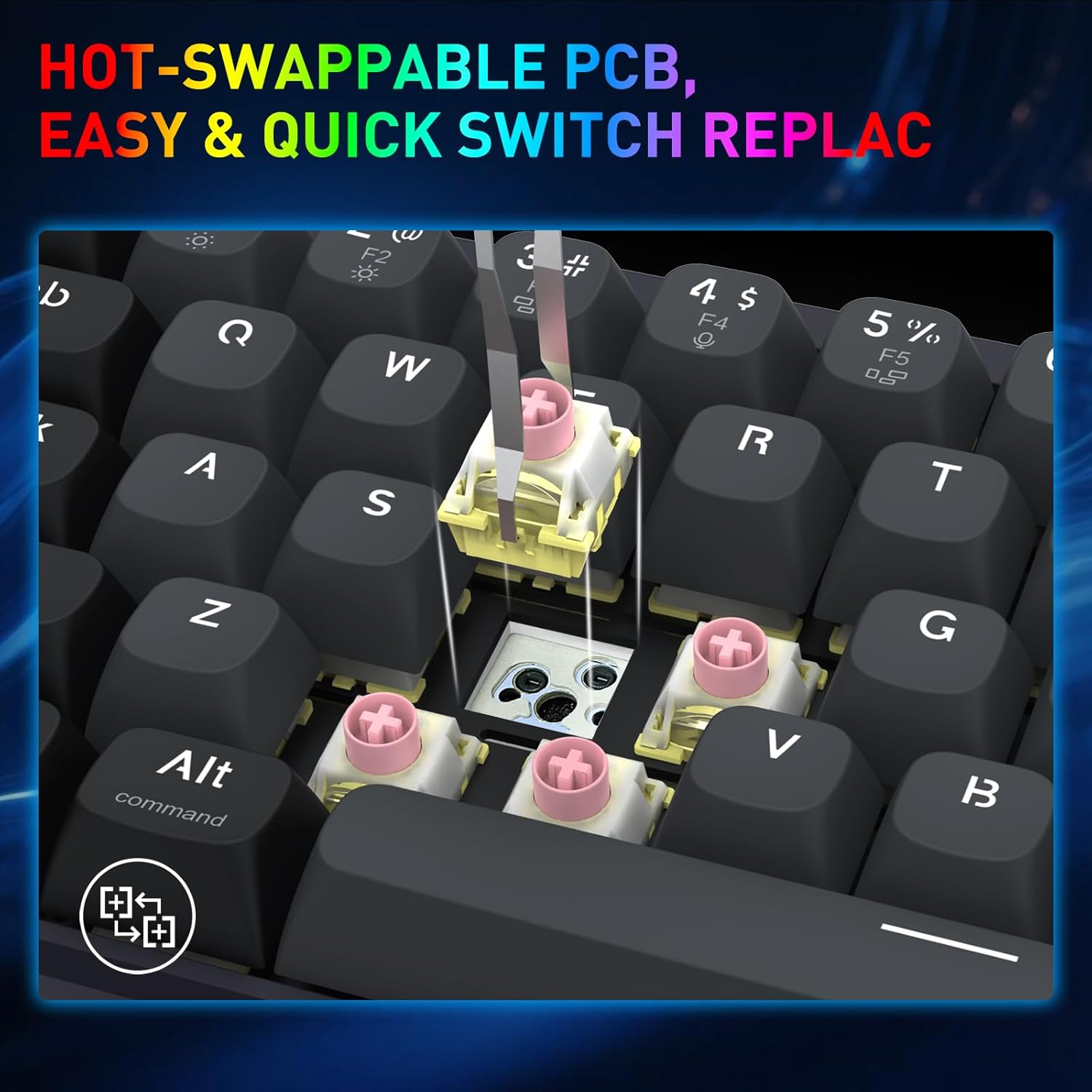
Image: A close-up shot demonstrating the process of removing a hot-swappable switch from the keyboard's PCB using a switch puller.
5. Odpravljanje težav
- Tipkovnica se ne odziva:
- Prepričajte se, da je kabel USB varno priključen tako na tipkovnico kot na računalnik.
- Poskusite tipkovnico priključiti na drug USB vhod na računalniku.
- Preizkusite tipkovnico na drugem računalniku, da izključite težave, specifične za sistem.
- Določene tipke ne delujejo:
- Carefully remove the keycap and switch for the non-functional key using the provided tools.
- Preverite stikalo za morebitne vidne poškodbe ali umazanijo.
- If you have spare switches, try replacing the faulty switch.
- Težave z RGB osvetlitvijo:
- Check the keyboard's lighting settings via the Redragon software.
- Ensure no conflicting software or drivers are interfering with the lighting control.
- Rapid Trigger not functioning as expected:
- Verify that Rapid Trigger is enabled and configured correctly within the Redragon software.
- Adjust the actuation point settings to find your preferred sensitivity.
6. Specifikacije
| Znamka | Reddragon |
| Ime modela | Nova (K709 HE) |
| Tehnologija povezljivosti | USB-C (žični) |
| Opis tipkovnice | 68 Keys HE UltraMag Magnetic Switch Rapid Trigger Gaming Keyboard |
| Število ključev | 68 |
| Model mehanskega stikala na tipkovnici | Redragon UltraMag Magnetic Switch |
| Tip stikala | Linearno |
| Aktivacijska točka | Nastavljivo 0.1 mm - 3.4 mm |
| Polling Rate | 8,000Hz (8K Hyper-Polling) |
| Posebne lastnosti | 5-plastni šum Dampening, 68 keys Compact, Mixed PBT Keycaps, Rapid Trigger, UltraMag Magnetic Switch |
| Osvetlitev tipkovnice | RGB |
| Združljive naprave | PC |
| Material | Plastika |
| barva | Serene Gray |
7. Informacije o garanciji
The Redragon K709 HE Rapid Trigger Gaming Keyboard comes with a 1-letna omejena garancija od datuma nakupa. Ta garancija krije proizvodne napake in napake v izdelavi pri normalni uporabi. Ne krije škode, ki jo povzročijo nepravilna uporaba, nesreče, nepooblaščene spremembe ali naravne nesreče.
Za garancijske zahtevke shranite dokazilo o nakupu.
8. Podpora
For further assistance, technical support, or to download the latest software and drivers, please visit the official Redragon webspletno mesto:
You may also contact Redragon customer service through the contact information provided on their webmesto.