
Uvod
Thank you for choosing the Pebble Blissbuds Hue TWS Earbuds. These earbuds are designed to provide a superior audio experience with advanced features such as Hybrid Active Noise Cancellation (ANC), Environmental Noise Cancellation (ENC), and powerful 13mm dynamic drivers. This manual will guide you through the setup, operation, and maintenance of your new earbuds to ensure optimal performance.
Kaj je v škatli
Carefully unpack your Pebble Blissbuds Hue TWS Earbuds and ensure all items are present:
- Pebble Blissbuds Hue TWS Earbuds (Left and Right)
- etui za polnjenje
- Polnilni kabel tipa C
- Uporabniški priročnik
- Garancijska kartica

Image: The box contents, showing the earbuds, charging case, Type-C cable, user manual, and warranty card.
Nastavitev
1. Polnjenje slušalk in etuija
Before first use, fully charge the earbuds and the charging case. Place the earbuds into the charging case and connect the Type-C cable to the charging port on the case and a power source. The LED indicator on the case will show charging status. A full charge provides up to 40 hours of total playtime with the charging case.

Image: Earbuds in their charging case, highlighting the extended playtime.
2. Bluetooth seznanjanje
- Začetno seznanjanje: Odprite polnilno ohišje. Slušalke bodo samodejno prešle v način seznanjanja.
- V napravi (pametnem telefonu, tablici, prenosniku) omogočite Bluetooth in poiščite razpoložljive naprave.
- Select "Blissbuds Hue" from the list of devices. Once connected, you will hear a confirmation tone.
- Samodejno seznanjanje: Po začetnem seznanjanju se bodo slušalke samodejno povezale z zadnjo seznanjeno napravo, ko jih vzamete iz ohišja.
- Dvojno seznanjanje: The earbuds support dual pairing, allowing seamless switching between two connected devices.

Image: Bluetooth pairing process shown on a smartphone, with the earbuds and case.

Image: Seamless switching between a laptop and a smartphone with the earbuds.
Navodila za uporabo
1. Active Noise Cancellation (ANC) and Environmental Noise Cancellation (ENC)
The Blissbuds Hue feature Hybrid ANC to reduce ambient noise by up to 45dB, allowing for an immersive listening experience. ENC technology with 4 microphones ensures your voice remains crystal clear during calls by filtering out background noise.
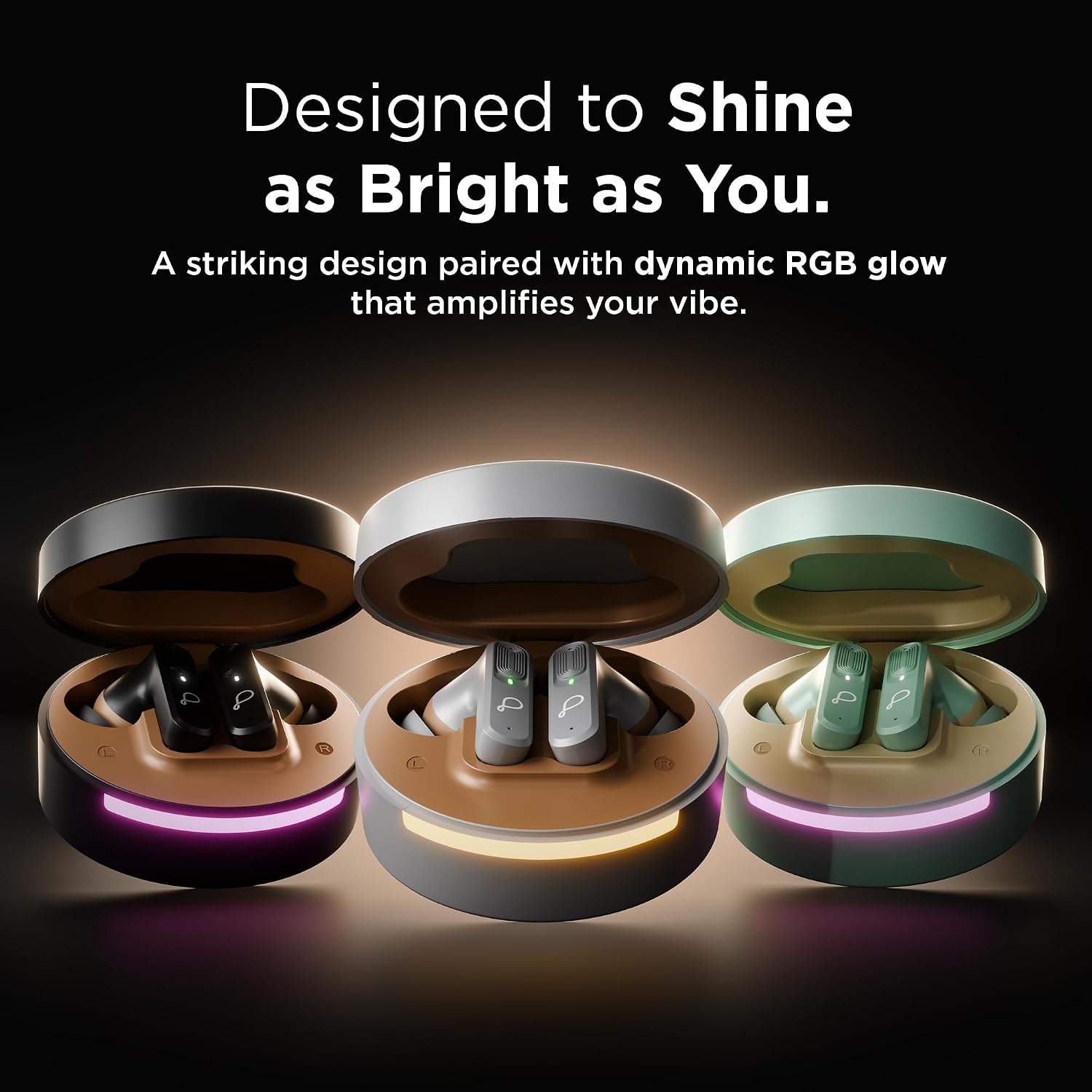
Image: Earbud demonstrating Active Noise Cancellation (ANC) capability.

Image: Man on a bus using earbuds, highlighting Environmental Noise Cancellation (ENC) for clear calls.
2. Audio Quality and Gaming Mode
Equipped with 13mm Dynamic Drivers, these earbuds deliver deep bass and high-quality sound. For gaming, activate the Low Latency Mode to ensure perfect synchronization between audio and video, enhancing your gaming and media experience.

Image: Earbuds highlighting the 13mm Dynamic Drivers for superior sound.
3. Glasovni pomočnik
The earbuds support voice control. Refer to the quick start guide for specific touch controls to activate your device's voice assistant.
Vzdrževanje
1. Čiščenje
- Slušalke in polnilno ohišje redno čistite z mehko, suho krpo, ki ne pušča vlaken.
- Ne uporabljajte abrazivnih čistil, alkohola ali kemičnih topil.
- Z majhno, mehko ščetko ali vatirano palčko nežno odstranite morebitno ušesno maslo ali ostanke z ušesnih konic in mrežice zvočnika.
2. Shranjevanje
- Ko slušalk ne uporabljate, jih vedno shranite v polnilno škatlico, da jih zaščitite in ohranite napolnjene.
- Hranite na hladnem in suhem mestu, stran od ekstremnih temperatur in neposredne sončne svetlobe.
Odpravljanje težav
Če imate težave s slušalkami, poskusite naslednje rešitve:
- Ni zvoka: Prepričajte se, da so slušalke napolnjene, povezane z napravo in da je glasnost povečana.
- Težave pri seznanjanju: Turn off Bluetooth on your device, then turn it back on. Forget "Blissbuds Hue" from your device's Bluetooth list and re-pair.
- Ena slušalka ne deluje: Place both earbuds back in the case, close it, wait a few seconds, then open it and try again.
- Slaba kakovost klica: Ensure ENC is active and you are in an area with good network coverage.
- Slušalke se ne polnijo: Preverite polnilni kabel in vir napajanja. Prepričajte se, da so slušalke pravilno nameščene v polnilnem ohišju.
Specifikacije
| Znamka | Prodnik |
| Številka modela | PTWE202 |
| Ime modela | Blissbuds Hue |
| barva | Črna |
| Namestitev ušesa | V ušesu |
| Nadzor hrupa | Prekinitev aktivnega hrupa (ANC) |
| Vrsta zvočnega gonilnika | 13 mm dinamični gonilnik |
| Povprečna življenjska doba baterije | 40 ur (s polnilno škatlico) |
| Različica Bluetooth | 5.4 |
| Brezžična tehnologija | Bluetooth |
| Nadzorna metoda | Glas |
| Združljive naprave | Pametni telefoni, tablice, prenosniki, pametni zvočniki |
| Material | Polikarbonat (PC) |
| Teža predmeta | 120 gramov |
| Stopnja vodoodpornosti | Ni vodoodporen |
Garancija in podpora
The Pebble Blissbuds Hue TWS Earbuds come with a 1-letna garancija blagovne znamke. This warranty ensures reliable performance and provides hassle-free support for any manufacturing defects or issues that may arise during normal use.
For warranty claims or technical assistance, please refer to the contact information provided on your warranty card or visit the official Pebble support webmesto.