
1. Uvod
This manual provides detailed instructions for the setup, operation, and maintenance of your POLONO PM220S Label Maker Machine. Please read this manual thoroughly before using the device to ensure proper function and longevity.
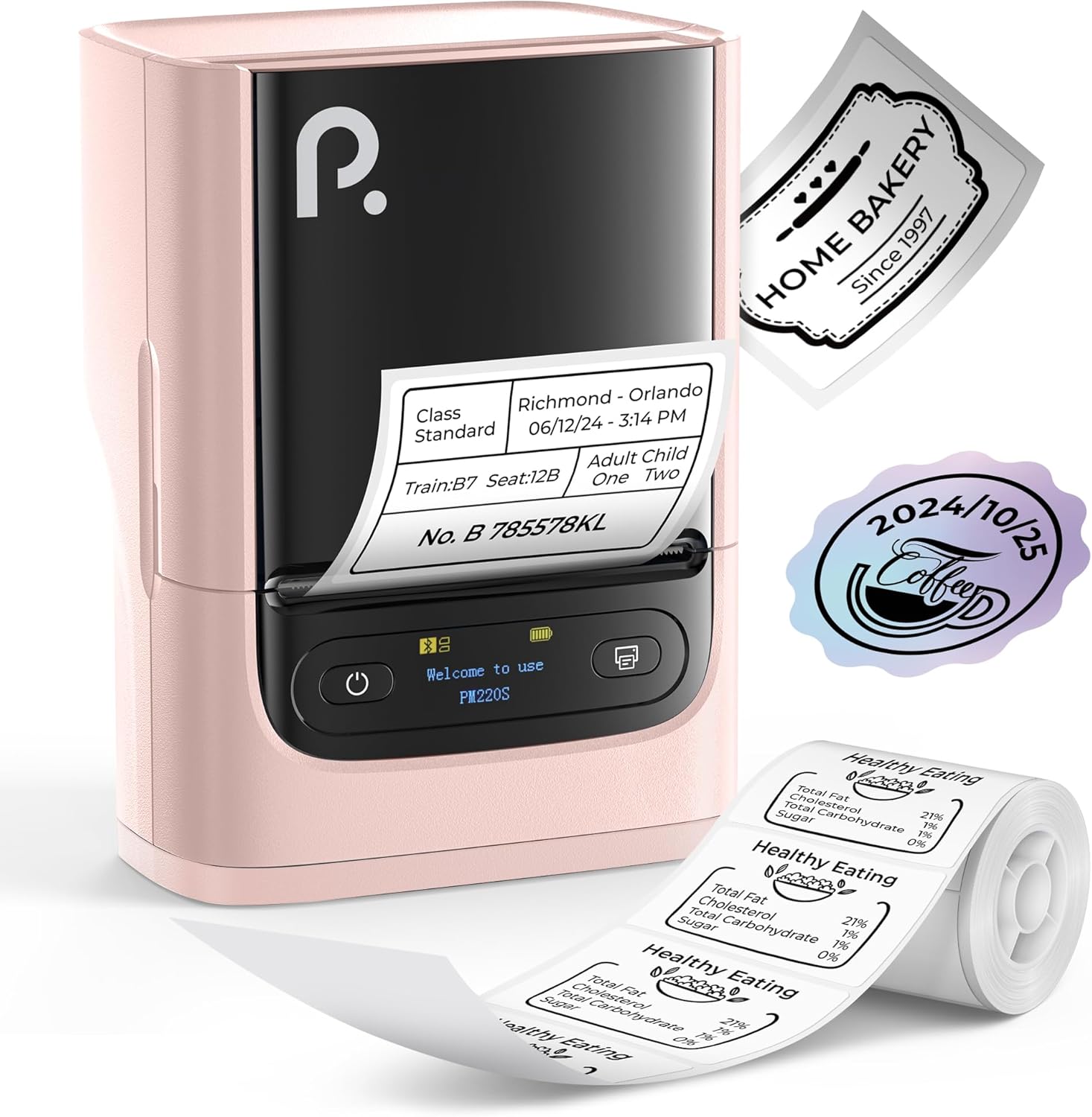
Figure 1: POLONO PM220S Label Maker Machine with sampoznake.
2. Izdelek je končanview
2.1 Vključene komponente
- POLONO PM220S Label Maker Machine
- Label Tape (50x30mm, pre-installed or included)
- USB polnilni kabel
- Uporabniški priročnik (ta dokument)
2.2 Ključne lastnosti
- Bluetooth povezljivost: Seamless connection with iOS, Android, and PC devices.
- Intuitive LED Screen: Displays battery level, Bluetooth connection status, and alerts for paper shortages or timed shutdowns.
- Feature-Rich "Labelnize" App: Offers label templates, supports QR codes, barcodes, tables, text, icons, 90+ fonts, 14+ languages, and 450+ material presets.
- Premium Thermal Printing: BPA-Free Direct Thermal Technology with 203 DPI for high-definition, inkless printing.
- Združljivost široke oznake: Supports label widths from 23-54mm (0.91"-2.12").
- Prenosna zasnova: Compact and lightweight for easy transport and use in various environments.
3. Navodila za nastavitev
3.1 Polnjenje naprave
Before first use, fully charge the label maker using the provided USB cable. The LED screen will indicate charging status.
3.2 App Installation and Driver Download
For mobile devices (iOS/Android), download the "Labelnize" app from your respective app store. For PC users, visit polono.com to download the necessary driver and application.

Figure 2: Universal compatibility with smartphones and laptops for app and driver installation.
3.3 Povezava prek Bluetooth
- Ensure the PM220S is powered on.
- On your mobile device, open the "Labelnize" app.
- Within the app, search for and connect to the PM220S via Bluetooth. Do not connect directly via your device's Bluetooth settings for mobile devices.
- For PC, ensure the driver is installed, then connect through the downloaded application.
3.4 Nalaganje etiketnega traku
- Odprite pokrov predala za nalepke.
- Vstavite zvitek etiket s tiskalno površino navzgor.
- Adjust the paper slot guides to secure the tape according to its width (23-54mm) for precise alignment.
- Zaprite pokrov.

Figure 3: Proper loading of label tape into the PM220S.
4. Navodila za uporabo
4.1 Using the "Labelnize" App
- Open the "Labelnize" app on your connected device.
- Select from various pre-designed templates or create your own custom labels.
- The app allows you to add text, barcodes, QR codes, tables, icons, and more.
- Customize labels using a selection of over 90 fonts and 14 languages.
- Utilize the 450+ material presets for different label applications.
- Pomembno: For optimal results, use specialized POLONO labels. Avoid tearing the green back sticker to prevent printing issues.
4.2 Understanding the LED Screen Display
The integrated LED screen provides real-time feedback on the printer's status:
- Raven baterije: Indicates the current charge of the device.
- Povezava Bluetooth: Shows if the device is successfully connected via Bluetooth.
- Papir Shortage opozorilo: Notifies when the label roll is low or empty.
- Časovna zaustavitev: Displays countdown for automatic power-off to conserve battery.

Figure 4: LED screen display functions for real-time status monitoring.
4.3 Printing a Label
- Design your label within the "Labelnize" app.
- Review oznaka preview da zagotovite točnost.
- V aplikaciji tapnite gumb »Natisni«.
- The label maker will print the label using thermal technology.
- Carefully tear off the printed label.
5. Vzdrževanje
5.1 Splošna nega
- Napravo vzdržujte čisto in brez prahu in umazanije.
- Naprave ne izpostavljajte ekstremnim temperaturam ali neposredni sončni svetlobi.
- Napravo shranjujte na suhem mestu, ko je ne uporabljate.
5.2 Čiščenje tiskalne glave
If print quality degrades, the thermal print head may need cleaning:
- Izklopite napravo za etiketiranje in jo odklopite iz vseh virov napajanja.
- Odprite prostor za nalepke.
- Gently wipe the thermal print head with a cotton swab lightly dampz izopropilnim alkoholom.
- Preden zaprete pokrov in nadaljujete z uporabo, pustite, da se tiskalna glava popolnoma posuši.
6. Odpravljanje težav
| Težava | Možen vzrok | rešitev |
|---|---|---|
| Naprava se ne vklopi | Težava z nizko baterijo ali napajanjem. | Napravo popolnoma napolnite. Prepričajte se, da je gumb za vklop pravilno pritisnjen. |
| Ni mogoče vzpostaviti povezave prek Bluetooth | Incorrect connection method or app issue. | Ensure you are connecting through the "Labelnize" app, not directly via phone settings. Restart both the device and the app. For PC, verify driver installation. |
| Poor print quality / Faint printing | Dirty print head, incorrect label type, or low battery. | Clean the print head (see Section 5.2). Ensure you are using thermal labels. Charge the device. |
| Labels are misaligned or jammed | Improper label loading or paper slot adjustment. | Open the cover, remove any jammed labels, and reload the tape ensuring the paper slot guides are adjusted correctly for the label width. Avoid tearing the green back sticker. |
| "Paper Shortage" alert | Label roll is empty or incorrectly loaded. | Replace the label roll or re-seat it correctly. |
7. Specifikacije
| Znamka | POLONO |
| Ime modela | PM220S |
| Tehnologija povezljivosti | Bluetooth |
| Tehnologija tiskanja | Toplotna |
| Največja ločljivost tiskanja | 203 DPI |
| Največja hitrost tiskanja (enobarvno) | 45.0 mm/s |
| Podprte velikosti medijev | 23-54mm (0.91"-2.12") width, 50x30mm included |
| Dimenzije izdelka | 3.3" G x 4.4" Š x 2.5" V (8.4 x 11.2 x 6.4 cm) |
| Teža predmeta | 13.4 unč (380 g) |
| Posebna funkcija | Portable, Inkless Printing, LED Display |
8. Garancija in podpora
For warranty information, technical support, or to purchase accessories and replacement labels, please visit the official POLONO webspletno mesto na polono.com or contact POLONO customer service directly.
Za garancijske zahtevke shranite dokazilo o nakupu.