
Uvod
This manual provides instructions for the setup, operation, maintenance, and troubleshooting of your ATTACK SHARK V5 Wireless Gaming Mouse. Please read this manual carefully before using the product to ensure optimal performance and longevity.

Image: The ATTACK SHARK V5 Wireless Gaming Mouse, highlighting its 8000Hz wireless polling rate capability.
Nastavitev
Vsebina paketa
- ATTACK SHARK V5 Wireless Gaming Mouse
- USB sprejemnik (2.4 GHz)
- Polnilni/podatkovni kabel USB-C
- Uporabniški priročnik
Načini povezovanja
The ATTACK SHARK V5 mouse supports three connectivity modes: Wired, 2.4GHz Wireless, and Bluetooth.
- 2.4 GHz brezžični način: Insert the USB receiver into an available USB port on your computer. The mouse will automatically connect. The transparent LED lighting on the receiver indicates connection status.
- Način Bluetooth: Switch the mouse to Bluetooth mode. On your computer or device, search for Bluetooth devices and select "ATTACK SHARK V5" to pair.
- Žični način: Connect the mouse to your computer using the provided USB-C cable. This mode also charges the mouse.

Image: The ATTACK SHARK V5 mouse connected via its USB-C cable and showing the 2.4GHz wireless receiver, illustrating its triple-mode connectivity.
Namestitev gonilnika
The mouse supports cloud-driven technology, which automatically identifies devices upon connection. For advanced customization, independent driver software is available for download from the official ATTACK SHARK website. This software allows for optimization of response speed, accuracy, and programmable features.
Navodila za uporabo
Prilagoditev DPI
The PixArt 3950MAX sensor offers a DPI range of up to 42,000. DPI settings can be adjusted in precise 50 DPI increments using the dedicated driver software. The mouse typically has a DPI button for on-the-fly adjustments through preset levels.
Polling Rate
The mouse features an 8000Hz polling rate in wireless mode and a 1000Hz polling rate in wired mode. This high polling rate ensures rapid and responsive cursor movement.
Programmable Buttons and Macros
The ATTACK SHARK V5 has 6 buttons. Utilize the downloadable software to customize button functions, create macros, and adjust other settings such as DPI speed and lighting effects. This software provides a comprehensive interface for personalizing your mouse experience.
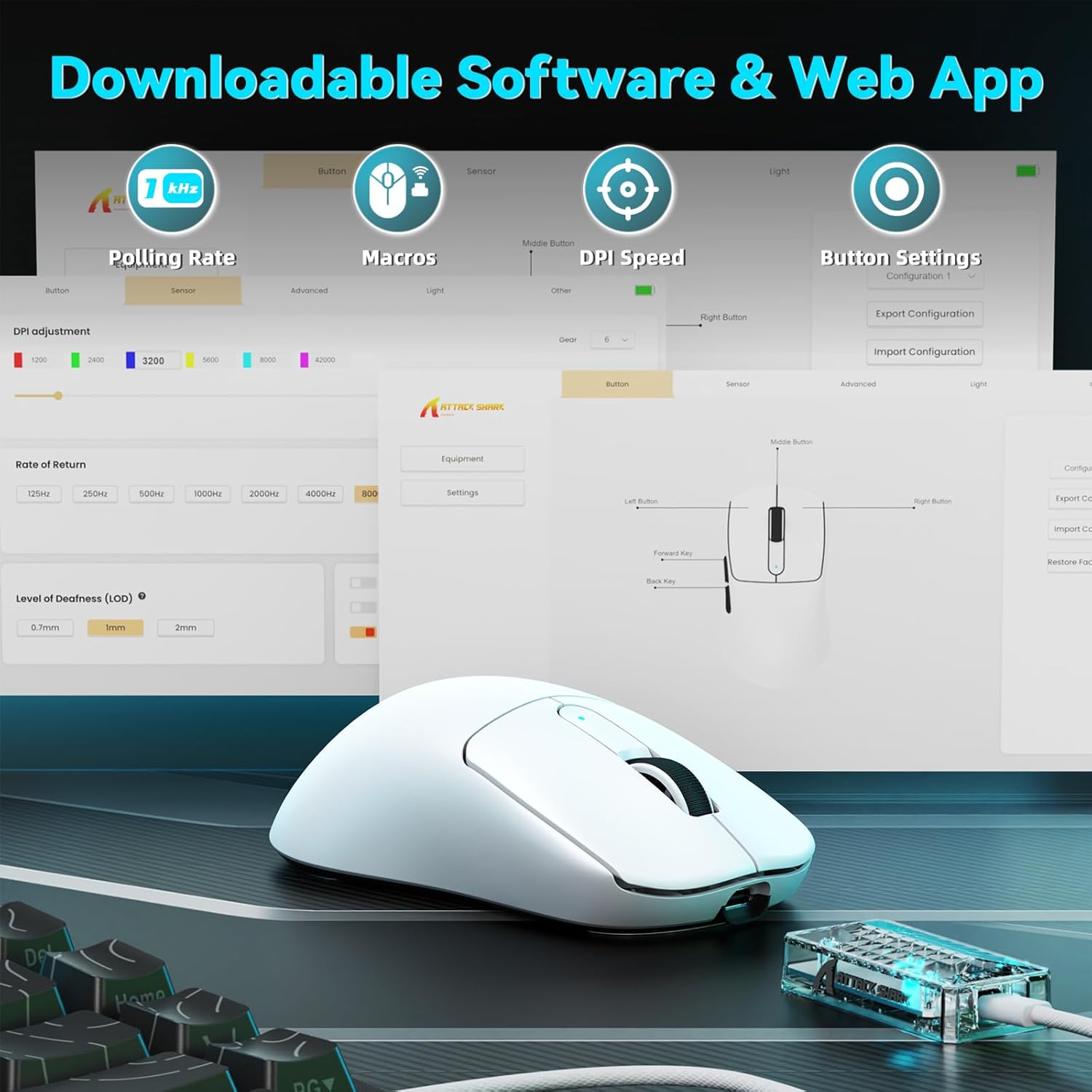
Image: A visual representation of the downloadable software interface, showing options for polling rate, macros, DPI speed, and button settings.
Upravljanje baterije
The mouse is equipped with a 500mAh battery, providing extended usage. To charge, connect the mouse using the USB-C cable. The LED indicator on the mouse will show charging status.

Slika: Notranji view of the ATTACK SHARK V5 mouse, highlighting its high-capacity 500mAh battery.
Vzdrževanje
Čiščenje
Za ohranjanje optimalne zmogljivosti in videza miško redno čistite. Za brisanje površine uporabite mehko, suho krpo. Za trdovratno umazanijo rahlo obrišite.amp Uporabite lahko krpo, pri čemer pazite, da v notranje komponente ne vdre vlaga. Izogibajte se agresivnim kemikalijam ali abrazivnim materialom.
Nano Ice-Sense Coating
The mouse features a nano ice-sense coating designed to prevent slippage and ensure a firm grip, even during extended use or with sweaty hands. This coating requires no special maintenance beyond regular cleaning.
Odpravljanje težav
Miška se ne odziva
- Preverite povezljivost: Ensure the USB receiver is properly inserted for 2.4GHz mode, or that the USB-C cable is securely connected for wired mode. For Bluetooth, verify the mouse is paired and selected in your device's Bluetooth settings.
- Raven baterije: If in wireless mode, check the mouse's battery level. Connect the USB-C cable to charge if the battery is low.
- Ponovni zagon: Poskusite znova zagnati računalnik ali napravo.
- Voznik: Ensure the necessary drivers are installed and up to date.
Inconsistent Tracking or Lag
- Površina: Use the mouse on a clean, uniform surface. Avoid highly reflective or transparent surfaces.
- Motnje: For wireless modes, ensure there are no strong sources of wireless interference nearby (e.g., other 2.4GHz devices, Wi-Fi routers).
- Nastavitve DPI: Adjust DPI settings via the software to find a comfortable and stable tracking speed.
Specifikacije
| Funkcija | Podrobnost |
|---|---|
| Znamka | NAPAD MORSKI PES |
| Model | V5 |
| barva | Bela |
| Povezljivost | Žično (USB-C), 2.4 GHz brezžično, Bluetooth |
| Senzor | PixArt 3950MAX |
| Razpon DPI | Up to 42,000 (50 DPI adjustable) |
| Stopnja brezžičnega glasovanja | 8000Hz |
| Stopnja anketiranja žičnega omrežja | 1000Hz |
| Teža | Približno 55 gramov |
| Stikala | Optical, 100 million click lifespan |
| Pospešek | 60G |
| Kodirnik | Richwell's 200W |
| Kapaciteta baterije | 500 mAh |
| Število gumbov | 6 |
| Ročna orientacija | prav |
| Združljivi operacijski sistemi | Windows, macOS, Linux (e.g., Mac OS 14 Sonoma, Ubuntu 22.04 Jammy Jellyfish, Windows 11) |
| Brezžično Domet | 10 metrov |
| Material | Plastika |
| UPC | 752010843312 |
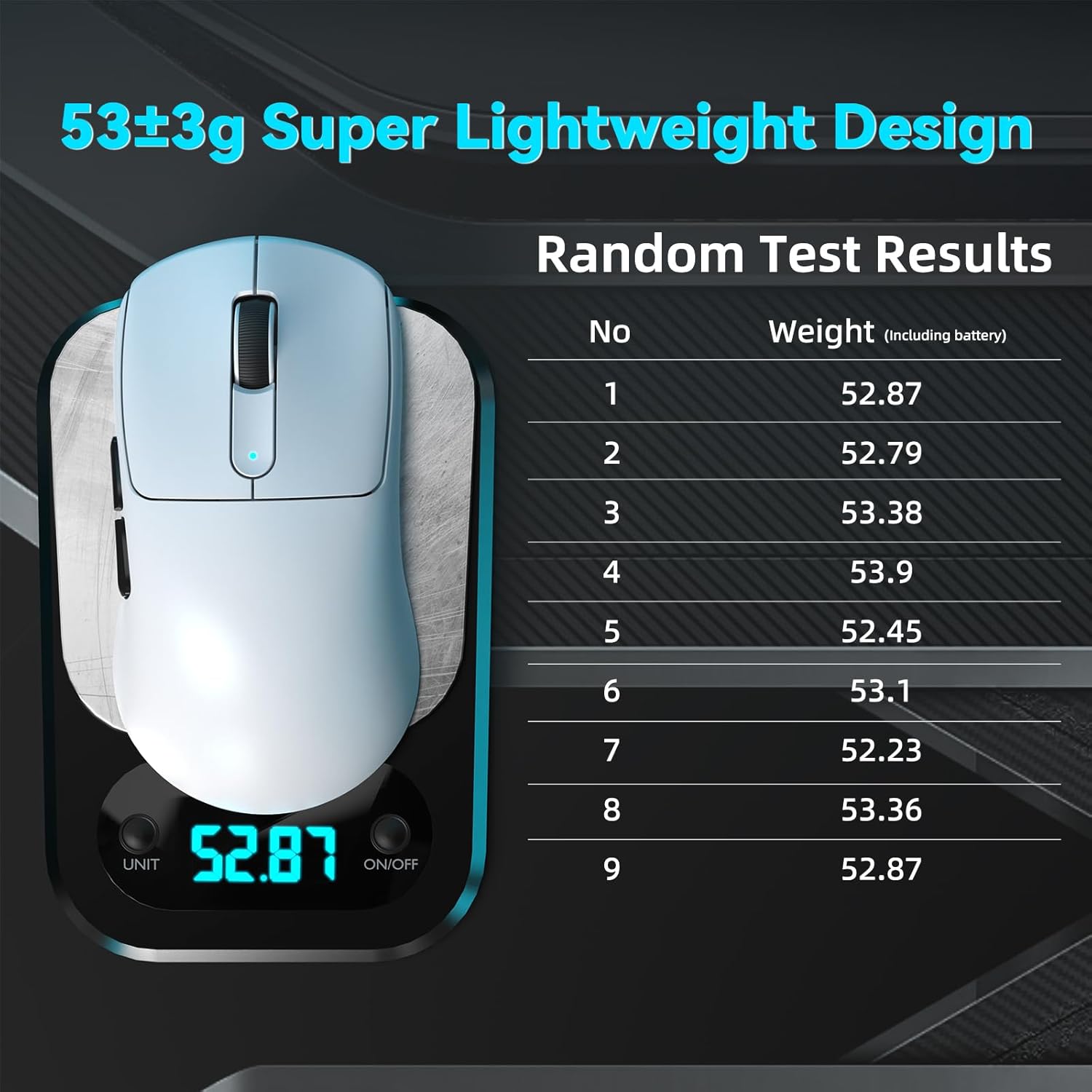
Image: The ATTACK SHARK V5 mouse on a digital scale, demonstrating its ultra-lightweight design at approximately 53 grams.

Slika: Podrobna view of the Omron Optical Microswitch used in the ATTACK SHARK V5 mouse, known for its durability and precise clicks.
Garancija in podpora
Informacije o garanciji
The ATTACK SHARK V5 Wireless Gaming Mouse comes with a 1-letna garancija proizvajalcaTa garancija krije napake v materialu in izdelavi pri normalni uporabi. Za uveljavljanje garancije shranite dokazilo o nakupu.
Podpora uporabnikom
For technical assistance, troubleshooting, or warranty inquiries, please visit the official ATTACK SHARK website or contact their customer support directly. Refer to the product packaging or the official webspletno mesto za najnovejše kontaktne podatke.