
1. Uvod
Thank you for choosing the JOMAA Wireless Folding Keyboard. This compact and versatile keyboard is designed for enhanced productivity across multiple devices, featuring both Bluetooth and 2.4G connectivity, a built-in trackpad, and customizable RGB backlighting. This manual provides essential information for setup, operation, and maintenance to ensure optimal performance.
2. Vsebina paketa
- JOMAA Wireless Folding Keyboard
- Polnilni kabel USB (tip C)
- 2.4G USB Receiver (stored magnetically within the keyboard)
- Uporabniški priročnik
3. Značilnosti izdelka
- Povezljivost več naprav: Supports 2 Bluetooth channels and 1 x 2.4G USB receiver connection, allowing seamless switching between up to three devices.
- Postavitev v polni velikosti: Despite its foldable design, it offers a full-size keyboard layout including a numeric keypad for comprehensive input.
- Vgrajena sledilna ploščica: A foldable trackpad provides mouse-like control, eliminating the need for an external mouse.
- Customizable RGB Backlight: Features vibrant RGB backlighting with multiple colors and brightness levels for use in various lighting conditions.
- Ultra-prenosna zasnova: Folds compactly for easy storage and transport, ideal for travel and remote work.
- Akumulatorska baterija: Equipped with a 1200mAh high-capacity battery, offering up to 150 hours of uninterrupted work (without backlight).
- Magnetno zapiranje: Ensures the keyboard remains securely folded when not in use.
- Tipke za škarjasto stikalo: Zagotavlja udobno in odzivno tipkarsko izkušnjo.
4. Nastavitev
4.1. Polnjenje tipkovnice
Before first use, fully charge the keyboard using the provided USB Type-C cable. The charging port is located on the side of the keyboard. A full charge typically takes 2-3 hours.
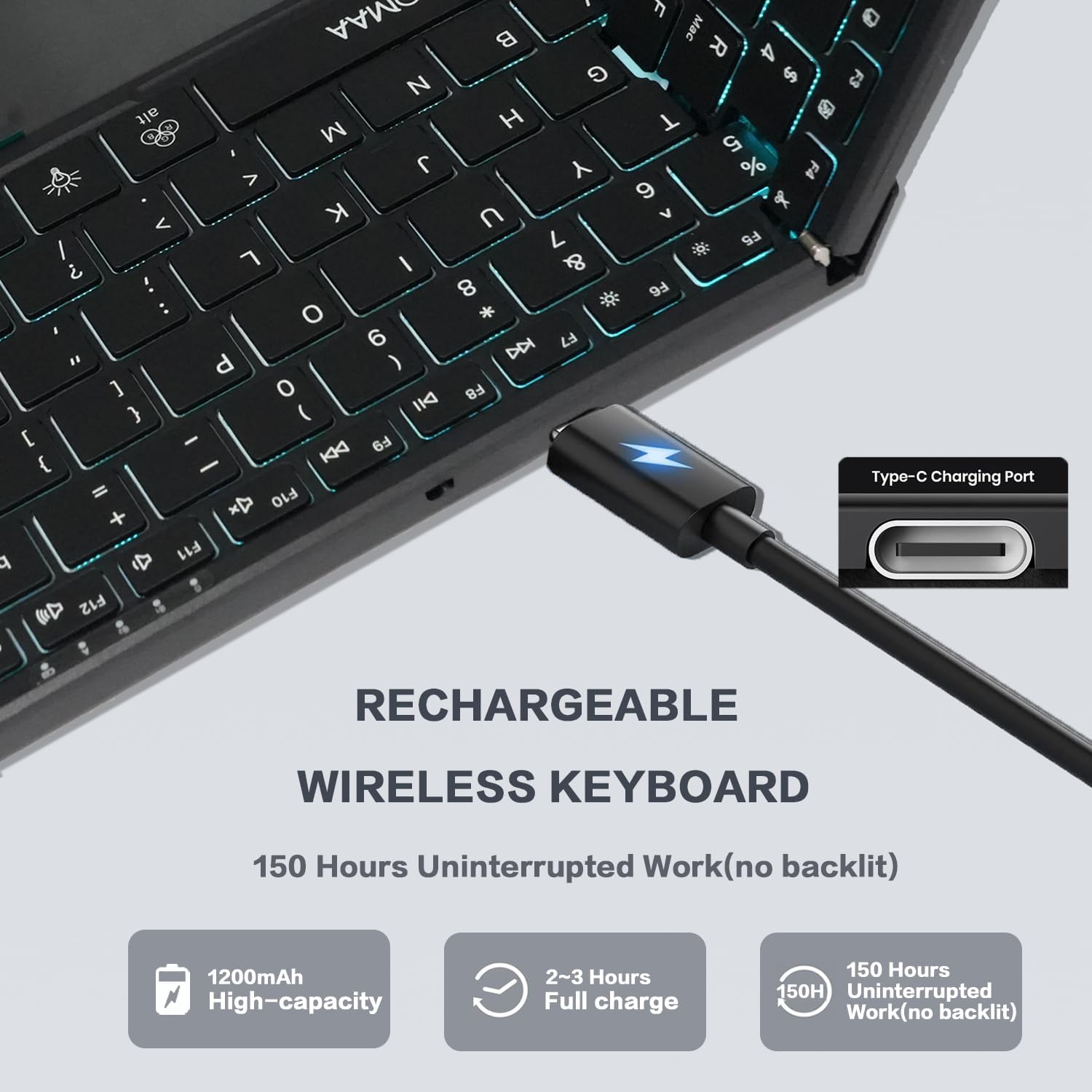
Image: The JOMAA Wireless Folding Keyboard showing its Type-C charging port and battery life indicators.
4.2. Unfolding the Keyboard
Gently unfold the keyboard until it lies flat. The magnetic closure will release, and the keyboard will automatically power on. The trackpad will also extend from its storage position.
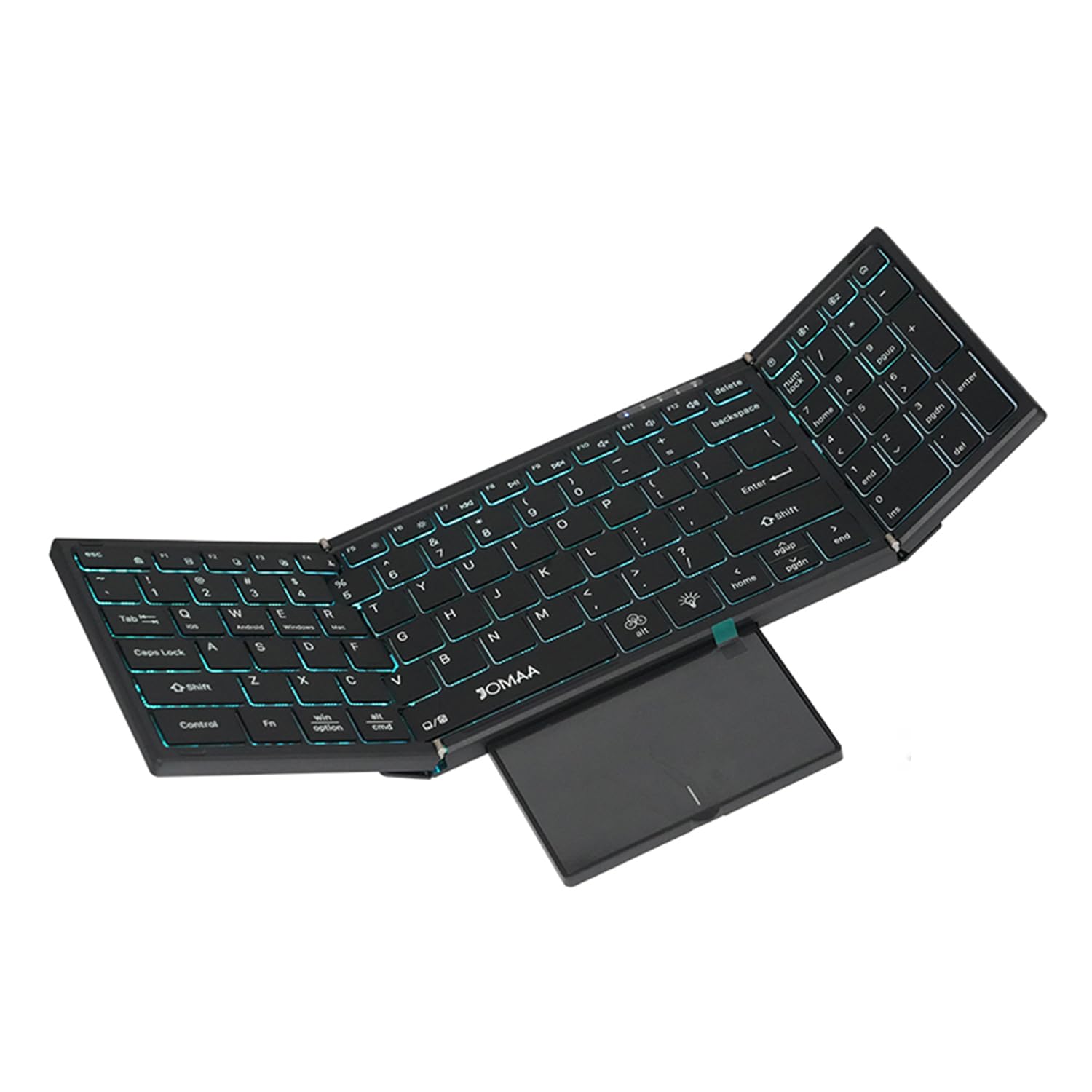
Image: The JOMAA Wireless Folding Keyboard fully unfolded, showcasing its full-size layout, RGB backlighting, and extended trackpad.
4.3. Povezovanje z napravami
The keyboard supports both 2.4G wireless and Bluetooth connectivity.
4.3.1. 2.4G brezžična povezava
- Locate the 2.4G USB receiver, which is magnetically stored within the keyboard's trackpad compartment.
- Plug the USB receiver into an available USB-A port on your computer or device.
- Pritisnite Fn + 2.4G (usually the key above the numeric keypad) to switch to 2.4G mode. The indicator light will confirm the connection.
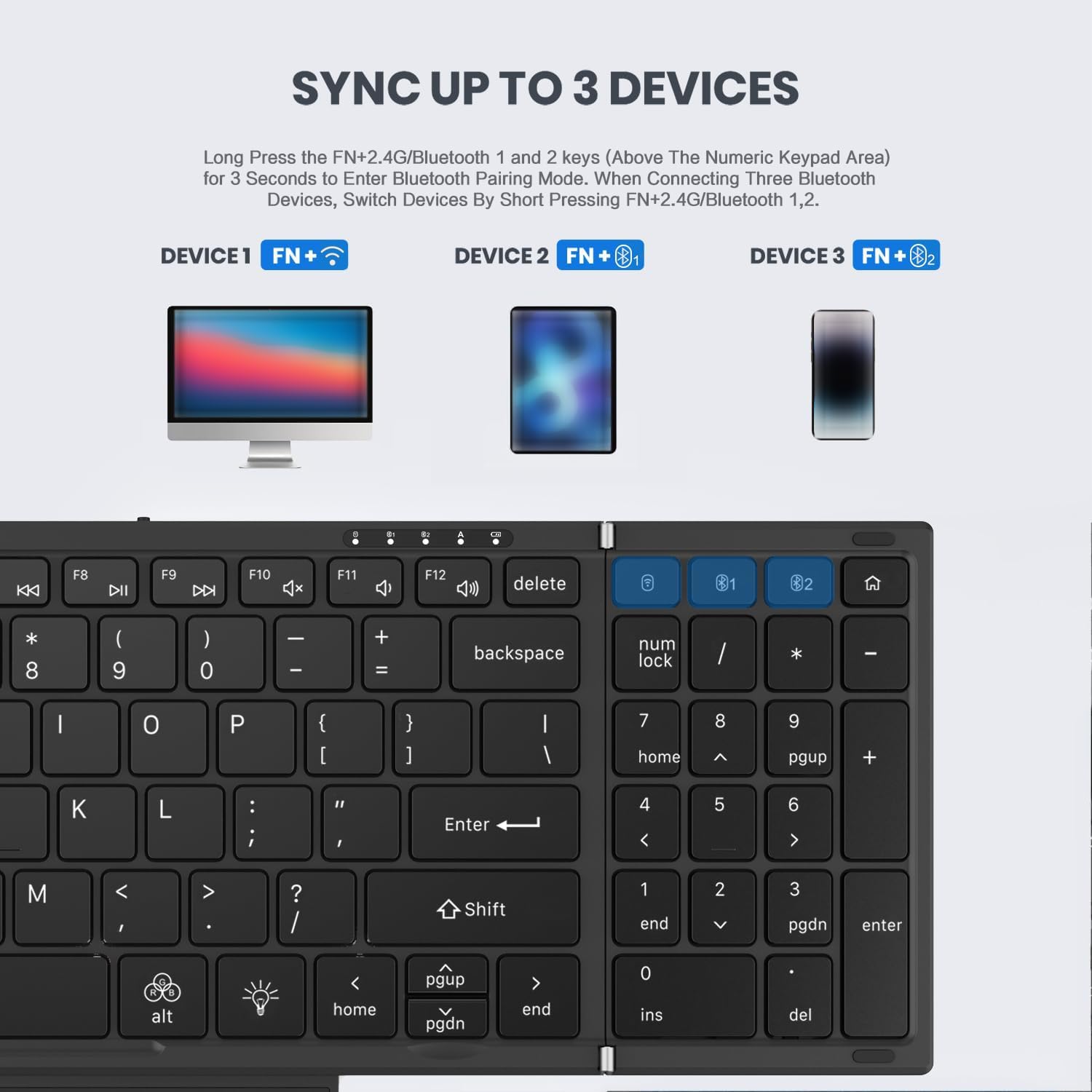
Image: Instructions for syncing the keyboard to multiple devices, highlighting the 2.4G and Bluetooth pairing keys.
4.3.2. Povezava Bluetooth (BT1 / BT2)
- Pritisnite in držite Fn + B1 or Fn + B2 for 3 seconds to enter Bluetooth pairing mode. The corresponding indicator light will flash rapidly.
- On your device (laptop, tablet, phone), go to Bluetooth settings and search for 'JOMAA Keyboard'.
- Izberite tipkovnico za seznanjanje. Ko bo povezava vzpostavljena, bo indikatorska lučka na tipkovnici prenehala utripati.
- Za preklapljanje med seznanjenimi napravami Bluetooth na kratko pritisnite Fn + B1 or Fn + B2.
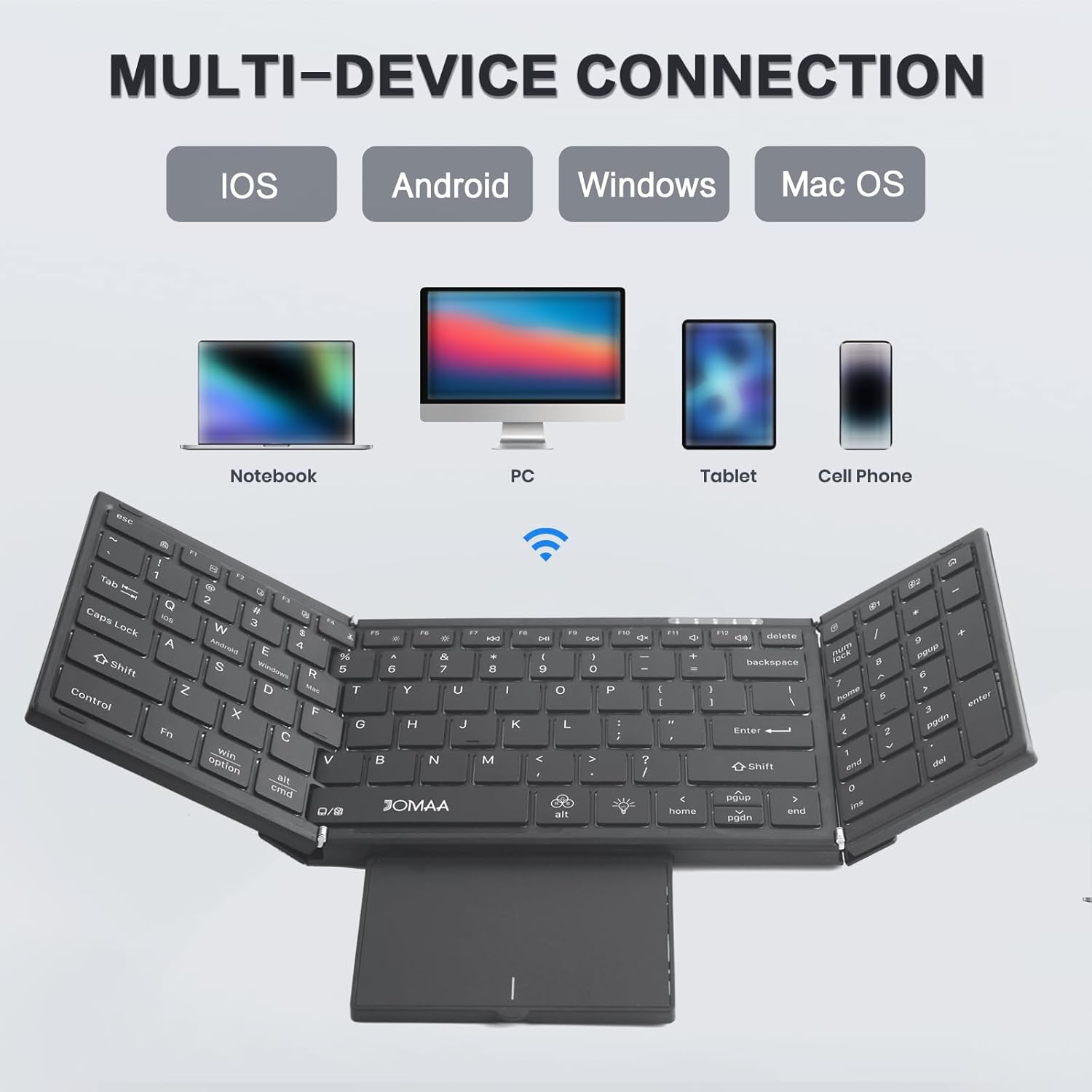
Image: The JOMAA keyboard demonstrating its multi-device connection capabilities with iOS, Android, Windows, and Mac OS devices.
5. Navodila za uporabo
5.1. Tipkanje
The keyboard features a full-size QWERTY layout with scissor switch keys for a comfortable and quiet typing experience.
5.2. Using the Trackpad
The integrated trackpad supports multi-gesture controls. To activate or deactivate the trackpad, use the dedicated function key combination. The trackpad is designed to provide laptop-like control.

Image: The foldable trackpad of the JOMAA keyboard, highlighting its larger size and mouse-like functionality.
5.2.1. Trackpad Mode Switching
To optimize trackpad gestures for different operating systems, use the following key combinations:
- Fn + Q: Za naprave iOS
- Fn + W: Za naprave Android
- Fn + E: Za naprave Windows
5.3. RGB osvetlitev ozadja
The keyboard features customizable RGB backlighting. Use the dedicated backlight control keys to adjust brightness and change colors.

Image: The JOMAA keyboard displaying its RGB backlighting, illustrating how it can be used day or night with adjustable brightness and multiple colors.
5.3.1. Nadzor osvetlitve ozadja
- Pritisnite fn+alt (light bulb icon) to cycle through 7 available backlight colors.
- Pritisnite Fn + Light Brightness Icon to adjust between 4 levels of backlight brightness (High-Medium-Low-Off).
5.4. Način varčevanja z energijo
The keyboard is designed to enter an auto-sleep mode after 10 minutes of inactivity to conserve battery life. Press any key to reactivate it.
6. Vzdrževanje
- Tipkovnico vzdržujte čisto tako, da jo obrišete z mehko, suho krpo.
- Avoid exposing the keyboard to extreme temperatures, moisture, or direct sunlight.
- Do not attempt to disassemble the keyboard, as this may void the warranty.
7. Odpravljanje težav
7.1. Tipkovnica se ne povezuje
- Prepričajte se, da je tipkovnica napolnjena in vklopljena.
- Verify the correct connection mode (2.4G or Bluetooth) is selected using the Fn key combinations.
- For Bluetooth, ensure your device's Bluetooth is enabled and the keyboard is in pairing mode.
- Za 2.4 G se prepričajte, da je sprejemnik USB varno priključen.
- Poskusite znova zagnati tipkovnico in napravo.
7.2. Trackpad Issues
- Ensure the trackpad is extended and not covered.
- Verify the trackpad mode is correctly set for your operating system (Fn + Q/W/R).
- If the cursor jumps erratically, ensure your palm is not accidentally touching the trackpad while typing. Consider temporarily disabling the trackpad if not needed.
7.3. Osvetlitev ozadja ne deluje
- Prepričajte se, da je baterija tipkovnice dovolj napolnjena.
- Pritisnite Fn + Light Brightness Icon to cycle through brightness levels, ensuring it's not set to 'Off'.
8. Specifikacije
| Znamka | JOMAA |
| Model | DF006T |
| Tehnologija povezljivosti | Bluetooth, 2.4G brezžično |
| Združljive naprave | Windows, Mac, iOS, Android devices (Laptop, PC, Tablet, Cell Phone) |
| Posebna funkcija | Foldable, RGB Backlight, Built-in Trackpad, Rechargeable |
| Število ključev | 64 |
| Kapaciteta baterije | 1200 mAh |
| Battery Life (no backlight) | Do 150 ur |
| Čas polnjenja | 2-3 ur |
| Material | Plastika |
9. Garancija in podpora
This product comes with a three-month manufacturer's warranty. For technical support, troubleshooting assistance, or warranty claims, please contact JOMAA customer service through the retailer where the product was purchased.
10. Izdelek je končanview Video
Video: A brief demonstration of the JOMAA Wireless Folding Keyboard, showcasing its foldable design, RGB backlighting, and multi-functional trackpad.