
1. Uvod
Thank you for choosing the FOHERE Professional Bill Counter H-A16. This device is designed to efficiently count banknotes and detect counterfeits, making cash handling faster and more secure. It is ideal for various environments such as retail stores, banks, businesses, and restaurants. This manual provides detailed instructions for setup, operation, maintenance, and troubleshooting to ensure optimal performance and longevity of your bill counter.
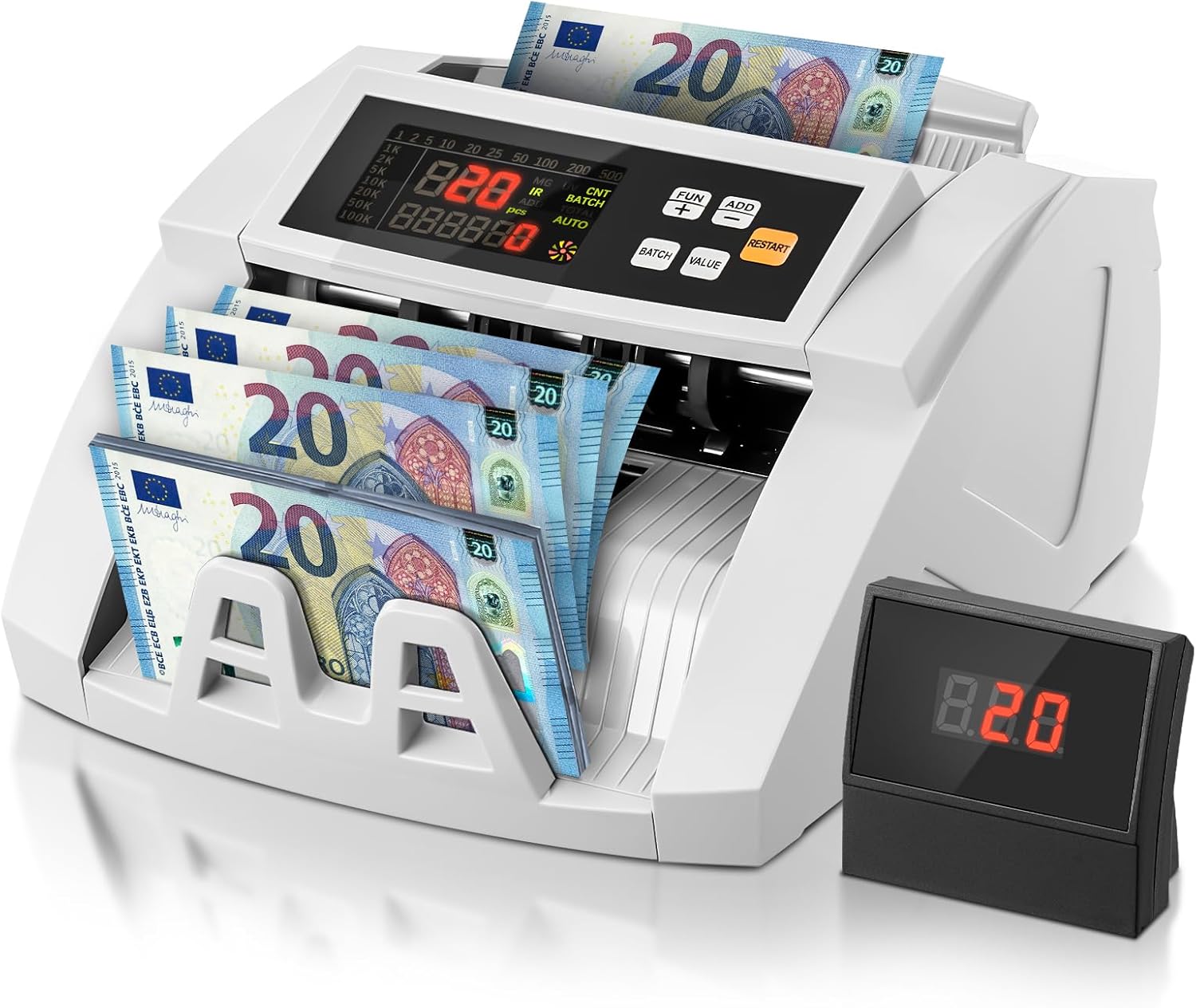
Image 1.1: FOHERE Bill Counter H-A16 processing Euro banknotes. The main LCD display shows counting information, and an external display unit is visible on the right.
2. Varnostna navodila
- Pred uporabo naprave preberite vsa navodila.
- Napravo hranite stran od vode ali drugih tekočin, da preprečite električni udar.
- Ne odpirajte naprave casing. Vsa servisna dela prepustite usposobljenemu osebju.
- Uporabljajte samo priloženi napajalnik in kabel.
- Prepričajte se, da se vtičnica ujema z voltage zahteve naprave.
- Pred čiščenjem ali če naprave dalj časa ne uporabljate, jo izključite iz električnega omrežja.
- Med delovanjem držite roke in ohlapna oblačila stran od mehanizma za podajanje bankovcev.
3. Vsebina paketa
Prosimo, preverite paket za naslednje artikle:
- 1 x FOHERE Professional Bill Counter H-A16
- 1 x napajalni kabel
- 1 x ščetka za čiščenje
- 1 x External LCD Display
- 1 x Uporabniški priročnik (ta dokument)

Slika 3.1: Konecview of the FOHERE Bill Counter H-A16 dimensions and included accessories.
4. Izdelek je končanview
The FOHERE H-A16 Bill Counter features a user-friendly design with a clear LCD display and intuitive controls. Key components include:
- Lijak: Where bills are loaded for counting.
- Zlagalnik: Where counted bills are collected.
- Nadzorna plošča: Buttons for mode selection, batch settings, and other functions.
- LCD zaslon: Shows counting results, error messages, and mode indicators.
- External Display Port: Za priključitev priloženega zunanjega zaslona.
- Senzorji: UV, MG, IR, DD for counterfeit detection.

Image 4.1: Design features emphasizing efficiency and durability, including high-strength materials, user-friendly controls, and an improved bill rotor.
5. Nastavitev
- Razpakiraj: Carefully remove the bill counter and all accessories from the packaging.
- Umestitev: Place the device on a stable, flat, and dry surface, ensuring adequate ventilation.
- Napajalni priključek: Connect the power cable to the device's power input and then plug it into a suitable electrical outlet.
- Zunanji zaslon (izbirno): If desired, connect the external LCD display to the designated port on the back of the bill counter.
- Vklop: Press the power switch, usually located on the back or side of the machine. The device will perform a self-test, and the display will light up.
6. Navodila za uporabo
The FOHERE H-A16 offers multiple counting modes and advanced counterfeit detection.
6.1 Osnovno štetje
- Ensure the machine is powered on and in the default counting mode (usually AUTO).
- Fan out the bills to prevent them from sticking together.
- Place the stack of bills neatly into the hopper. Ensure they are aligned correctly and not folded or crumpled.
- The machine will automatically start counting. The count will be displayed on the LCD screen.
- Once counting is complete, remove the bills from the stacker.
6.2 Načini štetja
Use the control panel buttons to select different operational modes:
- SAMODEJNI način: The default mode for continuous counting.
- BATCH način: Allows you to count bills in specific quantities. Press the 'BATCH' button, then use the numeric keys or '+' / '-' buttons to set the desired batch size (e.g., 10, 20, 50, 100). The machine will stop after counting the set number of bills.
- DODAJ način: For cumulative counting. Each new count is added to the previous total. Press the 'ADD' button to activate.
- Način VALUE: Calculates the total monetary value of a stack of bills. Pomembno: This mode only works accurately for bills of the same denomination. Manually separate bills of different denominations and count them individually in this mode. Press the 'VALUE' button and select the denomination.

Image 6.1: Illustration of the four professional counting modes: Count, Add, Batch, and Value calculation.

Image 6.2: Display in Value Counting Mode, showing the quantity of bills and their total value. Note: Only count one denomination at a time for accurate value calculation.
6.3 Odkrivanje ponaredkov
The FOHERE H-A16 is equipped with multiple detection technologies:
- UV (ultravijolično): Zazna UV-elemente, prisotne v pristnih bankovcih.
- MG (magnetni): Scans for magnetic ink patterns on bills.
- IR (infrardeči): Preverja infrardeče varnostne funkcije.
- DD (Zaznavanje dimenzij): Verifies the physical dimensions of the banknotes.
If a suspicious bill is detected, the machine will automatically stop, display an error message on the screen, and emit an audible alarm. Remove the suspicious bill and press 'RESTART' to continue counting.
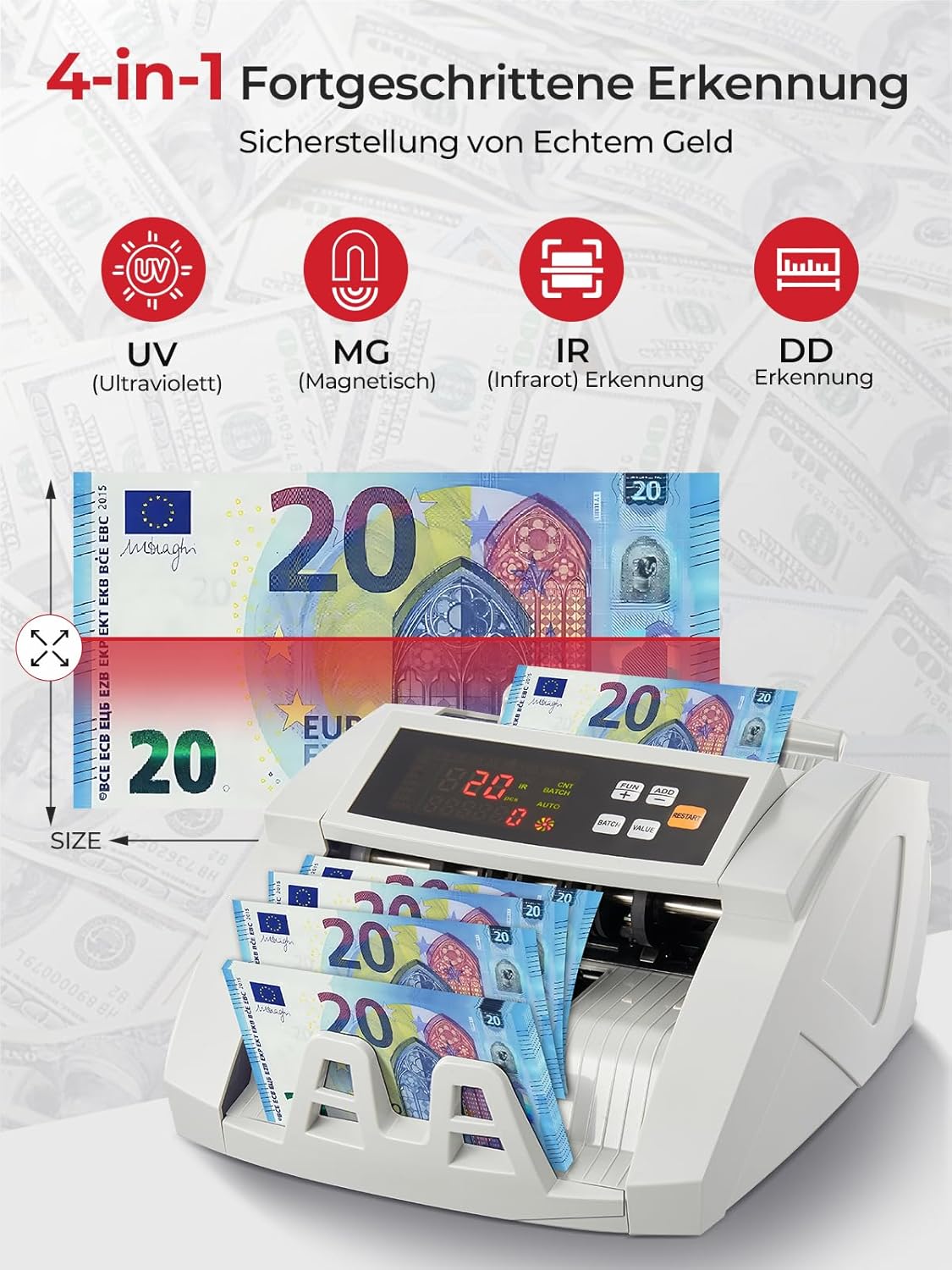
Image 6.3: Visual representation of the 4-in-1 advanced counterfeit detection system (UV, MG, IR, DD).
7. Vzdrževanje
Regular maintenance ensures the accuracy and longevity of your bill counter.
7.1 Čiščenje
- Ugasniti: Pred čiščenjem vedno izklopite in izključite napravo iz električnega omrežja.
- Odstranjevanje prahu: Use the provided cleaning brush or a soft, dry cloth to gently remove dust and debris from the hopper, stacker, and internal sensors.
- Čiščenje senzorja: Pay special attention to the UV, MG, and IR sensors. Accumulated dust can affect detection accuracy. Use a soft, lint-free cloth, possibly lightly dampened with isopropyl alcohol, to clean the sensor surfaces. Ensure they are completely dry before powering on.
- Zunanjost: Zunanjost naprave obrišite z mehko, suho krpo. Ne uporabljajte abrazivnih čistil ali topil.
7.2 Shranjevanje
When not in use for extended periods, store the bill counter in a clean, dry place, away from direct sunlight and extreme temperatures.
8. Odpravljanje težav
Za pogoste težave in njihove rešitve glejte naslednjo tabelo:
| Težava | Možen vzrok | rešitev |
|---|---|---|
| Stroj se ne vklopi | Power cable not connected; Power switch off; Power outlet issue | Preverite priključek napajalnega kabla; Prepričajte se, da je stikalo za vklop vklopljeno; Poskusite z drugo vtičnico. |
| Računi se pogosto zatikajo | Bills not fanned out; Bills are crumpled/folded; Dust on rollers/sensors | Fan out bills before loading; Straighten bills; Clean rollers and sensors as per maintenance section. |
| Inaccurate counting results | Dust on sensors; Bills not inserted correctly; Worn rollers | Clean all sensors; Re-insert bills properly; Contact support if rollers appear worn. |
| Napake pri odkrivanju ponaredkov | Dust on UV/MG/IR sensors; Bills are heavily worn or damaged | Clean UV, MG, and IR sensors; Try counting the bill manually or with another known genuine bill for comparison. |
| Zunanji zaslon ne deluje | Cable not connected properly; Faulty display unit | Check the connection cable; Test with another external display if available, or contact support. |
9. Specifikacije
| Funkcija | Specifikacija |
|---|---|
| Znamka | FOHERE |
| Številka modela | H-A16 |
| Štetje hitrosti | Do 1100 računov/minuto |
| Odkrivanje ponaredkov | UV (Ultraviolet), MG (Magnetic), IR (Infrared), DD (Dimension Detection) |
| Zmogljivost lijaka | 200 bankovcev |
| Kapaciteta zlagalnika | 200 bankovcev |
| Zaslon | LCD, External Display |
| Mere izdelka (D x Š x V) | 28 x 23.5 x 16 cm |
| Teža predmeta | 3.05 kilogramov |
| Countable Banknote Size | 50 x 100 mm do 90 x 170 mm |
| Napajalnik | 220V 50Hz |
| Poraba energije | <80 W |
| barva | Bela |

Image 9.1: Performance metrics of the FOHERE Bill Counter, including counting speed and capacities.
10. Garancija in podpora
FOHERE products are manufactured to high-quality standards. For warranty information, please refer to the documentation provided with your purchase or contact your retailer. If you encounter any issues or have questions regarding the operation or maintenance of your FOHERE Professional Bill Counter H-A16, please contact FOHERE customer support for assistance.