
Uvod
Thank you for choosing the INGA HKDR631M Computer Speakers. This device provides high-quality stereo sound and clear voice communication through its detachable microphone. Designed for versatility, it easily connects to various devices and offers multiple mounting options to optimize your workspace. Please read this manual carefully to ensure proper setup and operation.
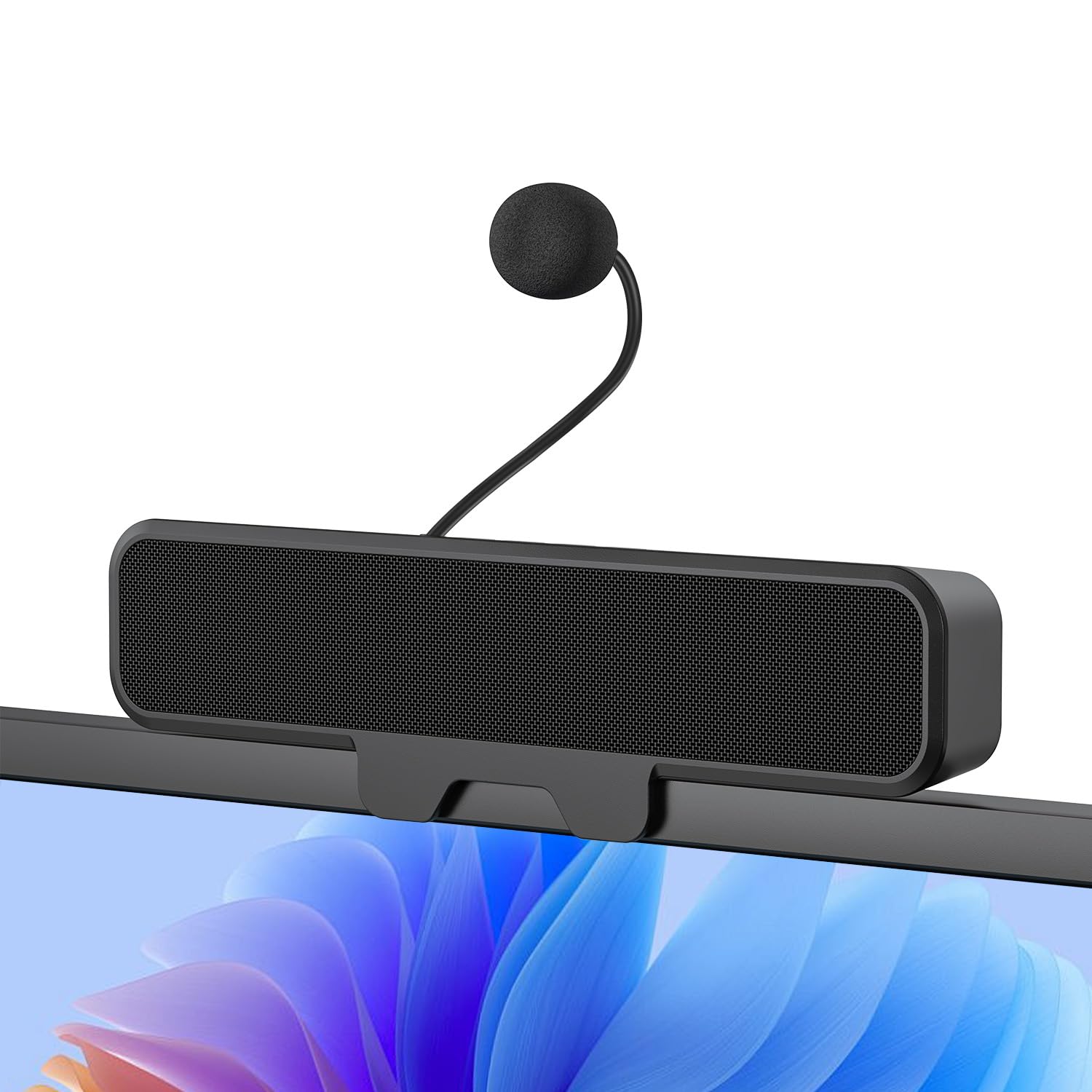
Figure 1: INGA HKDR631M Computer Speakers
A black soundbar-style speaker with a detachable microphone attached, positioned on a desk in front of a computer monitor displaying a video conference.
Kaj je v škatli
- 1 x INGA Computer Speaker
- 1 x snemljiv mikrofon
- 1 x uporabniški priročnik
- USB-A to USB-C Adapter (included with the cable)
Navodila za namestitev
1. Namestitev zvočnikov
The INGA HKDR631M speakers offer versatile mounting options. You can use the built-in clip to attach it to your monitor or place it directly on your desk.
- Namestitev s sponko: The sturdy clip is designed to attach to monitors up to 1 inch (2.54 cm) thick. Gently open the clip and position the speaker on the top edge of your monitor. Ensure it is securely fastened.
- Postavitev na namizje: For monitors with curved backs or if you prefer a desktop setup, the speaker can stand independently on its base.

Slika 2: Več možnosti montaže
This image illustrates how the speaker can be securely clipped to the top of a monitor (up to 1 inch thick) or placed on a desk using its integrated stand. Note: Not compatible with curved-back monitors for clip-on mounting.
2. Pritrditev snemljivega mikrofona
Locate the detachable microphone. Insert the microphone's connector into the designated port on the speaker unit. Ensure it is firmly connected.
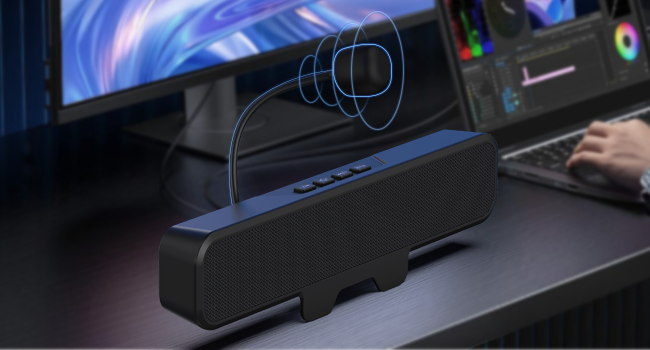
Figure 3: Attaching the Detachable Microphone
Bližnji posnetek view of the speaker unit, highlighting the port where the flexible, unidirectional microphone is inserted.
3. Povezovanje z vašo napravo
The INGA HKDR631M speakers are plug-and-play, requiring no additional drivers. Connect the speaker to your computer or device using the integrated USB cable.
- The speaker comes with a USB-A connector and an included USB-C adapter for broad compatibility.
- Plug the USB connector into an available USB port on your PC, Mac, laptop, or gaming console.
- The device will be automatically recognized, and audio output will be routed through the speakers.

Figure 4: USB Connectivity with Adapters
This image displays the speaker's integrated USB cable with a USB-A connector, alongside a separate USB-C adapter, demonstrating its broad compatibility with different computer ports.
Video 1: Usage Methods and Effects of the INGA HKDR631M Speaker
This video demonstrates the setup and functionality of the INGA HKDR631M speakers, including connection and basic operation.
Navodila za uporabo
1. Power and Volume Control
The speakers are powered via the USB connection. Once connected, they are ready for use. Volume can be adjusted using the dedicated buttons on the speaker unit or through your device's operating system.
- Povečaj glasnost: Pritisnite gumb '+'.
- Znižaj glasnost: Pritisnite gumb '-'.
2. Microphone Mute Function
The speaker features a convenient one-touch mute button for the microphone, allowing for instant privacy control.
- Izklop/vklop mikrofona: Press the microphone mute button (often indicated by a microphone icon with a slash) on the speaker unit. An indicator light may show the microphone's status.

Figure 5: One-Touch Microphone Mute
Od zgoraj navzdol view of the speaker, emphasizing the control panel with the microphone mute button, which allows for quick and easy privacy control.
3. Zvočne funkcije
Experience immersive stereo sound with enhanced bass, ideal for gaming, meetings, and multimedia consumption.
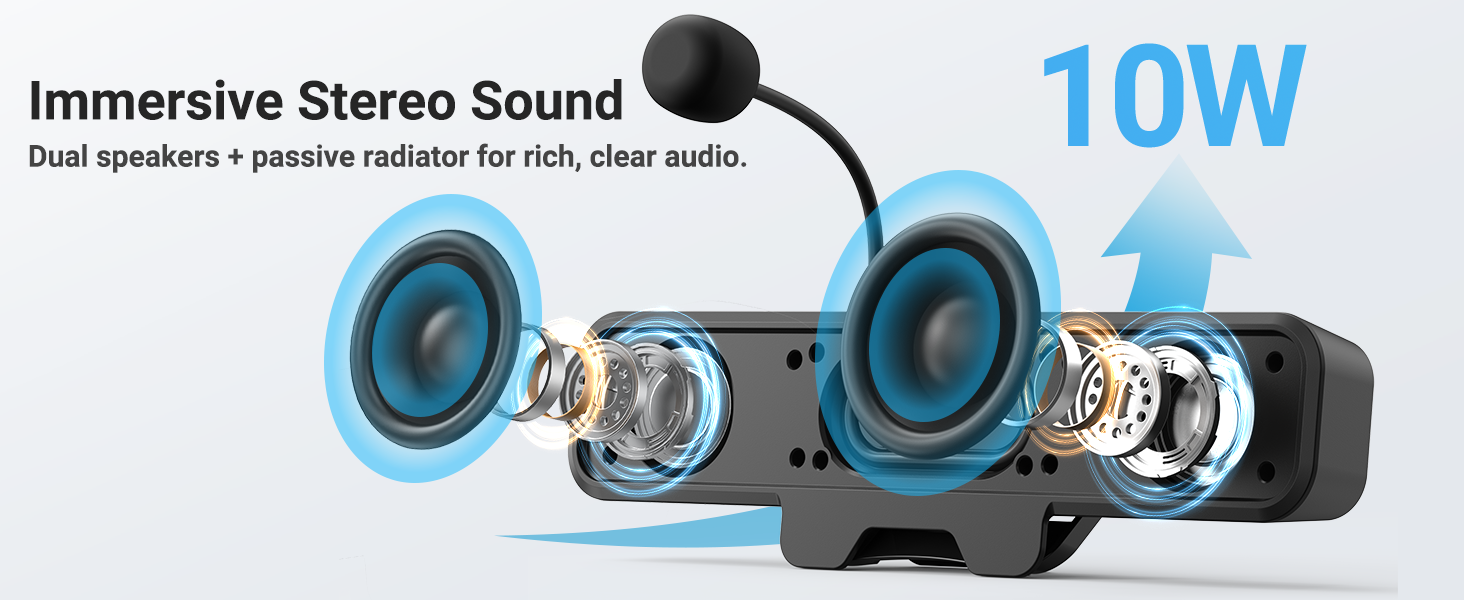
Figure 6: Immersive Stereo Sound
An internal diagram of the speaker, showing the dual high-performance drivers and a passive bass radiator, which work together to produce rich, clear audio with enhanced bass.
Vzdrževanje
To ensure the longevity and optimal performance of your INGA HKDR631M speakers, follow these maintenance guidelines:
- Čiščenje: Use a soft, dry cloth to wipe the speaker's surface. Do not use liquid cleaners or abrasive materials.
- Shranjevanje: Ko zvočnikov dalj časa ne uporabljate, jih shranite na hladnem in suhem mestu, stran od neposredne sončne svetlobe in ekstremnih temperatur.
- Ravnanje: Avoid dropping the speakers or subjecting them to strong impacts. Do not attempt to disassemble the unit.
Odpravljanje težav
If you encounter issues with your INGA HKDR631M speakers, refer to the following common problems and solutions:
Brez izhoda zvoka
- Preverite povezavo USB: Ensure the USB cable is securely plugged into both the speaker and your device. Try a different USB port.
- Verify Device Settings: Confirm that the INGA HKDR631M is selected as the default audio output device in your computer's sound settings.
- Prilagodi glasnost: Increase the volume using the speaker's controls and your device's system volume. Ensure the speaker is not muted.
- Znova zaženite napravo: Sometimes, a simple restart of your computer can resolve audio recognition issues.
Mikrofon ne deluje
- Check Microphone Connection: Ensure the detachable microphone is fully inserted into its port on the speaker.
- Preverite gumb za utišanje zvoka: Press the microphone mute button on the speaker to ensure it is not muted.
- Verify Device Settings: In your computer's sound settings, ensure the INGA HKDR631M microphone is selected as the default input device. Check microphone privacy settings in your operating system.
- Nastavitve aplikacije: If using a specific application (e.g., Zoom, Discord), check its internal audio settings to ensure the correct microphone is selected.
Poor Sound Quality or Static
- USB Port Interference: Try connecting the speaker to a different USB port, preferably a direct port on your computer rather than a hub.
- Celovitost kabla: Prepričajte se, da kabel USB ni poškodovan ali prepognjen.
- Okoljski dejavniki: Keep the speakers away from other electronic devices that might cause interference.
- Posodobitve programske opreme: Ensure your operating system and audio drivers are up to date.
Speaker Does Not Clip Securely to Monitor
- Monitor Thickness: The clip is designed for monitors up to 1 inch thick. Ensure your monitor falls within this specification.
- Ukrivljeni monitorji: The clip-on design is not compatible with monitors that have a curved back. In such cases, use the desktop placement option.
Specifikacije
| Znamka | INGA |
| Številka modela | HKDR631M |
| Največja izhodna moč zvočnika | 10 vatov |
| Frekvenčni odziv | 20 KHz |
| Tehnologija povezljivosti | USB |
| Način avdio izhoda | Stereo |
| Vrsta namestitve | Posnetek |
| Material ohišja | Kovina, plastika |
| Vrsta zvočnika | Monitor |
| Dodatne funkcije | Bass Boost, Clamp Installation, Detachable Microphone, Plug and Play, USB Port |
| barva | Črna |
| Nadzorna metoda | Dotik |
| Velikost zvočnika | 248 milimetrov |
| Posebne uporabe za izdelek | Desktop multimedia, Communication, Gaming |
| Število avdio kanalov | 2.0 |
| Protokol povezljivosti | USB |
| Vir napajanja | Žični električni (USB) |
| Vhodna voltage | 5 voltov (DC) |
| Mere predmeta (D x Š x V) | 9"D x 1.85"Š x 1.26"V |
| Združljive naprave | Laptop, MAC, PC, Gaming Consoles |
| Vrsta zvočnega gonilnika | Dinamični gonilnik |
Informacije o garanciji
The INGA HKDR631M Computer Speakers come with a 1-letna garancija proizvajalcaTa garancija krije dele in delo za napake v materialu in izdelavi pri normalni uporabi. Za uveljavljanje garancije shranite dokazilo o nakupu.
For detailed warranty terms and conditions, please refer to the official INGA webspletno mesto ali se obrnite na podporo strankam.
Podpora uporabnikom
Should you require assistance, have questions, or need to report an issue, please contact INGA customer service. We are committed to providing excellent support across various channels.
For the most up-to-date contact information, please visit the official INGA webspletno mesto ali pa se obrnite na kontaktne podatke, ki so navedeni na embalaži izdelka.