
boAt Rockerz Trinity Gen 2
boAt Rockerz Trinity Gen 2 Bluetooth Neckband Earphones User Manual
Model: Rockerz Trinity Gen 2
Uvod
Thank you for choosing the boAt Rockerz Trinity Gen 2 Bluetooth Neckband Earphones. This manual provides essential information for setting up, operating, and maintaining your earphones. Please read it carefully to ensure proper use and to maximize your listening experience. These earphones are designed for extended audio playback, high-resolution sound, and clear communication.
Kaj je v škatli
- boAt Rockerz Trinity Gen 2 Earphones
- Polnilni kabel
- Uporabniški priročnik
The package includes the boAt Rockerz Trinity Gen 2 Earphones, a charging cable, and this user manual.
Konec izdelkaview
The boAt Rockerz Trinity Gen 2 features a flexible neckband design with in-ear earbuds. It includes integrated controls for media playback, call management, and voice assistant activation. The neckband houses the battery and main electronics.
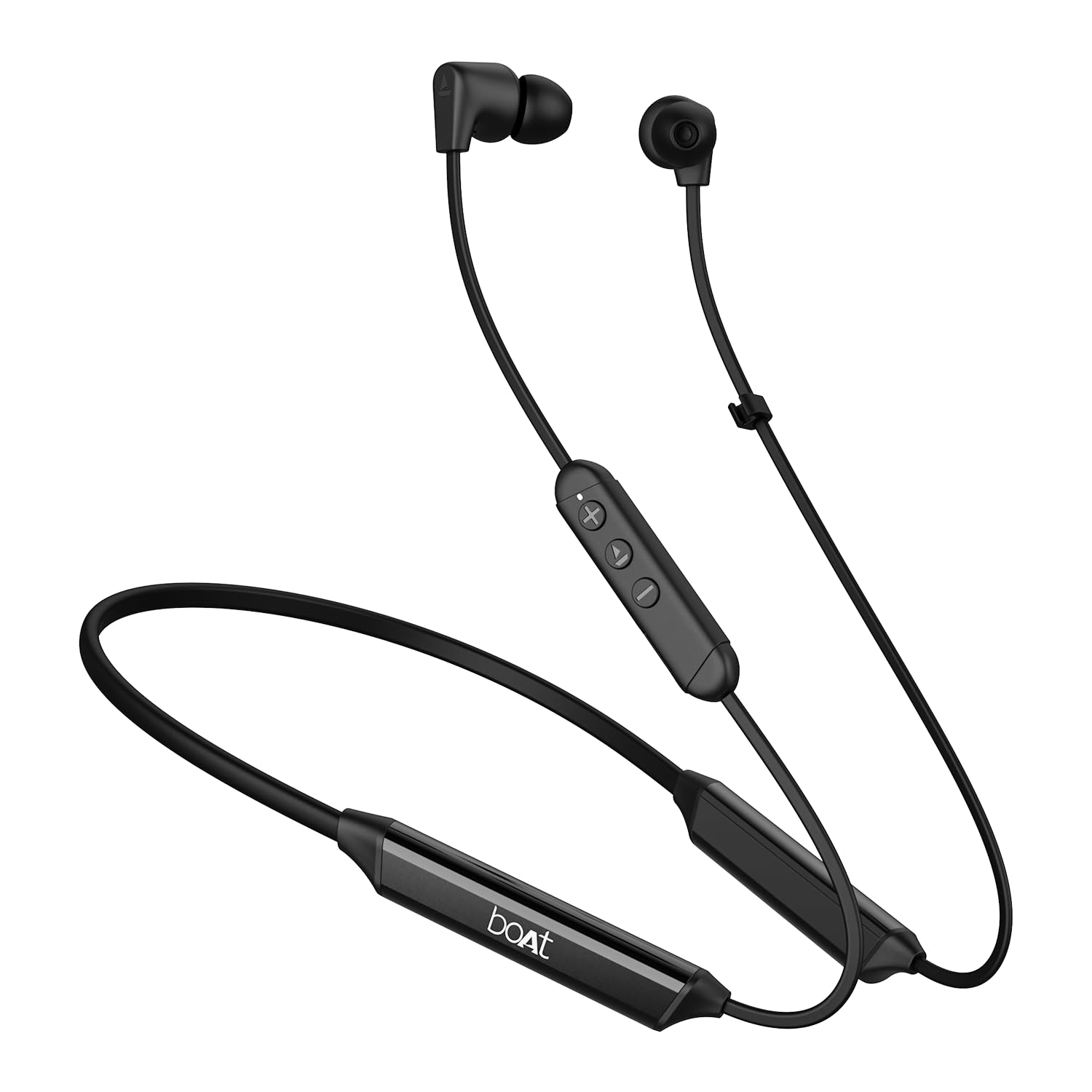
Image: The boAt Rockerz Trinity Gen 2 neckband earphones, highlighting the flexible neckband and in-ear design.

Slika: Podrobna view of the boAt Rockerz Trinity Gen 2 earbuds and the inline control panel, showing buttons for volume and playback.
Nastavitev
1. Polnjenje slušalk
Before first use, fully charge your earphones. Connect the provided charging cable to the charging port on the neckband and to a USB power source. The LED indicator will show charging status. A full charge provides up to 150 hours of playback. With ASAP Charge, 10 minutes of charging provides up to 24 hours of playback.
Image: The boAt Rockerz Trinity Gen 2 neckband, illustrating its long battery life with "150 HOURS PLAYBACK" text.
2. Vklop/izklop
- Za vklop: Press and hold the Multi-function button (usually the center button on the inline control) for approximately 3 seconds until the LED indicator flashes blue and you hear a power-on prompt.
- Za izklop: Press and hold the Multi-function button for approximately 5 seconds until the LED indicator flashes red and you hear a power-off prompt.
3. Bluetooth seznanjanje
- Prepričajte se, da so slušalke izklopljene.
- Press and hold the Multi-function button for about 5-7 seconds until the LED indicator flashes red and blue alternately, indicating pairing mode.
- V napravi (pametnem telefonu, prenosniku) omogočite Bluetooth in poiščite razpoložljive naprave.
- Select "boAt Rockerz Trinity Gen 2" from the list of found devices.
- Once connected, the LED indicator will flash blue slowly, and you will hear a confirmation tone.

Image: The boAt Rockerz Trinity Gen 2 earphones connected to both a smartphone and a tablet, illustrating the dual pairing feature.
4. Dual Pairing (Multipoint)
The Rockerz Trinity Gen 2 supports dual pairing, allowing connection to two devices simultaneously. After pairing with the first device, disable Bluetooth on that device. Put the earphones back into pairing mode and connect to the second device. Once connected to the second device, re-enable Bluetooth on the first device. The earphones will automatically connect to both devices, allowing seamless switching between them for calls and media.
Navodila za uporabo
Osnovne kontrole
- Predvajanje/pavza: Enkrat pritisnite večfunkcijski gumb.
- Povečaj glasnost: Pritisnite gumb '+'.
- Znižaj glasnost: Pritisnite gumb '-'.
- Naslednja skladba: Pritisnite in držite gumb »+«.
- Prejšnja skladba: Pritisnite in držite gumb '-'.
- Sprejmi/končaj klic: Enkrat pritisnite večfunkcijski gumb.
- Zavrni klic: Pritisnite in držite večfunkcijski gumb 2 sekundi.
- Aktiviranje glasovnega pomočnika: Dvakrat pritisnite večfunkcijski gumb.
Zvok visoke ločljivosti z LDAC
The Rockerz Trinity Gen 2 supports Hi-Res Audio with LDAC codec, providing superior sound quality. Ensure your connected device also supports LDAC for the best audio experience. This feature allows for high-resolution audio transmission over Bluetooth, preserving more detail from your music.

Image: The boAt Rockerz Trinity Gen 2 earphones displaying the "Hi-Res Audio Wireless" and "LDAC" logos, indicating high-resolution audio support.
Dvojni načini EQ
Switch between different equalizer modes to customize your audio experience. Refer to the product's quick start guide or experiment with button combinations (often a triple-press of the Multi-function button or a combination with volume buttons) to cycle through available EQ presets. This allows you to adjust the sound profile po vaših željah.

Image: A close-up of the boAt Rockerz Trinity Gen 2 earbuds, highlighting the availability of dual EQ modes for sound customization.
AI-ENx™ Technology for Clear Calls
The earphones feature AI-ENx™ technology, which enhances call clarity by eliminating background noise. This ensures your voice is heard clearly during calls, even in noisy environments.

Image: A close-up of a boAt Rockerz Trinity Gen 2 earbud, emphasizing the AI-ENx™ technology for clear voice calls.
BEAST™ Mode (Low Latency)
Activate BEAST™ Mode for a low-latency gaming experience (65ms). This mode synchronizes audio with visuals, providing a more immersive gaming session. To activate/deactivate BEAST™ Mode, refer to the specific instructions in your quick start guide, usually involving a dedicated button press or a combination.

Image: The boAt Rockerz Trinity Gen 2 earphones with "BEAST™ MODE 65ms Low Latency" text, depicted alongside gaming characters to illustrate its use for gaming.
Vzdrževanje
Čiščenje
- Slušalke obrišite z mehko, suho krpo, ki ne pušča vlaken.
- Ne uporabljajte močnih kemikalij, čistilnih topil ali močnih detergentov.
- Redno čistite ušesne konice, da preprečite nabiranje ušesnega masla, ki lahko vpliva na kakovost zvoka.
Vodoodpornost (IPX5)
The earphones are IPX5 rated, meaning they are resistant to sweat and light splashes of water. They are not designed for submersion in water. Avoid exposing them to heavy rain or direct water jets. Ensure the charging port cover is securely closed when not charging to maintain water resistance.

Image: The boAt Rockerz Trinity Gen 2 earbuds with water droplets on them, illustrating their IPX5 water resistance rating.
Shranjevanje
Store the earphones in a cool, dry place away from direct sunlight and extreme temperatures. Avoid storing them with sharp objects that could damage the cables or earbuds.
Odpravljanje težav
Brez moči
- Prepričajte se, da so slušalke popolnoma napolnjene.
- Press and hold the Multi-function button for 3-5 seconds to power on.
Ni mogoče seznaniti z napravo
- Ensure the earphones are in pairing mode (LED flashing red and blue alternately).
- Make sure Bluetooth is enabled on your device and it is within range (typically 10 meters).
- Forget "boAt Rockerz Trinity Gen 2" from your device's Bluetooth list and try pairing again.
- Znova zaženite napravo in slušalke.
Low or Distorted Sound
- Prilagodite glasnost tako na slušalkah kot na povezani napravi.
- Ensure the ear tips are clean and properly seated in your ears.
- Za boljše tesnjenje poskusite ušesne nastavke različnih velikosti.
- Da se izognete motnjam, se premaknite bližje povezani napravi.
Mikrofon ne deluje
- Prepričajte se, da so slušalke pravilno priključene na vašo napravo.
- Check your device's audio settings to ensure the earphones are selected as the input device.
- Clean the microphone opening if it appears obstructed.
Specifikacije
| Znamka | čoln |
| Ime modela | Rockerz Trinity Gen 2 |
| Namestitev ušesa | V ušesu |
| Faktor oblike | V ušesu |
| Nadzor hrupa | AI-ENx™ Technology (for calls) |
| Tehnologija povezljivosti | Bluetooth |
| Povprečna življenjska doba baterije | 150 ur |
| Čas polnjenja baterije | 10 Minutes (for 24 hours playback via ASAP Charge) |
| Vrsta zvočnega gonilnika | Dynamic Driver (10mm, inferred from description) |
| Frekvenčno območje | 20 Hz - 40,000 Hz |
| Vodoodpornost | IPX5 |
| Posebne lastnosti | Hi-Res Audio with LDAC, Dual EQ Modes, AI-ENx™ Technology, Dual Pairing, BEAST™ Mode (65ms Low Latency), ASAP Charge |
| Nadzorna metoda | Glas, gumb |
| Teža predmeta | 60 gramov |
Garancija in podpora
Informacije o garanciji
The boAt Rockerz Trinity Gen 2 earphones come with a 1-letna garancija from the date of purchase. This warranty covers manufacturing defects. Please retain your purchase receipt for warranty claims. The warranty does not cover damage caused by misuse, accidents, unauthorized modifications, or normal wear and tear.
Podpora uporabnikom
For technical assistance, warranty claims, or any other inquiries, please contact boAt customer support:
- E-pošta: info@imaginemarketingindia.com
- Proizvajalec: Imagine Marketing Ltd.
Prosimo, obiščite uradno spletno stran ladje webspletno mesto za najnovejše informacije o podpori in kontaktne podatke.
Ask a question about this manual
Ask about setup, troubleshooting, compatibility, parts, safety, or missing instructions. Manuals+ will review the question and use this page’s manual context to help answer it.