
1. Izdelek je končanview
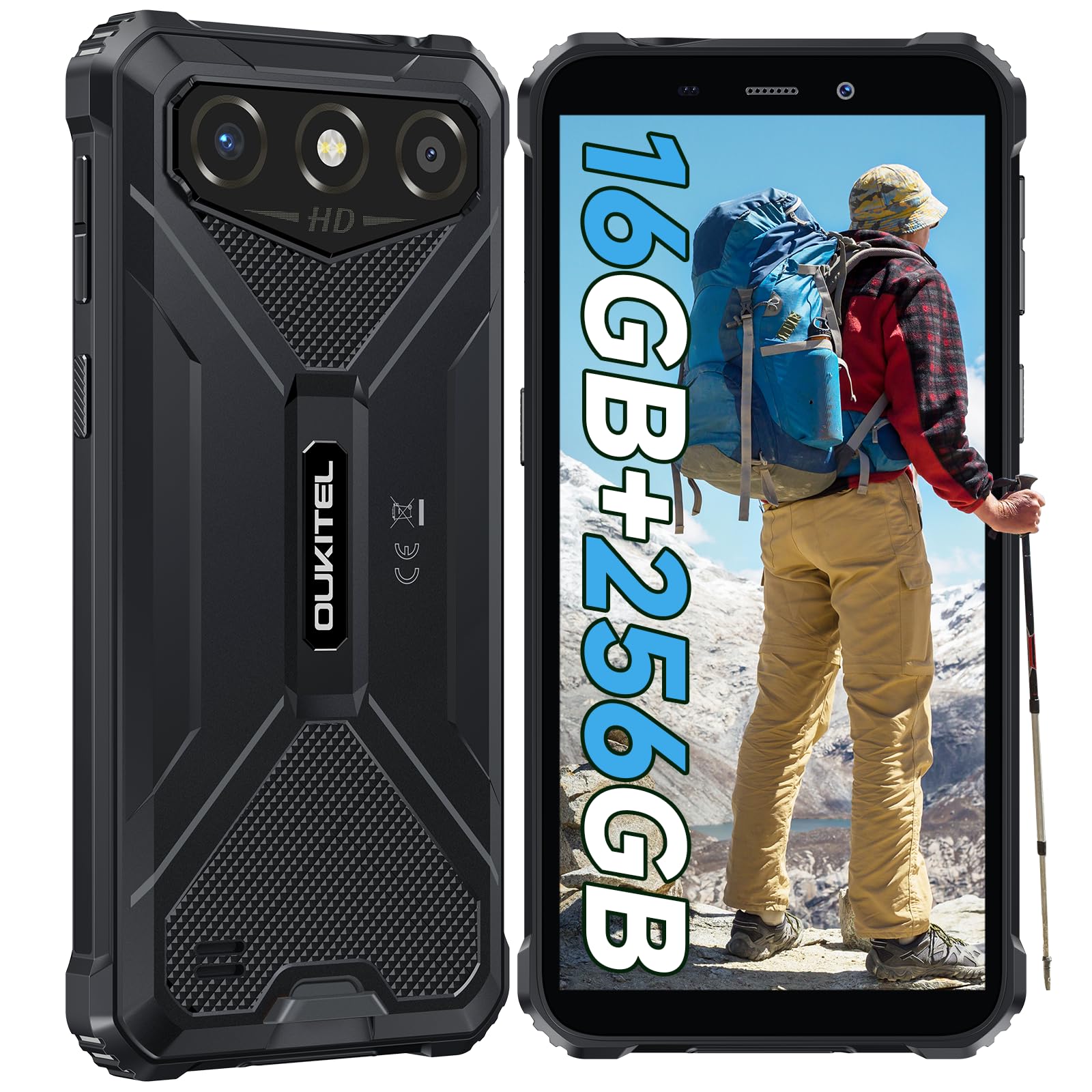
The OUKITEL G3 is a rugged smartphone designed for durability and performance in challenging environments. It features a 6.0-inch HD display, a 6300mAh battery, 16GB RAM (expandable), 256GB ROM (expandable to 1TB), and a 13MP main camera. The device is certified with IP68, IP69K, and MIL-STD-810H ratings, ensuring resistance to water, dust, and drops. It operates on Android 14 and supports 4G Dual SIM, GPS, Face ID, and OTG functionality.
2. Vsebina paketa
Preverite, ali so v paketu vsi elementi:
- 1x OUKITEL G3 Smartphone
- 1x polnilec
- 1x kabel Type-C
- 1x SIM Card Ejector Pin
- 1x uporabniški priročnik

3. Začetna nastavitev
3.1. Vstavljanje SIM kartic in TF kartic
- Poiščite pladenj za kartico SIM na strani naprave.
- Use the provided SIM ejector pin to open the tray.
- Carefully place your Nano SIM cards (up to two) and/or a TF card (for memory expansion up to 1TB) into the designated slots.
- Prepričajte se, da so kartice pravilno obrnjene, kot je označeno na pladnju.
- Pladenj nežno potisnite nazaj v telefon, dokler se ne zaskoči.

3.2. Polnjenje baterije
Before first use, fully charge the device. Connect the Type-C cable to the phone's charging port and the other end to the provided charger. Plug the charger into a power outlet. The battery indicator on the screen will show charging status. The OUKITEL G3 features a 6300mAh battery for extended use.
3.3. Vklop/izklop
- To power on: Press and hold the Power button until the OUKITEL logo appears.
- Za izklop: Pritisnite in držite gumb za vklop, nato pa med možnostmi na zaslonu izberite »Izklop«.
- Za ponovni zagon: Pritisnite in držite gumb za vklop, nato pa med možnostmi izberite »Ponovni zagon«.
4. Navodila za uporabo
4.1. Prikaz in navigacija
The OUKITEL G3 features a 6.0-inch HD display with 450 nits brightness and Corning Glass 5 protection. Navigate the Android 14 interface using touch gestures: tap, swipe, pinch-to-zoom. Access quick settings by swiping down from the top of the screen.

4.2. Funkcije kamere
The device is equipped with a 13MP rear camera and a 5MP front camera. Open the Camera app to capture photos and videos. Features include:
- Standardni način fotografiranja: For everyday photography.
- AI Beauty Mode: Enhances facial features in portraits.
- Način podvodne kamere: Allows capturing photos and videos while submerged up to 1.5m for 30 minutes. Ensure all ports are securely sealed before underwater use.
- Panoramski način: For wide-angle landscape shots.

4.3. Battery Management and OTG
The 6300mAh battery provides extended usage. To optimize battery life, manage screen brightness, close unused applications, and enable power-saving modes when needed. The device supports OTG (On-The-Go) reverse charging, allowing you to use your OUKITEL G3 to charge other compatible devices via a Type-C OTG cable (sold separately).

4.4. Custom Key and Security Features
- Ključ po meri: A programmable button on the side of the device for quick access to specific applications or functions. Configure its actions (single click, double click, long press) in the phone settings.
- ID obraza: Use facial recognition for secure unlocking of your device. Set up Face ID in the Security settings.
- GPS navigacija: The OUKITEL G3 supports GPS, GLONASS, Beidou, and Galileo navigation systems for accurate positioning.

5. Vzdrževanje in trajnost
The OUKITEL G3 is built to withstand harsh conditions, certified with IP68, IP69K, and MIL-STD-810H standards.
- Vodoodpornost IP68: Protected against continuous immersion in water up to 1.5 meters for 30 minutes. Ensure all port covers are tightly sealed before exposure to water.
- Odpornost proti prahu IP69K: Popolnoma zaščiten pred vdorom prahu in visokotlačnimi, visokotemperaturnimi vodnimi curki.
- MIL-STD-810H Drop Resistance: Designed to withstand drops from up to 1.5 meters. The aluminum frame and rubberized corners provide enhanced shock absorption.
Za čiščenje naprave uporabite mehko, damp cloth. Avoid harsh chemicals or abrasive materials. Regularly check port covers for proper sealing to maintain water and dust resistance.

6. Odpravljanje težav
Če imate težave z OUKITEL G3, si oglejte naslednje pogoste rešitve:
| Težava | Možna rešitev |
|---|---|
| Naprava se ne vklopi | Prepričajte se, da je baterija napolnjena. Priključite polnilnik in počakajte nekaj minut, preden poskusite znova vklopiti napravo. |
| Slab signal omrežja | Check if SIM cards are correctly inserted. Move to an area with better network coverage. Contact your service provider if the issue persists. |
| Aplikacije se sesuvajo ali zamrzujejo | Close background applications. Clear the cache of the problematic app. Restart the device. Ensure sufficient storage space is available. |
| Baterija se hitro izprazni | Reduce screen brightness. Disable unused features like Wi-Fi, Bluetooth, GPS. Close power-intensive apps. Check battery usage in settings to identify culprits. |
| Zaslon na dotik se ne odziva | Znova zaženite napravo. Če težava ne izgine, izvedite ponastavitev na tovarniške nastavitve (najprej varnostno kopirajte podatke). |
7. Tehnične specifikacije
| Funkcija | Podrobnost |
|---|---|
| Znamka | OUKITEL |
| Model | G3 |
| Operacijski sistem | Android 14 |
| RAM | 4GB (expandable to 16GB virtual RAM) |
| Notranji pomnilnik (ROM) | 256 GB |
| Razširljiv prostor za shranjevanje | Do 1 TB (TF kartica) |
| Velikost zaslona | 6.0 palcev |
| Ločljivost zaslona | HD (450 nits brightness, Corning Glass 5) |
| Hitrost osveževanja | 60Hz |
| Zadnja kamera | 13 milijonov slikovnih pik |
| Sprednja kamera | 5 milijonov slikovnih pik |
| Kapaciteta baterije | 6300 mAh |
| Vrata za polnjenje | USB Type-C |
| Ocene vzdržljivosti | IP68, IP69K, MIL-STD-810H |
| Podpora za kartico SIM | Dual 4G Nano SIM |
| Navigacija | GPS, GLONASS, Beidou, Galileo |
| Biometrična varnost | Face ID |
| Avdio priključek | 3.5 mm |
For detailed energy efficiency information, please refer to the EU EPREL database: https://eprel.ec.europa.eu/qr/2400970

8. Garancija in podpora
OUKITEL provides the following support for the G3 smartphone:
- Politika vračila: 30-day no-reason return.
- Garancija: TWO-YEAR warranty.
- Tehnična podpora: Long-term technical assistance.
- Storitev za stranke: 24-urna spletna podpora strankam.
For any inquiries or support, please contact OUKITEL official customer service.