
1. Uvod
Thank you for choosing the FANGOR 10.1-inch Wi-Fi Digital Photo Frame. This manual provides detailed instructions for setting up, operating, and maintaining your device. Please read this manual thoroughly before use to ensure proper functionality and to maximize your enjoyment of the product. This digital photo frame is designed to display your cherished photos and videos with ease, offering a vibrant viewing experience and convenient sharing options.
2. Izdelek je končanview
2.1 Vsebina paketa
- FANGOR 10.1-inch Wi-Fi Digital Photo Frame
- Napajalni adapter
- Uporabniški priročnik
- Wall-mounting screws (x3)
2.2 Ključne lastnosti
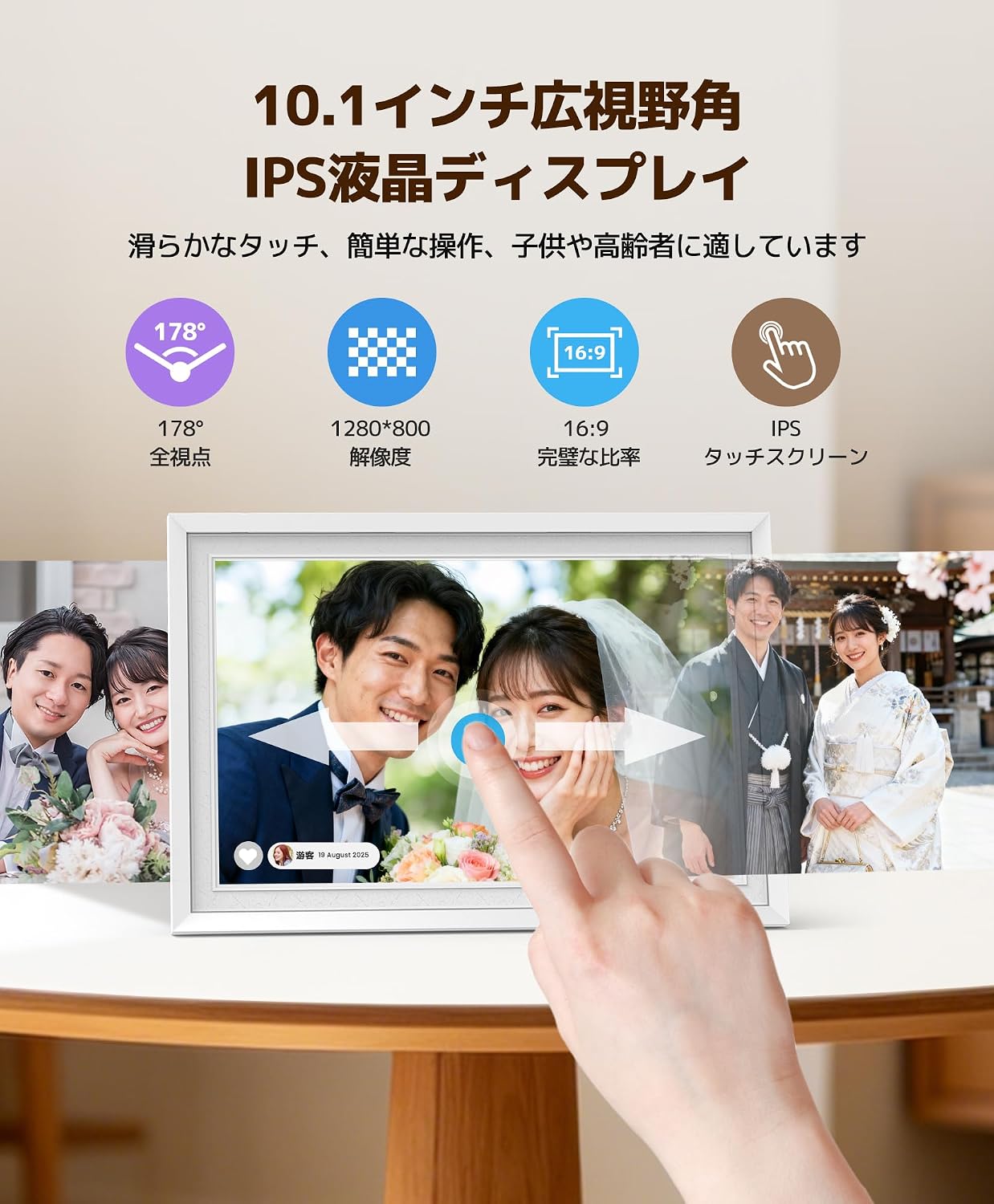
- 10.1-inch IPS Touch Panel: 1280x800 high resolution, 16:9 widescreen ratio, and 178° wide viewing angle for clear and vibrant images.
- 32 GB notranjega pomnilnika: Stores approximately 16,000 photos or up to 2,000 two-minute videos.
- Diverse Transfer Methods: Supports MicroSD cards (up to 32GB, sold separately), direct USB memory connection, PC transfer, and web sinhronizacijo.
- Wi-Fi Remote Transfer & Multi-User Sharing: Use the free 'Uhale' app (Android/iOS) to easily send photos and videos from your smartphone or PC. Multiple users can connect simultaneously.
- Automatic Screen Rotation: Photos are displayed correctly in landscape or portrait orientation without manual adjustment.
- Večnamensko: Includes weather forecast, clock display, slideshow playback, and sleep mode.
- Eleganten dizajn: White frame with a unique fingerprint texture, suitable for various home and office environments.
- Enostavno upravljanje: Intuitive touch screen interface, user-friendly for all ages.
3. Nastavitev
3.1 Razpakiranje in začetna namestitev
Carefully remove all components from the packaging. Place the photo frame on a stable, flat surface or mount it on a wall using the provided screws and mounting holes. Ensure adequate ventilation around the device.

Image: The FANGOR 10.1-inch Wi-Fi Digital Photo Frame, shown in white, ready for setup.
3.2 Napajalni priključek
Connect the power adapter to the DC IN port on the back of the photo frame, then plug the adapter into a power outlet. The device will automatically power on.
Slika: Zadaj view of the digital photo frame, showing the power input and other ports.
3.3 Začetna nastavitev in povezava Wi-Fi
- Upon first power-on, follow the on-screen prompts to select your preferred language and time zone.
- Connect the device to your Wi-Fi network by selecting your network name and entering the password. A stable Wi-Fi connection is essential for app-based transfers and features like weather forecasts.
3.4 Prenos in seznanjanje aplikacije
Download the free 'Uhale' app from the App Store (iOS) or Google Play Store (Android) on your smartphone. Follow the in-app instructions to pair your smartphone with the digital photo frame. This enables remote photo/video transfer and multi-user sharing.

Image: Diagram illustrating Wi-Fi remote transfer using the Uhale app on a smartphone to the digital photo frame.
4. Navodila za uporabo
4.1 Osnovno upravljanje zaslona na dotik
The photo frame features an intuitive touch screen. Tap to select options, swipe to navigate through photos, and pinch to zoom (if supported by the software version). Brightness and volume can be adjusted directly via screen touch controls.

Image: A hand interacting with the touch screen of the digital photo frame, showing a family photo.
4.2 Nalaganje fotografij in videoposnetkov
- Via Uhale App: Open the 'Uhale' app on your smartphone, select the photos/videos you wish to transfer (up to 100 photos at once from smartphone, up to 500 from PC via web system), and send them to the frame.
- Preko SD kartice: Insert a MicroSD card (up to 32GB, not included) into the designated slot. The frame will automatically detect and display content from the card.
- Prek USB pogona: Connect a USB memory stick to the USB port. The frame will recognize the drive for content display.

Image: The back of the digital photo frame showing an SD card and USB drive inserted into their respective slots, demonstrating offline transfer options.
4.3 Automatic Screen Rotation
The photo frame automatically adjusts the orientation of your photos and videos based on how the frame is positioned (landscape or portrait). No manual adjustment of the display settings is required.

Image: A person holding the digital photo frame, showing how it automatically rotates the image when the frame's orientation changes from landscape to portrait.
4.4 Nastavitve diaprojekcije
Access the settings menu to customize your slideshow experience. You can adjust transition effects, display duration for each photo, and playback order.
4.5 Skupna raba več uporabnikov
The 'Uhale' app allows multiple users to connect to the same photo frame. This feature enables family and friends, regardless of their location, to share photos and videos directly to your frame, fostering a shared experience of memories.
4.6 dodatnih funkcij
- Vremenska napoved: Display local weather information (requires Wi-Fi connection).
- Prikaz ure: Use the frame as a digital clock.
- Spanje: Set a timer for the screen to automatically turn on/off, saving energy and providing convenience.

Image: The digital photo frame displaying a clock in sleep mode, with an illustration of a person sleeping and waking up, indicating timed on/off functionality.
5. Vzdrževanje
5.1 Čiščenje
Za čiščenje zaslona ga nežno obrišite z mehko krpo, ki ne pušča vlaken. Za trdovratne madeže rahlo obrišiteampen the cloth with water or a screen-cleaning solution. Avoid using harsh chemicals or abrasive materials. Clean the frame with a dry, soft cloth.
5.2 Shranjevanje
When not in use for extended periods, store the photo frame in a cool, dry place, away from direct sunlight and extreme temperatures. Disconnect the power adapter.
6. Odpravljanje težav
If you encounter any issues with your FANGOR Digital Photo Frame, please refer to the following common problems and solutions:
| Težava | Možen vzrok | rešitev |
|---|---|---|
| Okvir se ne vklopi. | Napajalnik ni priključen ali je pokvarjen. | Prepričajte se, da je napajalnik varno priključen na okvir in delujočo vtičnico. Poskusite z drugo vtičnico. |
| Ni mogoče vzpostaviti povezave z Wi-Fi. | Napačno geslo, šibek signal ali težava z usmerjevalnikom. | Double-check the Wi-Fi password. Move the frame closer to the router. Restart your router. Ensure the Wi-Fi network is 2.4GHz (5GHz networks may not be supported). |
| Fotografije/videoposnetki se ne prikazujejo. | Nepodprto file format, poškodovan files, or no content loaded. | Zagotovite files are in supported formats (e.g., JPEG for photos, MP4 for videos). Re-transfer files. Check if the SD card/USB drive is properly inserted and formatted correctly (FAT32 or exFAT). |
| Zaslon se ne odziva ali zamrzne. | Začasna programska napaka. | Restart the device by disconnecting and reconnecting the power. If the issue persists, perform a factory reset (refer to settings menu). |
| Image size/aspect ratio issues. | Original image resolution or aspect ratio mismatch. | The frame automatically adjusts, but some images may appear cropped or stretched if their original aspect ratio is significantly different from 16:9. Consider resizing images before uploading for optimal display. |
If the problem persists after trying these solutions, please contact FANGOR customer support for further assistance.
7. Specifikacije
| Funkcija | Podrobnost |
|---|---|
| Znamka | FANGOR |
| Številka modela | 114KZ |
| barva | Bela |
| Velikost zaslona | 10.1 palcev |
| Vrsta zaslona | IPS zaslon na dotik |
| Resolucija | 1280 x 800 |
| Razmerje stranic | 16:9 |
| Notranji pomnilnik | 32 GB |
| Podpora za zunanji pomnilnik | MicroSD card (up to 32GB), USB memory |
| Tehnologija povezljivosti | Wi-Fi |
| Nadzorna metoda | Dotik |
| Vir napajanja | Power Corded |
| Material okvirja | Plastika |
| Dimenzije izdelka (D x Š) | 29 cm x 20 cm (approx. 11.4 x 7.9 inches) |
| Država izvora | Kitajska |
8. Garancija in podpora
8.1 Informacije o garanciji
This FANGOR Digital Photo Frame comes with a one-year warranty from the date of purchase. The warranty covers manufacturing defects and malfunctions under normal use. Please retain your proof of purchase for warranty claims.
8.2 Podpora strankam
For technical assistance, troubleshooting, or warranty inquiries, please contact FANGOR customer support. Refer to the contact information provided with your product packaging or visit the official FANGOR webstran za podrobnosti o podpori.