4.1 Konec nadzorne ploščeview
The front panel of the DSO2D15 is intuitively designed for ease of use. It consists of the display, function buttons (F0-F6), menu buttons, vertical controls (VOLTS/DIV, POSITION), horizontal controls (SEC/DIV, POSITION), trigger controls, and input channels.
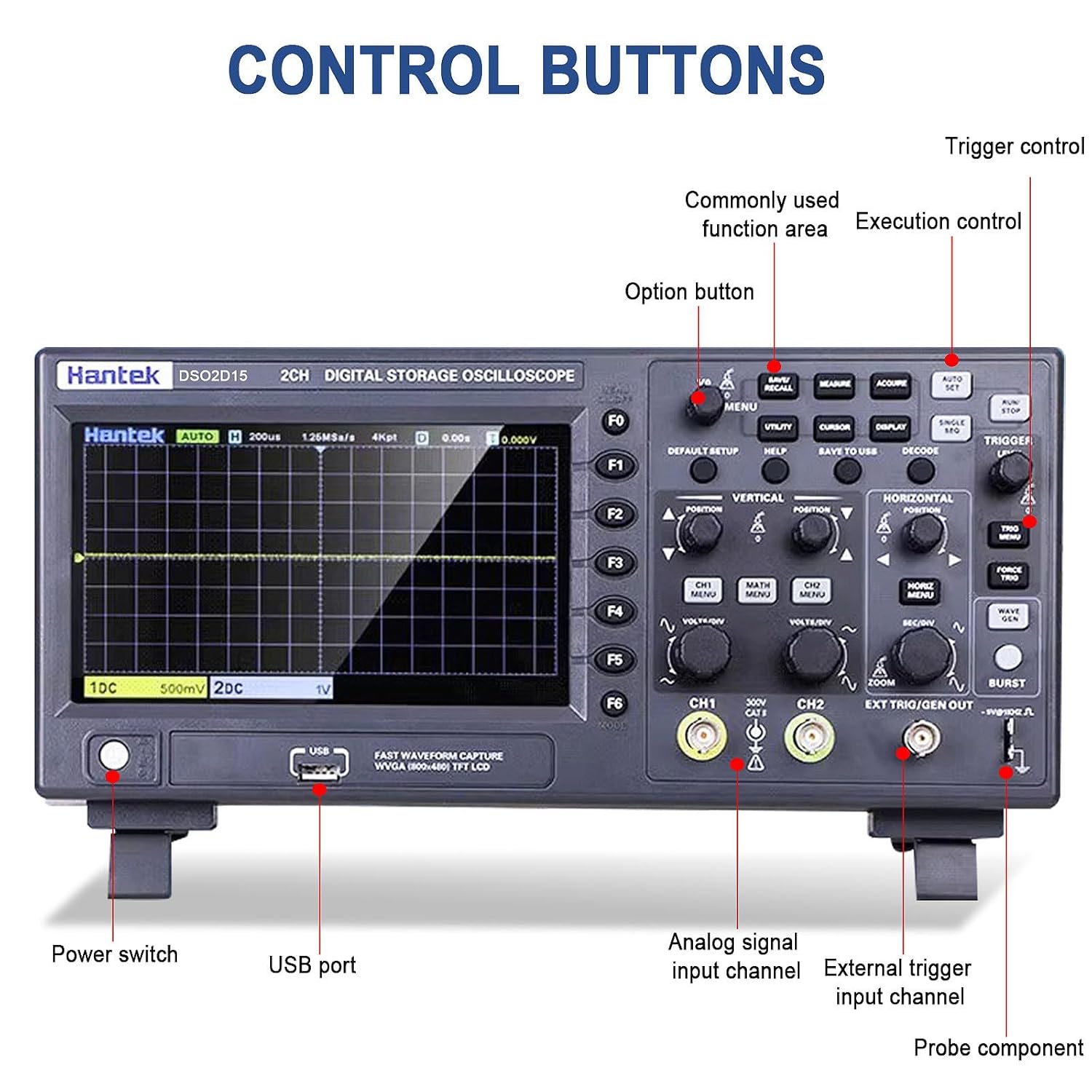
Figure 4.1: Labeled diagram of the Hantek DSO2D15 control panel, highlighting the power switch, USB port, analog signal input channels (CH1, CH2), external trigger input channel, and probe compensator output.
4.2 Oscilloscope Functions
4.2.1 Dvokanalno delovanje
The DSO2D15 features two independent input channels (CH1 and CH2), each with its own vertical scale (VOLTS/DIV) and position control. This allows for simultaneous observation and comparison of two different signals.
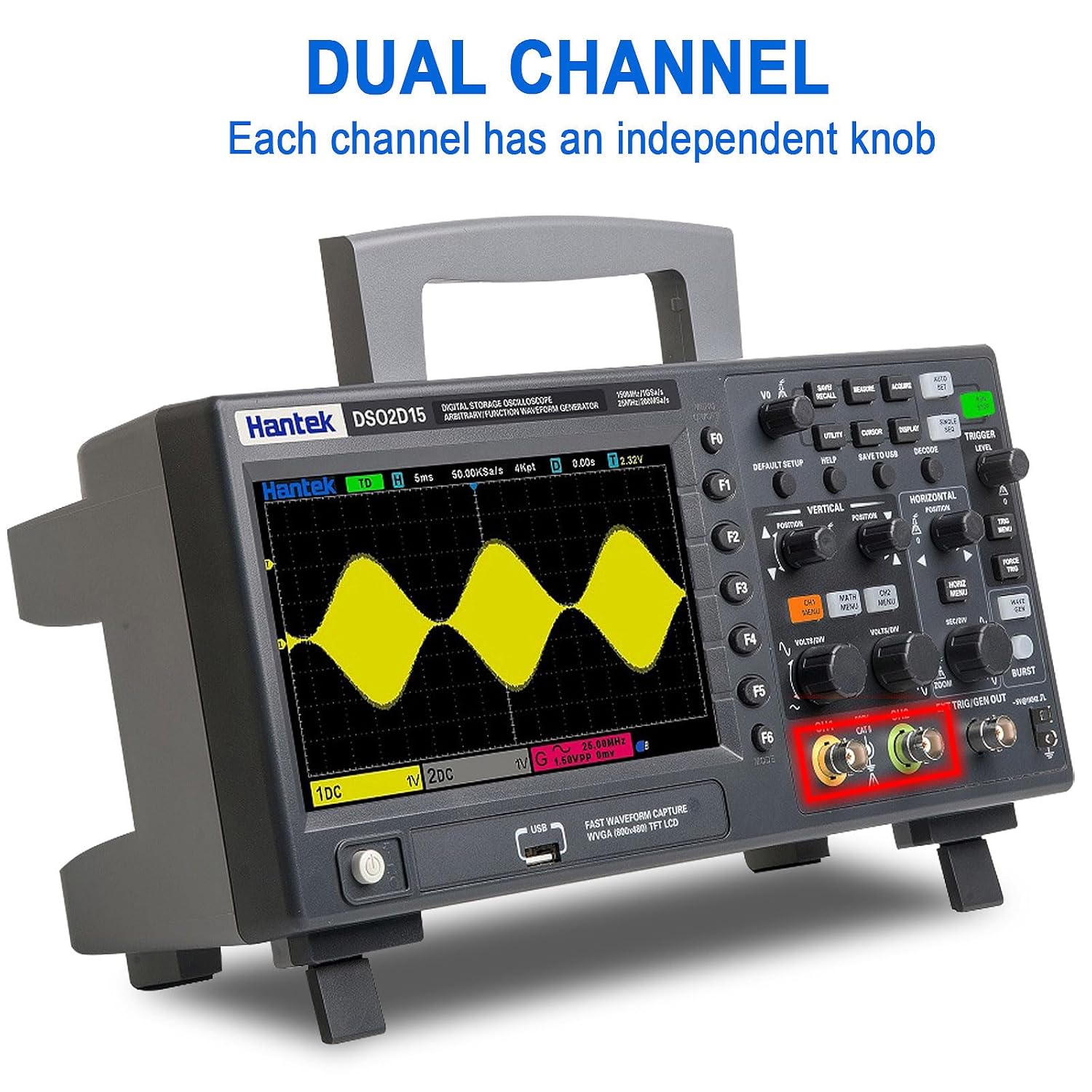
Figure 4.2: Display illustrating the dual-channel capability of the Hantek DSO2D15, with independent knob control for each channel.
4.2.2 Triggering System
The trigger system stabilizes repetitive waveforms and captures single-shot events. The DSO2D15 offers a wide range of trigger types:
- Standard Triggers: Edge, Pulse, Video, Slope, Timeout, Window, Pattern, Interval, Undervoltage.
- Serial Protocol Triggers: UART, LIN, CAN, SPI, IIC.
Use the "TRIGGER" section controls to select trigger type, level, and mode (Auto, Normal, Single).
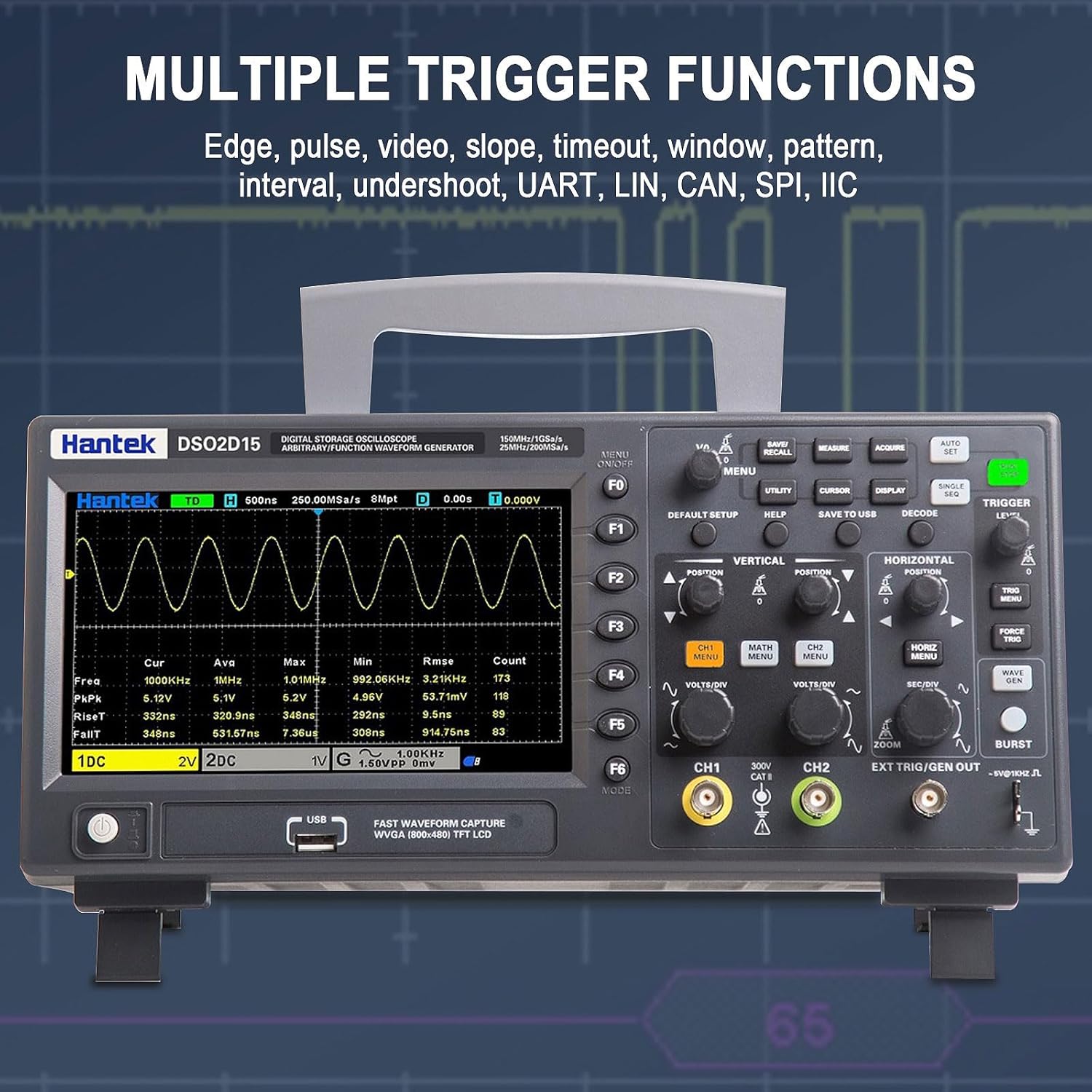
Figure 4.3: Screenshot of the Hantek DSO2D15 display demonstrating various trigger functions, including Edge, Pulse, Video, Slope, Timeout, Window, Pattern, Interval, Undershoot, UART, LIN, CAN, SPI, and IIC.
4.2.3 Measurement and Statistical Functions
The oscilloscope provides 32 automatic measurement parameters, including Frequency, Period, Average, Peak-to-Peak, RMS, Min, Max, Rise Time, Fall Time, and various duty cycles. Statistical analysis provides real-time calculations of minimum, maximum, and standard deviation for measurements.

Figure 4.4: The Hantek DSO2D15 screen showing the results of 32 automatic measurement and statistical functions, providing real-time statistics such as maximum, minimum, and standard deviation.
4.2.4 Shranjevanje in priklic podatkov
The DSO2D15 allows users to save various data types, including instrument settings, captured waveforms, reference waveforms, CSV data, and screenshots (images). Use the "SAVE/RECALL" and "SAVE TO USB" buttons for these operations.

Figure 4.5: Close-up of the Hantek DSO2D15 control panel, highlighting the "SAVE/RECALL" and "SAVE TO USB" buttons for saving settings, waveforms, reference waveforms, CSV images, and other data formats.
4.3 Waveform Generator Function
The built-in 1-channel 25MHz arbitrary waveform generator can produce various standard waveforms (Sine, Square, Pulse, Triangle, Sample Wave, Exponential Wave, Noise) and user-defined arbitrary waveforms (Arb1-Arb4). This function is useful for testing circuits and systems.
- Sinusni val: Frequency Range 0.1Hz~25MHz
- Square/Pulse Wave: Frequency Range 0.1Hz~10MHz
- Trikotni val: Frequency Range 0.1Hz~1MHz
- Arbitrary Wave: Frequency Range 0.1Hz~10MHz
Access the waveform generator settings via the dedicated "WAVE GEN" button or menu option.


