
Uvod
This manual provides essential instructions for setting up, operating, and maintaining your BOXPUT S13 Air Android TV Stick. The S13 Air is a 4K smart streaming device powered by Android 14.0, featuring a high-performance RK3518 quad-core processor, Wi-Fi 6 connectivity, 2GB RAM, and 16GB ROM. It comes with a Bluetooth voice remote for enhanced user experience.
Kaj je v škatli
Carefully unpack your BOXPUT S13 Air Android TV Stick and ensure all items are present:
- BOXPUT S13 Air Android TV Stick
- Bluetooth Voice Remote Controller
- HDMI Cable (Extension)
- USB napajalni kabel
- Napajalni adapter
- Uporabniški priročnik (ta dokument)
- Gift Dust Bag

Image: All components included in the BOXPUT S13 Air package.
Navodila za namestitev
- Priključite TV-stick: Insert the BOXPUT S13 Air Android TV Stick directly into an available HDMI port on your television. If space is limited, use the provided HDMI extension cable.
- Priključite napajanje: Connect the USB power cable to the TV stick's Micro USB port and the other end to the power adapter. Plug the power adapter into a wall outlet.
- Izberite vhod HDMI: Turn on your television and select the corresponding HDMI input source to which the TV stick is connected.
- Začetna nastavitev: Follow the on-screen instructions to complete the initial setup, including language selection, network connection, and Google account login.
Slika: spredaj view of the BOXPUT S13 Air TV Stick.
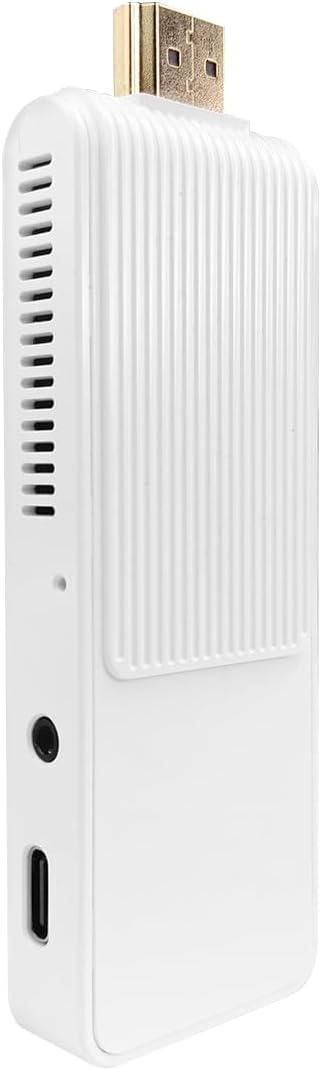
Slika: Stran view of the BOXPUT S13 Air TV Stick with ports.
Video: Demonstrates the connection steps for the BOXPUT S13 Air Android TV Stick, including HDMI and power connections.
Oddaljeno združevanje Bluetooth
The included remote control uses Bluetooth for optimal performance. Follow these steps to pair it with your TV stick:
- Ensure the TV stick is powered on and connected to your TV.
- Point the remote control towards the TV stick.
- Press and hold the "OK" button and the "-" (volume down) button on the remote simultaneously.
- Hold the buttons until the indicator light on the remote control flashes, then release.
- The remote will automatically pair with the TV stick. A confirmation message will appear on your screen once connected successfully.

Image: BOXPUT S13 Air TV Stick and its remote control.
Video: Demonstrates the Bluetooth pairing process for the remote control with the TV stick.
Navodila za uporabo
Navigacija
Use the directional pad and "OK" button on the Bluetooth remote to navigate the Android 14.0 interface. The "Back" button returns to the previous screen, and the "Home" button takes you to the main screen.
Glasovna funkcija
The BT Voice Remote allows for hands-free control. Press the dedicated voice button (microphone icon) on the remote and speak your commands clearly. You can search for movies, TV shows, apps, or ask questions.
Video: Illustrates the use of the voice function on the remote control for searching content.
Povezljivost
Wi-Fi 6 Dual-Band (2.4G/5G)
The S13 Air supports the latest Wi-Fi 6 technology, providing faster speeds and more stable connections for buffer-free streaming, quick downloads, and lag-free online gaming. It operates on both 2.4GHz and 5GHz bands.

Image: Benefits of Wi-Fi 6 connectivity.
Bluetooth 5.0
Equipped with Bluetooth 5.0, the TV stick offers faster and more stable wireless connections for peripherals such as headphones, game controllers, or other Bluetooth-enabled devices. It also facilitates screen sharing from mobile devices.

Image: Seamless connection and screen sharing via Bluetooth 5.0.
4K Decoding & OTG Function
The TV stick supports hardware decoding for H.265/HEVC, H.264, and AVS2 formats up to 4K@60fps, ensuring clear and stable playback for high-resolution content. It is also compatible with MPEG-1/2/4, VC-1, and AVS+ video formats for broader media support.
With the OTG (On-The-Go) function, you can connect USB drives, wireless keyboards, or other peripherals to expand storage and improve operation convenience.

Image: Accurate 4K decoding and OTG function.
Specifikacije
- Znamka: ŠKATLA
- Ime modela: S13 zrak
- Operacijski sistem: Android 14.0
- Procesor: RK3518 Quad-Core Cortex-A53
- Pomnilnik RAM: 2 GB
- Kapaciteta pomnilnika: 16 GB
- Resolucija: 4K (3840 Pixels Video Output)
- Tehnologija povezljivosti: Bluetooth, HDMI, IR, USB, Wi-Fi (Wi-Fi 6 Dual-Band 2.4G/5G)
- Vrsta priključka: mikro USB
- Vrsta regulatorja: Daljinski upravljalnik, glasovni nadzor
- Faktor oblike: TV Stick
- Dimenzije izdelka: 6.3 cm D x 3.15 cm Š x 2.17 cm V
- Združljive naprave: televizija
- Video kodek: H.264, H.265/HEVC
- Podprte internetne storitve: Brskalnik

Image: High-performance RK3518 Quad-Core Processor.
Vzdrževanje
- Napravo hranite v suhem, dobro prezračevanem prostoru.
- Naprave ne izpostavljajte ekstremnim temperaturam ali neposredni sončni svetlobi.
- Napravo očistite z mehko, suho krpo. Ne uporabljajte tekočih čistil.
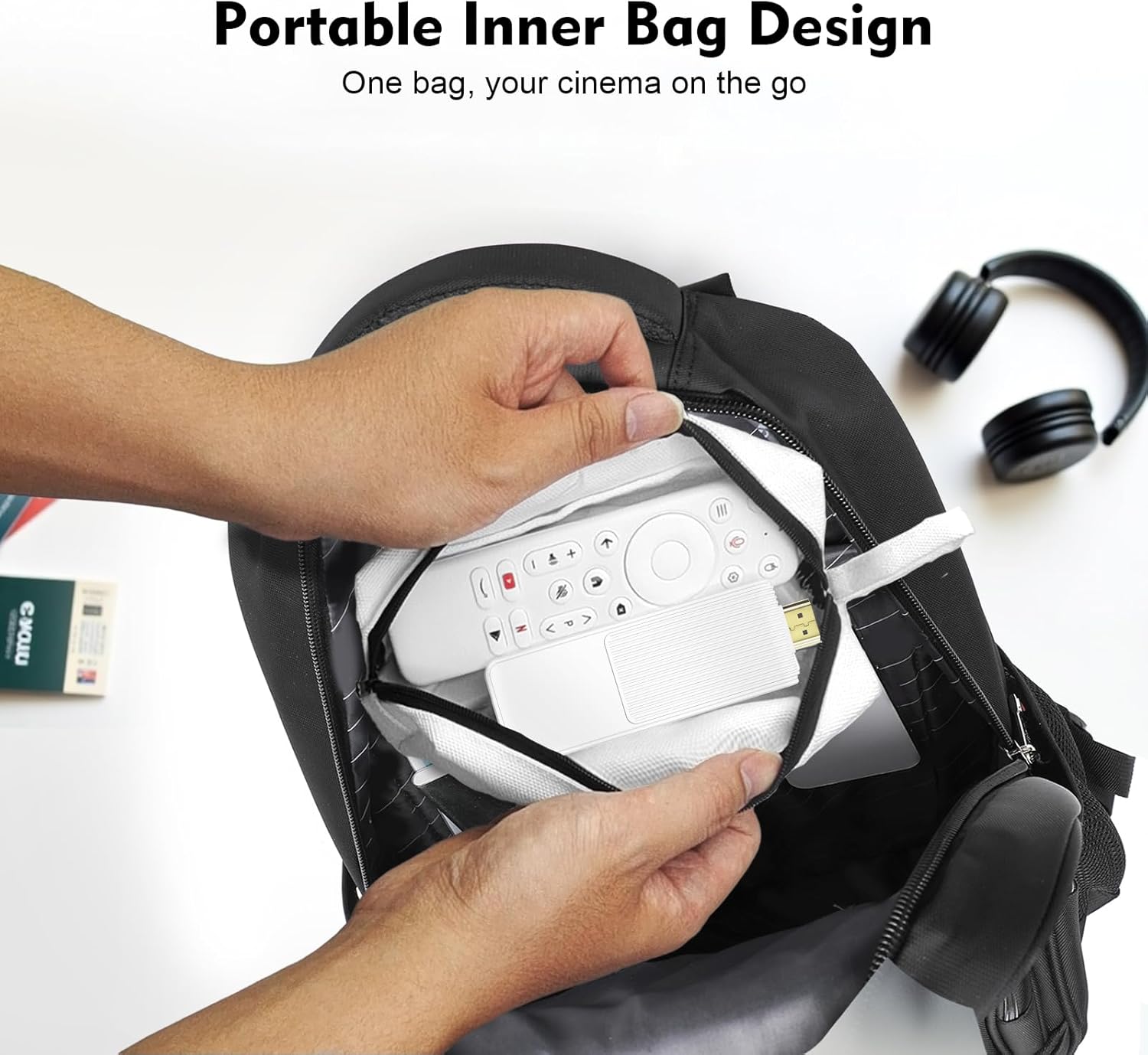
- Ensure the dust bag is used for storage and travel to protect the device from dust and scratches.

Image: Portable dust bag for easy storage and protection.
Odpravljanje težav
Splošna vprašanja
If you encounter any operational or usage issues that cannot be resolved, please contact BOXPUT Official Support. Provide your device’s MAC address for quicker assistance. Our technical team will respond within 24 hours.
Težave z daljinskim upravljalnikom
If you experience problems with the remote control, ensure it is properly paired as described in the "Bluetooth Remote Pairing" section. If issues persist, contact BOXPUT Official Support for assistance.
Garancija in podpora
The BOXPUT S13 Air Android TV Stick comes with a standard warranty. For specific warranty details, please refer to the warranty card included in your package or contact BOXPUT Official Support.
For any technical assistance or support, please contact our official support team. Our technical experts are available to provide professional assistance and address any device-related problems.
Kontaktni podatki: Please refer to the BOXPUT official webZa najnovejše informacije o podpori obiščite spletno mesto ali kontaktne podatke, navedene v embalaži izdelka.