
1. Uvod
The PAPIFEED Automatic Cat Feeder is designed to provide scheduled and controlled feeding for your cats and small dogs. Featuring 2.4G WiFi connectivity and app control, it allows you to manage your pet's meals remotely. The feeder includes a dual power supply system for reliability and a detachable design for easy cleaning, ensuring your pet receives fresh food consistently.
2. Vsebina paketa
Prosimo, preverite, ali so v paketu prisotni vsi elementi:
- 1 x PAPIFEED Automatic Cat Feeder Unit
- 1 x Posoda za hrano
- 1 x napajalnik
- 1 x USB polnilni kabel
Note: 4 AA batteries for backup power are not included and must be purchased separately.
3. Izdelek je končanview
Familiarize yourself with the main components of your PAPIFEED Automatic Cat Feeder:

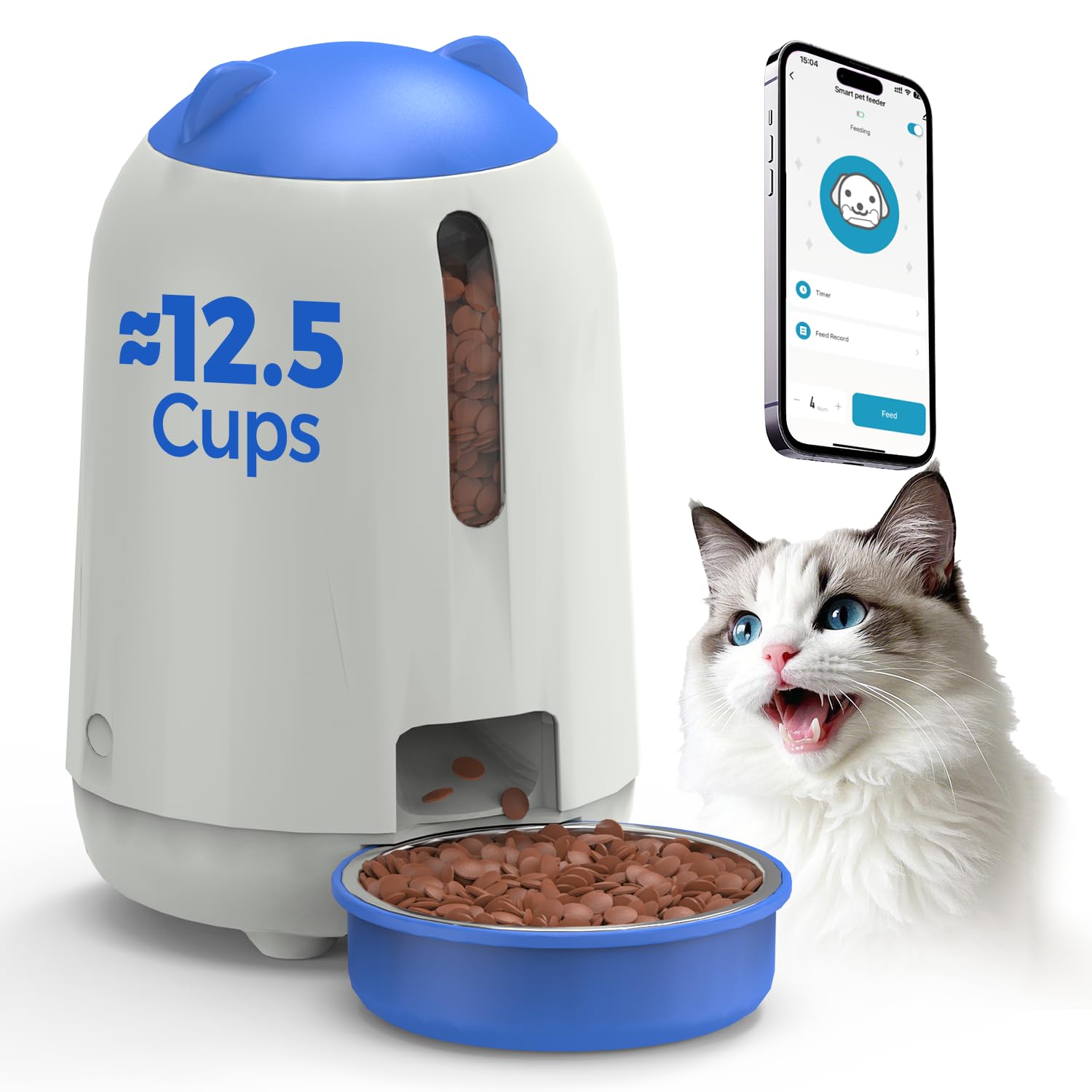
Na splošno view of the PAPIFEED Automatic Cat Feeder with its food bowl and a cat.
- Posoda za hrano: Stores dry pet food (3L capacity).
- Lid with Knob Lock: Secures the food hopper and prevents pet access.
- Prozorno okno: Allows visual monitoring of food levels.
- Dispensing Outlet: Where food is released into the bowl.
- Skleda za hrano: Detachable bowl for pet consumption.
- Nadzorna plošča/indikator: Located on the front, indicates status and WiFi connection.
- Napajalni priključek: Za priključitev napajalnika.
- Predal za baterije: For backup AA batteries (located at the bottom).

Podrobno view highlighting the transparent food level window, secure knob lock, and removable parts for cleaning.
4. Nastavitev
4.1 Napajalnik
- Primarna moč: Connect the provided power adapter to the feeder's power port and plug it into a wall outlet.
- Rezervno napajanje: Za nemoteno delovanje med izpadom električne energijetages, install 4 new AA batteries (not included) into the battery compartment at the bottom of the feeder. The feeder will automatically switch to battery power if the main power is lost.
It is recommended to maintain dual power supply mode for daily use to ensure the backup battery is ready for sudden power outages.
4.2 Vlaganje hrane
- Rotate the lid counter-clockwise to unlock and remove it.
- Pour dry pet food into the hopper. The feeder has a 3L capacity, suitable for 1-2 weeks of feeding depending on pet size.
- Ensure kibble size is between 0.2-0.47 inches (5-12mm) to prevent clogging.
- Place the lid back on and rotate clockwise to secure the knob lock.
Pouring dry kibble into the feeder's hopper.

Recommended kibble sizes ranging from 5x5mm to 12x12mm to ensure proper dispensing.
4.3 Prenos aplikacije in povezava
- Download the "Smart Life" app from the App Store (iOS) or Google Play Store (Android). You can scan the QR code below for direct access.
- Registrirajte se ali se prijavite v svoj račun Smart Life.
- Ensure your mobile device is connected to a 2.4G WiFi network. The feeder only supports 2.4G WiFi.
- Follow the in-app instructions to add the PAPIFEED Automatic Cat Feeder. This typically involves putting the feeder into pairing mode (refer to the app for specific button presses or indicators) and confirming the WiFi network.

Scan the QR code to download the Smart Life App. Prenesite aplikacijo Smart Life
5. Navodila za uporabo
5.1 Nadzor aplikacij
Once connected to the Smart Life app, you can control the feeder remotely:
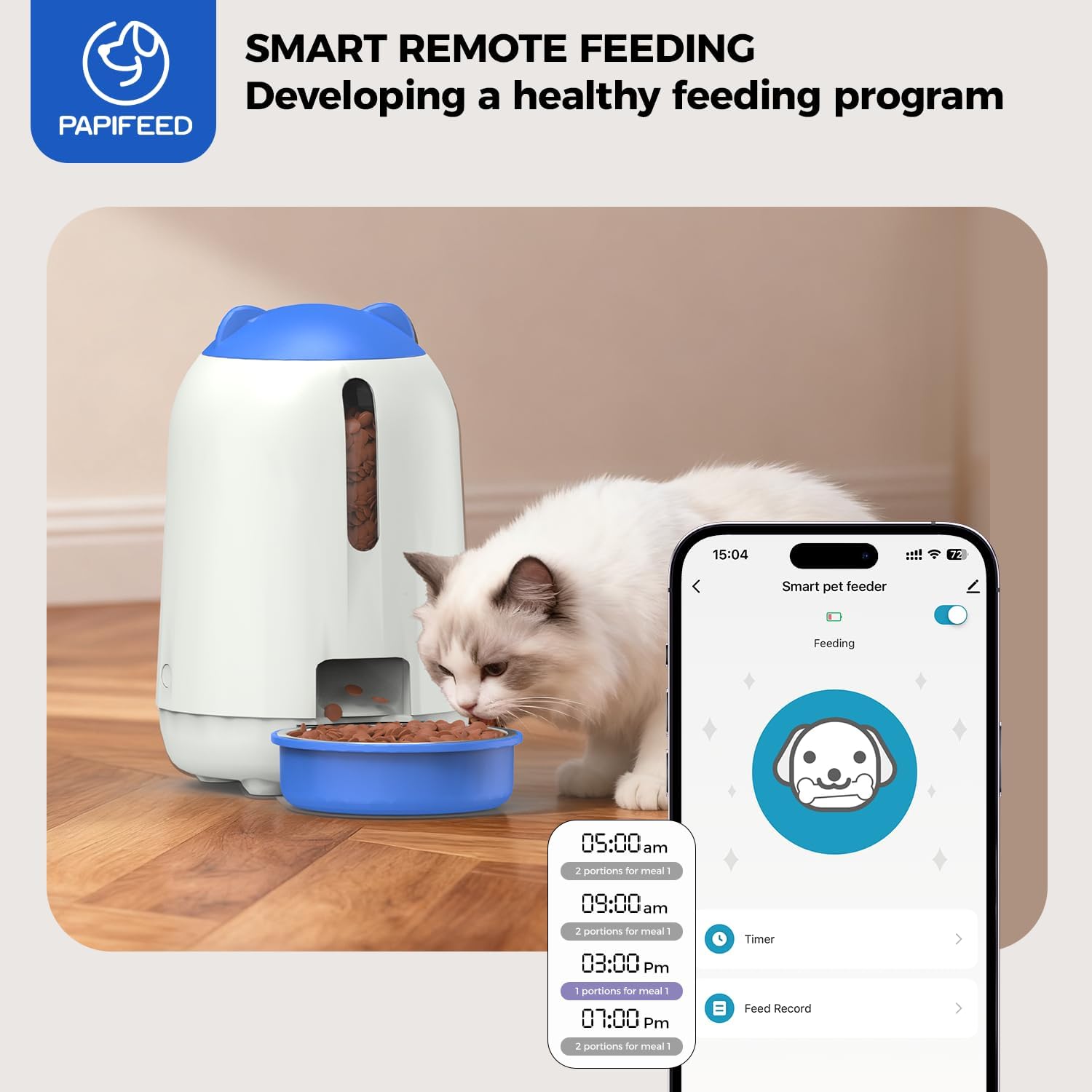
- Customize Feeding Schedule: Set specific times and portion sizes for up to 10 meals per day, with 1-12 portions per meal.
- Ročno doziranje: Dispense food instantly with a tap in the app.
- Zapisi o hranjenju: View a history of dispensed meals.
- Skupna raba naprave: Share control of the feeder with other family members through the app.
The Smart Life app interface for customizing feeding plans and remote control.
Pomembna opomba: When the feeder is operating on backup battery power, it will remain offline (unable to connect to the APP). However, it will continue to execute the preset feeding schedule to ensure your pet eats on time.
6. Vzdrževanje
6.1 Čiščenje
Redno čiščenje zagotavlja higieno in pravilno delovanje podajalnika.
- Demontaža: The food bin, grain outlet channel, and food bowl are designed to be fully detachable for cleaning.
- Pranje: Rinse the detachable parts (food bin, grain outlet channel, food bowl) directly with clean water. Ensure they are completely dry before reassembling.
- Glavna enota: The main feeder unit, which contains electronic components, should NE be washed or submerged in water. Wipe it clean with a soft, damp krpo.
- Ponovno sestavljanje: Once all parts are dry, reassemble the feeder, ensuring all components are securely in place.

The food bin, grain outlet channel, and food bowl can be detached and rinsed with water.

Illustration of removable parts for easy cleaning, with a clear indication that the main electronic unit should not be washed.
7. Odpravljanje težav
- Feeder is offline in the app: If the feeder is running on backup AA batteries, it will not connect to the app. It will still dispense food according to the last programmed schedule. Reconnect to main power for app functionality.
- Hrana se ne izdaja:
- Check food level in the hopper.
- Ensure kibble size is within the recommended range (0.2-0.47 inches / 5-12mm) to prevent clogs.
- Verify the dispensing mechanism is clear of obstructions.
- Težave z brezžično povezavo:
- Confirm your router is broadcasting a 2.4G WiFi signal. The feeder does not support 5G WiFi.
- Ensure the feeder is within range of your WiFi router.
- Restart your router and the feeder, then attempt to reconnect via the app.
- Pet knocks over the feeder: Place the feeder in a stable location or consider securing it to prevent accidental tipping by active pets.
8. Specifikacije
| Znamka | PAPIFEED |
| Številka modela | MAOER-BUTTON |
| Zmogljivost | 3 litra |
| Napajalnik | AC Adapter (included) + 4 AA Batteries (not included) |
| Povezljivost | 2.4G WiFi |
| Dimenzije | 18.54 x 18.54 x 12.7 cm (7.3 x 7.3 x 5 palca) |
| Teža | 1.37 kg (3.02 lbs) |
| Material | Trpežna plastika |
| Ciljne vrste | Cats, Small Dogs |
9. Garancija in podpora
This PAPIFEED Automatic Cat Feeder comes with a 2-letna garancija proizvajalca.
For technical assistance, warranty claims, or any questions regarding your product, please contact PAPIFEED customer support through the retailer's platform or the official PAPIFEED webmesto.


