
1. Uvod
Thank you for choosing the Transformers GM04 Lightweight Wireless Gaming Mouse. This manual provides essential information for setting up, operating, and maintaining your new gaming mouse. Designed for precision and comfort, the GM04 features a high-precision PAW3311 sensor, triple connection modes (2.4G wireless, Bluetooth 5.3, and USB-C wired), 5 programmable buttons, and up to 100 hours of battery life. Its ergonomic design and lightweight construction ensure a comfortable and responsive experience for gaming, work, and study.
2. Kaj je v škatli
- TF-GM04 Wireless Gaming Mouse x 1
- USB Wireless Dongle x 1
- Kabel USB-C x 1
- Uporabniški priročnik x 1
3. Izdelek je končanview
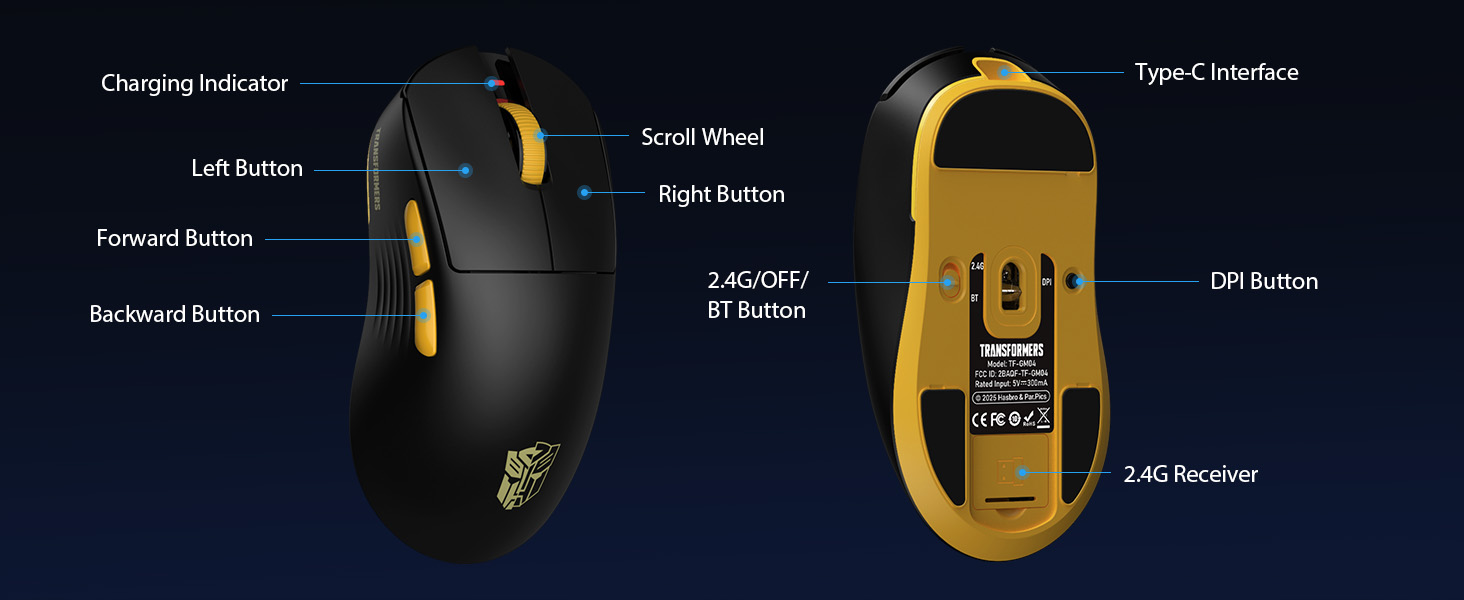
Familiarize yourself with the key features and components of your Transformers GM04 gaming mouse.
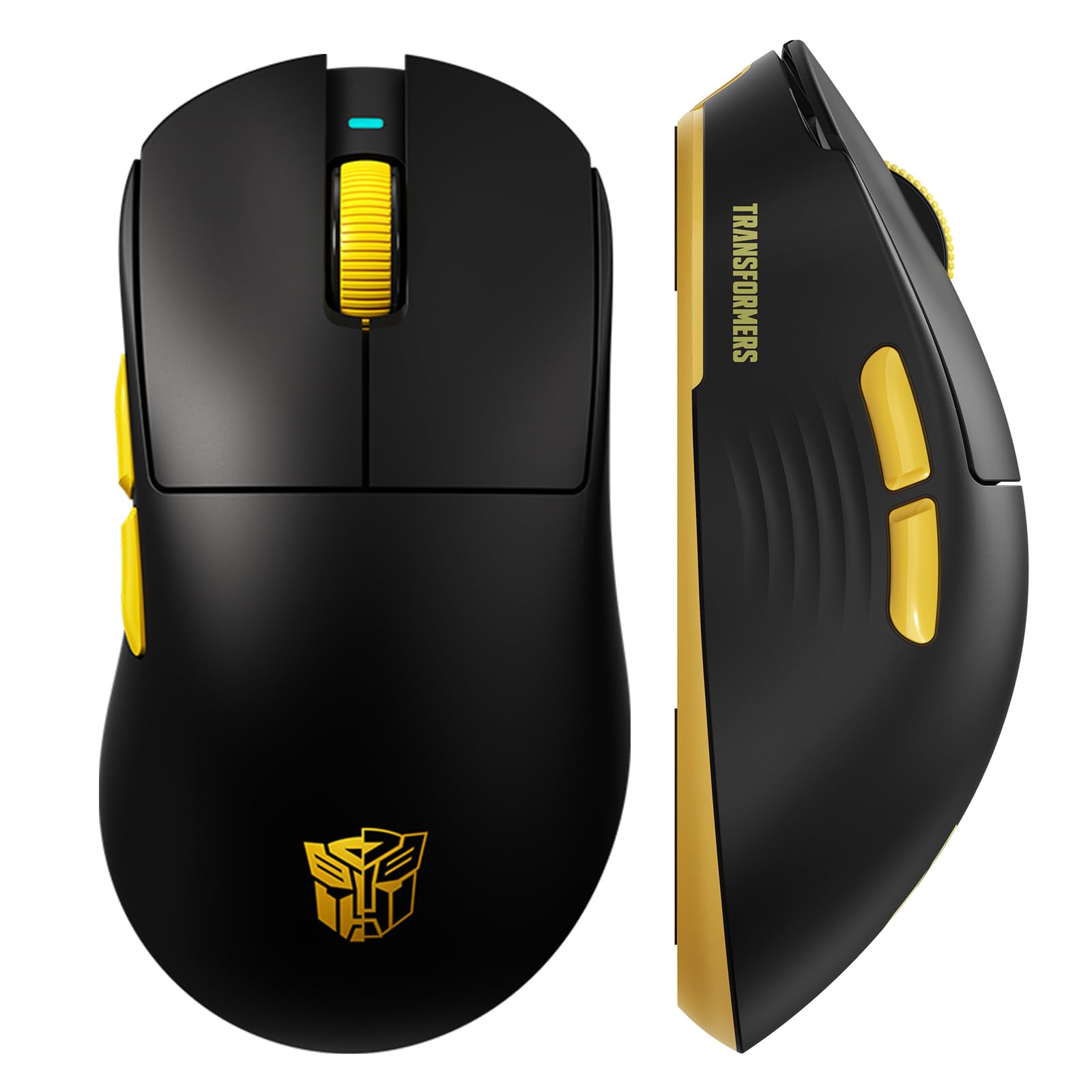
Slika 1: The Transformers GM04 Wireless Gaming Mouse, showcasing its sleek black and yellow design, along with icons highlighting its core features such as PixArt PAW3311 sensor, up to 12000 DPI, 1000Hz polling rate, 20 million clicks, Tri-Mode connectivity, custom macros, 63g lightweight design, and up to 100 hours of battery life. A USB wireless dongle is also visible next to the mouse.

Slika 2: A hand demonstrating the ergonomic design of the Transformers GM04 mouse. The image highlights how the mouse fits comfortably in the palm, promoting more comfort and less fatigue during extended use, thanks to its non-slip texture.

Slika 3: The underside of the Transformers GM04 mouse, detailing the 2.4G/OFF/BT switch for connection modes, the DPI button, and the storage compartment for the 2.4G wireless receiver. This view is crucial for understanding how to switch modes and adjust settings.

Slika 4: An illustration of the 6-level adjustable DPI settings for the Transformers GM04 mouse. It shows the DPI values (1200, 2400, 3200, 4800, 6400, 12000) and their corresponding LED indicator colors (Red, Green, Blue, Purple, Yellow, Cyan), which helps users identify the current DPI level.
Slika 5: Eksplodiral je view diagram of the Transformers GM04 mouse, highlighting the HUANO micro switches. This image emphasizes the precision-engineered mechanical switches designed for crisp feedback and a lifespan of over 20 million clicks, ideal for rapid gaming actions.
Posnetek 1: An official product video from Transformers Keyboard showcasing the GM04 Lightweight Wireless Gaming Mouse. This short video provides a dynamic overview of the mouse's design and features.
4. Nastavitev
4.1. Polnjenje miške
Before first use, it is recommended to fully charge your GM04 mouse. Connect the provided USB-C cable to the mouse's front port and the other end to a USB power source (e.g., computer USB port, USB wall adapter). The LED indicator will show charging status.
4.2. Priključitev miške
The GM04 mouse supports three connection modes: 2.4G Wireless, Bluetooth 5.3, and USB-C Wired. Use the switch on the bottom of the mouse to select your desired mode.
4.2.1. Brezžični način 2.4G
- Remove the USB wireless dongle from its storage slot on the bottom of the mouse.
- Plug the USB wireless dongle into an available USB-A port on your computer.
- Potisnite stikalo za način na spodnji strani miške v položaj "2.4 G".
- Miška bi se morala samodejno povezati z računalnikom.
4.2.2. Način Bluetooth
- Potisnite stikalo za način na spodnji strani miške v položaj "BT".
- V računalniku ali napravi odprite nastavitve Bluetooth in poiščite nove naprave.
- Select "TF-GM04 BT" from the list of available devices to pair.
- The mouse should connect and be ready for use.
4.2.3. Žični način USB-C
- Connect the provided USB-C cable to the mouse's front port and the other end to a USB-A port on your computer.
- Miška bo samodejno preklopila v žično delovanje in se začela polniti.
5. Delovanje
5.1. Prilagoditev DPI
The GM04 mouse offers 6 default DPI settings. To cycle through these settings, press the gumb DPI located on the bottom of the mouse. The LED indicator will change color to reflect the current DPI level:
- Rdeča: 1200 DPI
- zelena: 2400 DPI
- Modra: 3200 DPI
- Vijolična: 4800 DPI
- rumena: 6400 DPI
- Cijan: 12000 DPI
5.2. Programabilni gumbi
The mouse features 5 programmable buttons. To customize these buttons with macro commands, shortcut keys, or other functions, you will need to use the dedicated driver software. This software is typically available for Windows systems under 2.4G wireless and wired modes. Bluetooth mode may not support full software customization.
5.3. Preklapljanje načina povezave
Easily switch between 2.4G Wireless, Bluetooth, and Wired modes using the dedicated switch on the bottom of the mouse. This allows for seamless transitions between multiple devices.
5.4. LED indikatorji
- Indikator DPI: Changes color according to the current DPI setting (see 5.1).
- Indikator polnjenja: A green LED near the scroll wheel indicates charging. It turns off when fully charged.
6. Vzdrževanje
6.1. Čiščenje
Za ohranjanje optimalne zmogljivosti in videza miško redno čistite. Za brisanje površine uporabite mehko, suho krpo. Za trdovratno umazanijo rahlo obrišite.amp Uporabite lahko krpo, pri čemer pazite, da v notranje komponente ne vdre vlaga. Izogibajte se agresivnim kemikalijam ali abrazivnim materialom.
6.2. Skrb za baterijo
The GM04 mouse is equipped with a 500mAh high-capacity battery. To prolong battery life:
- Izogibajte se pogostemu popolnemu praznjenju baterije.
- Miško shranite na hladnem in suhem mestu, ko je dalj časa ne uporabljate.
- If using wired mode, the mouse will charge automatically.
7. Odpravljanje težav
7.1. Miška se ne odziva
- Preverite baterijo: Ensure the mouse is charged. Connect it via USB-C cable.
- Preverite način povezave: Verify the switch on the bottom is set to the correct mode (2.4G, BT, or Wired).
- Re-pair (2.4G/Bluetooth): For 2.4G, try plugging the dongle into a different USB port. For Bluetooth, unpair and re-pair the device in your computer's settings.
- Try Wired Mode: Connect the mouse directly via USB-C cable to see if it functions.
7.2. DPI se ne spreminja
- Ensure you are pressing the correct DPI button on the bottom of the mouse.
- Observe the LED indicator for color changes to confirm DPI cycles.
- If using custom software, ensure settings are applied correctly.
7.3. Lag or Disconnection in Wireless Mode
- Zmanjšajte motnje: Move the mouse closer to the receiver/device. Avoid obstacles or other wireless devices that may cause interference.
- Preverite baterijo: Low battery can affect wireless performance.
- Posodobite gonilnike: Ensure your computer's Bluetooth or USB drivers are up to date.
8. Specifikacije
| Funkcija | Podrobnost |
|---|---|
| Dimenzije izdelka | 4.68 x 2.52 x 0.1 palcev |
| Teža predmeta | 2.22 unče (približno 63 g) |
| Številka modela artikla | TF-GM04 |
| Tehnologija povezljivosti | 2.4G brezžično, Bluetooth 5.3, USB-C žično |
| Tehnologija zaznavanja gibanja | Optični (senzor PAW3311) |
| Nastavitve DPI | 1200/2400/3200/4800/6400/12000 (Adjustable) |
| Polling Rate | 1000Hz (1ms latency) |
| Hitrost sledenja | 300 IPS |
| Pospešek | 35G |
| Gumbi | 5 programabilni gumbi |
| Tip stikala | HUANO Micro Switches (20 Million Clicks) |
| Kapaciteta baterije | 500 mAh |
| Življenjska doba baterije | Up to 100 hours (Bluetooth mode) |
| Združljivost | Windows, Mac OS, and other systems |
9. Garancija in podpora
9.1. Informacije o garanciji
The Transformers GM04 Lightweight Wireless Gaming Mouse comes with a standard manufacturer's warranty. Please refer to the packaging or the official Transformers webZa podrobne garancijske pogoje obiščite spletno mesto. Račun shranite kot dokazilo o nakupu za morebitne garancijske zahtevke.
9.2. Podpora strankam
For technical assistance, troubleshooting, or any questions regarding your Transformers GM04 mouse, please contact Transformers customer support. Contact details can typically be found on the product packaging or the official brand webmesto.