
Uvod
This manual provides essential information for the safe and effective use of your Paladone Lilo & Stitch Galaxy Projection Light. Please read these instructions carefully before operating the device and retain them for future reference.
Kaj je v škatli:
- Paladone Lilo & Stitch Galaxy Projection Light
- Daljinski upravljalnik
- USB polnilni kabel
- Uporabniški priročnik
Nastavitev
Follow these steps to set up your Galaxy Projection Light:
- Polnjenje naprave: Before first use, fully charge the projection light using the provided USB charging cable. Connect the USB-C end of the cable to the port on the back of the light and the standard USB-A end to a compatible USB power adapter (not included). The charging indicator will illuminate during charging and turn off when fully charged.
- Umestitev: Place the projection light on a stable, flat surface. For optimal projection, position it in a dark room, facing a wall or ceiling.
- Daljinski upravljalnik: Ensure the remote control has working batteries. If not, insert 2x AAA batteries (not included) into the remote control's battery compartment, observing correct polarity.
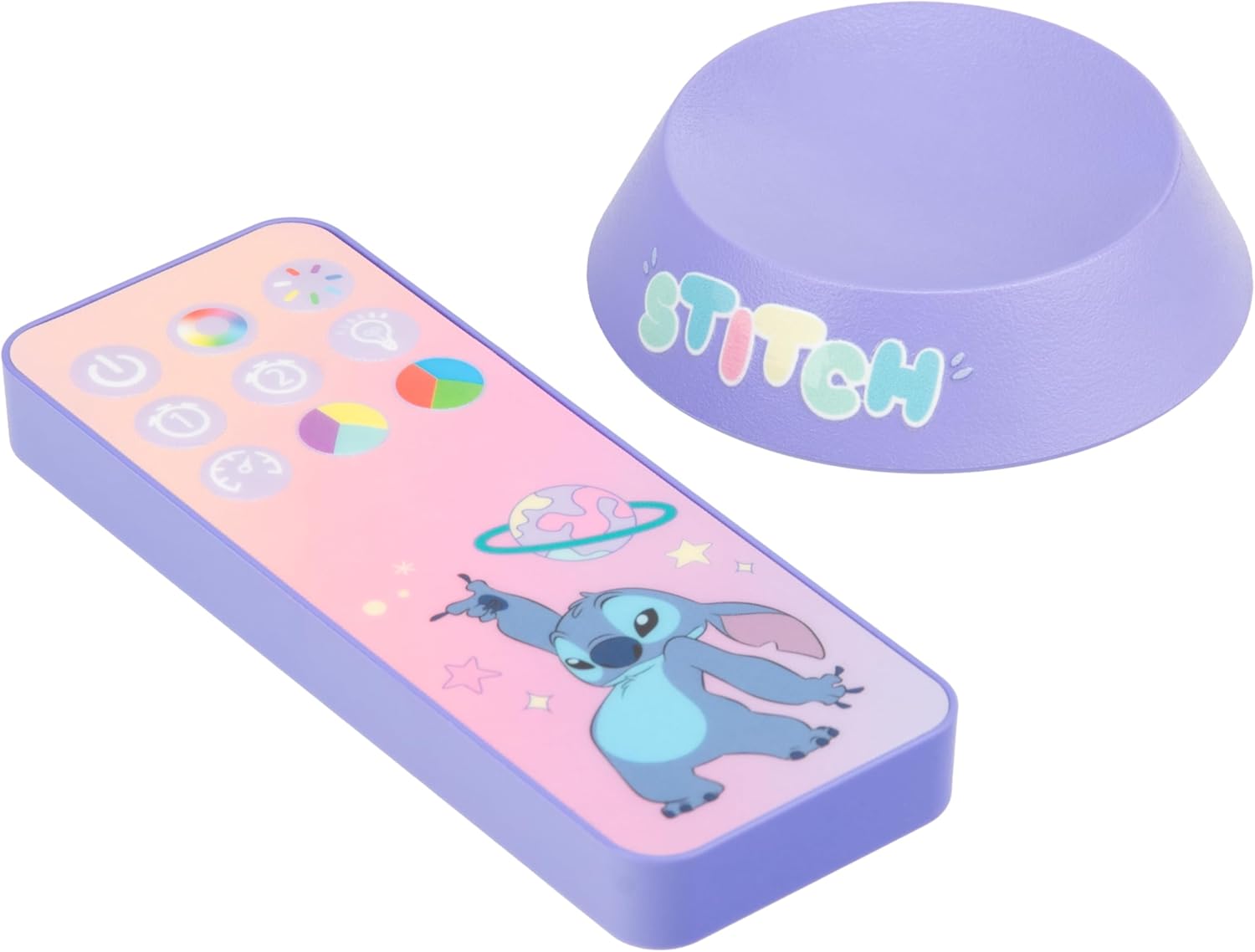
Image: The back of the projection light showing the USB-C input and control buttons.
Navodila za uporabo
Your Galaxy Projection Light offers various lighting modes and controls:
- Vklop/izklop: Press the power button on the back of the unit or the power button on the remote control to turn the light on or off.
- Prilagoditev svetlosti: Use the brightness buttons on the remote control to adjust the intensity of the projection.
- Color PhasinNačin g: Press the 'Color Phasing' button on the remote to cycle through a sequence of colors, creating a dynamic galaxy effect.
- Color Select Mode: Use the 'Color Select' button or specific color buttons on the remote to choose a static color for your projection.
- Nočni način: Activate the 'Night Mode' for a softer, more subdued projection, ideal for use as a night light.
- Časovnik samodejnega izklopa: Set the auto-off timer using the remote control. Options typically include 15, 30, or 60 minutes, after which the light will automatically turn off.
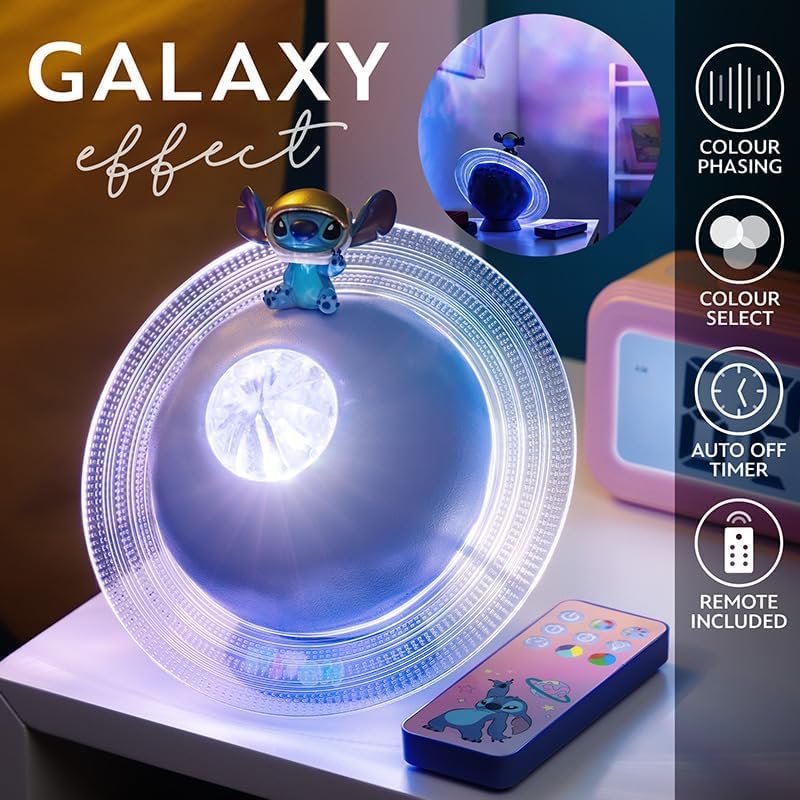
Image: The projection light creating a galaxy effect, with the remote control visible.

Image: The remote control for the projection light, showing buttons for color, brightness, and timer functions.

Image: The projection light in action, casting a colorful galaxy pattern onto a wall.
Vzdrževanje
To ensure the longevity and optimal performance of your projection light:
- Čiščenje: Napravo obrišite z mehko, suho krpo. Ne uporabljajte abrazivnih čistil ali topil, saj lahko poškodujejo površino.
- Vzdrževanje baterije: Recharge the device regularly to maintain battery health. Avoid fully depleting the battery frequently. If storing for an extended period, charge the device every few months.
- Shranjevanje: Svetilko shranjujte na hladnem in suhem mestu, stran od neposredne sončne svetlobe in ekstremnih temperatur.
Odpravljanje težav
If you encounter issues with your Galaxy Projection Light, refer to the following common problems and solutions:
| Težava | Možen vzrok | rešitev |
|---|---|---|
| Luč se ne vklopi. | Baterija je prazna. | Napravo napolnite s priloženim kablom USB. |
| Daljinski upravljalnik ne deluje. | Baterije v daljinskem upravljalniku so prazne ali nepravilno vstavljene. | Replace remote batteries (2x AAA) and ensure correct polarity. Ensure line of sight to the light. |
| Projekcija je temna ali nejasna. | Room is too bright; device is too far from projection surface. | Use in a darker environment. Adjust the light's position closer to the wall or ceiling. Ensure the lens is clean. |
| Luč nepričakovano ugasne. | Auto-off timer is activated; battery is low. | Check timer settings on the remote. Recharge the device. |
Specifikacije
| Funkcija | Podrobnost |
|---|---|
| Številka modela | 14475 |
| Znamka | Paladone |
| Dimenzije izdelka | 7.09"D x 7.09"Š x 3.94"V |
| Teža predmeta | 300 gramov |
| Vir napajanja | Napajanje na baterije (USB za polnjenje) |
| Vrsta svetlobnega vira | LED |
| Vrsta materiala | Plastika |
| Notranja/zunanja uporaba | Notranja |
| GTIN (UPC) | 05056577754445 |
Garancija
The manufacturer warranty description for this product is listed as 'None'. Please refer to your retailer's return policy for information regarding returns or exchanges.
Podpora
For further assistance or inquiries regarding your Paladone Lilo & Stitch Galaxy Projection Light, please contact the retailer from whom you purchased the product. You may also visit the official Paladone website for general product information: Paladone Store on Amazon.