
1. Uvod
Thank you for choosing the XTUGA J02S Wireless In-Ear Monitor System. This system provides high-fidelity stereo audio monitoring with low latency, designed for musicians, singers, and performers on stage, in church, or for content creation. This manual will guide you through the setup, operation, and maintenance of your new wireless IEM system.
2. Vsebina paketa
Označite polje za naslednje elemente:
- 1 x XTUGA J02S Transmitter
- 1 x XTUGA J02S Receiver
- 1 x 3.5mm to 3.5mm Connecting Cable
- 1 x polnilni kabel USB-C
- 1 x 6.35mm Audio Adapter Plug
- 1 x uporabniški priročnik

3. Izdelek je končanview
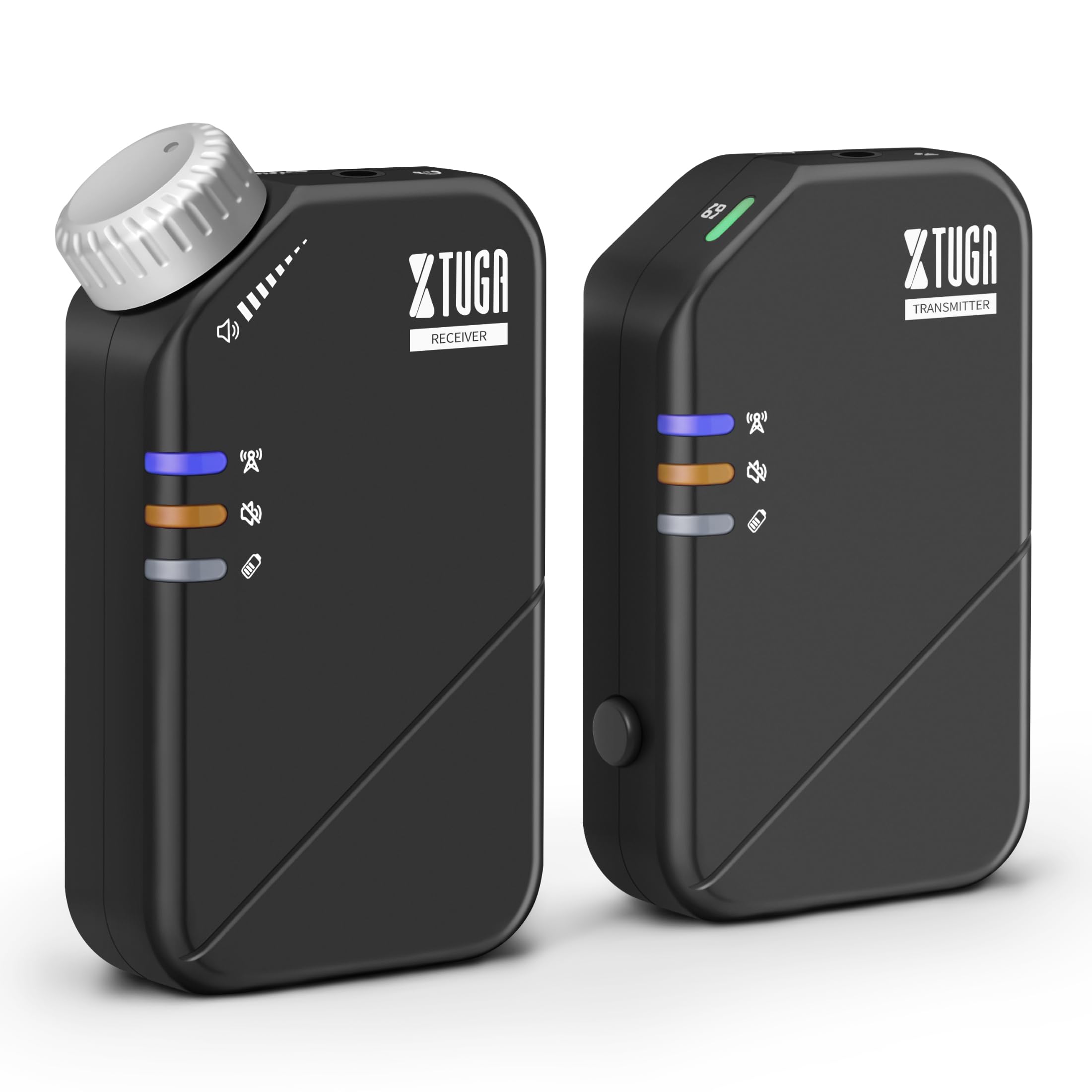
The XTUGA J02S system consists of a compact transmitter and receiver unit, designed for portability and ease of use. Both units feature durable ABS construction and integrated belt clips for convenient attachment during performances.
4. Nastavitev
4.1 Polnjenje enot
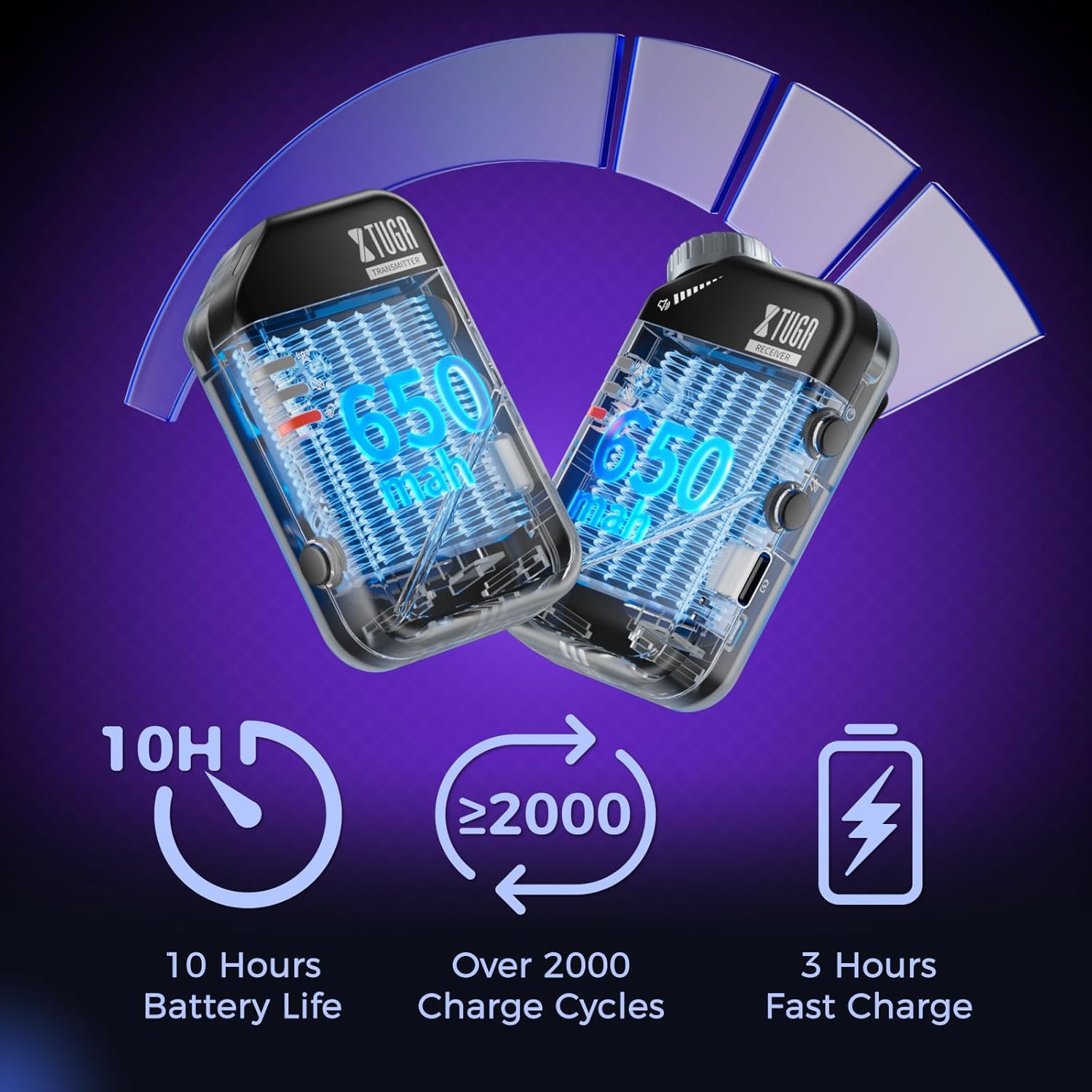
Before first use, fully charge both the transmitter and receiver using the provided USB-C charging cable. A red light will flash to indicate low battery and will turn solid red while charging, turning off when fully charged.
4.2 Priključitev oddajnika
- Connect the 3.5mm connecting cable to the 'INPUT' jack on the transmitter.
- If your audio source has a 6.35mm output, use the provided 6.35mm adapter plug.
- Plug the other end of the connecting cable into your audio source (e.g., mixer, audio interface, phone, sound card).
4.3 Priključitev sprejemnika
- Plug your in-ear monitors or headphones into the 'OUTPUT' jack on the receiver.
- Clip the receiver to your belt or waistband for convenient monitoring.
4.4 Pairing the Units
The units are typically pre-paired. If re-pairing is needed:
- Vklopite tako oddajnik kot sprejemnik.
- The blue indicator light will be solid when connected. A flashing blue light indicates no connection.
- If they do not connect automatically, refer to the detailed pairing instructions in the included user manual.
5. Navodila za uporabo
5.1 Vklop/izklop
Long press the power button on each unit to turn it on or off.
5.2 Funkcija izklopa zvoka
Press the mute button on either the transmitter or receiver to mute the audio. A yellow light indicates the unit is muted.

5.3 Mono/Stereo Switching
The system supports both mono and stereo modes. Use the dedicated button on the transmitter to switch between modes. A green light indicates mono mode, while no light indicates stereo mode.
5.4 Nadzor glasnosti
Adjust the volume directly on the receiver unit using the tactile volume knob. This allows for precise, on-the-fly adjustments without needing to look at the unit.

6. Ključne značilnosti
- Zvok visoke ločljivosti: The 2.4GHz wireless system offers a low-noise design (SNR>100dB) and ultra-low latency (≤4.5ms mono, <12ms stereo) for clear audio.
- Razširjen brezžični doseg: Enjoy freedom of movement with a wireless transmission range of up to 164ft (50m).
- Dolga življenjska doba baterije: Each unit provides up to 10 hours of continuous use on a single 3-hour fast charge, with a lifespan of over 2000 charge cycles.
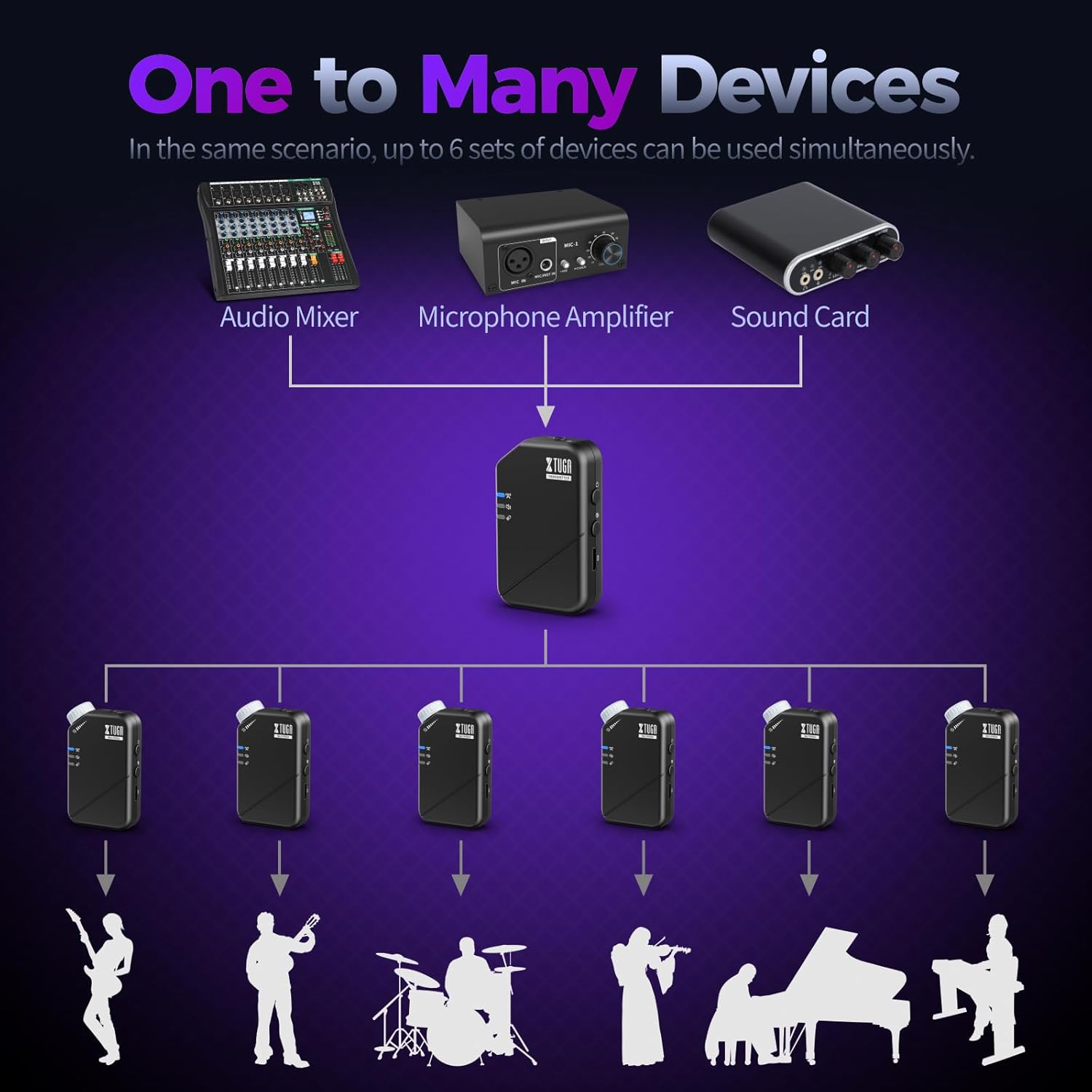
- One Transmitter to Many Receivers: A single transmitter can send signals to multiple receivers simultaneously (up to 6 pairs), ideal for band monitoring.


7. Specifikacije
| Specifikacija | Vrednost |
|---|---|
| Ime modela | J02S-JT |
| Tehnologija povezljivosti | Brezžično (2.4 GHz) |
| Frekvenčno območje | 20-24KHz |
| Sampobrestna mera | 48KHz/24bit |
| Low Latency (Mono) | ≤4.5 ms |
| Low Latency (Stereo) | <12 ms |
| Brezžično Domet | Do 164 ft (50 m) |
| Življenjska doba baterije | 10 ur |
| Čas polnjenja | 3 ur |
| Material | Akrilonitril butadien stiren (ABS) |
| Priključek za slušalke | 3.5mm (with 6.35mm adapter) |
| Združljivi sprejemniki | Up to 6 pairs per transmitter |
| Teža predmeta | 7 unč (0.2 kg) |
| Dimenzije izdelka | 6.89 x 4.72 x 1.97 palcev |

8. Odpravljanje težav
8.1 Brez zvočnega izhoda
- Prepričajte se, da sta oddajnik in sprejemnik vklopljena in popolnoma napolnjena.
- Check that the units are successfully paired (solid blue indicator light).
- Verify that your headphones/IEMs are correctly plugged into the receiver's 'OUTPUT' jack.
- Adjust the volume knob on the receiver.
- Confirm the audio source is active and connected correctly to the transmitter's 'INPUT'.
- Check if the mute function is active (yellow indicator light). Deactivate if necessary.
8.2 Intermittent Signal/Dropouts
- Ensure the transmitter and receiver are within the 164ft (50m) operating range.
- Minimize physical obstructions (walls, large metal objects) between the units.
- Avoid areas with high 2.4GHz wireless interference (e.g., multiple Wi-Fi routers, other wireless devices).
- Ensure units are fully charged to maintain optimal signal strength.
8.3 Težave z zakasnitvijo
- The system is designed for low latency. Ensure you are operating within optimal conditions (clear line of sight, minimal interference).
- Consider switching to mono mode if stereo latency is noticeable, as mono mode offers lower latency.
9. Vzdrževanje
- Čiščenje: Za čiščenje enot uporabljajte mehko, suho krpo. Izogibajte se tekočim čistilom ali topilom.
- Shranjevanje: Sistem shranjujte na hladnem in suhem mestu, stran od neposredne sončne svetlobe in ekstremnih temperatur.
- Vzdrževanje baterije: For optimal battery longevity, avoid completely draining the battery frequently. Charge the units regularly, even if not in constant use.
- Ravnanje: While durable, avoid dropping the units or subjecting them to harsh impacts to prevent damage to internal components.
10. Garancija in podpora
XTUGA products are designed for reliability and performance. For warranty information, technical support, or service inquiries, please refer to the contact details provided in the original product packaging or visit the official XTUGA webspletnega mesta. Račun shranite kot dokazilo o nakupu za uveljavljanje garancije.