1. Uvod
This user manual provides detailed instructions for the Bemi Cognita Tab 6+ E-Reader. Please read this manual carefully before using your device to ensure proper operation and to maximize your reading experience. Keep this manual for future reference.
1.1 Vsebina paketa
- Bemi Cognita Tab 6+ E-Reader
- USB polnilni kabel
Ob razpakiranju se prepričajte, da so vsi predmeti prisotni in v dobrem stanju.
2. Naprava je končanaview
Familiarize yourself with the physical components of your Bemi Cognita Tab 6+ E-Reader.

Slika 2.1: Spredaj view of the Bemi Cognita Tab 6+ E-Reader. The device features a 6-inch E-Ink display with the Bemi logo and model name visible. The screen is designed to mimic paper for a comfortable reading experience.

Slika 2.2: Spredaj in zadaj view of the Bemi Cognita Tab 6+ E-Reader. This image highlights the device's thin design and the textured back cover, which provides a secure grip.

Slika 2.3: Stran view of the Bemi Cognita Tab 6+ E-Reader, illustrating the location of the power button and a small LED indicator. This button is used for turning the device on/off and waking it from sleep.
2.1 Ključne komponente:
- 6-inch E-Ink Touchscreen: Glare-free display for comfortable reading.
- Gumb za vklop: Located on the side for turning the device on/off and sleep/wake.
- Vrata USB-C: Za polnjenje in prenos podatkov.
- Reža za kartico MicroSD: Expandable storage up to 256GB.
- Side Control Buttons: For page turning and navigation.
- SMARTlight: Adjustable front light for reading in various conditions.
3. Nastavitev
3.1 Začetno polnjenje
Before first use, fully charge your Bemi Cognita Tab 6+ E-Reader. Connect the provided USB cable to the device's USB-C port and the other end to a compatible USB power adapter (not included) or a computer's USB port.
- Polno polnjenje običajno traja približno 2-3 ure.
- Indikatorska lučka polnjenja bo prikazala stanje polnjenja.
3.2 Vklop/izklop
- Za vklop: Press and hold the Power button (refer to Figure 2.3) for a few seconds until the screen activates.
- Za izklop: Pritisnite in držite gumb za vklop, dokler se ne prikaže meni za izklop, nato izberite »Izklop«.
- Za spanje/zbujanje: Na kratko pritisnite gumb za vklop, da napravo preklopite v stanje mirovanja ali jo zbudite.
3.3 Povezava Wi-Fi
Connecting to Wi-Fi allows you to download books, transfer files, and access online services.
- Na začetnem zaslonu tapnite nastavitve ikona.
- Izberite Wi-Fi.
- Preklopite stikalo Wi-Fi na On.
- The device will scan for available networks. Select your desired network from the list.
- Vnesite geslo, če ste pozvani, nato pa tapnite Povežite se.
3.4 Začetna konfiguracija
Upon first power-on, you may be guided through initial setup steps, including language selection and time zone settings. Follow the on-screen prompts.
4. Navodila za uporabo
4.1 Navigacija po vmesniku
The Bemi Cognita Tab 6+ features a touch-sensitive E-Ink screen and physical side buttons for navigation.
- Poteze na dotik: Tap to select, swipe to scroll, pinch to zoom (where supported).
- Stranski gumbi: Use the physical buttons on the side to turn pages forward or backward during reading.
- G-senzor: The device automatically rotates the screen orientation based on how you hold it, accommodating both right and left-handed users.
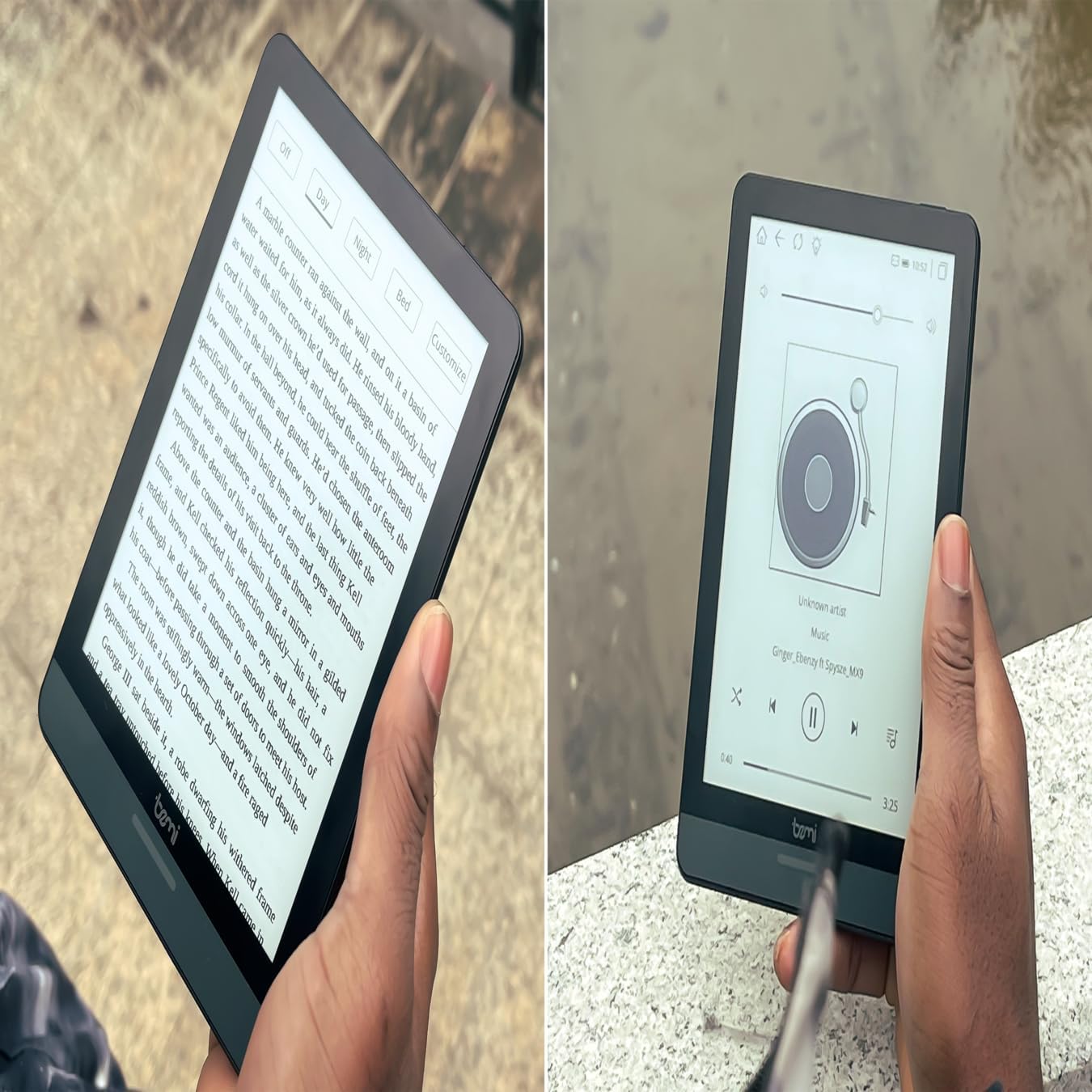
Slika 4.1: User holding the Bemi Cognita Tab 6+ E-Reader while reading. The image shows the clear text display on the E-Ink screen, highlighting the device's readability.
4.2 Branje knjig
Če želite odpreti in prebrati knjigo:
- Na začetnem zaslonu tapnite na Knjižnica or knjige ikona.
- Browse your collection or use the search function to find a book.
- Tap on the book cover to open it.
- Use the touch screen or side buttons to turn pages.
4.3 Adjusting SMARTlight
The SMARTlight feature allows you to adjust both the brightness and color temperature of the screen's front light.
- During reading, tap the center of the screen to bring up the reading menu.
- Poiščite Svetloba or SMARTlight ikona.
- Adjust the sliders for brightness (intensity) and color temperature (warm to cool) to your preference.
4.4 Prenos Files
You can transfer e-books and other supported files to your device via Wi-Fi or USB cable.
- Prek Wi-Fi: If your device supports cloud services or direct Wi-Fi transfer, follow the specific application instructions.
- Prek kabla USB:
- Connect your E-Reader to a computer using the provided USB cable.
- The device will appear as a removable storage drive on your computer.
- Povlecite in spustite želeno files (e.g., EPUB, PDF, MOBI) into the appropriate folders on the E-Reader (e.g., "Books" folder).
- Preden odklopite kabel, napravo varno odstranite iz računalnika.
4.5 Uporaba kartice MicroSD
To expand storage, insert a microSD card (up to 256GB) into the designated slot.
- Gently insert the microSD card with the gold contacts facing down until it clicks into place.
- Za odstranitev kartico nežno potisnite navznoter, dokler ne izskoči.
- Files on the microSD card will be accessible through the device's file manager or library.
5. Vzdrževanje
5.1 Čiščenje naprave
- Zaslon in ohišje naprave nežno obrišite z mehko krpo, ki ne pušča vlaken.
- Za trdovratne madeže rahlo dampkrpo sperite z vodo ali čistilom za zaslone, posebej zasnovanim za elektroniko.
- Izogibajte se uporabi agresivnih kemikalij, abrazivnih materialov ali prekomerne vlage.
5.2 Skrb za baterije
- Da podaljšate življenjsko dobo baterije, se izogibajte pogostemu popolnemu praznjenju baterije.
- Napravo shranjujte na hladnem in suhem mestu, ko je dalj časa ne uporabljate.
- Charge the device regularly, even if not used, to prevent deep discharge.
5.3 Shranjevanje
When not in use, store your E-Reader in a protective case to prevent scratches and damage to the screen.
6. Odpravljanje težav
If you encounter issues with your Bemi Cognita Tab 6+, refer to the following common solutions:
| Težava | rešitev |
|---|---|
| Naprava se ne vklopi. | Ensure the battery is charged. Connect the device to a power source for at least 30 minutes. If it still doesn't turn on, try a hard reset by holding the power button for 10-15 seconds. |
| Zaslon je zamrznjen ali se ne odziva. | Perform a soft reset by holding the power button for 5-7 seconds until the device restarts. If the issue persists, try a hard reset. |
| Ni mogoče vzpostaviti povezave z Wi-Fi. | Check if Wi-Fi is enabled in settings. Verify the Wi-Fi password. Restart your E-Reader and your Wi-Fi router. Ensure you are within range of the Wi-Fi signal. |
| Books are not appearing in the library. | Zagotovite files are in a supported format (e.g., EPUB, PDF). If transferred via USB, ensure they are in the correct folder. Try refreshing the library or restarting the device. |
| Baterija se hitro izprazni. | Reduce screen brightness. Turn off Wi-Fi and Bluetooth when not in use. Close background applications. Ensure the device is not constantly searching for networks. |
7. Specifikacije
| Funkcija | Podrobnost |
|---|---|
| Ime modela | Bemi Cognita Tab 6+ |
| Velikost zaslona | 6 Inches (E-Ink Carta, 1024x758, 212 ppi) |
| Notranji pomnilnik | 32 GB |
| Razširljiv prostor za shranjevanje | Reža za kartico MicroSD, do 256 GB |
| Povezljivost | Wi-Fi, Bluetooth |
| Operacijski sistem | Android 8.1 |
| Vnos človeškega vmesnika | Touchscreen, Side Control Buttons |
| Posebne lastnosti | Adjustable SMARTlight, G-Sensor for auto-rotation, Glare-Free & Eye-Friendly E-Ink Display |
| Mere (pribl.) | 7 mm debeline |
| Vključene komponente | USB kabel |
8. Garancija in podpora
8.1 Informacije o garanciji
Your Bemi Cognita Tab 6+ E-Reader comes with a standard manufacturer's warranty. Please refer to the warranty card included in your product packaging or visit the official Bemi webZa podrobne pogoje glede garancijskega kritja in trajanja obiščite spletno mesto.
Za podaljšano kritje so morda na voljo dodatni zaščitni načrti. Za podrobnosti se obrnite na prodajalca.
8.2 Podpora strankam
For technical assistance, troubleshooting beyond this manual, or warranty claims, please contact Bemi customer support:
- Webspletno mesto: www.bemi-electronics.com
- E-pošta: Refer to the Bemi webspletno mesto za kontaktni e-poštni naslov.
- telefon: Refer to the Bemi webspletno mesto za kontaktne telefonske številke.
When contacting support, please have your device model (Cognita Tab 6+) and purchase information ready.