
1. Pomembne varnostne informacije
Please read this manual carefully before using the MiLESEEY S50 Laser Distance Meter. Failure to follow these instructions may result in laser radiation exposure, electric shock, fire, or serious injury.
Laserska varnost
The MiLESEEY S50 emits Class II laser radiation. Do not stare directly into the laser beam. Direct exposure to the laser beam may cause eye injury.
- Vrsta laserja: Class II Green Laser (500-530nm, <1mW) and Class II Red Side Laser (630-670nm, <1mW).
- Never look directly into the laser beam or point it at other people.
- Naprave ne razstavljajte ali spreminjajte.
- Napravo hranite izven dosega otrok.
2. Izdelek je končanview
The MiLESEEY S50 is a professional laser distance meter designed for accurate and efficient measurements in various environments. It features advanced green laser technology for enhanced visibility and a wide range of measurement functions.
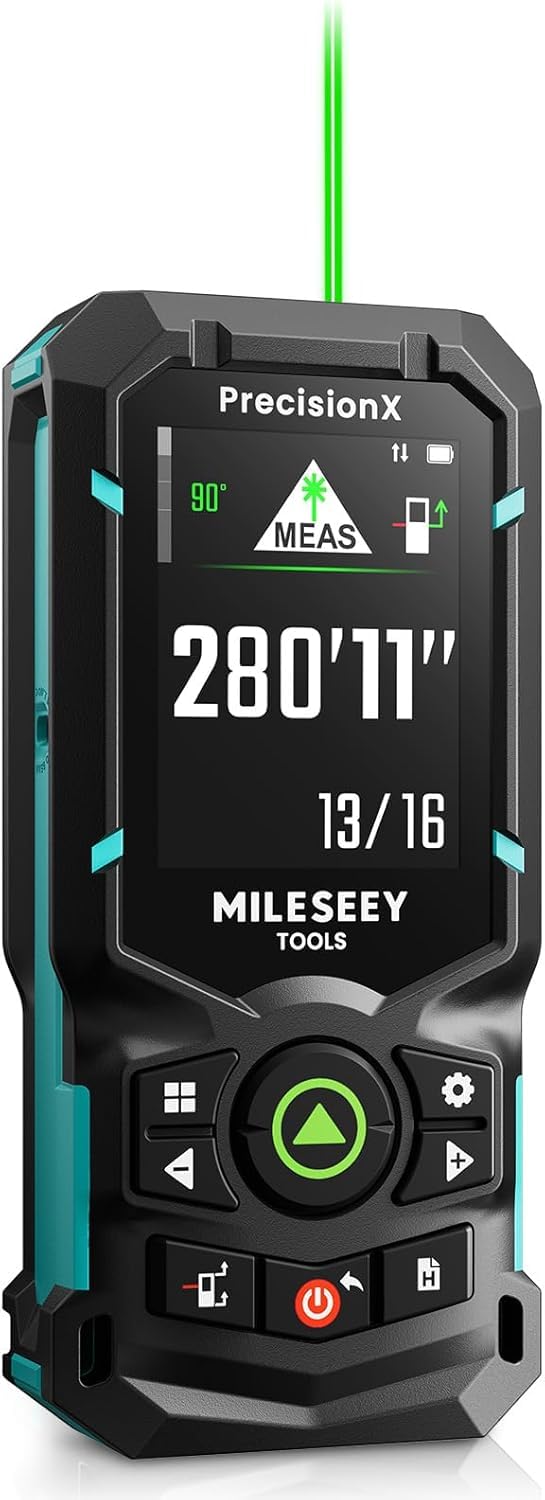
Image: The MiLESEEY S50 Professional Green Laser Distance Meter.
Ključne značilnosti
- 4x Brighter Green Laser: Provides superior visibility compared to standard red lasers, especially in outdoor conditions.
- Visoka natančnost in hitrost: Utilizes MILESEEY's patented PowerBurst™ technology for stable measurements up to 120m with ±1.5mm accuracy, even in challenging conditions. Up to 8 measurements per second.
- 18 Measurement Modes: Includes P2P (Point-to-Point), area, volume, indirect measurements, continuous measurement, and more.
- Flexible References & Units: Easily switch between 4 reference points (front, rear, tripod, lateral laser) and 8 units (ft, 0'00"1/32, 0'00"1/16, in1/32, in1/16, in1/16, cm, m).
- 6.1 cm IPS Backlit Screen: High-resolution display with automatic black and white background switching for clear readings in various lighting conditions.
- Rechargeable NiMH Batteries: Powered by 2xAA 1800mAh NiMH batteries, offering all-day use and USB-C charging.
- Integracija pametnih aplikacij: Streamline workflow with smart applications for visualizing measurements on floor plans, exporting data, creating reports, and unlimited cloud storage.
- Trajna zasnova: Constructed from robust engineering plastic, IP54 dust and water-resistant.

Image: Enhanced visibility of the green laser beam.

Image: PowerBurst technology for consistent precision.

Image: The 6.1 cm IPS backlit screen in different lighting conditions.
Vsebina paketa
The MiLESEEY S50 package includes:
- 1 x MiLESEEY S50 laserski merilnik razdalje
- 1 x etui za shranjevanje
- 1 x vrvica
- 2 x AA NiMH Rechargeable Batteries
- 1 x polnilni kabel USB-C
- 1 x uporabniški priročnik
- 1 x vodnik za hiter začetek

Image: Contents of the MiLESEEY S50 box.
3. Nastavitev
Namestitev in polnjenje baterije
The MiLESEEY S50 uses 2xAA NiMH rechargeable batteries. Ensure batteries are correctly inserted according to polarity markings. For optimal performance, fully charge the batteries before first use.
- Odprite pokrov prostora za baterije.
- Insert the 2xAA NiMH batteries, observing the correct polarity.
- Trdno zaprite pokrov prostora za baterije.
- Connect the device to a power source using the provided USB-C cable for charging. The screen will indicate charging status.

Image: MiLESEEY S50 with batteries and USB-C charging cable.
Vklop/izklop
- Za vklop pritisnite Moč gumb.
- Za izklop pritisnite in držite tipko Moč gumb nekaj sekund. Naprava se bo po določenem času neaktivnosti samodejno izklopila, da bi varčevala z baterijo.
4. Navodila za uporabo
Osnovna meritev
Za izvedbo merjenja ene same razdalje:
- Usmerite laser na ciljno površino.
- Pritisnite MERS button (green triangle). The measurement will be displayed on the screen.
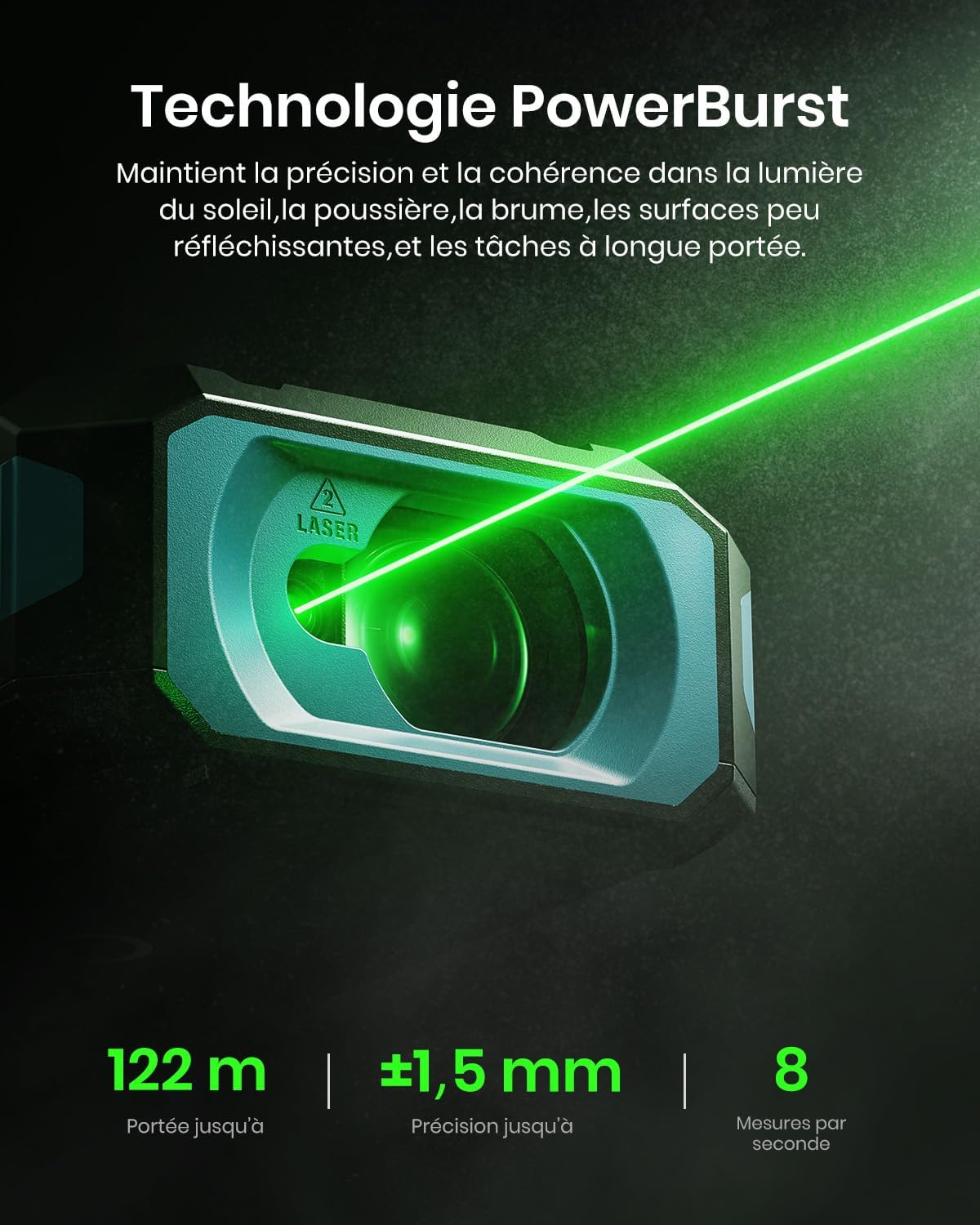
Image: Performing a basic distance measurement.
Changing Units and Reference Points
- Pritisnite Enota za preklapljanje med razpoložljivimi merskimi enotami (npr. metri, čevljami, palci).
- Pritisnite Referenca button to change the measurement reference point (front, rear, tripod, lateral laser).
Izbira načinov merjenja
The MiLESEEY S50 offers 18 different measurement modes. Press the Način button to cycle through the available functions. The screen will display an icon representing the selected mode.

Image: Visual representation of the 18 measurement modes.
5. Napredne funkcije
P2P (Point-to-Point) Measurement
The P2P mode allows you to measure the distance between two points from a single location, which is particularly useful for inaccessible areas.
- Select the P2P measurement mode.
- Usmerite laser na prvo ciljno točko in izvedite meritev.
- Aim the laser at the second target point and take another measurement.
- The device will calculate and display the distance between the two points.

Image: Demonstrating P2P measurement functionality.
Pametna integracija aplikacij
Connect your MiLESEEY S50 to the Smart Life app for enhanced functionality and data management.
- Prenesite aplikacijo »Smart Life« iz trgovine z aplikacijami v svoji napravi.
- Follow the in-app instructions to pair your S50 device via Bluetooth.
- Ko ste povezani, lahko view measurements on floor plans, export data, create reports, and utilize unlimited cloud storage for your projects.

Image: Smart Life app integration with the MiLESEEY S50.
Lateral Laser Alignment
The red lateral laser alignment feature helps in precise alignment and layout tasks, providing visible markers up to 1 meter.

Image: Using the red lateral laser for alignment.
6. Vzdrževanje
- Napravo redno čistite z mehko, damp krpo. Ne uporabljajte abrazivnih čistil ali topil.
- Ensure the laser lens is clean and free from dust or debris for accurate measurements.
- Ko naprave ne uporabljate, jo shranite v zaščitni etui, da preprečite poškodbe.
- Če naprave ne boste uporabljali dlje časa, odstranite baterije.
7. Odpravljanje težav
| Težava | Možen vzrok | rešitev |
|---|---|---|
| Naprava se ne vklopi. | Low or depleted batteries; incorrectly inserted batteries. | Charge or replace batteries; check battery polarity. |
| Netočne meritve. | Dirty laser lens; unstable measurement surface; extreme environmental conditions. | Clean the lens; ensure a stable measurement; avoid measuring in conditions outside specified operating range. |
| Laserski žarek ni viden. | Bright ambient light; laser is off. | Use in lower light conditions or use the green laser for better visibility; ensure laser is activated. |
| Cannot connect to Smart Life app. | Bluetooth is off; device not in pairing mode; app issues. | Ensure Bluetooth is enabled on your phone; restart both devices; check app permissions. |
8. Specifikacije
| Funkcija | Podrobnost |
|---|---|
| Znamka | Mileseey |
| Številka modela | S50 |
| Merilno območje | Do 120m |
| Natančnost merjenja | ±1.5 mm |
| Laser Type (Main) | Class II Green Laser (500-530nm, <1mW) |
| Laser Type (Lateral) | Class II Red Laser (630-670nm, <1mW) |
| Zaslon | 6.1 cm IPS Backlit Screen |
| Vir napajanja | 2xAA NiMH 1800mAh Rechargeable Batteries |
| Vrata za polnjenje | USB-C |
| Material | Akrilonitril butadien stiren, kavčuk |
| Vodoodpornost | IP54 (odporno na prah in vodo) |
| Teža | 150 gramov |
9. Garancija in podpora
The MiLESEEY S50 Laser Distance Meter comes with a 24-mesečna garancija proizvajalca od datuma nakupa. Ta garancija pokriva napake v materialu in izdelavi pri normalni uporabi.
For warranty claims, technical support, or any inquiries, please contact Mileseey customer service through the retailer where the product was purchased or visit the official Mileseey webspletno mesto za kontaktne podatke.
Prosimo, shranite dokazilo o nakupu za potrditev garancije.