
1. Izdelek je končanview
The Bonacell RGB Wireless Controller is designed to enhance your gaming experience on PS5 Pro, PS5 Slim, and PC. It features advanced functionalities such as dual vibration, 6-axis motion sensing, customizable RGB lighting, programmable back paddles, and a turbo function. This manual provides detailed instructions for setup, operation, and troubleshooting.

Image 1: The Bonacell RGB Wireless Controller is compatible with multiple devices, including PS5 consoles and Windows PCs.
2. Controller Layout and Components
Familiarize yourself with the various buttons and components of your Bonacell RGB Wireless Controller.

Image 2: Detailed diagram showing the layout of the multifunctional controller, including all buttons, sticks, and ports.
- Sledilna ploščica: Interactive surface for in-game navigation.
- Gumb za skupno rabo: Za deljenje igralnih vsebin.
- Gumb MENU: Accesses in-game menus.
- Cross Key (D-pad): Smerni vhod.
- govornik: Integriran zvočni izhod.
- Leva palica: Primarni nadzor gibanja.
- Turbo gumb: Activates turbo mode for rapid input.
- 3.5 mm priključek za slušalke: Za priklop slušalk.
- Svetlobni gumb: Controls RGB lighting modes.
- Domov gumb: Powers on/off and accesses system menus.
- Desna palica: Camera and secondary movement control.
- R1/L1 Buttons: Gumbi na ramenih.
- Vrata za polnjenje USB: Vrata tipa C za polnjenje in žično povezavo.
- R2/L2 Triggers: Analog triggers.
- SET (Marco) Button: For macro programming.
- PR/PL Paddles: Programmable rear paddles.
3. Nastavitev in povezava
3.1 Initial Pairing with PS5 Console
- Ensure the PS5 console is powered on.
- Connect the Bonacell RGB Wireless Controller to the PS5 console using a Type-C data cable (included or original).
- Pritisnite in držite Gumb za skupno rabo + Gumb Domov on the wireless controller simultaneously for 3 seconds to initiate pairing.
- Once paired, the controller can be used wirelessly. The Home button can then activate the controller with a single click without restarting the console.
3.2 Povezava z osebnim računalnikom
The controller offers two methods for PC connection:
3.2.1 žična povezava
- Krmilnik priključite na računalnik s podatkovnim kablom Type-C.
- Računalnik bi moral samodejno zaznati in namestiti potrebne gonilnike.
3.2.2 Brezžična povezava Bluetooth
- Prepričajte se, da ima vaš računalnik omogočen Bluetooth.
- Na upravljalniku pritisnite in držite Gumb za skupno rabo + Gumb Domov simultaneously for 3 seconds to enter pairing mode. The indicator light will flash.
- On your PC, go to Bluetooth settings and search for new devices. Select the Bonacell controller when it appears.
- Sledite morebitnim pozivom na zaslonu, da dokončate postopek seznanjanja.
4. Navodila za uporabo
4.1 načinov osvetlitve RGB
The controller features 9 vibrant RGB lighting effects.

Image 3: The controller offers seven light colors and three light modes, including breathing, strobe, and static effects, with a color memory function.
- Pritisnite Gumb LIGHT to cycle through the 9 available lighting effects (e.g., breath, strobe, static).
- The controller includes a color memory function, ensuring your preferred lighting color is displayed upon subsequent use.
4.2 Dvojna vibracijska povratna informacija
Experience immersive feedback with the controller's dual vibration motors.

Image 4: The dual motor vibration feedback provides a delicate and immersive sensation during gameplay.
- The dual motors provide tactile feedback for in-game actions, such as explosions and impacts.
4.3 6-Axis Gyroscope and Sensitive Joysticks
Achieve precise control with the integrated 6-axis gyroscope and sensitive 3D joysticks.

Image 5: The sensitive 6-axis somatosensory and 3D joysticks contribute to an ultimate gaming experience with enhanced precision.
- The 6-axis gyroscope allows for motion-based controls, enhancing aiming and in-game interactions.
- Sensitive 3D joysticks provide accurate and responsive input.
4.4 Programmable Back Paddles and Macro Function
- The rear paddles (PR/PL) can be programmed to execute complex button combinations (macros).
- Uporabite SET (Marco) button to program sequences like R2 + Triangle + L3 onto a single paddle for quick execution.
4.5 Turbo način
- Aktiviraj Turbo način to transform single button presses into rapid, automatic fire. This is useful for games requiring fast, repetitive inputs.
4.6 Zvočne funkcije
The controller supports both wired and Bluetooth audio functions.
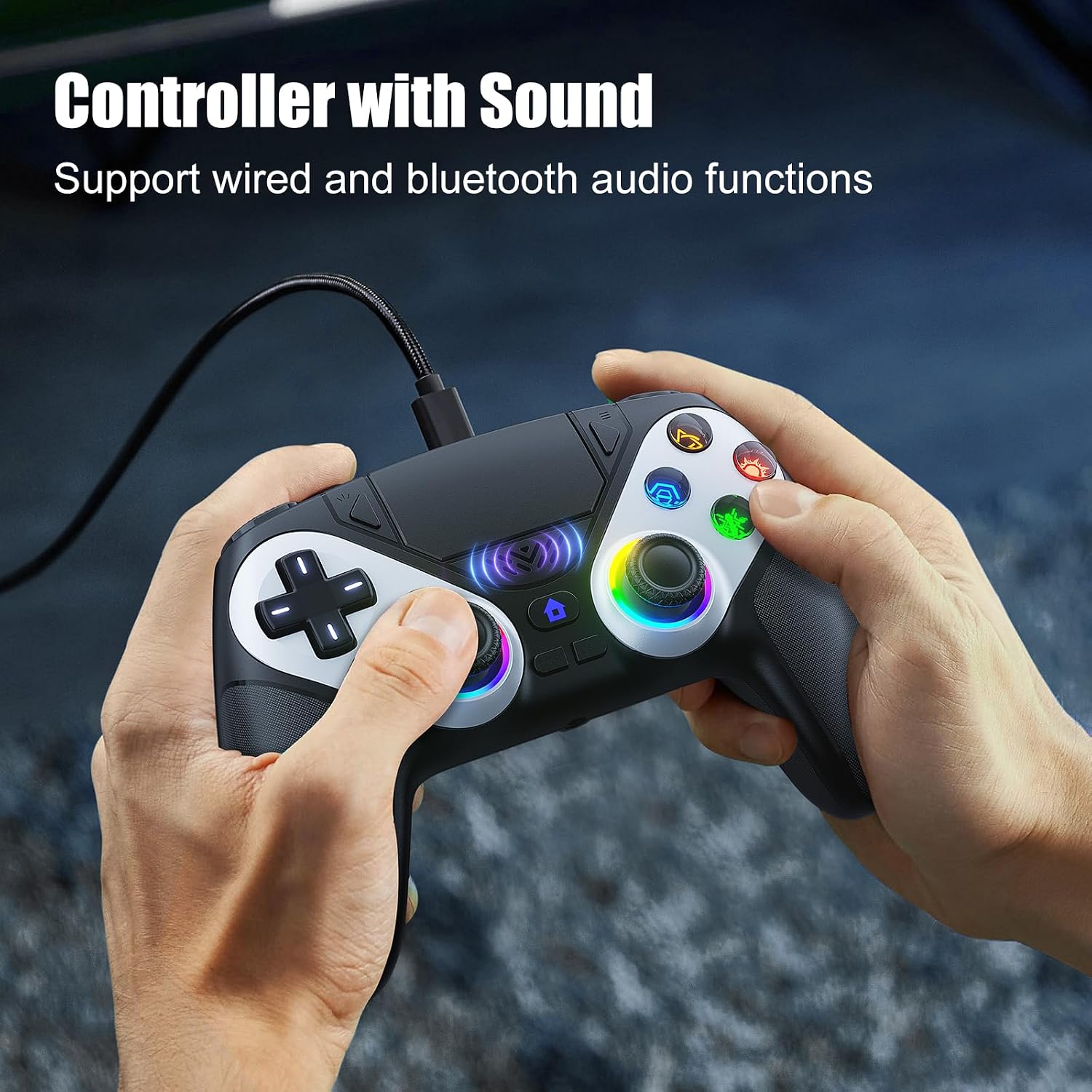
Image 6: The controller supports wired and Bluetooth audio functions, allowing for headset connection via the 3.5mm jack.
- Priključite slušalke na 3.5 mm priključek za slušalke for private audio.
- The built-in speaker provides in-game audio cues.
- Opomba: To use the controller's microphone, headphones must be connected.
5. Polnjenje krmilnika
- The controller has a 1000 mAh battery capacity.
- Charging can be done via the Type-C port using a cable or a compatible charging base.
- Polno polnjenje običajno traja približno 2.5 uri.
- Once fully charged, the controller provides up to 16 hours of usage time.
6. Odpravljanje težav
- Controller not charging or turning on: Prepričajte se, da je kabel tipa C varno priključen na krmilnik in vir napajanja. Poskusite z drugim kablom ali polnilnim priključkom.
- Headphones not working correctly: Verify that the headphones are fully plugged into the 3.5mm jack. Check headphone volume settings on the console/PC and the controller. Remember that a microphone requires headphones to be connected.
- Težave s povezavo: For PS5, ensure initial wired pairing was successful. For PC Bluetooth, ensure PC Bluetooth is active and the controller is in pairing mode. Try re-pairing the controller.
- If issues persist, please refer to the support information provided with your purchase or contact Bonacell customer support.
7. Specifikacije
| Funkcija | Specifikacija |
|---|---|
| Ime izdelka | Wireless Controller for P-5 |
| Teža izdelka | 0.26 kg (340 grams with packaging) |
| Dimenzije izdelka | 165 x 105 x 45 mm (Controller) / 17 x 7 x 12 cm (Package) |
| Kapaciteta baterije | 1000 mAh |
| Čas uporabe | Do 16 ur |
| Čas polnjenja | Približno 2.5 ur |
| Način polnjenja | Type-C cable or charging base |
| Funkcije | Dual Shock Motor, 6-Axis Gyroscope, RGB Lighting, Back Paddles, Turbo Mode, Touchpad, 3.5mm Audio Jack, Speaker |
| Material | ABS |
| Združljivost | PS5 Pro, PS5 Slim, Windows PC |
8. Garancija in podpora
For warranty information, returns, or specific support inquiries, please refer to the documentation included with your purchase or contact the seller directly. If you encounter any issues not covered in this manual, such as charging problems or audio malfunctions, please reach out to customer support for assistance.