
1. Uvod
Thank you for choosing the Kisonli A1 Bluetooth Foldable Headphones. These headphones are designed to provide a high-quality audio experience with the convenience of wireless connectivity and a portable design. Featuring clear stereo sound, a long-lasting 400mAh battery for up to 20 hours of playback, and multiple connection options including Bluetooth, TF card, and AUX input, the A1 headphones are suitable for various audio needs. This manual will guide you through the setup, operation, and maintenance of your new headphones.
2. Izdelek je končanview
The Kisonli A1 headphones combine functionality with a comfortable, foldable design. Familiarize yourself with the main components and features.

Slika 2.1: Spredaj view of the Kisonli A1 headphones, highlighting the earcup design and Kisonli logo.
Ključne značilnosti:
- Stereo zvok visoke ločljivosti: Delivers immersive audio with clear details for music and gaming.
- Podaljšana življenjska doba baterije: Integrated 400mAh battery provides up to 20 hours of continuous playback on a single charge.
- Več načinov predvajanja: Supports Bluetooth wireless connection, TF (MicroSD) card playback, and AUX audio input.
- Zložljiva in nastavljiva zasnova: The headphones can be folded for compact storage and feature an adjustable headband for a comfortable fit.
- Fast and Stable Bluetooth: Utilizes advanced Bluetooth protocols (A2DP, AVRCP, HFP) for seamless compatibility and connection stability.
- Hitro polnjenje: Fully charges in approximately 2 hours via a standard USB port.
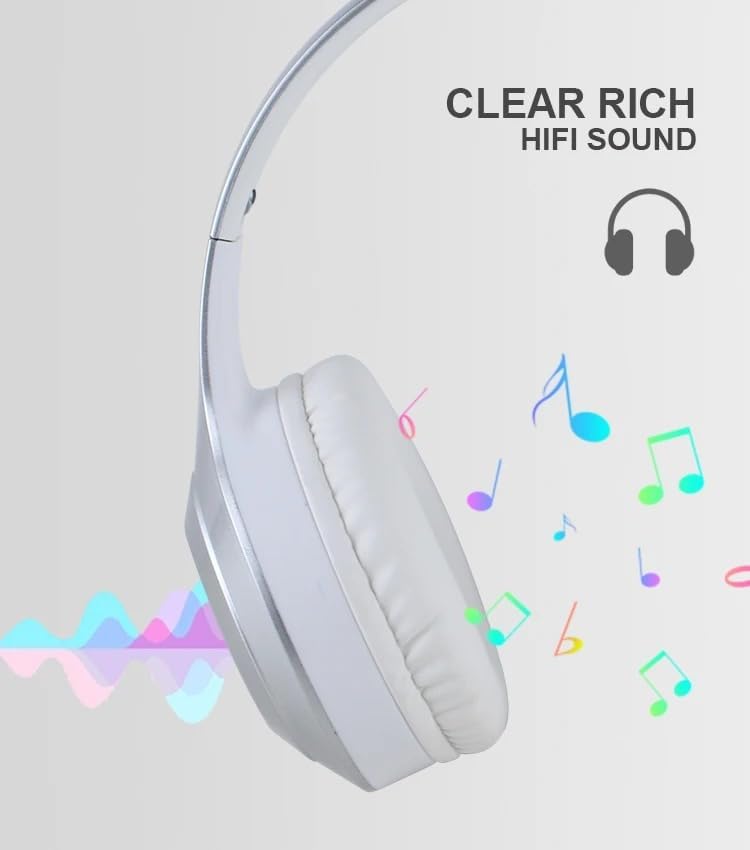
Slika 2.2: Visual representation of the clear, rich HiFi sound quality provided by the headphones.

Slika 2.3: Illustration of the adjustable headband and foldable earcups for easy storage and portability.
3. Nastavitev
3.1 Polnjenje slušalk
Before initial use, fully charge the headphones. A full charge takes approximately 2 hours.
- Locate the charging port on the headphone earcup.
- Priloženi polnilni kabel USB priključite na slušalke.
- Drugi konec kabla USB priključite na vir napajanja USB (npr. vrata USB računalnika, stenski adapter USB).
- The indicator light will typically show red during charging and turn off or change color (e.g., blue) when fully charged.
3.2 Vklop/izklop
- Za vklop: Press and hold the Power button for a few seconds until the indicator light flashes (usually blue).
- Za izklop: Pritisnite in držite gumb za vklop nekaj sekund, dokler se indikatorska lučka ne izklopi.
3.3 Bluetooth seznanjanje
Pair your headphones with a Bluetooth-enabled device (smartphone, tablet, computer).
- Prepričajte se, da so slušalke izklopljene.
- Press and hold the Power button for approximately 5-7 seconds until the indicator light flashes red and blue alternately, indicating pairing mode.
- V svoji napravi omogočite Bluetooth in poiščite razpoložljive naprave.
- Select "Kisonli A1" (or similar name) from the list of found devices.
- Once paired, the indicator light on the headphones will typically flash blue slowly or remain solid blue.
3.4 Connecting via AUX Cable
Use the included AUX cable for a wired connection to devices without Bluetooth or when the battery is low.
- En konec 3.5 mm AUX kabla priključite na vhod AUX na slušalkah.
- Connect the other end of the AUX cable to the 3.5mm audio output jack of your device.
- Slušalke se bodo samodejno preklopile v način AUX.
3.5 Using a TF (MicroSD) Card
The headphones support direct playback from a TF (MicroSD) card.
- Insert a TF card (pre-loaded with audio files) into the TF card slot on the headphones.
- The headphones will automatically detect the card and begin playing audio.
- Use the control buttons to manage playback.
4. Navodila za uporabo
4.1 Predvajanje glasbe
- Predvajanje/pavza: Press the Multi-function button (often the Power button or a dedicated Play/Pause button) once.
- Povečaj glasnost: Pritisnite gumb za glasnost +.
- Znižaj glasnost: Pritisnite gumb za glasnost -.
- Naslednja skladba: Press and hold the Volume + button (or a dedicated Next button).
- Prejšnja skladba: Press and hold the Volume - button (or a dedicated Previous button).
4.2 Upravljanje klicev
- Sprejmi/končaj klic: Enkrat pritisnite večfunkcijski gumb.
- Zavrni klic: Pritisnite in držite večfunkcijski gumb 2 sekundi.
- Ponovno klicanje zadnje številke: Dvakrat pritisnite večfunkcijski gumb.
4.3 Preklop načina
If your headphones support multiple modes (Bluetooth, TF, AUX), there is usually a dedicated "M" (Mode) button or the Multi-function button can be used to cycle through modes.
- Preklopni način: Press the Mode button (if available) or short-press the Multi-function button to cycle between Bluetooth, TF card, and AUX modes.
5. Vzdrževanje
Proper care and maintenance will extend the lifespan of your Kisonli A1 headphones.
- Čiščenje: Za čiščenje ušesnih školjk in naglavnega traku uporabite mehko, suho krpo. Ne uporabljajte abrazivnih čistil ali topil.
- Shranjevanje: Ko slušalk ne uporabljate, jih shranjujte na hladnem in suhem mestu, stran od neposredne sončne svetlobe in ekstremnih temperatur. Za kompaktno shranjevanje uporabite zložljivo zasnovo.
- Vzdrževanje baterije: Da bi ohranili zdravje baterije, se izogibajte pogostemu popolnemu praznjenju baterije. Slušalke redno polnite, tudi če jih dlje časa ne uporabljate.
- Izogibajte se vlagi: Slušalk ne izpostavljajte vodi ali prekomerni vlagi.
6. Odpravljanje težav
Če imate težave s slušalkami, si oglejte naslednje pogoste težave in rešitve:
| Težava | Možna rešitev |
|---|---|
| Slušalke se ne vklopijo. | Prepričajte se, da je baterija napolnjena. Priključite na vir napajanja in poskusite znova. |
| Seznanitev prek Bluetootha ni mogoča. |
|
| Brez zvoka. |
|
| Kratka življenjska doba baterije. |
|
7. Specifikacije
Detailed technical specifications for the Kisonli A1 headphones:
| Funkcija | Podrobnost |
|---|---|
| Ime modela | Kisonli A1 |
| Znamka | Kisonli |
| barva | Silver/White (as per product title and images) |
| Faktor oblike | Nad ušesi |
| Tehnologija povezljivosti | Brezžično (Bluetooth) |
| Kapaciteta baterije | 400 mAh |
| Čas predvajanja | Do 20 ur |
| Čas polnjenja | Pribl. 2 ur |
| Vrata za polnjenje | USB |
| Supported Audio Inputs | Bluetooth, TF kartica, AUX |
| Protokoli Bluetooth | A2DP, AVRCP, HFP (and others) |
| Teža predmeta | 10 gramov |
| Vključene komponente | Kabel |
8. Garancija in podpora
Warranty information for the Kisonli A1 headphones is typically provided by the manufacturer and may vary based on your region of purchase. The product's warranty origin is listed as China.
For specific warranty terms, technical support, or service inquiries, please refer to the documentation included with your product or contact the retailer/seller from whom you purchased the headphones. You may also visit the official Kisonli webstran za nadaljnjo pomoč.