
1. Uvod
This manual provides detailed instructions for the setup, operation, maintenance, and troubleshooting of your ATTACK SHARK G3PRO Wireless Gaming Mouse. Please read this manual thoroughly to ensure proper use and to maximize your gaming experience.

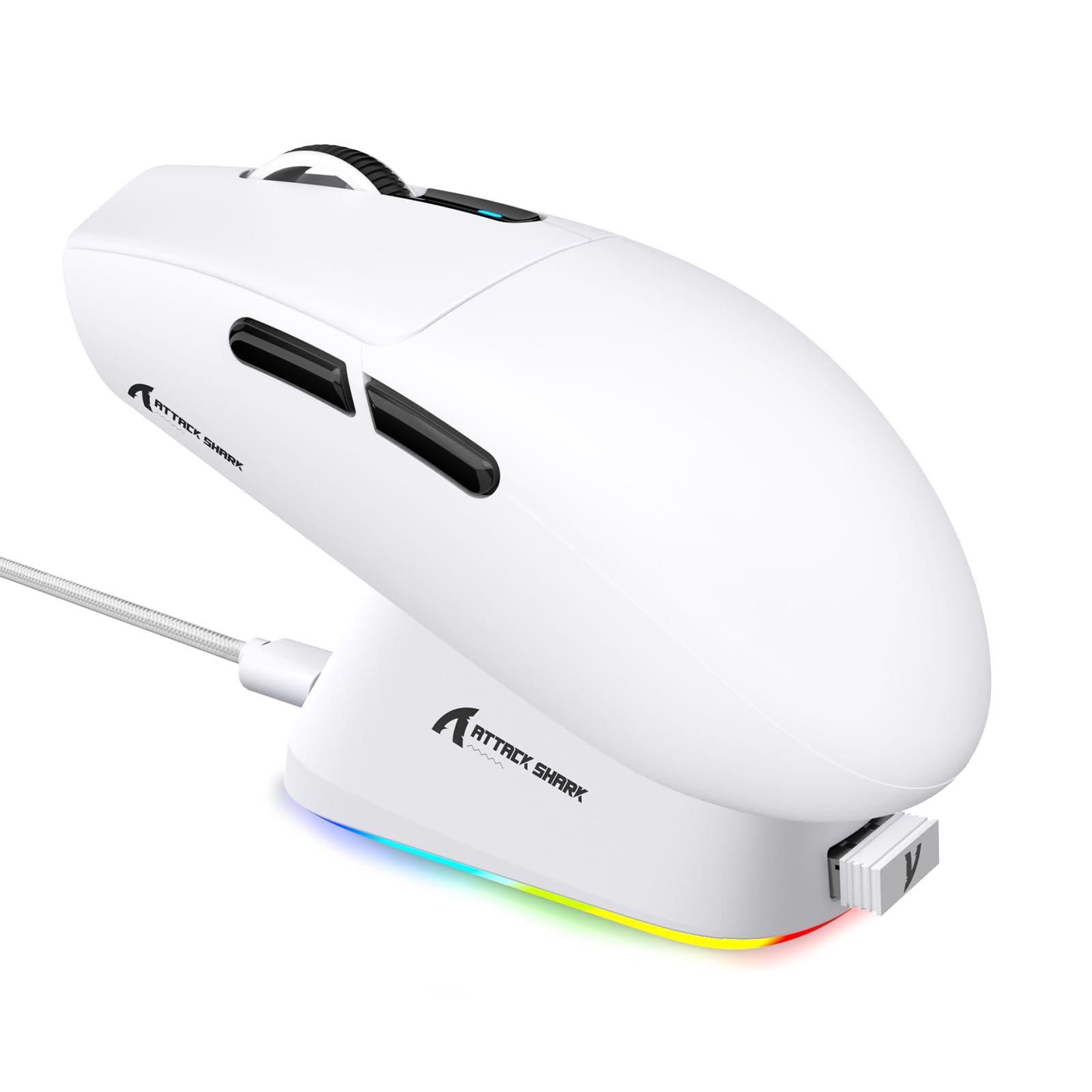
Slika: Prekoview of the ATTACK SHARK G3PRO mouse and its features, including magnetic fast charging, PAW3311 sensor, web cloud drive, RGB rapid charging dock, and lightweight design.
2. Vsebina paketa
Preverite, ali so v paketu vsi elementi:
- ATTACK SHARK G3PRO Wireless Gaming Mouse
- RGB Magnetic Charging Dock
- 2.4G USB sprejemnik
- Polnilni/podatkovni kabel USB-C na USB-A
- Uporabniški priročnik
3. Nastavitev
3.1 Začetno polnjenje
Before first use, it is recommended to fully charge the mouse. Connect the USB-C cable to the charging dock and a power source. Place the mouse onto the magnetic charging dock. The RGB lighting on the dock will indicate charging status.
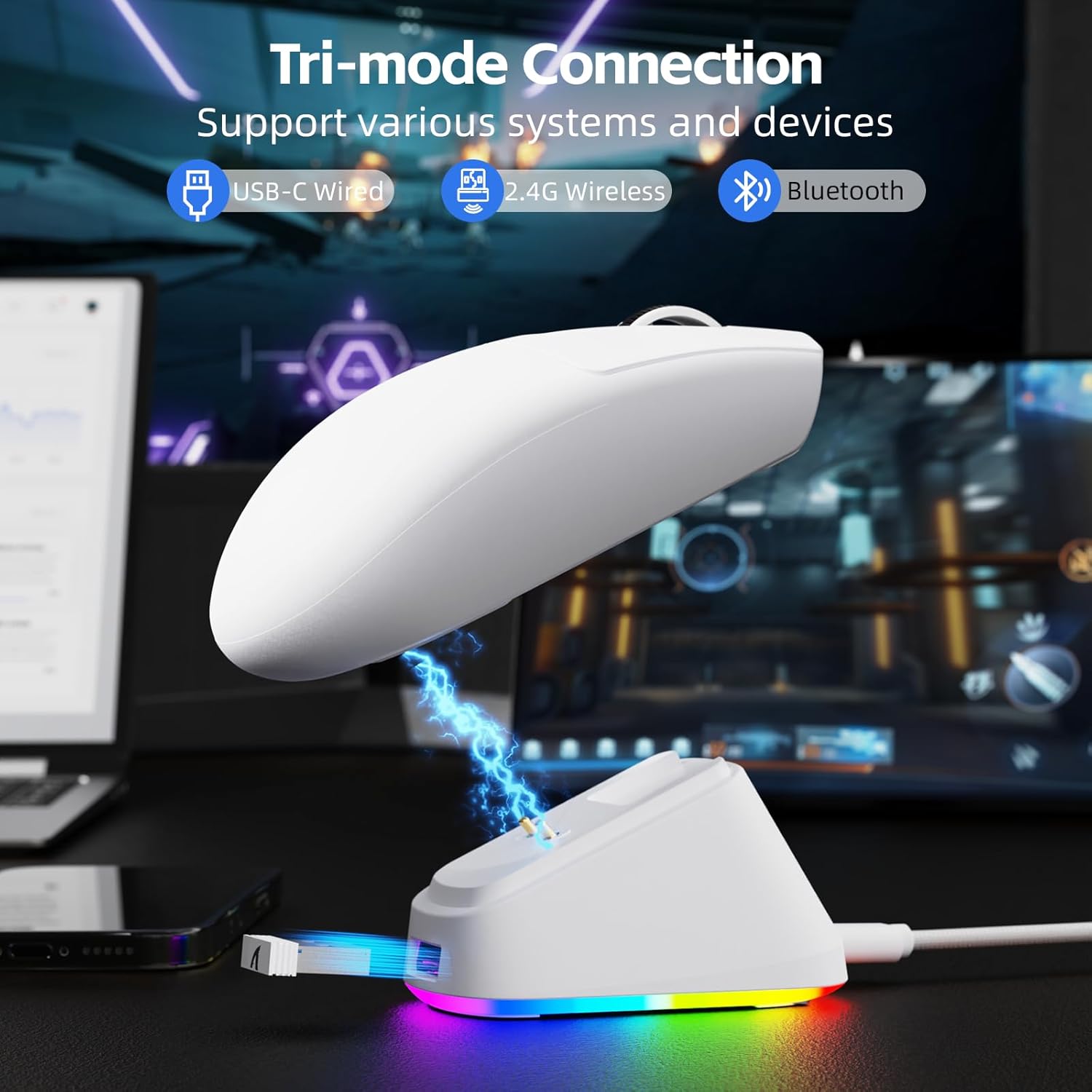
Image: The ATTACK SHARK G3PRO mouse magnetically attached to its RGB charging dock, showing the charging thimbles and USB-C port.
For a visual guide on charging, please watch the following video:
Video: This video demonstrates the magnetic charging dock and its features for the ATTACK SHARK G3PRO Wireless Gaming Mouse.
3.2 Priklop miške
The G3PRO supports three connection modes: 2.4GHz Wireless, Bluetooth, and USB-C Wired. A switch on the bottom of the mouse allows you to select the desired mode.

Image: The ATTACK SHARK G3PRO mouse with visual indicators for Wired, 2.4G, and Bluetooth connectivity modes.
2.4 GHz brezžični način:
- Locate the 2.4G USB receiver, typically stored within the charging dock or the mouse itself.
- USB-sprejemnik priključite v razpoložljiva vrata USB na vašem računalniku.
- Set the switch on the bottom of the mouse to "2.4G".
- Miška bi se morala povezati samodejno.
Način Bluetooth:
- Set the switch on the bottom of the mouse to "BT".
- V računalniku ali napravi pojdite v nastavitve Bluetooth in omogočite Bluetooth.
- Iskanje new devices and select "ATTACK SHARK G3PRO" to pair.
Žični način USB-C:
- Connect the USB-C cable directly from the mouse to your computer.
- Miška bo delovala kot žična miška in se hkrati polnila.
For a visual guide on product features and connectivity, please watch the following video:
Video: This video demonstrates the various color options and the magnetic charging feature of the ATTACK SHARK G3PRO Wireless Gaming Mouse, showcasinnjegovo zasnovo in funkcionalnost.
4. Upravljanje miške
4.1 Funkcije gumbov
The ATTACK SHARK G3PRO features 5 programmable buttons:
- Levi klik: Primarno dejanje.
- Desni klik: Sekundarni akcijski/kontekstni meni.
- Srednji klik/kolesce: Scroll up/down, middle click for universal scroll or other functions.
- Gumb za naprej: Default for navigating forward in web brskalniki/mape.
- Gumb za nazaj: Default for navigating backward in web brskalniki/mape.
- Stikalo DPI: Preklaplja med prednastavljenimi stopnjami DPI.

Image: A detailed diagram illustrating the location and default functions of the multi-functional buttons on the ATTACK SHARK G3PRO mouse.

Slika: Eksplodirala view and labeled diagram of the G3PRO mouse components, including buttons, switches, charging points, and the 2.4G/OFF/BT mode switch.
4.2 Prilagoditev DPI
The mouse features a dedicated DPI switch to cycle through various sensitivity levels, ranging from 800 to 25,000 DPI. The current DPI setting is indicated by an LED light.

Image: A visual representation of the 25,000 DPI optical sensor's precision and how mouse movement trajectory sensitivity scales with DPI settings.
4.3 Stopnja anketiranja
The G3PRO supports a 1000Hz polling rate in both wired and 2.4GHz wireless modes, ensuring rapid response times for competitive gaming.

Image: A diagram illustrating the 1000Hz polling rate capability in both wired and wireless modes, highlighting millisecond response times.
5. Programska oprema in prilagajanje
Customize your G3PRO mouse settings using the intuitive web driver or downloadable software from ATTACK SHARK. This allows for personalization of DPI, polling rate, macros, and more.
- Web Voznik: Dostop do web-based configuration tool for quick adjustments without installation.
- Downloadable Software: For advanced customization and profile management, download the dedicated software.

Image: A screenshot of the ATTACK SHARK Hub software interface, showing options for mouse settings, DPI settings, parameter settings, macro editing, and personal center.

Image: The cloud-driven programming interface for the G3PRO mouse, displaying options for button settings, DPI adjustments, polling rate settings, and power management.
6. Vzdrževanje
6.1 Čiščenje
Za optimalno delovanje miško redno čistite. Za brisanje površine uporabite mehko, suho krpo. Za trdovratno umazanijo rahlo obrišite.amp Uporabite lahko krpo, pri čemer pazite, da v notranje komponente ne vdre vlaga. Izogibajte se agresivnim kemikalijam ali abrazivnim materialom.
6.2 Shranjevanje
When not in use for extended periods, store the mouse and charging dock in a cool, dry place. Ensure the USB receiver is securely stored, ideally within the charging dock's designated slot, to prevent loss.
7. Odpravljanje težav
| Težava | Možen vzrok | rešitev |
|---|---|---|
| Miška se ne odziva (2.4 G) | Low battery; Receiver not plugged in; Incorrect mode selected; Driver issue. | Charge the mouse; Ensure receiver is firmly plugged in; Set mouse to "2.4G" mode; Reinstall mouse drivers. |
| Miška se ne odziva (Bluetooth) | Prazna baterija; Bluetooth ni omogočen v napravi; Ni seznanjeno; Izbran je napačen način. | Charge the mouse; Enable Bluetooth on your device; Re-pair the mouse in Bluetooth settings; Set mouse to "BT" mode. |
| Charging dock RGB not lighting up | Cable not connected; Power source issue. | Ensure USB-C cable is securely connected to dock and power source; Try a different USB port or power adapter. |
| Inconsistent tracking | Dirty sensor; Uneven surface; Interference (wireless). | Clean the optical sensor; Use a clean, even mouse pad; Reduce wireless interference by moving other devices or using wired mode. |
| Gumbi se ne odzivajo | Konflikt programske opreme; Fizična škoda. | Check software settings for button remapping; Test on another computer; Contact support if physical damage is suspected. |
8. Specifikacije
| Funkcija | Podrobnost |
|---|---|
| Znamka | NAPAD MORSKI PES |
| Model | G3PRO |
| barva | Bela |
| Tehnologija povezljivosti | 2.4Ghz Wireless, Bluetooth, USB-C Wired |
| Tehnologija zaznavanja gibanja | Optični (senzor PAW3311) |
| Največji DPI | 25,000 DPI |
| Polling Rate | 1000Hz |
| Pospešek | 40G |
| Hitrost sledenja | 400 IPS |
| Stikala | Mechanical (100 Million Clicks) |
| Kapaciteta baterije | 500 mAh |
| Življenjska doba baterije | Do 200 ur |
| Teža | 59g ± 3g |
| Gumbi | 5 |
| Ročna orientacija | Obojepravni |
| Združljive naprave | Prenosni računalnik, osebni računalnik, pametni telefon, tablični računalnik |
| Operacijski sistem | Windows, macOS |
For a comparison of G3 and G3PRO models, refer to the image below:

Image: A table comparing the specifications of the ATTACK SHARK G3 and G3PRO models, highlighting differences in components and features.
9. Varnostne informacije
- Naprave ne izpostavljajte ekstremnim temperaturam ali vlagi.
- Izogibajte se padcem ali izpostavljanju naprave močnim udarcem.
- Hraniti izven dosega otrok.
- Naprave ne poskušajte razstavljati ali spreminjati, saj boste s tem razveljavili garancijo in jo lahko poškodovali.
- Use only the provided charging cable and dock.
10. Garancija in podpora
The ATTACK SHARK G3PRO Wireless Gaming Mouse comes with a standard manufacturer's warranty. For detailed warranty information, please refer to the warranty card included in your package or visit the official ATTACK SHARK webmesto.
For technical support, troubleshooting assistance, or to inquire about replacement parts, please contact ATTACK SHARK customer service through their official webspletnega mesta ali kontaktnih podatkov, navedenih na embalaži izdelka.
Uradno Webspletno mesto: Trgovina ATTACK SHARK na Amazonu