Hantan Mini Wireless CarPlay & Android Auto Adapter
Model: HA006-1
1. Uvod
This manual provides detailed instructions for the Hantan Mini Wireless CarPlay & Android Auto Adapter, Model HA006-1. This device converts your vehicle's wired CarPlay or Android Auto system into a wireless connection, offering enhanced convenience and a clutter-free driving experience.
2. Varnostne informacije
Always prioritize safety while driving. Do not attempt to set up or troubleshoot the adapter while the vehicle is in motion. Ensure all connections are secure to prevent distractions. Keep the device away from extreme temperatures and moisture.
3. Vsebina paketa
Hantan Mini Wireless CarPlay & Android Auto Adapter (HA006-1)
USB-A v USB-C adapter
Uporabniški priročnik
4. Navodila za namestitev
4.1 Kontrolni seznam pred namestitvijo
Confirm your vehicle is equipped with original factory wired CarPlay or Android Auto.
Ensure your iPhone is running iOS 10 or above, or your Android phone is running Android 11 or above.
Turn on Wi-Fi and Bluetooth on your smartphone and ensure they are not connected to other devices before starting the setup.
Slika: Združljivost nadview for the Hantan Wireless Adapter, showing supported car models and phone OS versions (iOS 10+, Android 11+).
4.2 Priključitev adapterja
Step 1: Plug into your car. Insert the Hantan adapter into the USB port of your vehicle that supports wired CarPlay or Android Auto. Use the provided USB-A to USB-C adapter if your car has a USB-C port.
2. korak: Združevanje prek Bluetootha. On your smartphone, open Bluetooth settings and search for available devices. Select the device name (e.g., "Smart Box-xxxx") to connect and pair. Ensure your phone's Wi-Fi is also enabled but not connected to another network.
Step 3: Connected Successfully. Once paired, your car's infotainment system should automatically display the CarPlay or Android Auto interface.
Image: Visual guide illustrating the three-step plug-and-play setup process for the wireless adapter.
Image: The compact size of the Hantan adapter, compared to a US quarter, highlighting its stable connection design.
4.3 Samodejna povezava
After the initial successful pairing, the adapter will automatically reconnect to your smartphone each time you start your car, provided both Wi-Fi and Bluetooth are enabled on your phone.
Image: Depiction of the automatic wireless connection feature, where the adapter connects to the phone upon entering the car.
5. Navodila za uporabo
5.1 Osnovne funkcije
The Hantan adapter enables wireless access to all standard CarPlay and Android Auto functions, including:
Navigacija: Use your preferred mapping applications for directions.
Glasba in zvok: Stream music, podcasts, and audiobooks from your phone.
Calls & Messaging: Make and receive calls, and send/receive messages hands-free.
Glasovni pomočniki: Utilize Siri or Google Assistant for voice commands.
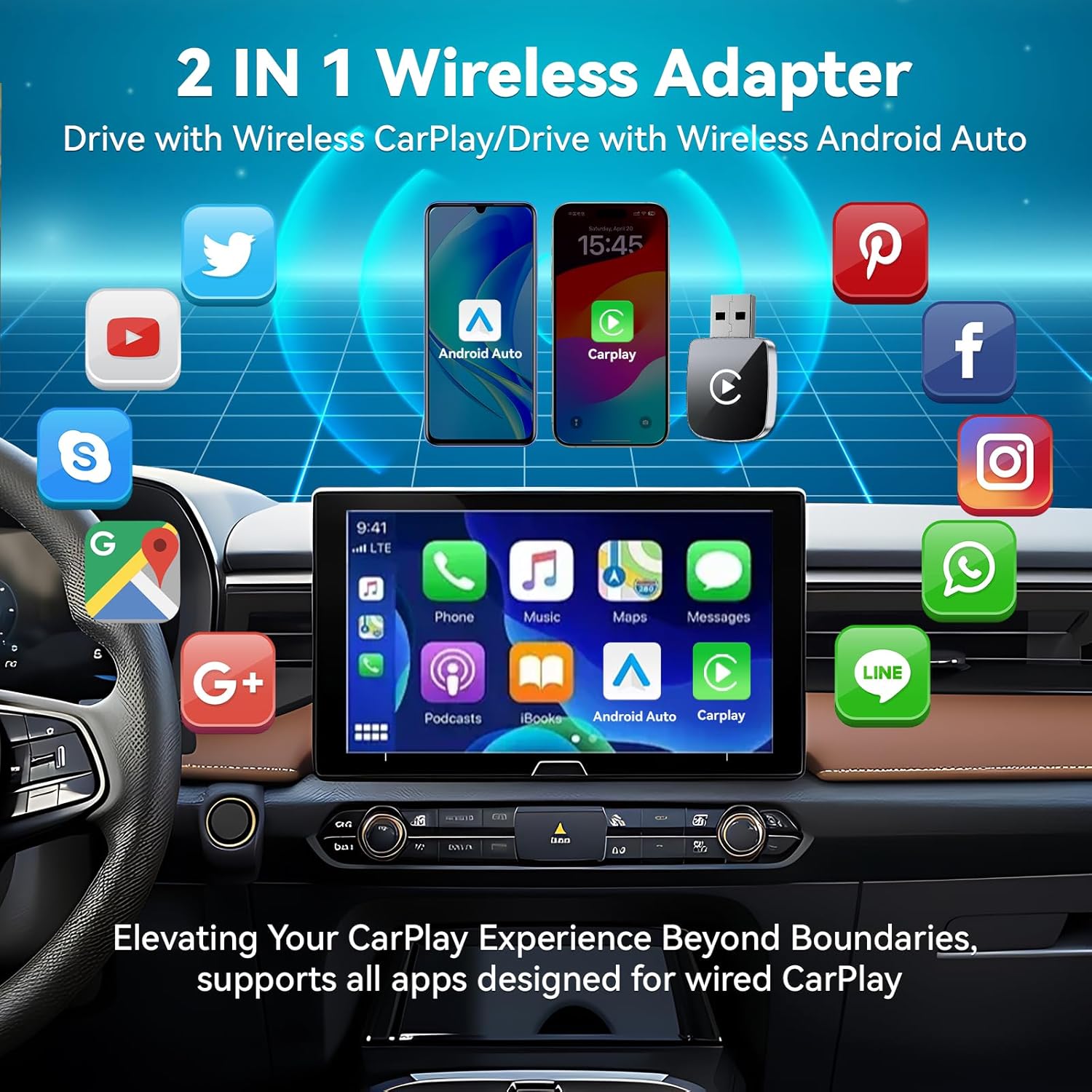
Image: The car's display showcasing the range of applications available through the 2-in-1 wireless adapter for both CarPlay and Android Auto.
5.2 Nadzorne metode
Maintain full control over your car's features through the existing interface:
Zaslon na dotik: Neposredno komunicirajte z zaslonom avtomobila.
OEM Control Knob: Use your vehicle's original control knob.
Kontrole na volanu: Access functions via your steering wheel buttons.
Glasovni pomočniki: Za prostoročno upravljanje aktivirajte Siri ali Google Assistant.
Video: Demonstrates the various control methods for the wireless CarPlay adapter, including touchscreen, OEM control knob, steering wheel controls, and voice assistants like Siri.
6. Vzdrževanje
6.1 Odvajanje toplote
The adapter features metal edges designed to improve heat dissipation, preventing overheating during prolonged use and protecting your car's USB port. Ensure the adapter is not obstructed to allow for proper airflow.
6.2 Vzdržljivost in nega
The adapter is built for durability, tested for over 10,000 insertions to ensure a secure fit and prevent wobbling in the USB port. Keep the device clean and free from dust and debris. Use a soft, dry cloth for cleaning.
7. Odpravljanje težav
7.1 Težave s povezavo
Ni povezave: Verify that your vehicle has original factory wired CarPlay or Android Auto. Ensure your phone's Wi-Fi and Bluetooth are turned on and not connected to other devices.
Prekinjena povezava: Check for any physical obstructions around the adapter. Ensure your phone is within close proximity to the adapter.
Zamuda ali zamuda: The adapter is designed for zero daily usage delay. If you experience lag, ensure your phone's operating system is up to date and restart both your phone and the car's infotainment system.
7.2 Incompatibility
While compatible with 98% of models equipped with original factory CarPlay, some vehicles may have specific requirements. If you encounter incompatibility, please refer to the QR code in the product images or contact customer support for a compatibility check. Returns are accepted in case of incompatibility.
Image: Close-up of the adapter's internal components, emphasizing the 5.8GHz WiFi and Bluetooth 5.3 technology for stable connection.
9. Garancija in podpora
The Hantan Mini Wireless CarPlay & Android Auto Adapter comes with a 1-letna garancija. Our professional service team is available to assist you with any questions or issues. For support, please contact us through the retailer's platform or visit our official webmesto.
Ask a question about this manual
Ask about setup, troubleshooting, compatibility, parts, safety, or missing instructions. Manuals+ will review the question and use this page’s manual context to help answer it.