
1. Uvod
This manual provides detailed instructions for the safe and effective use of your AFEXOA DY20 Night Light Bluetooth Speaker Alarm Clock. Please read this manual thoroughly before operating the device and retain it for future reference.
2. Značilnosti izdelka
- Večnamenska naprava: Integrates a 20W Hi-Fi speaker, white noise machine, sleep sound machine with timer, multi-color touch control LED lamp, night light, and bedside alarm clock.
- Stereo zvok visoke ločljivosti: Delivers clear, undistorted sound with powerful bass, compatible with all Bluetooth devices.
- Digitalna budilka: Features 7 selectable alarm sounds (soft music, natural sounds), 30 adjustable volume levels (up to 110 dB), and an unlimited 9-minute snooze function.
- Občutljiv dotik, aktiviran Lamp: Offers 8 RGB color options (Red, Green, Blue, Yellow, Purple, Indigo, White, Color cycle) and 3 levels of warm white light for various moods and occasions.
- 30 pomirjujočih zvokov in časovnik za spanje: Includes 5 white noise, 5 fan sounds, 6 lullaby sounds, and 14 natural sounds. Features a 15, 30, 60, or 90-minute sleep timer for automatic sound and light shut-off.
- Podpora za predvajalnik MP3: Supports music playback via USB Flash Drive and Micro SD/TF Card input.
3. Vsebina paketa
- 1 x AFEXOA DY20 Night Light Bluetooth Speaker Alarm Clock
- 1 x USB polnilni kabel
- 1 x uporabniški priročnik
4. Izdelek je končanview
Seznanite se s komponentami in krmilnimi elementi naprave:
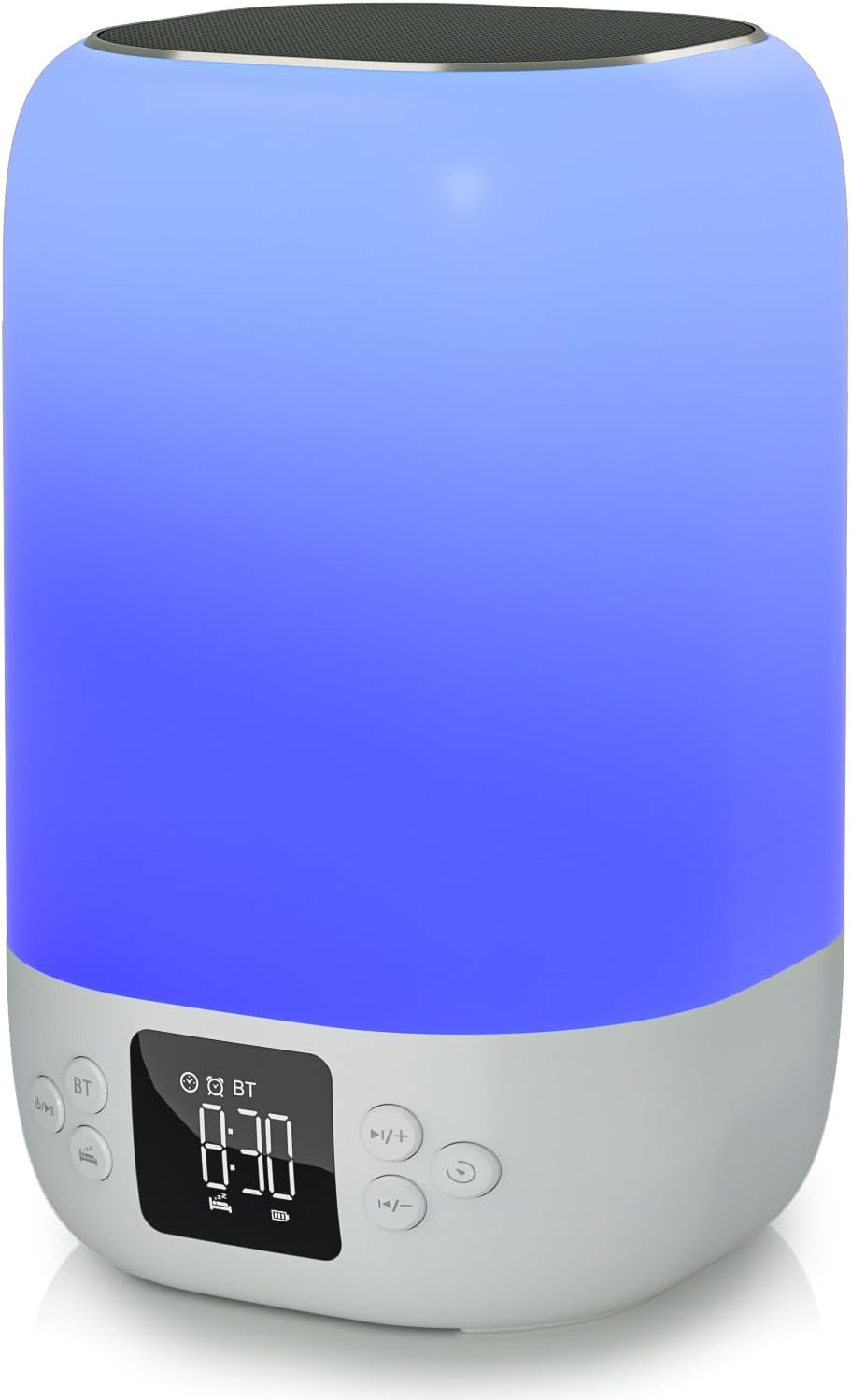
Spredaj view of the AFEXOA DY20 device, showcasing the digital time display and control buttons.

An illustrative image detailing the five primary functions of the AFEXOA DY20: sound machine, MP3 player, night light, alarm clock, and Bluetooth speaker.

The device connected via Bluetooth to a smartphone playing music, with an inset showing the USB and Micro SD card input ports for MP3 playback.
Kontrole:
- Gumb za vklop / način: Turns the device on/off and switches between modes (Bluetooth, Sound Machine, MP3).
- Bluetooth (BT) Button: Aktivira način seznanjanja Bluetooth.
- Gumb za povečanje glasnosti (+)/naslednja skladba: Increases volume or skips to the next track/sound.
- Gumb za zmanjšanje glasnosti (-)/prejšnja skladba: Decreases volume or goes to the previous track/sound.
- Gumb za dremež/svetlobo: Activates snooze during an alarm or changes light modes.
- Prikaz časa: Digital display for time and settings.
Pristanišča:
- Gostiteljska vrata USB: Za priklop USB ključka za predvajanje MP3 datotek.
- Micro SD/TF Card Slot: For inserting a Micro SD/TF card for MP3 playback.
- Vrata za polnjenje Type-C: For connecting the USB charging cable to power the device.
5. Nastavitev
5.1 Začetno polnjenje
- Priloženi polnilni kabel USB priključite na vrata Type-C na napravi.
- Drugi konec kabla priključite v združljiv napajalnik USB (ni priložen) ali v vrata USB računalnika.
- Allow the device to fully charge before first use. The battery indicator on the display will show charging status.
5.2 Vklop/izklop
- To power on, press and hold the Power/Mode button.
- Za izklop ponovno pritisnite in držite gumb za vklop/način.
6. Navodila za uporabo
6.1 Nastavitev časa
- In normal time display mode, press the 'Time Set' button (often labeled with a clock icon) to enter time setting mode. The hour digits will flash.
- Za nastavitev ure uporabite gumba '+' in '-'.
- Press 'Time Set' again to move to minute setting. Use '+' and '-' to adjust minutes.
- Press 'Time Set' a third time to confirm and exit time setting.
- To switch between 12-hour and 24-hour format, short press the 'Time Set' button.
6.2 Nastavitev alarma

The device displaying the time in alarm clock mode, with text indicating 7 wake-up ringtones, 1-30 level volume, and 9-minute snooze.
- Press the 'Alarm 1 Set' button (often labeled with an alarm clock icon) to set the first alarm. The hour digits will flash.
- Za nastavitev ure budilke uporabite gumba '+' in '-'.
- Press 'Alarm 1 Set' again to set the alarm minutes. Use '+' and '-' to adjust minutes.
- Press 'Alarm 1 Set' a third time to select the alarm sound (7 options available). Use '+' and '-' to cycle through sounds.
- Press 'Alarm 1 Set' again to confirm.
- To activate/deactivate Alarm 1, use the dedicated 'Alarm 1 ON/OFF' switch or button. Repeat for Alarm 2 if available.
- When the alarm sounds, press the 'Snooze/Light' button to activate snooze for 9 minutes. Press any other button to turn off the alarm.
6.3 Način Bluetooth zvočnika
- Turn on the device. Press the Power/Mode button until 'BT' appears on the display, indicating Bluetooth mode.
- On your smartphone or other Bluetooth-enabled device, enable Bluetooth and search for 'AFEXOA DY20' (or similar name).
- Izberite napravo za seznanitev. Potrditveni zvok bo označil uspešno seznanitev.
- You can now play audio from your connected device through the speaker. Use the '+/-' buttons on the speaker or your phone to adjust volume.
6.4 Sound Machine Mode (White Noise)

A person relaxing in bed with the AFEXOA DY20 emitting a warm light and soothing sounds, illustrating its sound machine capabilities.
- If not already in Sound Machine mode, press the Power/Mode button until the sound machine icon or 'FO' (for sound files) appears.
- Use the '+' and '-' buttons to cycle through the 30 available soothing sounds (white noise, fan sounds, lullabies, natural sounds).
- Glasnost prilagodite z gumboma '+' in '-'.
- To set a sleep timer, press the 'Timer' button (if available) and select 15, 30, 60, or 90 minutes. The device will automatically turn off sound and light after the set time.
6.5 Način nočne svetlobe
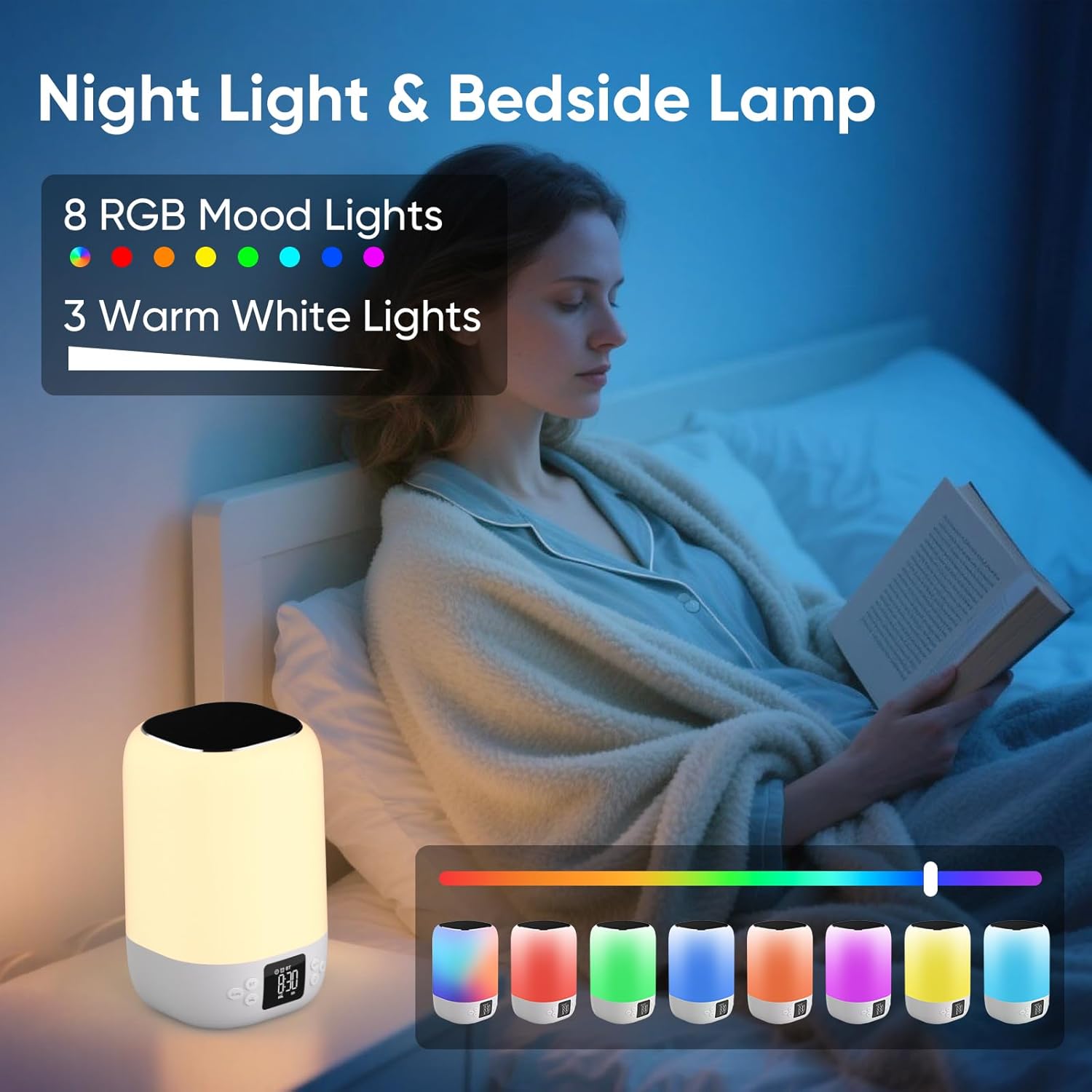
A person reading in bed with the AFEXOA DY20 displaying various light colors, highlighting its 8 RGB mood lights and 3 warm white light options.

A child sleeping peacefully with the AFEXOA DY20 emitting a soft blue light, demonstrating its sleep aid function with an adjustable auto-off timer.
- Topla bela svetloba: Short press the 'Snooze/Light' button to cycle through 3 levels of warm white light (low, medium, high).
- Spreminjanje barve RGB: Long press the 'Snooze/Light' button to activate the 8 RGB color changing mode. Short press again to pause on a specific color. Long press again to turn off the light.
6.6 MP3 Player Mode (USB/Micro SD)
- Insert a USB flash drive into the USB Host port or a Micro SD/TF card into its dedicated slot.
- The device should automatically switch to MP3 player mode and begin playback. If not, press the Power/Mode button to cycle to this mode.
- Use the '+' and '-' buttons to skip tracks.
- Use the Power/Mode button (short press) to play/pause.
6.7 Charging Other Devices (if applicable)
The product specifications do not explicitly list external device charging capabilities. Please refer to the product packaging or manufacturer's website for confirmation if this feature is desired.
7. Vzdrževanje
- Čiščenje: Napravo obrišite z mehko, suho krpo. Ne uporabljajte abrazivnih čistil ali topil.
- Shranjevanje: Napravo shranjujte na hladnem in suhem mestu, stran od neposredne sončne svetlobe in ekstremnih temperatur.
- Vzdrževanje baterije: Da podaljšate življenjsko dobo baterije, se izogibajte pogostemu popolnemu praznjenju naprave. Redno jo polnite, tudi če je dalj časa ne uporabljate.
8. Odpravljanje težav
| Izdaja | Možna rešitev |
|---|---|
| Naprava se ne vklopi. | Ensure the device is charged. Connect to power and try again. |
| Povezava Bluetooth se ne vzpostavi. | Ensure the device is in Bluetooth pairing mode. Check your phone's Bluetooth settings and try re-pairing. Ensure no other devices are connected. |
| Iz zvočnika ni zvoka. | Check volume levels on both the device and your connected source. Ensure the correct mode (Bluetooth/MP3/Sound Machine) is selected. |
| Luč ne deluje. | Ensure the device is powered on. Press the 'Snooze/Light' button to activate or cycle through light modes. |
| Alarm se ne oglasi. | Verify alarm time and ensure the alarm is activated (ON). Check alarm volume settings. |
| Težave s predvajanjem MP3. | Ensure USB drive or Micro SD card is inserted correctly and contains compatible MP3 files. Try re-inserting or using a different storage device. |
| Naprava se ne odziva. | Locate the 'RESET' button (often a small pinhole) and use a thin object (like a paperclip) to press it. This will restart the device. |
9. Specifikacije
- Znamka: AFEXOA
- Model: DY20
- barva: Bela
- Vrsta zaslona: Digitalno
- vir energije: Napajanje na baterije (priložena je 1 litij-ionska baterija)
- Dimenzije izdelka: 3.93 cm Š x 7.87 cm V
- Teža artikla: 1.32 funtov (600 gramov)
- Material okvirja: Plastika
- Posebna lastnost: Glasen alarm
- Vrsta sobe: Spalnica
10. Garancija in podpora
For warranty information or technical support, please refer to the documentation included with your purchase or contact AFEXOA customer service directly. Contact details can typically be found on the product packaging or the official AFEXOA webmesto.