
1. Uvod
Thank you for choosing the WiMiUS P62 Pro 4K Projector. This manual provides essential information for setting up, operating, and maintaining your projector to ensure optimal performance and longevity. Please read this manual thoroughly before use and retain it for future reference.
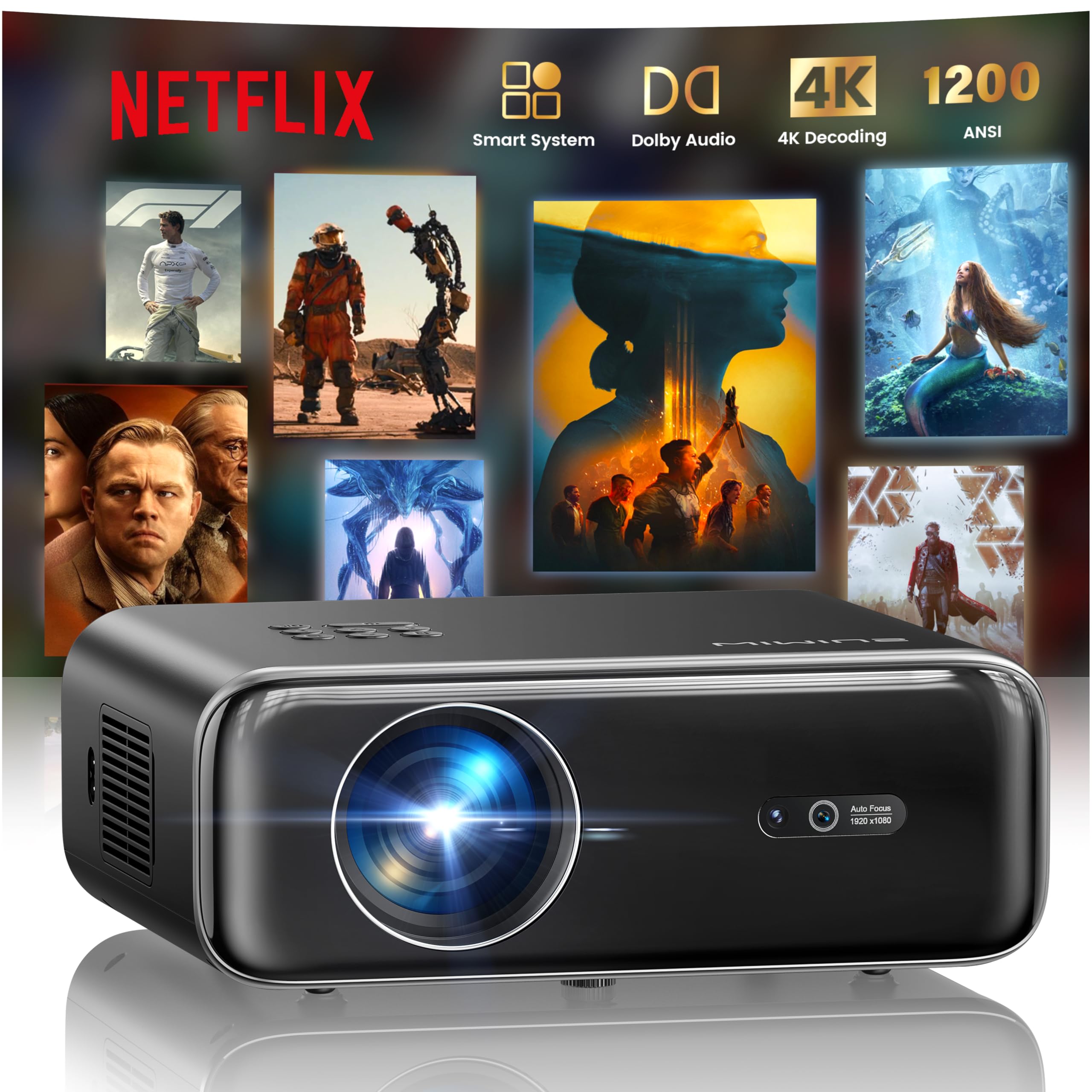
The WiMiUS P62 Pro 4K Projector, a compact and powerful device designed for home entertainment.
2. Kaj je v škatli
Carefully unpack your WiMiUS P62 Pro projector and ensure all items are present:
- WiMiUS P62 Pro Projector (Netflix included)
- Daljinski upravljalnik
- Pokrov objektiva
- Napajalni kabel
- HDMI kabel
- Komplet za čiščenje
- Vodnik za hiter začetek

Contents of the WiMiUS P62 Pro package, including the projector, remote, and essential cables.
3. Izdelek je končanview in ključne lastnosti
The WiMiUS P62 Pro is a versatile 4K-supported projector designed for a superior home cinema experience. Its key features include:
- Visoka Svetlost: 1400 ANSI lumens for clear images even in ambient light.
- Izvorna ločljivost 1080P: Supports 4K Ultra HD input for crisp visuals.
- Smart OS with Official Apps: Pre-installed Netflix, YouTube, Prime Video, Plex, and access to over 20,000 apps.
- AI Intelligent Adjustment: Automatic focus, keystone correction, obstacle avoidance, and screen alignment.
- Dolby Audio: Integrated dual 36W speakers with Dolby Audio for immersive sound.
- Vsestranska povezljivost: WiFi 6, Bluetooth 5.4 (bidirectional), HDMI (ARC & CEC), USB.
- Prenosna zasnova: Compact dimensions (25.7 x 20 x 10.3 cm) and lightweight (1.8 kg) for easy transport.
- Zaščita oči: Utilizes diffuse reflection imaging technology to reduce eye strain.

The WiMiUS P62 Pro offers a revolutionary home cinema experience with integrated streaming apps like Netflix, YouTube, and Prime Video.

Experience exceptional audio quality with integrated Dolby Audio and powerful Hi-Fi speakers.
4. Nastavitev
Follow these steps for initial setup of your projector:
- Umestitev: Position the projector on a stable, flat surface or mount it (ceiling or tripod). Ensure adequate ventilation around the device. The projector can be placed between 1 to 6 meters from the projection surface.
- Napajalni priključek: Connect the power cord to the projector and then to a power outlet.
- Vklop: Pritisnite gumb za vklop na projektorju ali daljinskem upravljalniku, da ga vklopite.
- Samodejne prilagoditve: The projector features AI-powered auto-focus and auto-keystone correction. It will automatically adjust the image for clarity and shape. It also includes intelligent obstacle avoidance and automatic screen alignment.
- Manual Adjustments (if needed): If further adjustments are required, use the remote control to access settings for focus, keystone, and zoom (50%-100%).

The projector features intelligent screen adaptation 3.0, including auto-focus, auto-keystone correction, and obstacle avoidance.
5. Navodila za uporabo
5.1 Vklop/izklop
- Za vklop: Pritisnite gumb za vklop na projektorju ali daljinskem upravljalniku.
- Za izklop: Ponovno pritisnite gumb za vklop. Po potrebi potrdite izklop.
5.2 Navigacija in izbira vira
- Use the remote control's directional buttons and OK button to navigate the on-screen menu.
- Select your desired input source (HDMI 1, HDMI 2, USB, or Smart Apps) from the main menu.
5.3 Nastavitve slike in zvoka
- Access the settings menu to adjust picture parameters such as brightness, contrast, color, and aspect ratio.
- Adjust sound volume and audio modes. The integrated Dolby Audio provides rich sound.

Enjoy an ultimate gaming experience with low latency and a 60Hz refresh rate.

Easily display your work or presentations on a larger screen.
6. Povezljivost
The WiMiUS P62 Pro offers multiple connectivity options:
- Vrata HDMI (x2): Connect devices like laptops, gaming consoles, Blu-ray players. HDMI 2 supports ARC (Audio Return Channel) and CEC (Consumer Electronics Control) for simplified audio setup and control.
- Vrata USB (x2): Play media directly from USB drives or connect external devices.
- WiFi 6: Connect to your home network for internet access and streaming. Supports screen mirroring from iOS, Android, and Windows 10 devices for seamless content sharing.
- Bluetooth 5.4 (Bidirectional): Connect external Bluetooth speakers or headphones for enhanced audio. The projector can also act as an independent Bluetooth speaker when connected to a phone.

The rear panel of the projector features multiple connectivity ports including HDMI and USB.

Synchronize and enjoy with multiple connectivity options for seamless entertainment.
7. Pametne funkcije
7.1 Integrated Streaming Applications
The projector comes with officially certified streaming applications pre-installed, providing direct access to a vast library of content:
- Netflix
- YouTube
- Prime Video
- Plex
- And more via the integrated App Store.

Access official integrated apps like Netflix and Plex directly from your projector.

Explore more applications through the integrated App Store.
7.2 AI-Powered Image Adjustment
The projector utilizes advanced AI algorithms for automatic image optimization:
- Samodejno ostrenje: Automatically adjusts the image sharpness.
- Samodejni trapezni popravek: Popravi popačene slike v popoln pravokotnik.
- Inteligentno izogibanje oviram: Detects and adjusts the projection to avoid objects in the path.
- Samodejna poravnava zaslona: Optimizira sliko, da se prilega projekcijski površini.

AI-optimized intelligent configuration ensures the best image quality wherever you are.
7.3 Web Brskanje
Navigate the internet directly on your projector using the integrated web browser. This allows you to access websites, news, and online content without needing an external computer.

Brskajte po web directly on your projector with the integrated navigation feature.
8. Vzdrževanje
Proper maintenance ensures the longevity and performance of your projector:
- Čiščenje leč: Use the provided cleaning kit or a soft, lint-free cloth to gently clean the projector lens. Avoid abrasive materials or harsh chemicals.
- Prezračevanje: Ensure the projector's ventilation openings are clear and unobstructed to prevent overheating. Do not place the projector on soft surfaces that may block airflow.
- Odstranjevanje prahu: Periodically clean the exterior of the projector with a soft, dry cloth to remove dust.
- Shranjevanje: Ko projektorja dalj časa ne uporabljate, ga shranite na hladnem in suhem mestu, idealno v originalni embalaži ali zaščitni torbici.
9. Odpravljanje težav
If you encounter issues with your WiMiUS P62 Pro projector, refer to the following common problems and solutions:
| Težava | Možen vzrok | rešitev |
|---|---|---|
| Nobena slika ni prikazana | Napajalni kabel odklopljen, napačen vhodni vir, nameščen pokrovček objektiva. | Preverite priključek za napajanje, izberite pravilen vhodni vir in odstranite pokrovček objektiva. |
| Slika je zamegljena | Out of focus, projector moved. | Allow auto-focus to engage or manually adjust focus using the remote. |
| Slika je popačena (trapezoidna oblika) | Projektor ni pravokoten glede na platno. | Allow auto-keystone correction to engage or manually adjust keystone settings. |
| Brez zvoka | Volume too low, external audio device not connected, incorrect audio output. | Increase volume, check external audio connections, ensure correct audio output is selected. |
| Ni mogoče vzpostaviti povezave z omrežjem Wi-Fi/Bluetooth | Incorrect password, device out of range, network issue. | Verify password, move devices closer, restart router/projector. |
Za dodatno pomoč se obrnite na kontaktne podatke v razdelku Garancija in podpora.
10. Specifikacije
Detailed technical specifications for the WiMiUS P62 Pro Projector:
- Znamka: WiMiUS
- Model: P62 Pro
- Svetlost: 1400 ANSI lumnov (38000 lumnov)
- Izvorna ločljivost: 1920 x 1080p
- Največja ločljivost zaslona: 3840 x 2160 (4K Ultra HD Support)
- Kontrastno razmerje: 40000:1
- Vrsta zaslona: LCD ali LED
- Tehnologija povezljivosti: Bluetooth 5.4, HDMI, USB, Wi-Fi 6
- Priporočena uporaba: Home Cinema, Gaming, Live TV & Sports, Outdoor, Camping
- Posebne lastnosti: AI Auto Focus/Keystone, Obstacle Avoidance, Screen Alignment, Official Apps (Netflix, etc.), Dolby Audio, HDMI ARC/CEC
- Razdalja projekcije: 1 do 6 metrov
- Velikost slike: 40 do 300 palcev
- Vrsta nadzora: Daljinski upravljalnik
- Teža: 1.8 kilogramov
- Dimenzije: 25.7 x 20 x 10.3 cm
- Video kodiranje: H.264, H.265

The projector boasts 1400 ANSI lumens and a 40000:1 contrast ratio for remarkable brilliance.

Uživajte viewing without harmful blue light, reducing eye fatigue.
11. Garancija in podpora
The WiMiUS P62 Pro Projector comes with a 2-year warranty. For any questions or support needs regarding your projector, please refer to the service information provided in the Quick Start Guide or contact WiMiUS customer support directly. You can often find support contact details on the manufacturer's official webspletnega mesta ali prek vaše nakupovalne platforme.