
Strong SRT427
STRONG 4K UHD Box SRT 427 User Manual
Uvod
This manual provides comprehensive instructions for the installation, operation, and maintenance of your STRONG 4K UHD Box SRT 427. Please read this manual carefully before using the device to ensure proper functionality and to prevent damage. Keep this manual for future reference.
Vsebina paketa
Preden nadaljujete z namestitvijo, preverite, ali so v paketu prisotni vsi elementi:
- STRONG 4K UHD Box SRT 427
- Daljinski upravljalnik (baterije niso priložene)
- Napajalni adapter
- HDMI kabel
- Navodila za hitro namestitev
Nastavitev
Follow these steps to set up your STRONG 4K UHD Box SRT 427:
- Povežite se s televizorjem: Connect one end of the HDMI cable to the HDMI OUT port on the SRT 427 and the other end to an available HDMI IN port on your television.
- Povežite se z napajanjem: Plug the power adapter into the DC IN port on the SRT 427, then plug the adapter into a wall outlet.
- Povežite se z internetom (neobvezno): For internet-based features, connect an Ethernet cable to the LAN port on the SRT 427, or configure Wi-Fi settings after initial boot-up.
- Vstavite baterije v daljinski upravljalnik: Open the battery compartment on the remote control and insert 2x AAA batteries (not included), ensuring correct polarity.
- Vklop: Turn on your TV and select the correct HDMI input source. The SRT 427 should power on automatically. If not, press the power button on the remote control.
- Čarovnik za začetno nastavitev: Follow the on-screen instructions to complete the initial setup, including language selection, network configuration, and channel scanning.
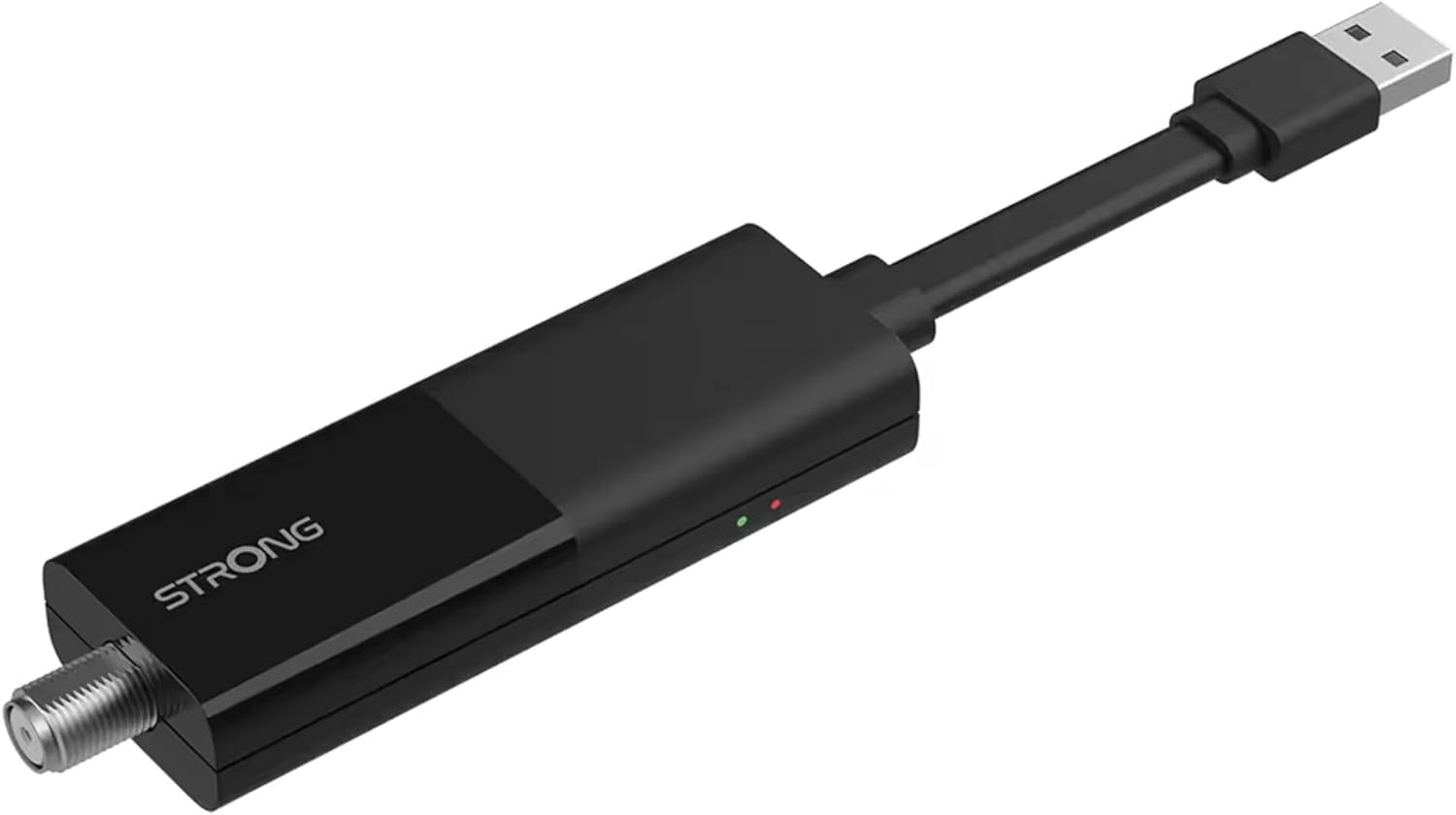
Image: The STRONG 4K UHD Box SRT 427, a compact black USB dongle-style device with a USB connector on one end and an F-type coaxial antenna input on the other, featuring the 'STRONG' logo and small indicator lights.
Navodila za uporabo
Once the initial setup is complete, you can begin using your SRT 427. Use the remote control to navigate the user interface.
- Domači zaslon: Pritisnite DOMOV button to access the main menu, where you can find applications, settings, and media options.
- Navigacija: Uporabite puščične tipke (GOR, DOL, LEVO, DESNO) to move through menus and options. Press OK za potrditev izbire.
- Nadzor glasnosti: Uporabite GLASNOST+ in ZV.- gumbe za nastavitev glasnosti zvoka.
- Izbira kanala: If connected to an antenna, use the CH+ in CH- buttons to change channels, or enter channel numbers directly using the numeric keypad.
- nastavitve: Access the settings menu to customize display, audio, network, and system preferences.
- Predvajanje medijev: Connect a USB storage device to the USB port to play media files (photos, videos, music) through the built-in media player.
Vzdrževanje
Proper maintenance ensures the longevity and optimal performance of your SRT 427.
- Čiščenje: Disconnect the device from power before cleaning. Use a soft, dry cloth to wipe the exterior. Do not use liquid cleaners or abrasive materials.
- Prezračevanje: Ensure the device is placed in a well-ventilated area. Do not block ventilation openings.
- Temperatura: Naprave ne izpostavljajte ekstremnim temperaturam, neposredni sončni svetlobi ali visoki vlažnosti.
- Posodobitve vdelane programske opreme: Periodically check for firmware updates through the system settings to ensure you have the latest features and bug fixes.
Odpravljanje težav
If you encounter issues with your SRT 427, refer to the following common problems and solutions:
| Težava | rešitev |
|---|---|
| Brez moči | Check if the power adapter is securely connected to the device and the wall outlet. Ensure the outlet is functional. |
| Ni slike na televizorju | Verify the HDMI cable is correctly connected to both the SRT 427 and the TV. Ensure the TV is set to the correct HDMI input source. |
| Brez zvoka | Check the volume level on both the SRT 427 and your TV. Ensure audio settings in the SRT 427 menu are correct. |
| Daljinski upravljalnik ne deluje | Check and replace the batteries. Ensure there are no obstructions between the remote and the device's IR sensor. |
| Ni mogoče vzpostaviti povezave z Wi-Fi | Ensure your Wi-Fi router is on and within range. Re-enter the Wi-Fi password in the network settings. Try restarting both the SRT 427 and your router. |
Specifikacije
Technical specifications for the STRONG 4K UHD Box SRT 427:
- Številka modela: SRT427
- Dimenzije izdelka: 5.91 x 7.87 x 5.91 palcev
- Teža artikla: 1.76 funtov
- Baterije: 1 AAAA batteries required (for remote control, typically)
- Proizvajalec: Močna
- Language (Default): Italian (may vary by region, user configurable)
- ASIN: B0FDPX7PRQ
- Prvič na voljo: 21. avgust 2025
Garancija in podpora
For warranty information and technical support, please refer to the warranty card included in your product packaging or visit the official Strong webNaprave ne poskušajte popravljati sami, saj lahko s tem razveljavite garancijo.
Uradno Webspletno mesto: www.strong.tv
Ask a question about this manual
Ask about setup, troubleshooting, compatibility, parts, safety, or missing instructions. Manuals+ will review the question and use this page’s manual context to help answer it.