
1. Uvod
This manual provides detailed instructions for the operation and maintenance of your KEPLUG MX9 Sunrise Alarm Clock. This device combines a digital alarm clock, a sunrise simulation wake-up light, a dimmable bedside night light, and a white noise machine with 30 soothing sounds. Please read this manual thoroughly before use to ensure proper functionality and safety.
2. Varnostne informacije
- Poskrbite, da bo naprava postavljena na stabilno in ravno površino.
- Naprave ne izpostavljajte vodi ali prekomerni vlagi.
- Uporabljajte samo priloženi napajalnik in kabel.
- Hraniti izven dosega otrok in hišnih ljubljenčkov.
- Naprave ne poskušajte razstavljati ali popravljati sami. Za servis se obrnite na usposobljeno osebje.
- Izključite napravo med nevihtami ali ko je ne uporabljate dlje časa.
3. Vsebina paketa
Preverite, ali so v paketu prisotni vsi elementi:
- KEPLUG MX9 Sunrise Alarm Clock
- Napajalni adapter
- Napajalni kabel
- Uporabniški priročnik (ta dokument)
4. Izdelek je končanview
Familiarize yourself with the main components and control buttons of your KEPLUG MX9 Sunrise Alarm Clock.

Slika 1: Spredaj view of the KEPLUG MX9 Sunrise Alarm Clock, showing the main light dome, digital time display, and control buttons at the base.
The device features a large light dome, a digital time display, and several touch-sensitive buttons for control:
- Alarmni gumb: Used to set and activate alarms.
- Časovni gumb: Used to set the current time and 12/24-hour format.
- Gumb za dremež/svetlobo: Activates snooze during an alarm, or turns on/off and adjusts the night light.
- Gumb plus (+): Increases values (time, volume, brightness) or navigates options.
- Gumb minus (-): Decreases values (time, volume, brightness) or navigates options.
- Gumb za glasbene note: Selects soothing sounds or white noise.
5. Nastavitev
5.1 Napajalni priključek
- Connect the power cable to the DC input port on the back of the alarm clock.
- Priključite napajalnik v standardno električno vtičnico.
- Digitalni zaslon se bo zasvetil, kar pomeni, da je naprava vklopljena.
5.2 Nastavitev trenutnega časa
- Pritisnite in držite Časovni gumb for 3 seconds to enter time setting mode. The hour digits will flash.
- Uporabite Plus (+) or Minus (-) Buttons za prilagoditev ure.
- Pritisnite Časovni gumb ponovno pritisnite, da potrdite uro in se premaknete na nastavitev minut. Številke minut bodo utripale.
- Uporabite Plus (+) or Minus (-) Buttons za nastavitev minute.
- Pritisnite Časovni gumb a third time to confirm the minutes and select 12-hour or 24-hour format.
- Uporabite Plus (+) or Minus (-) Buttons da izberete želeno obliko časa.
- Pritisnite Časovni gumb one last time to exit time setting mode.
6. Navodila za uporabo
6.1 Setting an Alarm (Sunrise Simulation & Sound)
The KEPLUG MX9 allows you to set multiple alarms with customizable sunrise simulation and sound options.
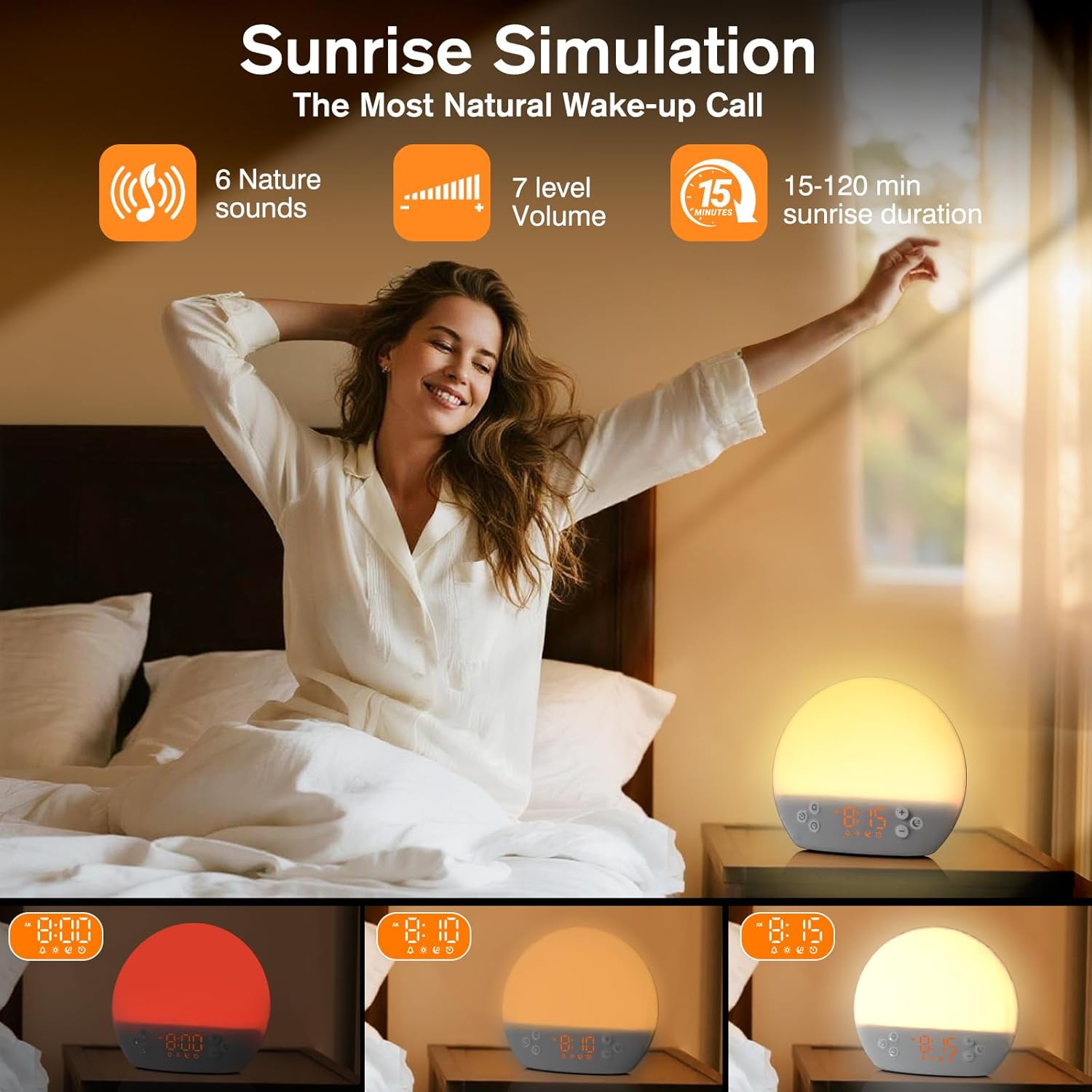
Image 2: Illustration of the sunrise simulation feature, where the light gradually brightens over a set period, mimicking a natural sunrise.
- Pritisnite Gumb za alarm to select an alarm slot (e.g., Alarm 1, Alarm 2).
- Pritisnite in držite Gumb za alarm for 3 seconds to enter alarm setting mode. The alarm hour digits will flash.
- Uporabite Plus (+) or Minus (-) Buttons da nastavite želeno uro budilke.
- Pritisnite Gumb za alarm to confirm the hour and set the minutes.
- Uporabite Plus (+) or Minus (-) Buttons da nastavite želeno minuto alarma.
- Pritisnite Gumb za alarm to confirm minutes and set the sunrise duration (15-120 minutes). This is the time before the alarm sound when the light will gradually brighten.
- Uporabite Plus (+) or Minus (-) Buttons to select the sunrise duration.
- Pritisnite Gumb za alarm to confirm duration and select the wake-up sound.
- Uporabite Plus (+) or Minus (-) Buttons to cycle through the available wake-up sounds (e.g., nature sounds, melodies).
- Pritisnite Gumb za alarm to confirm the sound and set the alarm volume.
- Uporabite Plus (+) or Minus (-) Buttons to adjust the alarm volume (7 levels).
- Pritisnite Gumb za alarm one last time to save the alarm settings and activate the alarm. An alarm icon will appear on the display.
6.2 Funkcija dremeža
Ko se oglasi alarm, pritisnite Gumb za dremež/svetlobo to activate the snooze function. The alarm will pause for 9 minutes and then sound again. You can snooze multiple times.
6.3 Turning Off an Alarm
To turn off a sounding alarm, press any button other than the Gumb za dremež/svetlobo. To deactivate an alarm completely, press the Gumb za alarm until the alarm icon disappears from the display.
6.4 Night Light / Bedside Lamp funkcija
The device can function as a dimmable night light with various colors.
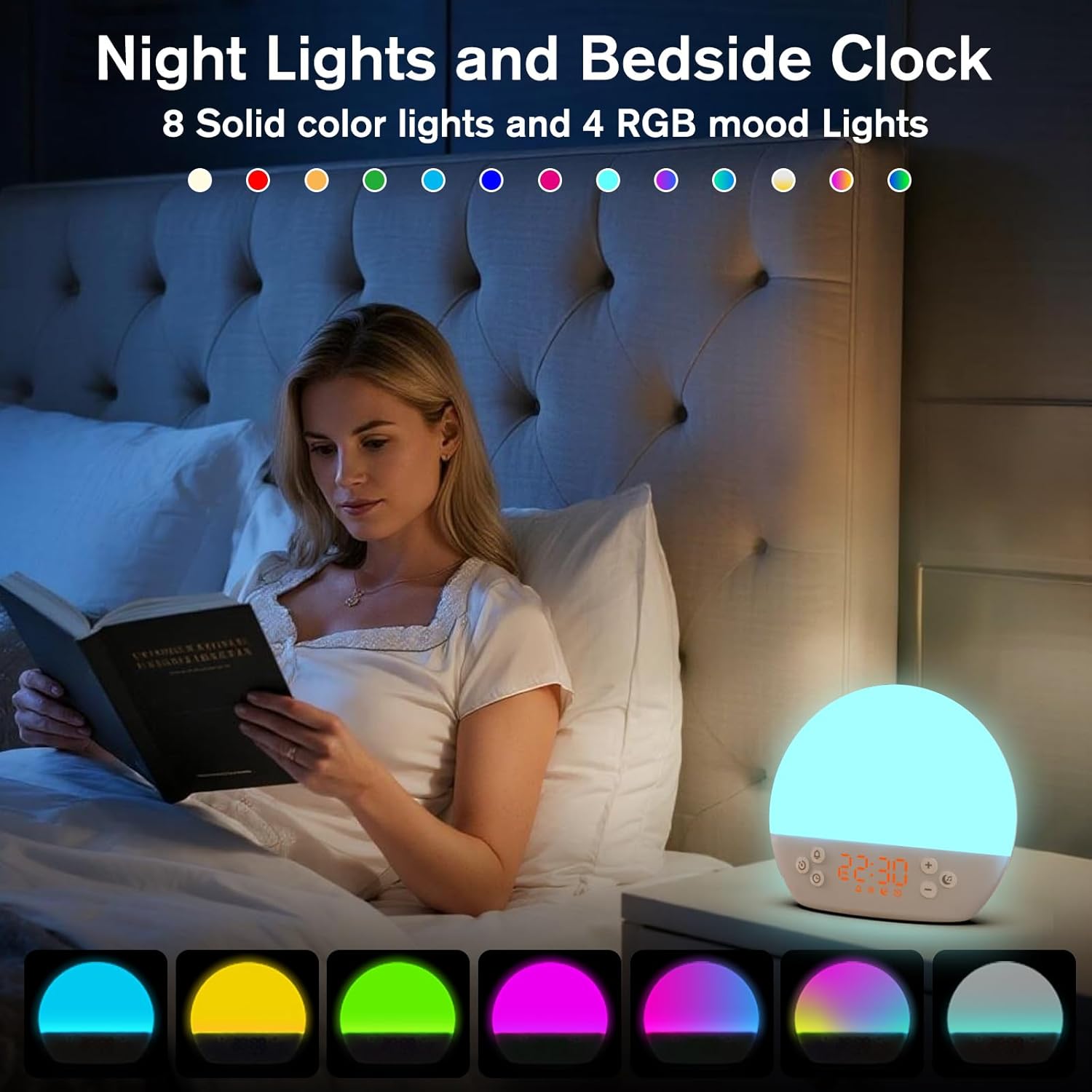
Image 3: The alarm clock used as a bedside lamp, displaying various solid colors and mood lighting options.
- Pritisnite Gumb za dremež/svetlobo once to turn on the light.
- Pritisnite Gumb za dremež/svetlobo repeatedly to cycle through different solid colors (8 options) and RGB mood lights (4 options).
- To adjust the brightness of the selected light, press and hold the Gumb za dremež/svetlobo, nato uporabite Plus (+) or Minus (-) Buttons to increase or decrease brightness. Release the Gumb za dremež/svetlobo ko je končano.
- Pritisnite in držite Gumb za dremež/svetlobo znova, da ugasnete luč.
6.5 White Noise Machine & Soothing Sounds
The device offers 30 soothing sounds for relaxation or sleep aid.

Image 4: Visual representation of the 30 smooth sounds for sleep, including white noise, nature sounds, and lullabies.
- Pritisnite Music Note Button to turn on the sound machine. It will start playing the last selected sound.
- Pritisnite Music Note Button repeatedly to cycle through the 30 available sounds.
- Uporabite Plus (+) or Minus (-) Buttons za prilagoditev glasnosti zvoka.
- To set a timer for the sound playback, press and hold the Music Note Button. The timer options (e.g., 15 min, 30 min, 60 min, continuous) will appear. Use the Plus (+) or Minus (-) Buttons to select a duration. The sound will automatically turn off after the selected time.
- Pritisnite in držite Music Note Button znova, da izklopite zvočni stroj.
6.6 Sunset Simulation (Sleep Aid)
The sunset simulation feature gradually dims the light and can play soothing sounds to help you fall asleep.
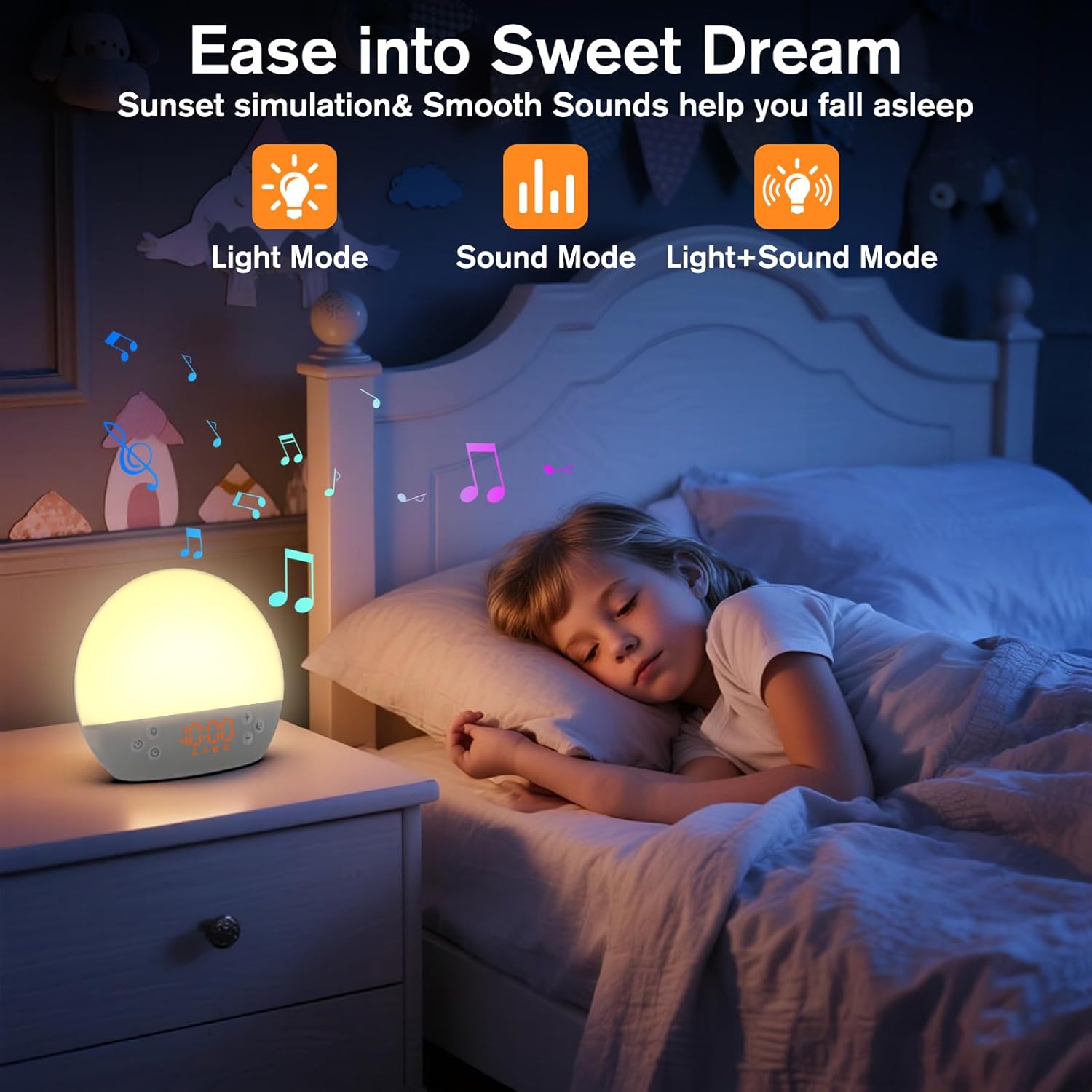
Image 5: The alarm clock in sunset simulation mode, providing a calming light and sound environment to aid sleep.
- To activate sunset simulation, press and hold the Časovni gumb until the sunset icon appears.
- Uporabite Plus (+) or Minus (-) Buttons to set the duration of the sunset simulation (e.g., 15, 30, 60 minutes).
- Pritisnite Časovni gumb to confirm the duration. You can then choose to have light only, sound only, or both light and sound.
- Uporabite Plus (+) or Minus (-) Buttons to select the desired mode (Light Mode, Sound Mode, Light+Sound Mode).
- If Light+Sound Mode is selected, you can choose a specific soothing sound and adjust its volume.
- Pritisnite Časovni gumb again to start the sunset simulation. The light will gradually dim, and sounds will fade out over the set duration.
6.7 Prilagoditev svetlosti zaslona
The brightness of the digital time display can be adjusted to your preference.
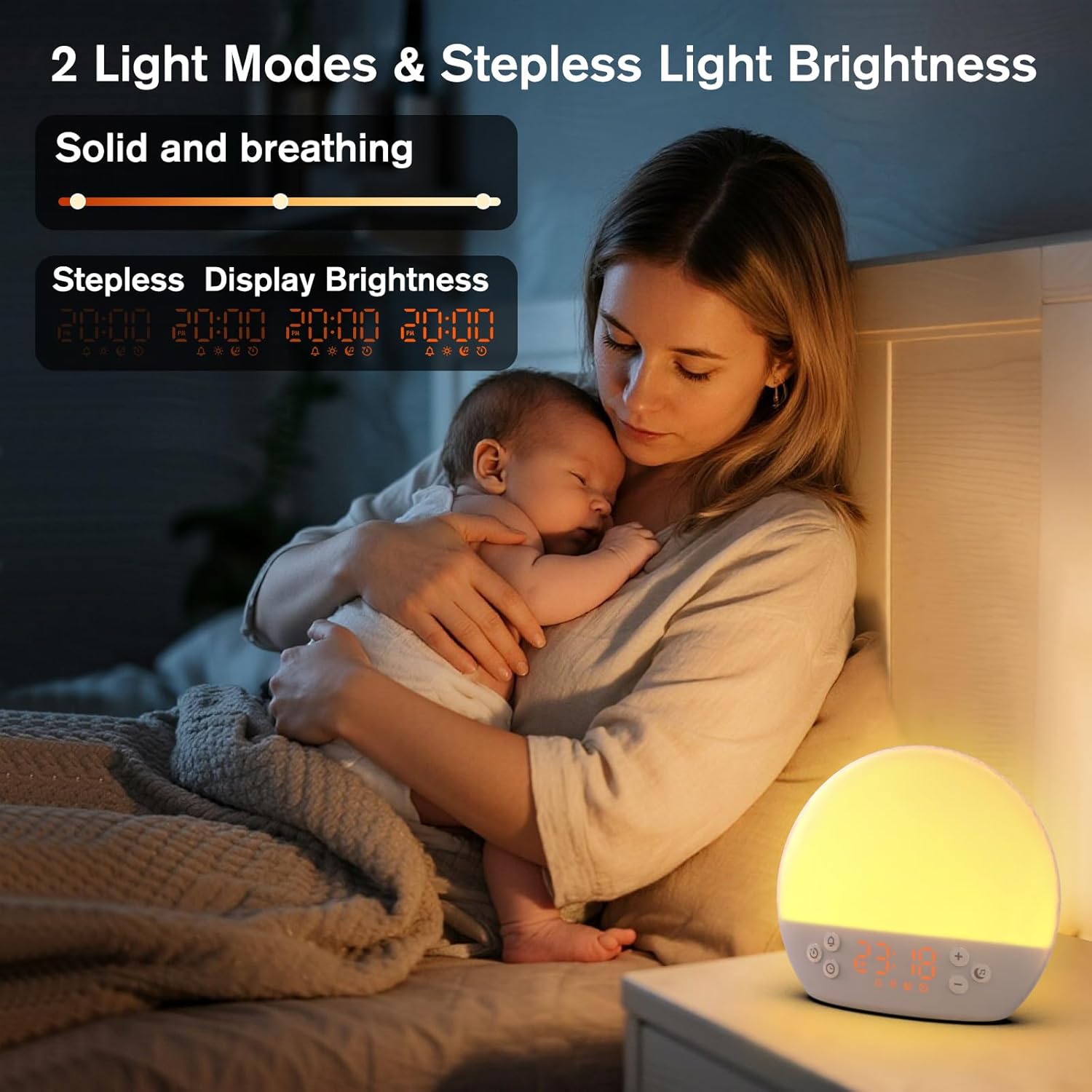
Image 6: The alarm clock demonstrating stepless display brightness adjustment, from very dim to bright.
Če želite prilagoditi svetlost zaslona, na kratko pritisnite Časovni gumb (do not hold). Each press will cycle through different brightness levels (e.g., bright, medium, dim, off). Select the level that suits your environment.
7. Vzdrževanje
- Čiščenje: Pred čiščenjem napravo izključite iz električnega omrežja. Za brisanje površine uporabite mehko, suho krpo. Ne uporabljajte abrazivnih čistil ali topil.
- Shranjevanje: If not in use for an extended period, unplug the device and store it in a cool, dry place.
8. Odpravljanje težav
| Težava | Možen vzrok | rešitev |
|---|---|---|
| Naprava se ne vklopi. | Power cable not connected properly or power outlet is faulty. | Preverite priključek napajalnega kabla. Poskusite z drugo vtičnico. |
| Alarm se ne oglasi. | Alarm not activated or volume is too low. | Ensure the alarm icon is visible on the display. Increase alarm volume during setup. |
| Luč se ne vklopi. | Light function is off or brightness is set to minimum. | Pritisnite Gumb za dremež/svetlobo to turn on. Adjust brightness using Plus (+) or Minus (-) Buttons while holding the Gumb za dremež/svetlobo. |
| Zvoki se ne predvajajo. | Sound machine is off or volume is too low. | Pritisnite Music Note Button to turn on. Increase volume using Plus (+) Gumb. |
| Time display is too bright/dim. | Display brightness setting needs adjustment. | Na kratko pritisnite Časovni gumb to cycle through display brightness levels. |
9. Specifikacije
| Funkcija | Podrobnost |
|---|---|
| Ime modela | MX9 |
| Znamka | KEPLUG |
| Material | Plastika |
| barva | Bela |
| Vir napajanja | Električni na kabel |
| Teža predmeta | 258 gramov (9.1 unč) |
| Dimenzije izdelka | 2.36 x 5.59 x 6.3 palcev (6 x 14.2 x 16 cm) |
| Število svetlobnih virov | 2 |
| Posebna funkcija | Nastavljiva glasnost |
| Sunrise Simulation Duration | 15-120 minut |
| Pomirjujoči zvoki | 30 možnosti |
| Glasnost alarma | 7 ravni |
10. Garancija in podpora
Your KEPLUG MX9 Sunrise Alarm Clock is covered by a standard manufacturer's warranty. For specific warranty details, please refer to the product packaging or contact KEPLUG customer support. If you encounter any issues not covered in the troubleshooting section, or require further assistance, please reach out to our customer service team through the retailer where you purchased the product or visit the official KEPLUG webspletno mesto za kontaktne podatke za podporo.