
1. Uvod
This manual provides essential information for the proper setup, operation, and maintenance of your Kalobee H9 Smart Watch. Please read these instructions carefully before using your device to ensure optimal performance and longevity.
The Kalobee H9 Smart Watch features a 49mm clear case design with an orange and black band, offering a blend of style and functionality. It includes a digital display with chronograph-style complications and wireless charging capability.
2. Vsebina paketa
Preverite, ali so v paketu prisotni vsi elementi:
- Kalobee H9 Smart Watch Unit
- Polnilni kabel
- Uporabniški priročnik (ta dokument)
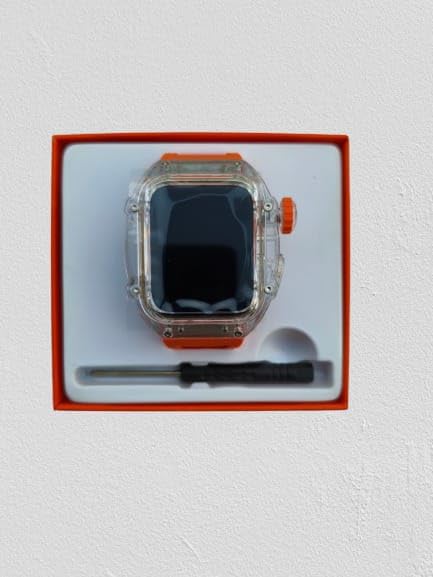
Image: The Kalobee H9 Smart Watch, charging cable, and a small tool are neatly arranged within its retail packaging.
3. Izdelek je končanview
Familiarize yourself with the components of your Kalobee H9 Smart Watch:

Image: An exploded diagram illustrating the main components of the Kalobee H9 Smart Watch, including the face cover, non-slip crown, function key, middle frame, rear cover, and liquid silicone strap.
- Face Cover: The transparent protective layer over the display.
- Non-slip Crown: A rotating and pressable button for navigation and selection.
- Funkcijska tipka: An additional button for specific functions.
- Middle Frame: The central housing of the watch.
- Zadnji pokrov: The back panel of the watch, typically housing sensors and charging contacts.
- Liquid Silicone Strap: The comfortable and durable watch band.
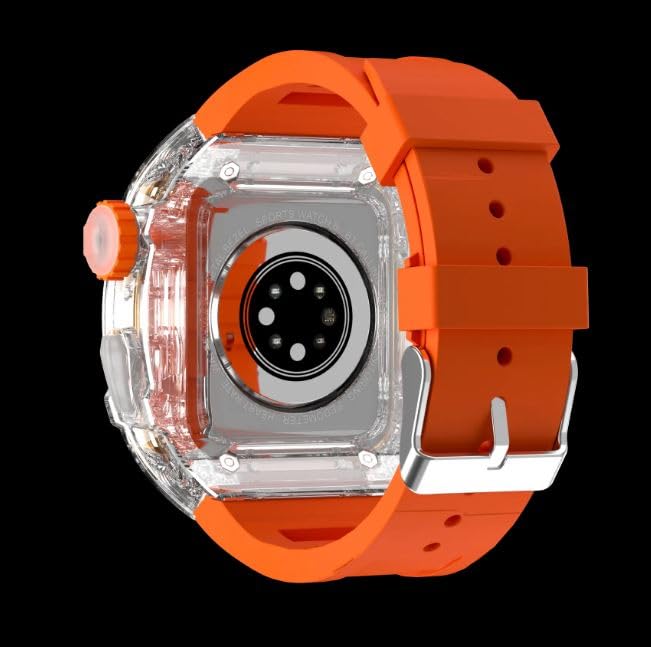
Slika: Zadnji del view of the Kalobee H9 Smart Watch, highlighting the sensor array and wireless charging area on the back panel.
4. Nastavitev
4.1 Polnjenje pametne ure
The Kalobee H9 Smart Watch supports wireless charging. Before initial use, fully charge the device.
- Connect the provided charging cable to a compatible USB power adapter (not included).
- Place the rear cover of the watch onto the wireless charging pad. Ensure the watch is centered on the pad for proper contact.
- The watch display will indicate charging status. Allow sufficient time for a full charge.
4.2 Vklop/izklop
- Za vklop: Press and hold the Non-slip Crown until the Kalobee logo appears on the screen.
- Za izklop: Press and hold the Non-slip Crown, then select the 'Power Off' option on the screen.
4.3 Seznanjanje s pametnim telefonom
To access all smart features, pair your H9 Smart Watch with a compatible smartphone via Bluetooth.
- Prepričajte se, da je Bluetooth na vašem pametnem telefonu omogočen.
- On your H9 Smart Watch, navigate to the Bluetooth settings (refer to Section 5.1 for navigation).
- On your smartphone, open the dedicated Kalobee companion app (if available) or go to Bluetooth settings to search for devices.
- Select 'Kalobee H9' from the list of available devices on your smartphone.
- Potrdite zahtevo za seznanjanje tako na uri kot na pametnem telefonu.
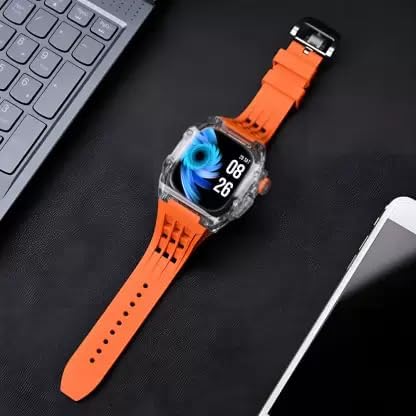
Image: The Kalobee H9 Smart Watch displayed on a desk alongside a smartphone and laptop, illustrating its connectivity with other devices.
5. Navodila za uporabo
5.1 Osnovna navigacija
The H9 Smart Watch features both touchscreen and physical button controls:
- Zaslon na dotik: Za navigacijo po menijih in zaslonih podrsnite levo, desno, gor ali dol. Dotaknite se za izbiro elementov.
- Non-slip Crown: Rotate to scroll through lists or adjust settings. Press to return to the home screen or confirm selections.
- Funkcijska tipka: Typically used for quick access to a specific feature or as a back button. Refer to the on-screen prompts for its exact function in different contexts.
5.2 Ključne lastnosti
The Kalobee H9 Smart Watch offers several features to enhance your daily activities:
- Sledilnik dejavnosti: Spremlja korake, razdaljo in porabljene kalorije.
- Budilka: Nastavite alarme neposredno z ure.
- Dnevni spomin na vadbo: Records and stores your workout data.
- Digitalni zaslon: Provides clear time, date, and other information.
- Obvestila: Prejemajte opozorila za klice, sporočila in obvestila aplikacij iz združenega pametnega telefona.
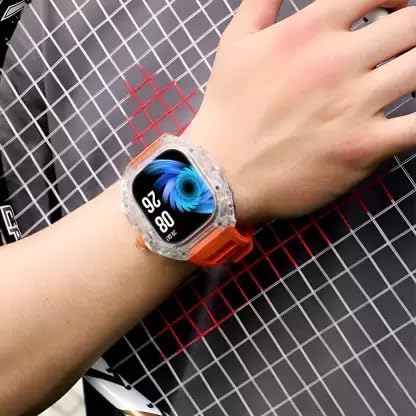
Image: The Kalobee H9 Smart Watch worn on a wrist, displaying the current time and date on its digital interface.
6. Vzdrževanje
To ensure the longevity and proper functioning of your Kalobee H9 Smart Watch, follow these maintenance guidelines:
- Čiščenje: Uro in pašček redno obrišite z mehko, suho krpo. Za trdovratno umazanijo uporabite rahloamp krpo in blagim milom, nato pa temeljito posušite. Izogibajte se agresivnim kemikalijam ali abrazivnim materialom.
- Vodoodpornost: While the watch features a robust construction, avoid prolonged submersion in water or exposure to high-pressure water jets. Dry the watch thoroughly if it gets wet.
- Polnjenje: Use only the provided charging cable. Avoid exposing the charging contacts to moisture or corrosive substances.
- Temperatura: Ure ne izpostavljajte ekstremnim temperaturam (vročini ali mrazu) ali neposredni sončni svetlobi dlje časa.
- Shranjevanje: Ko ure dalj časa ne uporabljate, jo shranite na hladnem in suhem mestu.
7. Odpravljanje težav
If you encounter issues with your Kalobee H9 Smart Watch, refer to the following common problems and solutions:
| Težava | Možen vzrok | rešitev |
|---|---|---|
| Ura se ne vklopi | Prazna baterija; okvara naprave | Charge the watch fully. If the issue persists, contact customer support. |
| Ni mogoče združiti s pametnim telefonom | Bluetooth off; watch not in pairing mode; interference | Prepričajte se, da je Bluetooth omogočen na obeh napravah. Znova zaženite obe napravi. Poskusite znova seznaniti. |
| Obvestila niso prejeta | Not paired; app permissions; notification settings | Verify successful pairing. Check notification permissions in your smartphone's settings for the companion app. Ensure notifications are enabled on the watch. |
| Netočno sledenje dejavnosti | Improper wear; software glitch | Ensure the watch is worn snugly on your wrist. Restart the watch. |
8. Specifikacije
Detailed technical specifications for the Kalobee H9 Smart Watch:
- Znamka: Generic (Manufactured by Kalobee)
- Model: H9
- Številka modela artikla: H9
- Dimenzije paketa: 15 x 8 x 3.5 cm
- Teža artikla: 85 g
- Kapaciteta pomnilnika: 32 MB
- Operacijski sistem: Lastniški operacijski sistem
- Združljive naprave: Pametni telefon
- Posebne lastnosti: Activity Tracker, Alarm Clock, Daily Workout Memory, Digital Display, Notifications
- Montažna oprema: Charging Cable, Smart Watch, User Manual
- Velikost stoječega zaslona: 49 milimetrov
- Vrsta zaslona: Digitalno
- Kapaciteta baterije: 10000 Amp ure
- Brezžična vrsta: Bluetooth
- Vrsta priključka: Bluetooth, brezžično
- Device Interface - Primary: Gumbi, zaslon na dotik
- Država izvora: Kitajska
9. Garancija in podpora
Za informacije o garanciji in podporo strankam glejte dokumentacijo, ki ste jo prejeli ob nakupu, ali se obrnite na prodajalca. Shranite dokazilo o nakupu za morebitne garancijske zahtevke.
Za dodatno pomoč lahko obiščete tudi uradno spletno stran proizvajalca webali se obrnite na njihov oddelek za pomoč uporabnikom.