
1. Uvod
This manual provides detailed instructions for the proper use and maintenance of your KAPEYDESI Captain 400 Wireless Gaming Headset. Please read this manual thoroughly before using the product to ensure optimal performance and longevity.

Figure 1: KAPEYDESI Captain 400 Wireless Gaming Headset in Midnight Blue.
2. Vsebina paketa
Preverite, ali so v paketu prisotni vsi elementi:
- 1x Captain 400 Wireless Gaming Headset
- 1x Detachable Noise-canceling Microphone
- 1x USB Transmitter (2.4GHz dongle)
- 1x polnilni kabel Type-C
- 1x 3.5 mm aux kabel
- 1x Uporabniški priročnik (ta dokument)
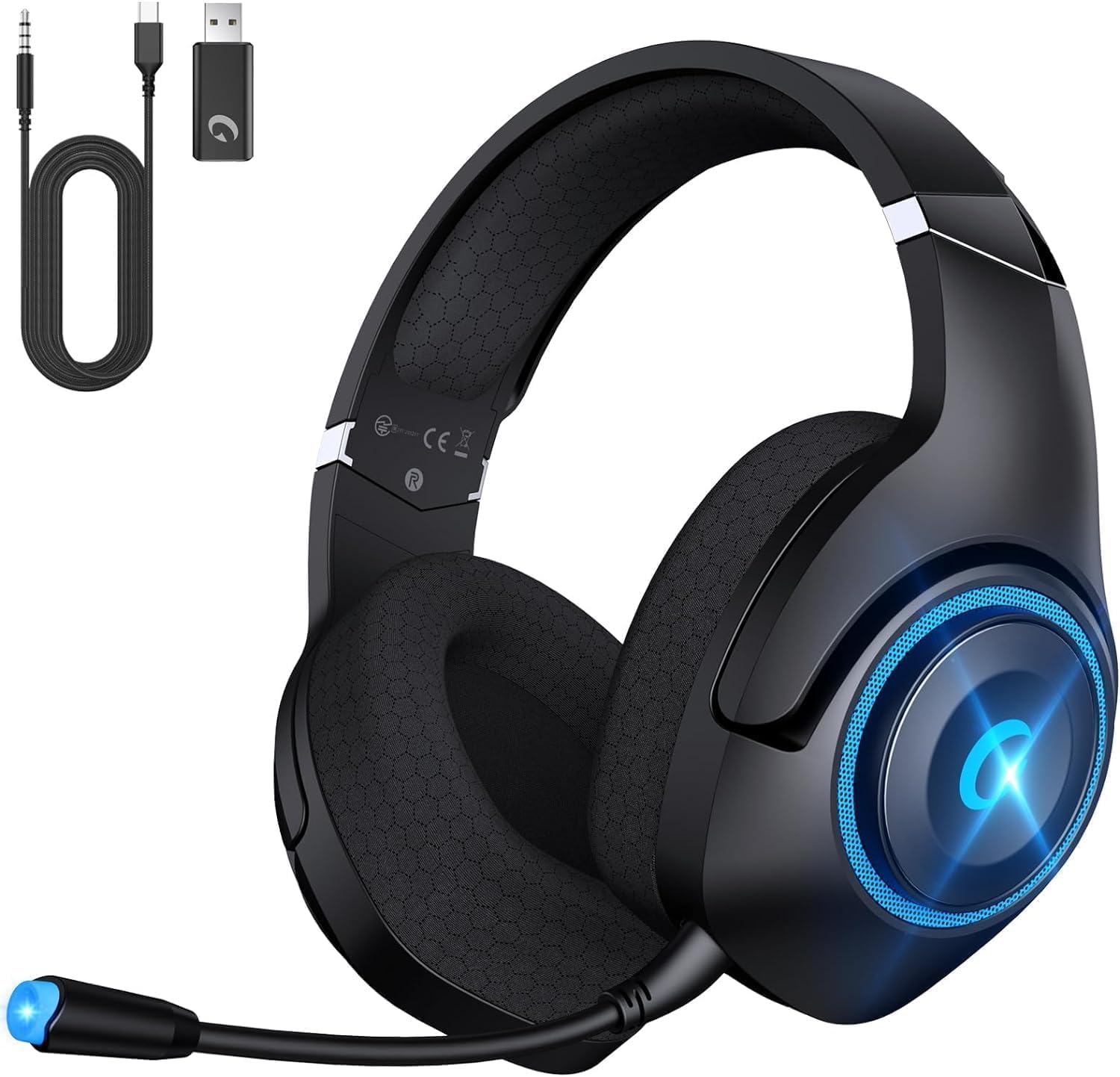
Figure 2: Headset with included USB transmitter, Type-C charging cable, and 3.5mm Aux cable.
3. Izdelek je končanview
3.1 Funkcije slušalk
- Avdio gonilniki: 50mm PET dynamic drivers for precise sound reproduction.
- Mikrofon: Detachable, omni-directional, with Environmental Noise Canceling (ENC) technology.
- Udobje: Breathable mesh earmuffs, wide head beam protection, adaptive ear shell design, ultra-light construction.
- Povezljivost: 2.4GHz Wireless, Bluetooth 5.2, 3.5mm Wired.
- Življenjska doba baterije: Up to 40 hours (25 hours with LED lights active).
- Polnjenje: USB Type-C, approximately 2.5 hours for a full charge. Supports use while charging.
3.2 Krmilniki in priključki
Slušalke imajo intuitivne kontrole za enostavno uporabo:
- Drsnik glasnosti: Prilagodi raven zvočnega izhoda.
- Gumb za vklop: Vklopi/izklopi slušalke.
- Gumb za izklop zvoka: Izklopi/vklopi mikrofon.
- Stikalo načina: Toggles between 2.4GHz wireless and Bluetooth modes.
- Vrata USB Type-C: Za polnjenje slušalk.
- 3.5 mm avdio priključek: Za žično povezavo.
- Vrata za mikrofon: Za pritrditev snemljivega mikrofona.

Figure 3: Detachable microphone and control layout on the headset.
4. Nastavitev in povezava
4.1 2.4GHz Wireless Connection (PC, PS4, PS5, Nintendo Switch)
- Plug the USB Transmitter into an available USB port on your device (PC, PS4, PS5, or Nintendo Switch dock).
- Power on the Captain 400 headset by pressing and holding the Power button.
- Ensure the headset is in 2.4GHz mode (indicated by a specific LED color or voice prompt).
- The headset will automatically pair with the USB Transmitter. A successful connection will be indicated by a steady LED light on the headset.
Video 1: Instructions on connecting the CT400 Gaming Headphones with Nintendo Switch.
Video 2: Instructions on connecting the Captain 400 Gaming Headset with PC.
Video 3: Instructions on connecting the CT400 Gaming Headset with PS5.
4.2 Bluetooth 5.2 Connection (Phones, Tablets, Nintendo Switch)
- Power on the Captain 400 headset.
- Double-click the Mode Switch button to enter Bluetooth pairing mode. The LED indicator will flash, signifying it's ready to pair.
- On your mobile device or Nintendo Switch, go to Bluetooth settings and select "Captain 400" from the list of available devices.
- Once connected, the LED indicator on the headset will become steady.
4.3 Wired Connection (Devices with 3.5mm Jack, Xbox Series)
- Ensure the headset is powered off for wired mode.
- Connect one end of the 3.5mm Aux Cable to the 3.5mm audio jack on the headset.
- Connect the other end of the 3.5mm Aux Cable to your device's 3.5mm audio port.
- Note for Xbox: An adapter (not included) may be required to connect the 3.5mm cable directly to an Xbox controller.

Slika 4: Vizualna predstavitev treh razpoložljivih načinov povezave.
5. Navodila za uporabo
5.1 Vklop/izklop
- Za vklop pritisnite in držite gumb za vklop, dokler se ne prižge LED indikator.
- Za izklop pritisnite in držite gumb za vklop, dokler se LED indikator ne izklopi.
5.2 Nadzor glasnosti
- Use the Volume Slider on the headset to increase or decrease the audio volume.
5.3 Uporaba mikrofona
- Attach the detachable microphone to the microphone port on the headset.
- To mute the microphone, press the Mute button. Press again to unmute.
- Adjust the flexible microphone boom for optimal voice pickup.
- Opomba: The microphone may not function with Nintendo Switch in certain modes. Contact customer support if microphone issues persist with PS5.
Video 4: Konecview of the Captain 400 Gaming Headset Wireless with Mic.
5.4 LED osvetlitev
- The headset features LED lighting. You can disable the lights at any time to conserve battery life. Refer to the specific button on your headset for LED control.
6. Polnjenje
To charge the Captain 400 headset:
- Connect the Type-C Charging Cable to the USB Type-C port on the headset.
- Connect the other end of the charging cable to a compatible USB power source (e.g., PC, wall adapter).
- LED indikator bo prikazoval stanje polnjenja. Popolno polnjenje traja približno 2.5 uri.
- The headset provides voice prompts when the battery level falls below 3%.
- The headset can be used while charging.

Figure 5: Battery life and charging information for the headset.
7. Vzdrževanje in nega
- Slušalke redno čistite z mehko, suho krpo.
- Slušalke ne izpostavljajte ekstremnim temperaturam, vlagi ali neposredni sončni svetlobi.
- Do not attempt to disassemble or repair the headset yourself. This may void the warranty.
- Store the headset in a cool, dry place when not in use. The foldable design allows for compact storage.
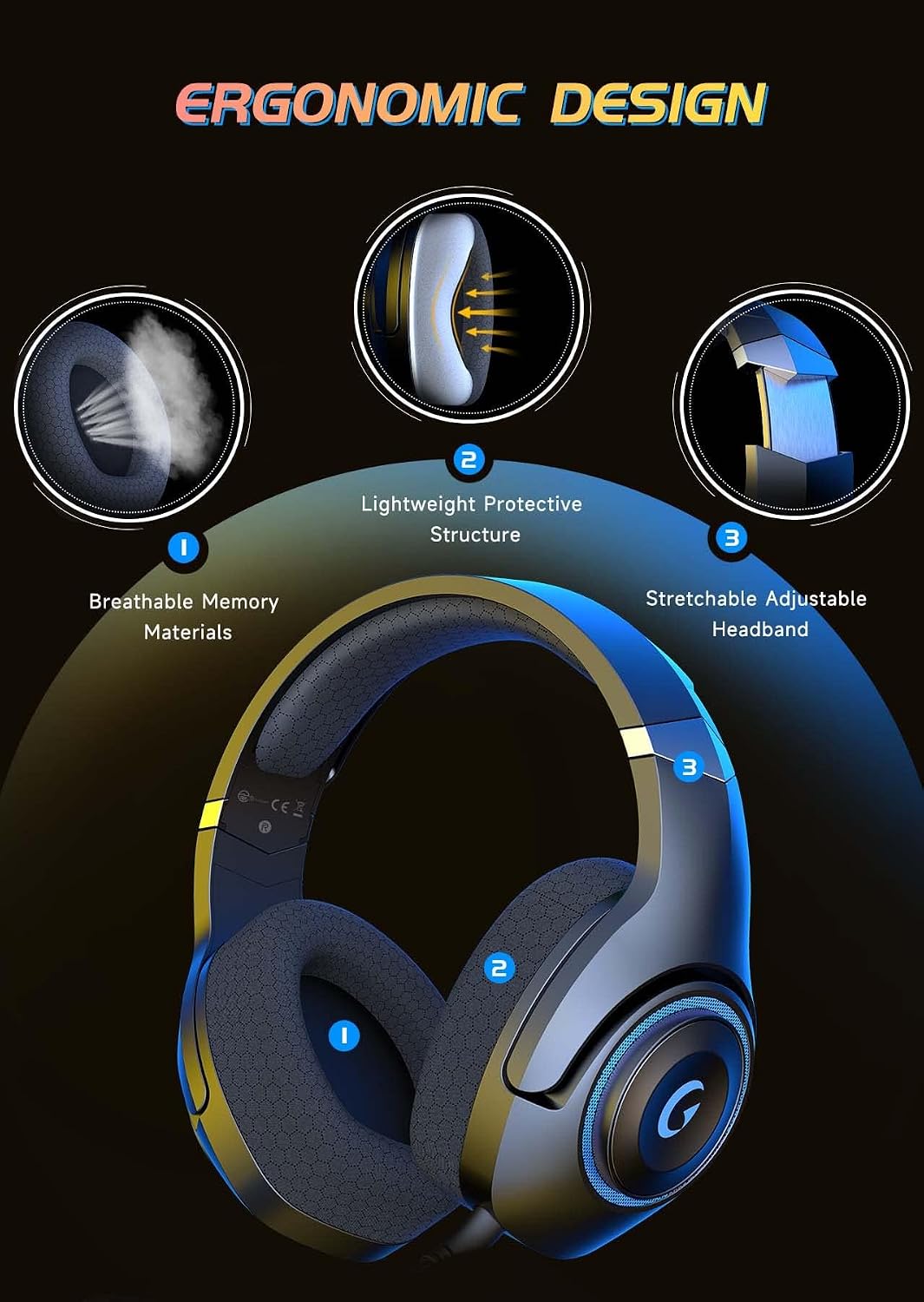
Figure 6: Ergonomic design features contributing to headset comfort and durability.
8. Odpravljanje težav
| Težava | Možna rešitev |
|---|---|
| Ni zvoka iz slušalk | Check volume levels on both headset and device. Ensure correct connection mode (2.4GHz, Bluetooth, or wired). Verify headset is powered on and charged. |
| Mikrofon ne deluje | Ensure microphone is securely attached and not muted. Check device's audio input settings. Note: Microphone may not work with Nintendo Switch in some modes. |
| Headset not pairing (2.4GHz) | Ensure USB Transmitter is correctly plugged in. Verify headset is in 2.4GHz mode. Try unplugging and re-plugging the transmitter. |
| Headset not pairing (Bluetooth) | Ensure headset is in Bluetooth pairing mode (flashing LED). Make sure Bluetooth is enabled on your device and select "Captain 400". |
| Kratka življenjska doba baterije | Ensure LED lights are off if not needed. Fully charge the headset before use. Battery life is up to 25 hours with LEDs on. |
9. Specifikacije
- Ime modela: Kapitan 400
- Tehnologija povezljivosti: Wired (3.5mm jack), Wireless (2.4GHz USB dongle, Bluetooth V5.2)
- Vrsta zvočnega gonilnika: Dinamični gonilnik
- Velikost zvočnega gonilnika: 50 milimetrov
- Nadzor hrupa: Sound Isolation (ENC Microphone)
- Življenjska doba baterije: 40 Hours (without LED), 25 Hours (with LED)
- Čas polnjenja: 2.5 ur
- Različica Bluetooth: 5.2
- Obseg Bluetooth: 49 čevljev
- Impedanca: 20 Ohmov
- Material: Acrylonitrile Butadiene Styrene (ABS), Mesh Earmuffs, Plastic
- Teža artikla: 1.1 funtov
10. Garancija in podpora
KAPEYDESI is committed to providing comprehensive assistance to all users. For any product-related inquiries or support, please contact our expert customer support team. We ensure responses within 12-24 hours.
For contact information, please refer to the packaging or the official KAPEYDESI webmesto.