
1. Uvod
Thank you for choosing the Soobest 12-inch Digital Day Clock. This clock is designed with a large, high-definition display to clearly show the time, date, and day of the week, making it ideal for seniors. It includes versatile display modes, up to 20 customizable alarm reminders, and automatic brightness adjustment to enhance daily routines and provide comfort.
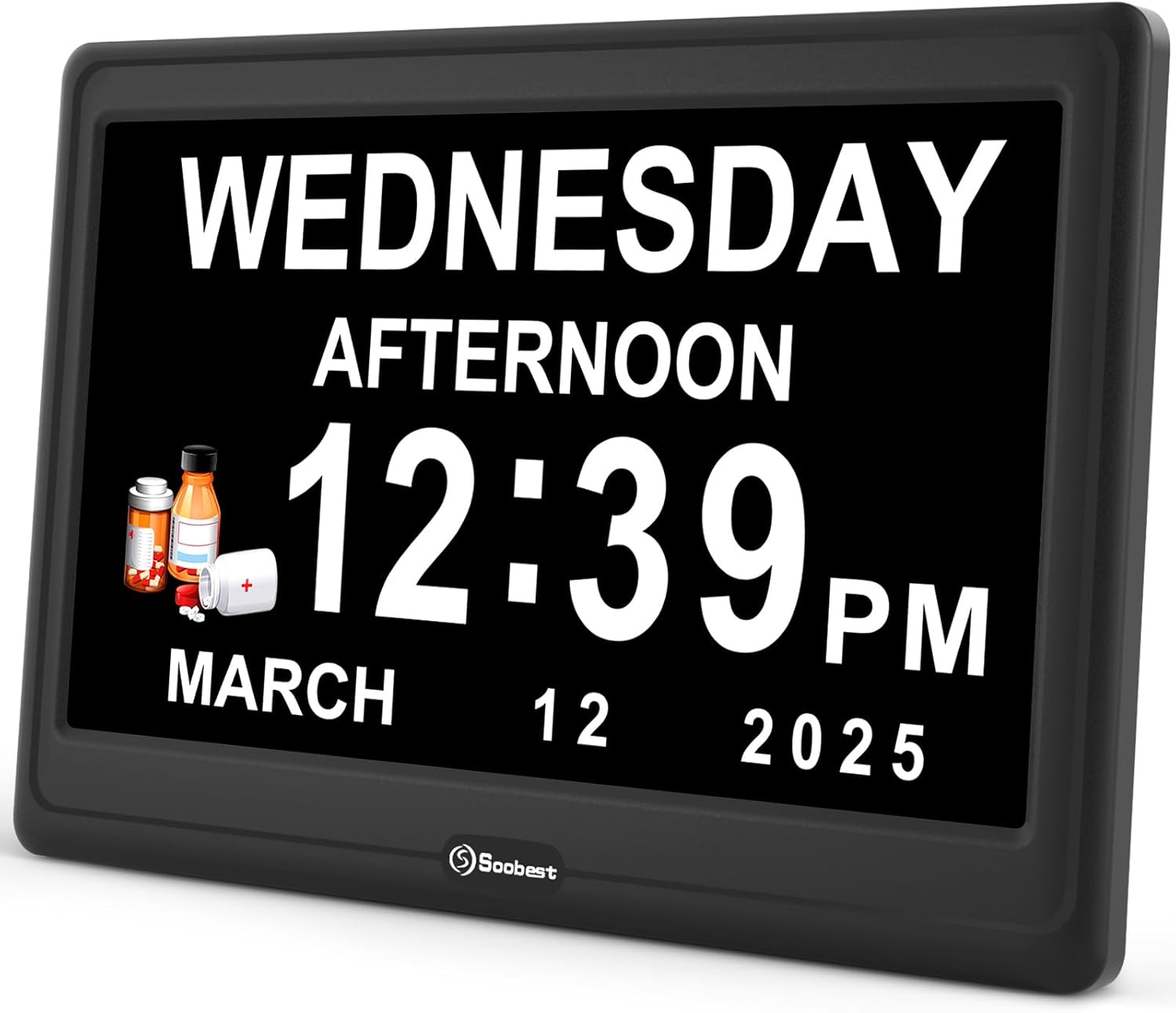
Spredaj view of the Soobest 12-inch Digital Day Clock, displaying time and date.
2. Vsebina paketa
- Soobest 12-inch Digital Day Clock
- Power Adapter (Corded Type C)
- Navodila za uporabo
3. Nastavitev
3.1 Napajalni priključek
- Connect the provided power adapter to the DC 5V input port on the back of the clock.
- Plug the adapter into a standard electrical outlet. The clock will power on automatically.

Zadaj view of the clock, highlighting the DC 5V input and control buttons.
3.2 Battery Installation (Memory Function)
For the memory function to retain time and alarm settings during a power outage, install 2 AAA batteries (not included).
- Poiščite predal za baterije na zadnji strani ure.
- Odprite pokrov predala.
- Vstavite 2 bateriji AAA in pazite na pravilno polarnost (+/-).
- Zaprite pokrov prostora za baterije.

Illustration of the battery compartment for the memory function, requiring 2 AAA batteries.
3.3 Namestitev
The clock can be placed on a tabletop using its built-in stand or mounted on a wall using the keyhole slots on the back.

The 12-inch clock dimensions are 10.1 inches wide by 6.72 inches high.
4. Navodila za uporabo
The clock is operated using the buttons on the back: Up, Down, Left, Right, OK, and MENU/EXIT.
4.1 Initial Settings (Time, Date, Language)
- Pritisnite MENI/IZHOD gumb za vstop v meni z nastavitvami.
- Uporabite Gor/Dol buttons to navigate through options like Language, Date Mode, Set Date, Time Display.
- Pritisnite OK da izberete možnost.
- Uporaba Gor/Dol/Levo/Desno gumbe za nastavitev vrednosti. Pritisnite OK za potrditev.
- To set the language, select "Language" and choose from 8 supported languages: English, Spanish, German, French, Italian, Swedish, Polish, Dutch.
- To set the date, select "Set Date" and adjust the month, day, and year.
- To set the time, select "Set Time" and adjust hours and minutes. You can also choose between 12-hour or 24-hour format under "Time Display".
- The clock supports automatic Daylight Saving Time (DST) changes.
- Pritisnite MENI/IZHOD da shranite nastavitve in zaprete.
Video demonstrating the initial setup and menu navigation for the Soobest Digital Day Clock.
4.2 Načini prikaza
The clock offers four versatile display modes:
- White Digits: Standard digital display with white text on a black background.
- Yellow Digits: Digital display with yellow text on a black background.
- Analog Clock Face: Displays an analog clock face with digital date and day.
- Barvni zaslon: Features a red, white, and blue background with digital time and date.
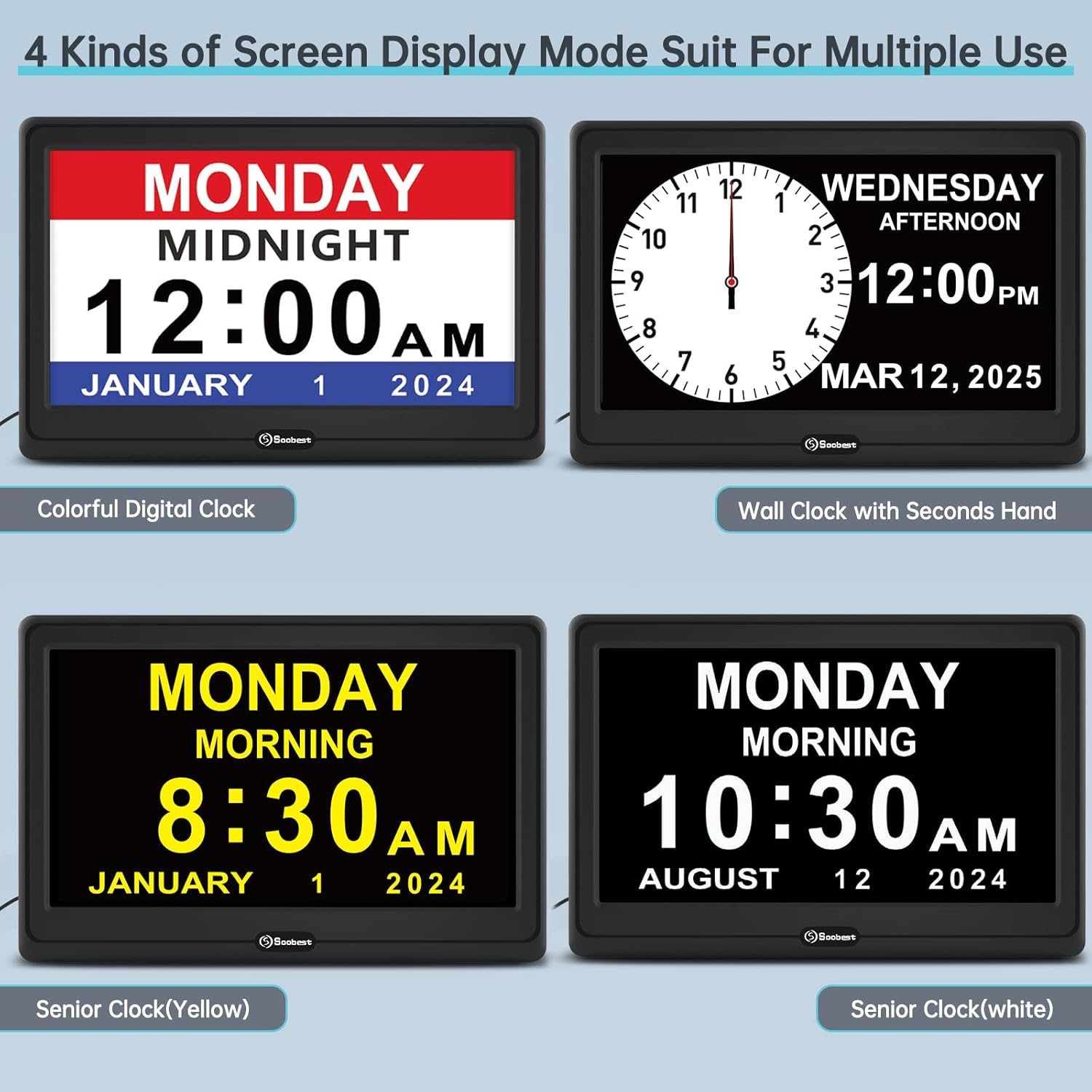
Examples of the four available screen display modes: Colorful Digital, Wall Clock with Seconds Hand, Senior Clock (Yellow), and Senior Clock (White).
4.3 Nastavitev alarmov
The clock supports up to 20 customizable alarm reminders.
- From the main menu, navigate to "Alarm Settings".
- Select an alarm slot (e.g., Alarm 1, Alarm 2).
- Nastavite čas alarma.
- Choose the alarm frequency: Daily, Weekly, or Date-Specific.
- Select a reminder icon and text (e.g., Medicine, Drink Water, Meal, Walk Dog, Bed Time, Cleaning, Clinic, Appointment).
- Choose a ringtone: Wave Sound, Birds Sound, or Original Beep Sound.
- Adjust the alarm volume from Level 1 to 10.
- Confirm and save the alarm settings.

Various alarm reminders displayed on the clock, such as "Drink Water", "Medicine", "Meal", "Gardening", "Walk Dog", and "Bed Time".

Visual representation of the three alarm sound options and the adjustable volume feature.
4.4 Prilagoditev svetlosti
The clock offers 5 levels of manual brightness adjustment and an automatic dimming feature.
- Ročna nastavitev: In the settings menu, navigate to "Brightness" and select a level from 1 to 5.
- Samodejna zatemnitev: The clock can automatically dim at 9:30 PM and brighten at 6:59 AM to protect eyes and ensure comfortable viewing in different light conditions.

Illustrates the 6 levels of adjustable dimmer, from L5 (brightest) to L1 (dimmest), and the auto-dimming function.
4.5 Time Period Display
The clock displays 6 different time periods throughout the day to help users distinguish between morning and evening hours.
- Pre-Dawn
- jutro
- popoldan
- Večer
- Noč
- Polnoč

The clock showing different time periods like Pre-Dawn, Morning, Afternoon, Evening, Night, and Midnight.
5. Vzdrževanje
- Clean the clock screen and body with a soft, dry cloth. Do not use abrasive cleaners or solvents.
- Ure ne izpostavljajte ekstremnim temperaturam, neposredni sončni svetlobi ali visoki vlažnosti.
- Ensure the clock is placed on a stable surface or securely mounted to prevent falls.
6. Odpravljanje težav
| Težava | Možen vzrok | rešitev |
|---|---|---|
| Ura se ne vklopi. | Napajalnik ni priključen ali pa je vtičnica pokvarjena. | Ensure power adapter is securely plugged into the clock and a working electrical outlet. Try a different outlet. |
| Nastavitve se izgubijo po izpadu napajanjatage. | Memory backup batteries (AAA) are not installed or are depleted. | Install 2 new AAA batteries in the battery compartment. |
| Alarm se ne oglasi. | Alarm is turned off, volume is too low, or incorrect settings. | Check alarm settings to ensure it is enabled, set to the correct time, and volume is audible. |
| Zaslon je pretemno ali presvetlo. | Nastavitve svetlosti je treba prilagoditi. | Manually adjust brightness levels in the settings menu. Check auto-dimmer settings if applicable. |
7. Specifikacije
- Model: SO1001
- Velikost zaslona: 12 palcev
- Vrsta zaslona: Large HD Digital Display
- Dimenzije izdelka: 10.1 cm Š x 6.72 cm V
- vir energije: Corded Electric (DC 5V input)
- Varnostno kopiranje pomnilnika: Potrebuje 2 x AAA baterije (niso priložene)
- Material: Plastika
- Vrsta pritrditve: Namizni, stenski nosilec
- Podprti jeziki: English, Spanish, German, French, Italian, Swedish, Polish, Dutch
- Alarm Reminders: Up to 20 customizable alarms
- Svetlost: 5 manual levels, Auto Dimmer (9:30 PM - 6:59 AM)
- Časovni formati: 12-urno / 24-urno
- DST: Samodejna prilagoditev poletnega časa
8. Garancija in podpora
Soobest products are designed for reliability and performance. For any questions, technical support, or warranty inquiries, please contact our customer support team.
E-pošta za podporo strankam: soobest2014@outlook.com
Please have your model number (SO1001) and purchase information ready when contacting support.